Best AI Secretary App (November 2026): 12 Options Compared by the Job They Do, With Free Plans and Prices
Best AI secretary app (November 2026) for freelancers and small shops: 12 apps compared by secretary job, with free plans and prices checked on official pages.
The best AI secretary app depends on the job. For freelancers and small business owners who want to speak one sentence on iPhone and get tasks, calendar entries and reminders, Codot is built for it: the free plan covers tasks, calendar and notes, and Codot Max ($12.99 or ¥2,000 a month) adds timed reminders, a 7:00 daily briefing and email triage. ChatGPT and Gemini suit drafting, Meta Muse handles bookings and IVRy answers phone calls.
Disclosure: Codot is our product. Updated November 2026 · prices checked November 17, 2026 on official pages or the Japan App Store. Written for freelancers and small shop owners in Japan, so prices are in yen.
TL;DR:
- An AI secretary takes your spoken requests, remembers them and comes back to you on time. It isn't an executive inbox tool or a time-blocking planner.
- Use Codot when you want to talk to your iPhone and have it sorted: one sentence can create a task, move an event and set a reminder at once. The free plan covers tasks, calendar, notes and contacts; Codot Max (¥2,000 or $12.99 a month) adds timed reminders, a 7:00 briefing and email triage.
- ChatGPT, Gemini, Claude and Copilot write well but need setup to remind you; Meta Muse and Siri AI are newcomers built to act first; Plaud records meetings and IVRy answers the shop phone.
At a glance
| App | Voice capture in one sentence | Reminder at a set time | Daily summary | Answers phone calls | Free plan | Per month (yen) | Source | |
|---|---|---|---|---|---|---|---|---|
| Codot | Yes | Paid only | Paid only | Paid only | No | Yes | Codot Max ¥2,000 (¥15,000 a year) | App Store Japan |
| ChatGPT | Not stated officially | Paid only | Not stated officially | Not stated officially | Not stated officially | Yes | Go ¥1,400, Plus ¥3,000 | App Store Japan |
| Gemini | Not stated officially | Not stated officially | Not stated officially | Yes | Not stated officially | Yes | Google AI Plus ¥725, Pro ¥2,900 | |
| Meta Muse | Not stated officially | Yes | Not stated officially | Yes | Not stated officially | Yes | Not stated officially | Meta |
| Siri AI | Yes | Not stated officially | Not stated officially | Not stated officially | Not stated officially | Yes | Not stated officially | Apple |
| Microsoft Copilot | Not stated officially | Not stated officially | Not stated officially | Paid only | Not stated officially | Yes | Microsoft 365 Personal ¥2,100 | App Store Japan |
| Claude | Not stated officially | Not stated officially | Not stated officially | Not stated officially | Not stated officially | Yes | Pro ¥3,000 | App Store Japan |
| Notion AI | Not stated officially | Not stated officially | Not stated officially | Not stated officially | Not stated officially | Yes | Plus ¥1,800 | App Store Japan |
| Plaud | Not stated officially | Not stated officially | Not stated officially | Not stated officially | Not stated officially | Yes | Pro ¥3,000 | App Store Japan |
| Trace | Not stated officially | Not stated officially | Not stated officially | Not stated officially | Not stated officially | Yes | Premium ¥900 | App Store Japan |
| AI Task Hisho | Not stated officially | Yes | Not stated officially | Not stated officially | Not stated officially | Yes | PRO ¥380, PRO+ ¥580 (period not stated) | App Store Japan |
| IVRy | Not stated officially | Not stated officially | Not stated officially | Not stated officially | Yes | Yes | Not stated officially | IVRy |
What is the best AI secretary app you can just talk to on iPhone?
Use Codot when you want to say what's on your mind, in any order, and have it land as tasks, calendar entries and reminders without opening three apps. Tasks, schedule, reminders, notes, contacts, habits, expenses and, on Codot Max, email all sit in one place, which suits a freelancer between clients or a baker with flour on their hands.
One sentence, several things done
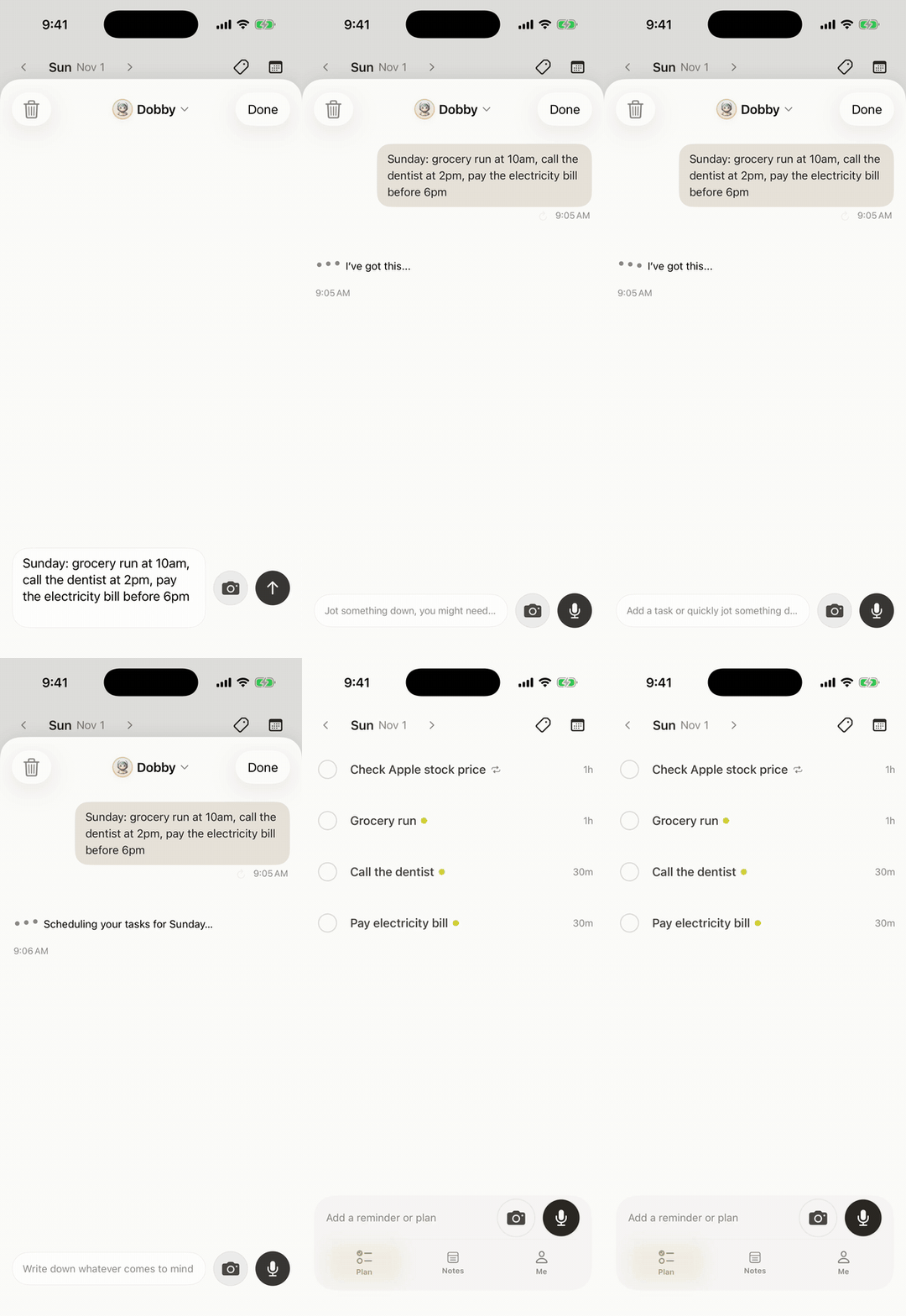
Say "Send Tanaka the quote tomorrow at 10, client call Friday at 3pm, and send the invoice Monday at 9," and Codot files three separate tasks at once, each with its own time. Codot writes them into Google Calendar, or Apple Calendar and Reminders on iPhone (it doesn't read your existing events), and understands spoken Japanese.
It reaches you before you ask (Codot Max)
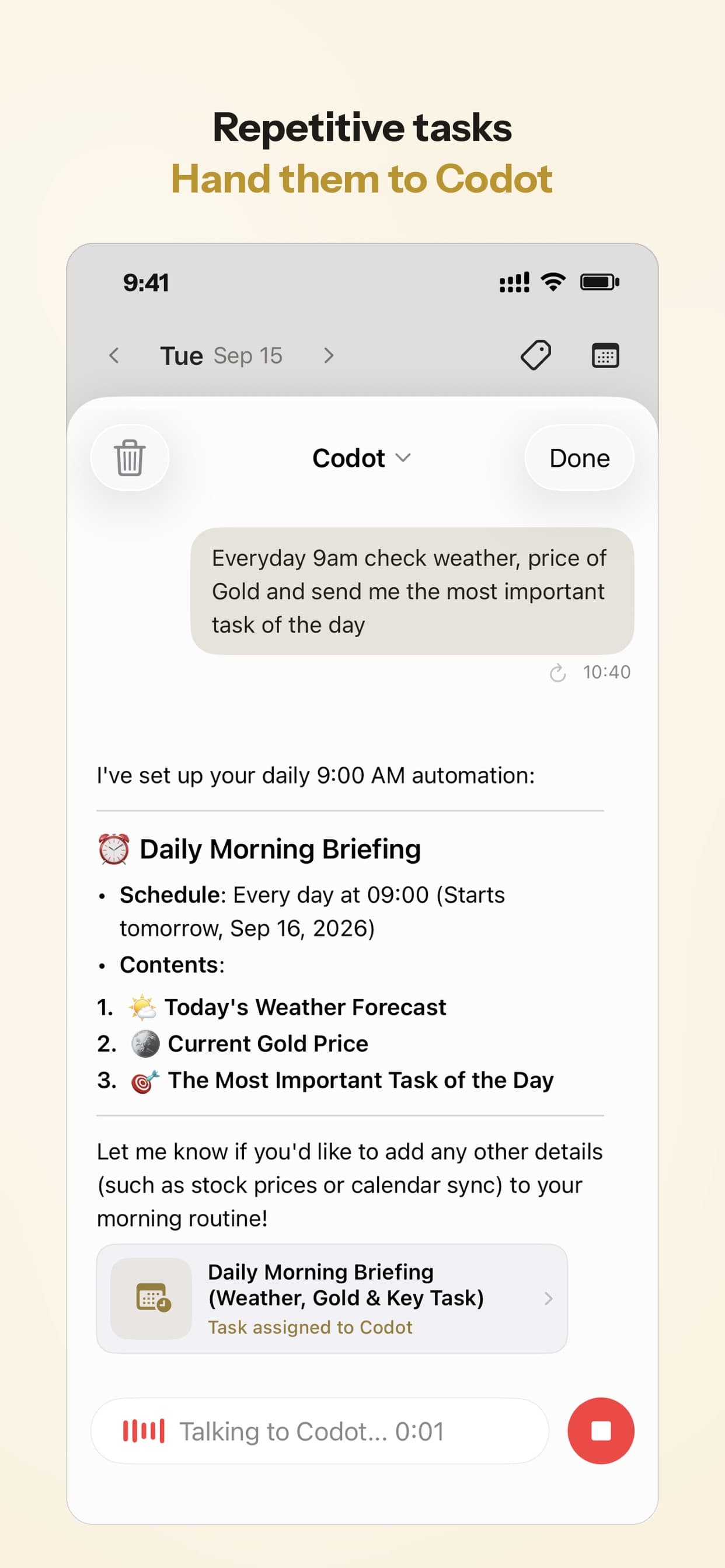
On Codot Max, reminders fire at the exact time (on iOS 26 and later they can ring like an alarm), and repeats accept phrases like "every other Friday." A 7:00 briefing lists the day's tasks, reminders and important email, and up to 20 Routines run on a schedule you set by voice, such as "every Friday, list the clients I haven't contacted in 7 days." The briefing and the email assistant, which sorts Gmail or Outlook and drafts replies, are iPhone only. For a full day built on five Routines, see an AI personal assistant for a self-employed editor.
What the free plan covers
New accounts get 7 days of Codot Max free, then return to the free plan with no charge. Free keeps one-off tasks, calendar, notes, a personal CRM, voice input, habits, calorie logging and expenses (photograph a receipt to log it), plus assigning tasks to friends. Codot Max is ¥2,000 a month or ¥15,000 a year in Japan, $12.99 or $99.99 in the US, with 20x the free plan's usage. If remembering clients is the main job, our best personal CRM app comparison goes deeper.
What is an AI secretary, and how is it different from an executive assistant or a planner?
An AI secretary takes your spoken requests, remembers them, reminds you on time and keeps your contacts; some also book things or answer the phone. Two neighboring categories get mixed in:
- AI executive assistant tools are for founders who hand over an inbox and a packed meeting calendar; Fyxer, Lindy, Martin, Motion and Reclaim are ranked in our AI executive assistant apps compared.
- Planners and calendar apps auto-schedule the tasks you've typed into time blocks; they don't take a request in passing.
For a freelancer or a small shop, the secretary jobs matter more: nobody filters your inbox, but someone has to remember the quote you promised for 10:00. You can build a basic one in ChatGPT, Claude, Gemini or Copilot, though homemade setups usually stall at exact-time reminders and remembering people.
How we selected these AI secretary apps
We kept apps that take over at least one secretary job for one person (capture, timed reminders, a daily summary, email, phone calls), run on iPhone, work in Japanese and publish a price on an official page or the Japan App Store. Features are as each company describes them; we didn't run timed tests. "Not stated officially" means we couldn't find it on the vendor's own pages, not that it's missing. For tools built around client projects, see the best AI assistant for freelancers.
Can ChatGPT, Gemini, Claude or Copilot be your AI secretary?
They draft and plan very well, and each needs setup before it reminds you of anything.
- ChatGPT is the strongest writer here: email drafts, agendas, a messy week broken into steps. Scheduled tasks are on paid plans (Go ¥1,400, Plus ¥3,000).
- Gemini connects to Gmail and Google Calendar and is free with a Google account; Google AI Plus is ¥725. Its reminder gaps are in what Gemini gets wrong about reminders.
- Claude writes and reasons well (Pro ¥3,000). Its secretary app, Claude Duet, is available in the US only during its research preview.
- Microsoft Copilot drafts and summarizes email in Outlook with Microsoft 365 Personal (¥2,100). If your shop runs on Office, the best AI assistant for small business owners compares it with ChatGPT and Gemini.
Your ideas shouldn't wait for a keyboard. Just say it — Codot handles the rest.
Which AI secretaries act before you ask: Meta Muse and Siri AI?
Both reached Japanese users this autumn.
Meta Muse handles scheduling, bookings, reminders and follow-ups, connects to Gmail, Google Calendar and Instagram, and asks before it sends or buys anything, according to Meta. It launched in Japan on October 23, 2026; many basics are free and no yen price is published.
Siri AI adds and edits calendar events from a spoken description and works in Japanese, Apple says. It's in the iOS 27 beta, needs an iPhone 15 Pro or 16 or later, has a daily limit and will expand as a paid service.
Which apps cover one secretary job, such as meetings or phone calls?
- Notion AI organizes what's already in Notion, from meeting pages to task databases (Plus ¥1,800).
- Plaud records, transcribes and summarizes conversations, for days full of meetings (Pro ¥3,000).
- Trace, a Japanese AI calendar, creates events from a typed sentence or a screenshot (Premium ¥900).
- AI Task Hisho (AIタスク秘書), from an independent developer, covers tasks, habits, a daily report and reminder notifications (PRO from ¥380).
- IVRy answers a shop phone with AI, replies by SMS and takes voicemail, free up to 30 calls a month. Codot doesn't answer calls, so a salon that misses calls would pair the two.
How do you pick an AI secretary app on iPhone?
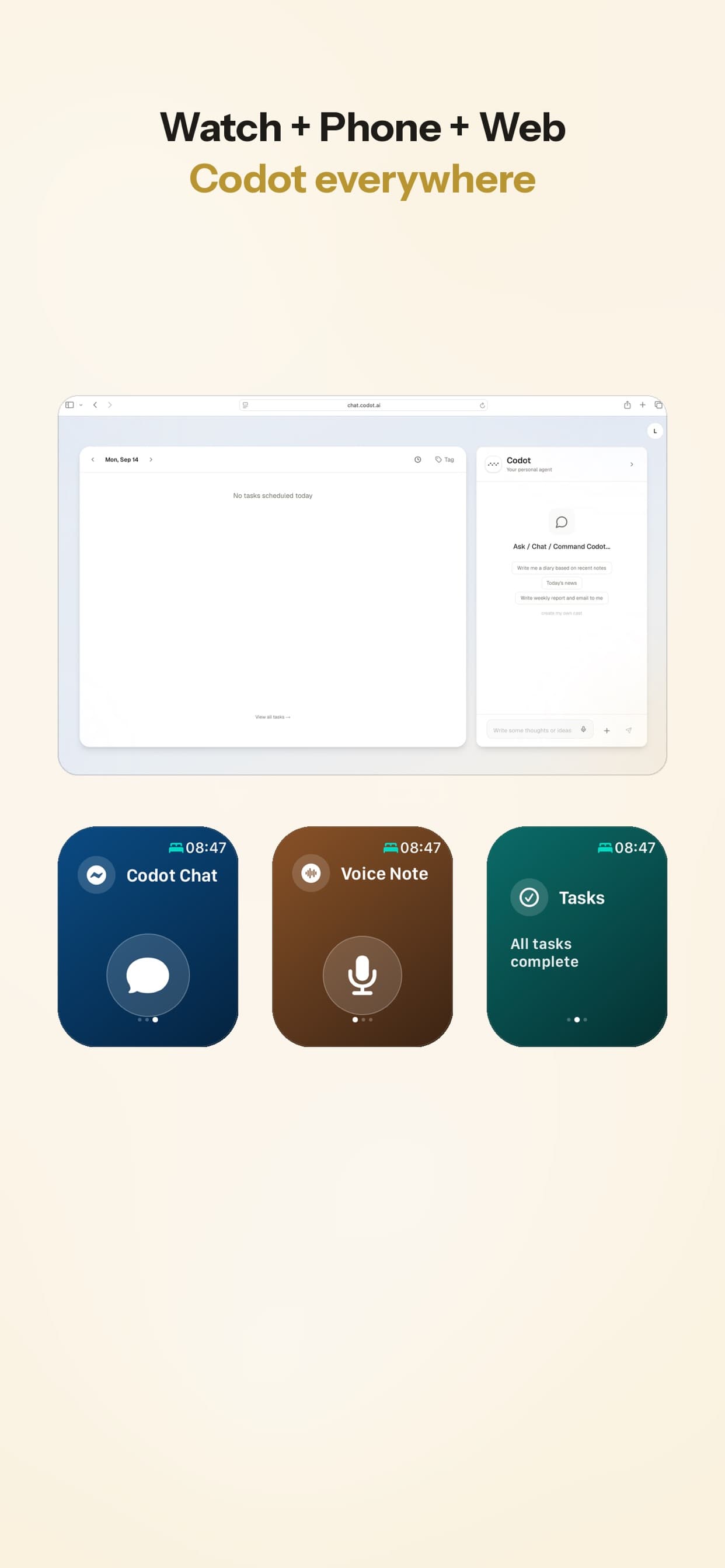
Pick the one you can reach in two seconds: a lock-screen widget, an Apple Watch app and voice input in your language. Codot has all three; putting a to-do list on your iPhone lock screen and recording a voice memo from the lock screen walk through the setup, and the best Apple Watch to-do list apps covers capture when your phone is in a bag. If alerts arrive late or silent, iPhone reminders not working lists the settings to fix first.

Read more: Can You Replace Siri With ChatGPT or Gemini on iPhone? What Works in 2026
Which AI secretary apps are free, and where does Codot fit?
Every app here has a free plan, and timed reminders are usually where paying starts: Codot's free plan covers capture, while reminders, the briefing and email triage need Codot Max. Codot handles the capture-and-remind side; long documents go to ChatGPT or Claude, meeting recordings to Plaud and incoming calls to IVRy.
FAQ
What is the best free AI secretary app?
For iPhone voice capture, Codot's free plan covers tasks, calendar, notes and a personal CRM. For writing, ChatGPT and Gemini have strong free tiers.
What is the difference between an AI secretary and an AI executive assistant?
An AI secretary such as Codot takes one person's spoken requests and reminds them on time. AI executive assistant tools such as Fyxer or Lindy are built for founders who delegate an inbox and a meeting-heavy calendar.
What is the difference between Codot and ChatGPT?
ChatGPT drafts and explains when you open it and ask. Codot turns one spoken sentence into tasks, calendar entries and reminders, and on Codot Max it messages you first with a 7:00 briefing and Routines.
Can an AI secretary app manage my schedule on iPhone?
Yes. Codot adds and moves entries by voice and writes them into Apple Calendar, Apple Reminders or Google Calendar; Trace and Siri AI (iOS 27 beta) also create events from a description.
Is there an AI secretary that answers phone calls?
Yes, as a separate category: IVRy answers calls with AI, free up to 30 calls a month. Codot doesn't answer phone calls.
Want a secretary you can talk to on your iPhone? Download Codot on the App Store and start with 7 days of Codot Max free.
Founders & Professionals Desk
This article was created with AI assistance and reviewed by our editorial team.Learn about our content process.