Best Apple Watch To-Do List Apps (October 2026): Which Ones Work When Your Phone Isn't Nearby
The best Apple Watch to-do list app for adding tasks in seconds, phone or no phone. Reminders, Things, Todoist, TickTick and Codot compared on capture and price.
The best Apple Watch to-do list app is the one you can add to in under five seconds from the watch face. Apple Reminders is free and built in but Siri can reword what you say. Things has the best complications and syncs without your iPhone. Todoist's watch app needs the iPhone in range. Codot lets you talk to an AI assistant on the watch and turns what you say into tasks and events.
TL;DR:
- On a watch, adding a task matters more than reading the list. Judge each app by how many taps it takes from the watch face to a saved task, and whether that works with your phone left at home.
- Apple Reminders is free and already on the watch. Siri is fast, but it parses your sentence and can turn part of it into a date or a place, so the saved text isn't always what you said.
- Things has the most complete watch app: complications that add a to-do by dictation, a Control Center button on watchOS 26, and direct sync with Things Cloud. It's a one-time purchase.
- Todoist lets you dictate a task on the watch, but its help page says the watch must be in range of your iPhone to create or complete tasks.
- Codot (our app) puts an AI assistant on the watch: say several things at once and they become separate tasks and calendar events. The watch app pairs with an iPhone; Codot itself also runs on Android and the web.
Codot is our product, so read our take on it with that in mind. What we say about the other apps comes from their own help pages and App Store listings, linked below, checked on October 26, 2026. We haven't run a formal side-by-side test.
You're on a morning run and the phone is on the kitchen counter, on purpose. Two kilometres in, you remember the contractor needs the signed form back by Wednesday. By the time you're home and showered, it's gone. Or you're walking out of a client meeting where pulling out your phone would have looked rude, and three follow-ups are fading with every step to the lift. The watch is the one device already on you in both cases, which is why it's worth setting up properly.
What should an Apple Watch to-do list app actually do?
A watch screen is a bad place to manage a list. It's a good place to catch something before you forget it. So I'd judge watch to-do apps on capture first:
- Taps from the watch face to a saved task. A complication or Control Center button that opens straight into dictation beats opening an app and scrolling to "Add".
- Does it work without your iPhone nearby? If the phone has to be in Bluetooth range, the run and the gym don't count.
- Does it keep what you said? Some apps save your words as the task. Others try to pull out dates and places and get it wrong.
- Can it handle more than one thing? Thoughts come in clusters after meetings. Saying three tasks in one go and getting three tasks back is rare.
Reading and ticking off today's list is the second job. Every app here does that reasonably.
Which Apple Watch to-do list apps are worth installing? (as of October 2026)
| App | How you add from the watch | Works without iPhone nearby | Complications | Price |
|---|---|---|---|---|
| Apple Reminders + Siri | Siri, or Add Reminder in the app | Yes, synced through iCloud | Yes (Apple's own) | Free |
| Things | Complication or Control Center button, dictation or scribble | Syncs directly with Things Cloud | Several, incl. "add to-do" | One-time purchase |
| Todoist | Open app, Add Task, microphone | No, watch must be in range of iPhone | Not documented | Free; Pro $5/month billed yearly |
| TickTick | Watch app listed on the App Store | Not documented | Not documented | Free; Premium $49.99/year |
| Codot | Talk to the assistant, or record a voice note | App Store notes say you can use it without your phone | Not listed on the App Store page | Free plan; Max $12.99/mo or $99.99/yr (20x usage) |
"Not documented" means I couldn't find it on the app's own help or App Store pages. It may work; test it before you rely on it.
Apple Reminders and Siri
Free, preinstalled, and fine for "remind me to call the dentist at 5". Apple's watch guide gives exactly that kind of example for Siri, and the Reminders app on the watch lets you scroll to the bottom of a list, tap Add Reminder and enter text; you add a date, time, location or priority by tapping the reminder and then Edit (Apple Watch User Guide). Everything syncs through iCloud to your iPhone and Mac, though you can use these fixes for iPhone reminders not working if your alerts or sync stop behaving.
The catch is how Siri reads you. It treats a reminder request as something to interpret, so times, meals and places get lifted out of the sentence and turned into due dates or locations, and the text that's left can be mangled. A detailed write-up from April 2026 describes Siri throwing away a request that sounded like a question, and overwriting the previous reminder. The workaround that post settled on is worth stealing: pin the New Reminder widget in the watch's Smart Stack, because it opens straight into dictation and doesn't attach a date.
I covered the bigger Siri picture, including the iOS 27 changes, in whether you can replace Siri on iPhone.
Things
If you want a list app first and a watch app second, Things has the most thought-through one I found. Its complications show the next one to three to-dos or a progress ring for Today, and a plus complication creates a to-do "from the watch face using dictation or scribble". On watchOS 26 you can also add a New To-Do button to Control Center. After the first transfer from your iPhone, the watch syncs directly with Things Cloud (Things support).
Two things to know. Things says its complications only refresh when you open the app on the watch, a change it attributes to watchOS 10 (troubleshooting page). And Things is a one-time purchase per platform with no subscription; the watch app comes with the iPhone app, and Cultured Code points you to the App Store for your local price.
Todoist
Todoist's watch flow is: open the app, tap Add Task, tap the microphone, speak, pick a project, save. The same help page says the watch app "requires that the Apple Watch is in range of the iPhone" to create or complete tasks (Todoist help). That rules it out for the phone-free run.
Todoist's AI voice capture, Ramble, splits a rambling sentence into several tasks on the phone, but I found no sign of it on watchOS. The only watch version is a Wear OS beta (Ramble help). If you already live in Todoist, the watch app is still handy for ticking things off, though you can compare free Todoist alternatives and limits if the free tier feels too restrictive.
TickTick
TickTick lists Apple Watch support on its App Store page (watchOS 9 or later), and Premium is $49.99 a year (App Store). I couldn't find a help page that describes what you can do on the watch, so I won't guess. Timed-task alerts do reach the watch, and TickTick has a constant-reminder option for tasks you can't afford to miss (TidBITS). Pick it for the phone app and habits, and treat the watch as a notification screen.
Your ideas shouldn't wait for a keyboard. Just say it — Codot handles the rest.
Try Codot — It's Free →Codot on Apple Watch: what does an assistant on your wrist add?
Codot is a voice-first AI personal assistant. That's a different kind of tool from the list apps above: you tell it what's on your mind, in whatever order, and it decides what's a task, what's a calendar event, what's a note and what belongs on someone's contact card. It can also change what's already there, so "move Thursday's call to Friday at 10" moves the event.
The watch app has three screens: Codot Chat, where you talk to the assistant; Voice Note, for a quick recording; and Tasks, which shows today's list. Codot's App Store release notes describe the watch app as a way to use Codot without bringing your phone, and it requires watchOS 10.6 or later (App Store).
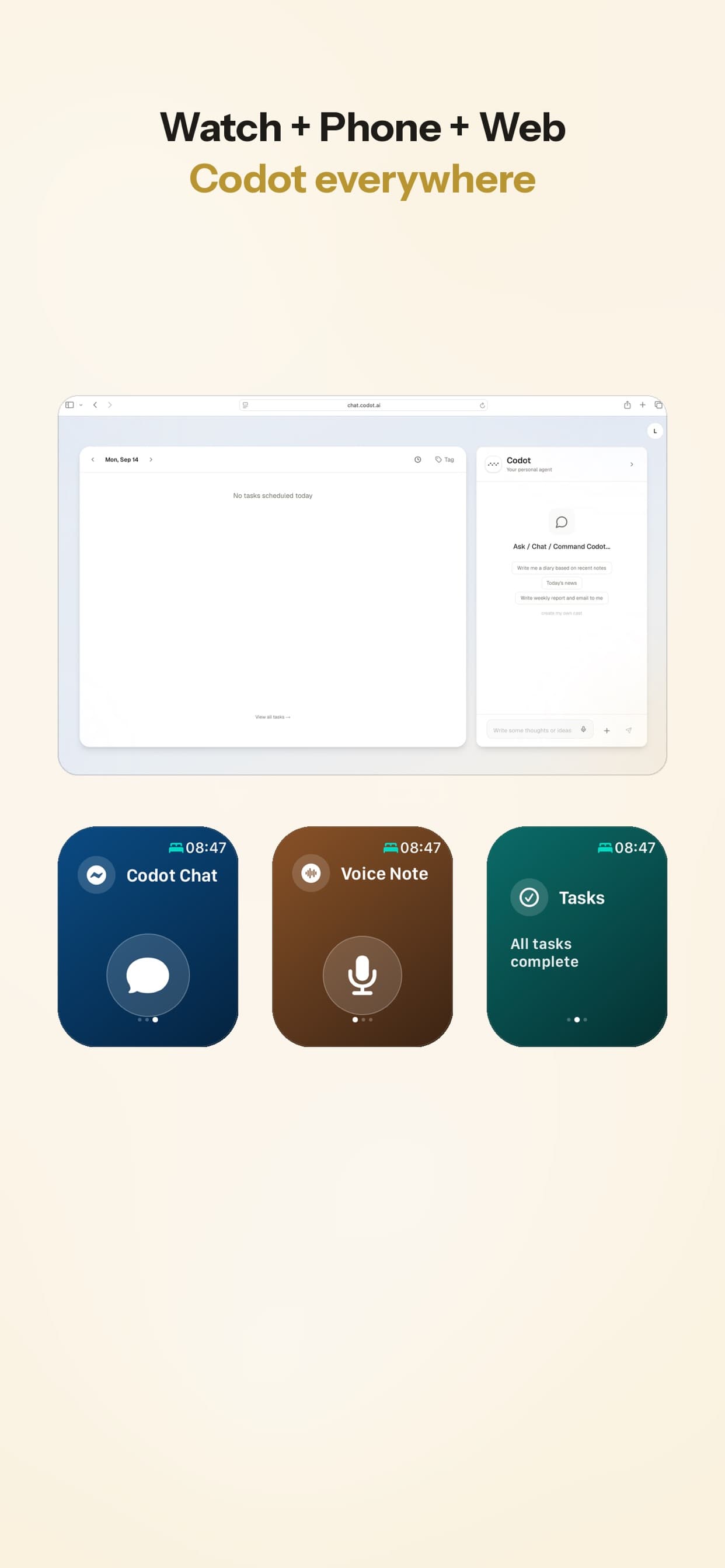
Back to the meeting you just walked out of. On the watch you open Codot Chat and say: "Send Dana the revised scope by Wednesday, book the follow-up for next Tuesday afternoon, and note that their budget is approved for Q1." That comes back as a task due Wednesday, a calendar event on Tuesday, and a note. If you use Google Calendar, the event lands there too. Nothing needs sorting when you get back to your desk.
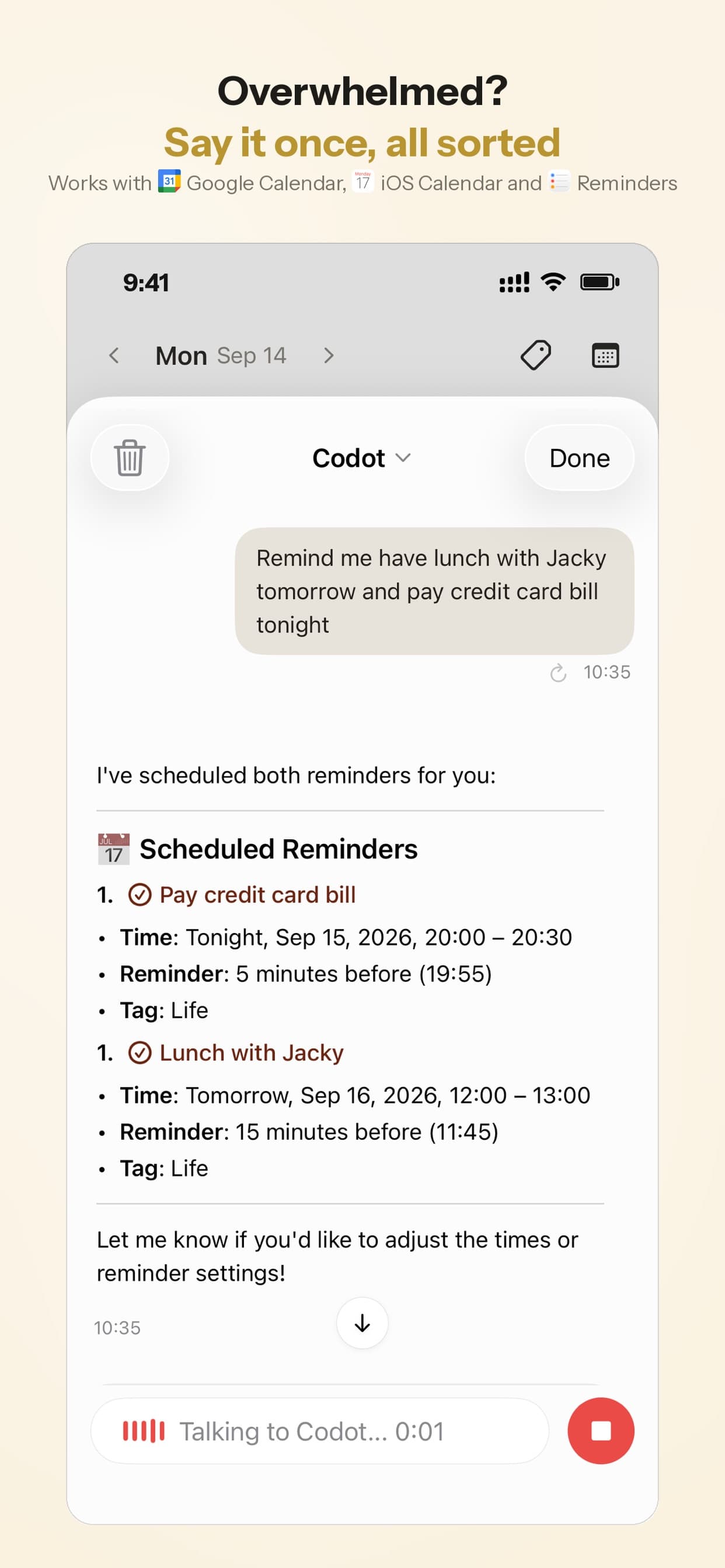
Try it in 30 seconds
- Install Codot on your iPhone. The watch app installs from the Watch app's Available Apps list if it isn't there already.
- On the watch, open Codot and swipe to Codot Chat.
- Say two unrelated things with one date, for example: "Buy printer ink, and remind me to send the invoice Friday at 9." Check on your phone that you got two items and the right time.
- If you'd rather capture from the phone without unlocking it, add the Lock Screen widget too.
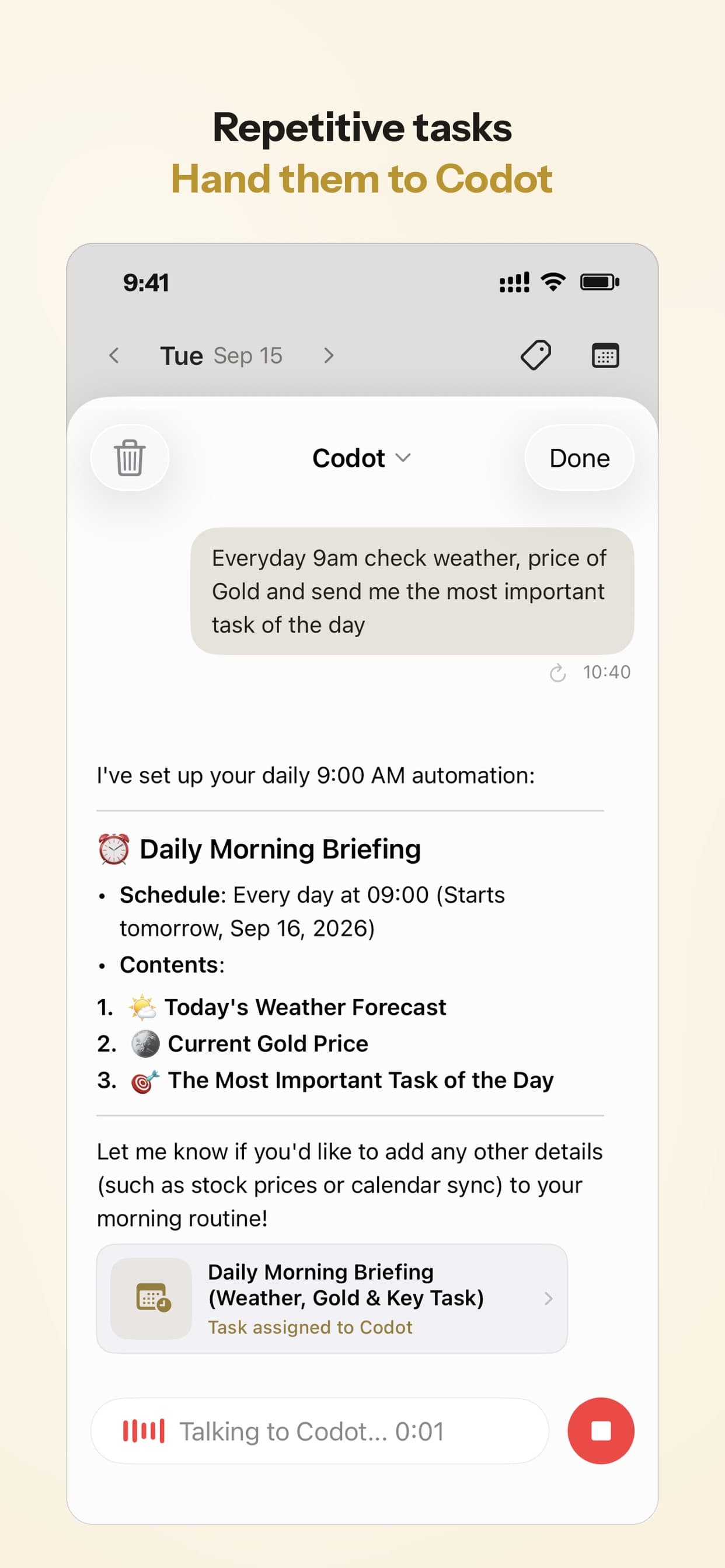
Beyond capture, a daily briefing can give you the day's list each morning, and scheduled automations send you something at a set time every day.
Where Codot falls short on the watch
- It needs a connection. The assistant runs online, so on a phone-free run the watch needs Wi-Fi or cellular.
- It's not a project manager. If you want projects, tags and areas, Things is stronger, and its complications are more developed than ours.
- It doesn't act on the web. No booking, form filling or buying.
Pricing: Codot's free plan covers tasks, the calendar, notes, the personal CRM, habits, calorie logging and expenses. Reminders at a set time, repeating tasks, daily briefings, scheduled automations and email triage are part of Codot Max ($12.99 a month or $99.99 a year, with 20x the free plan's usage). Every new account gets 7 days of Max free, then drops back to the free plan without charging you. Data is encrypted and never sold.
Which Apple Watch to-do app would I pick?
If you add one reminder at a time and you're fine with Siri occasionally rewording you, stay with Apple Reminders and pin the New Reminder widget. It costs nothing.
If you want a polished list app with a great watch face, buy Things. It's the only one here where adding a to-do from a complication is documented end to end, and it keeps syncing when the phone is at home.
If you're in Todoist already, keep it, but don't count on the watch when the phone is out of range.
If your tasks arrive in clusters while you're walking, driving or training, and half of them are really calendar changes, that's where Codot fits. It's the situation we built it for, and people with ADHD tend to recognise it immediately; I compared the wider field for them in the best AI agents for ADHD.
FAQ
What is the best to-do list app for Apple Watch?
For free and built-in, Apple Reminders. For the best watch app inside a traditional list app, Things: dictation from a complication, a Control Center button and direct cloud sync. For saying several things at once and having them sorted into tasks and events, Codot.
What is the best free to-do list app for Apple Watch?
Apple Reminders, since it's preinstalled and syncs through iCloud. Todoist and TickTick both have free plans with watch apps, but what each free version limits varies, and Todoist's needs your iPhone nearby. Codot's free plan covers tasks, the calendar and notes; reminders at a set time and daily briefings need Codot Max, which every new account can try free for 7 days.
Can I add a to-do from my Apple Watch face?
Yes, with a complication. Things has a plus complication that opens dictation or scribble. Apple's New Reminder widget in the Smart Stack opens straight into dictation. Check the App Store page of any other app for complication support, because many list apps only show tasks on the watch face.
Does Todoist work on Apple Watch without the iPhone?
No, according to Todoist's help page: the watch must be in range of the iPhone to create or complete tasks.
How is Codot different from Things on Apple Watch?
Things is a list: you dictate one to-do, it saves one to-do. Codot is an assistant: you can say several things at once, and it creates tasks, calendar events and notes, or moves an existing event. Things has richer complications and project structure; Codot doesn't organise projects and areas the way Things does.
If the watch is the device you always have on you, Codot is on the App Store.
Productivity & Tools Desk
This article was created with AI assistance and reviewed by our editorial team.Learn about our content process.