Best Voice To-Do List Apps for iPhone (October 2026): 5 Options Compared
Which voice to-do list app turns one spoken sentence into real tasks? Siri, Todoist Ramble, TickTick, Gemini and Codot compared on capture, limits and price.
The best voice to-do list app depends on what you say in one breath. Siri and Apple Reminders handle one reminder at a time for free. Todoist Ramble and Codot split a rambling sentence into several tasks with dates; Ramble suits people already in Todoist (10 free sessions a month), and Codot also moves calendar events and works from the Lock Screen and Apple Watch.
TL;DR:
- The test that matters is a messy sentence with three things in it. Single-reminder voice input (Siri, TickTick's hold-to-speak) is fine for one item and falls apart at three.
- Apple Reminders + Siri is free and already on your phone. Best for "remind me to call the dentist tomorrow at 9", including location reminders if your home and work addresses are in Contacts.
- Todoist Ramble is the strongest voice capture inside a traditional list app: it previews tasks as you talk and takes spoken corrections. Free accounts get 10 sessions a month.
- TickTick turns a held "+" button into one task with a parsed date. Premium is now $49.99 a year.
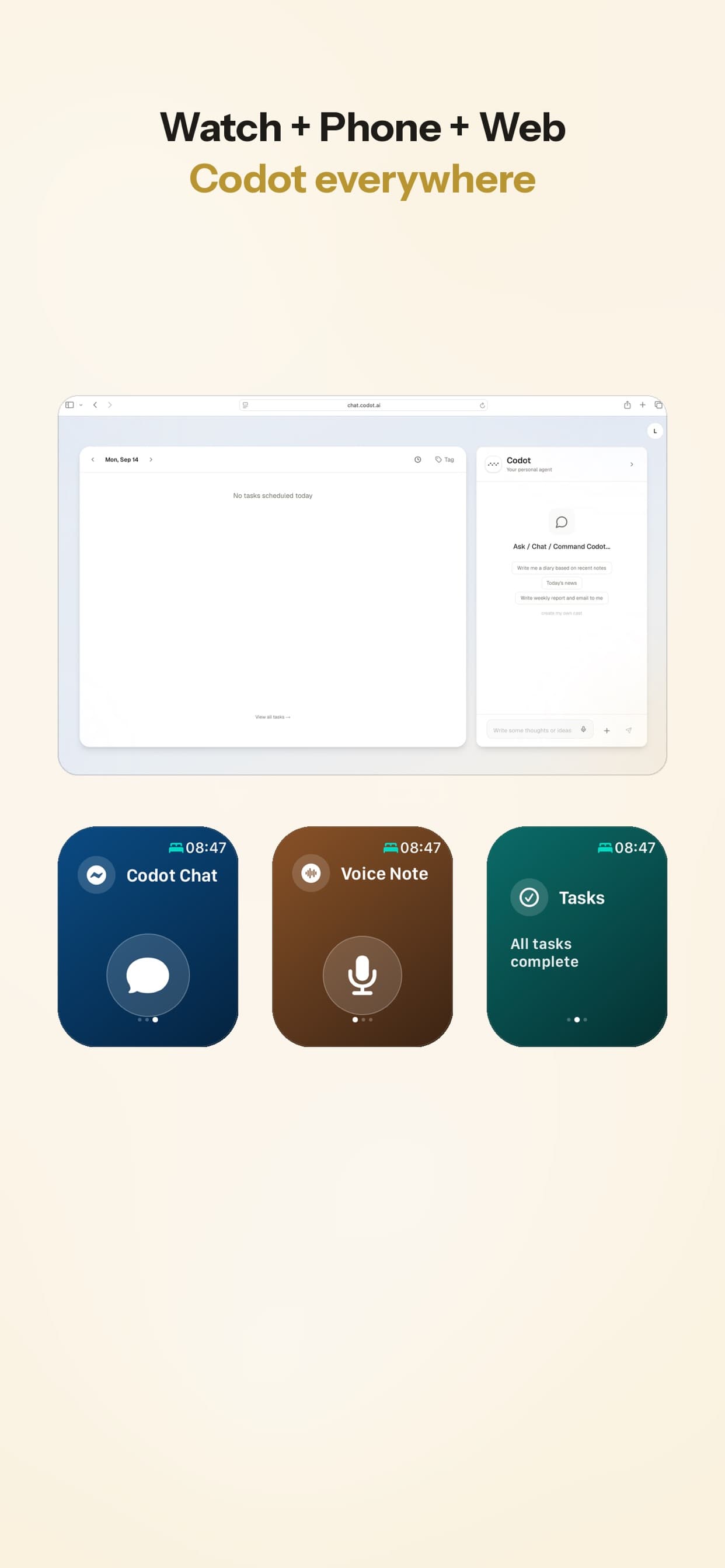
- Codot (our app) takes the whole sentence, splits it into tasks, events and notes, and can move what's already on your calendar. It works from the iPhone Lock Screen, Apple Watch and web, and there's an Android app on Google Play.
Codot is our product, so weigh our opinion of it accordingly. Everything we say about the other apps comes from their own help pages and pricing, linked below; we haven't run a formal side-by-side test.
You're walking back to the car after a client meeting. Three things are in your head: send the revised quote by Thursday, ask Priya for the logo files, and push Friday's call to 3pm. Your hands are full and you have maybe ten seconds before the next thought pushes one of them out. A voice to-do list app is worth having only if it catches all three from that one breath.
What should a voice to-do list app do with one messy sentence?
Most "voice" to-do apps are a text field with a microphone on it. You speak, it transcribes, and you get one task whose title is your whole sentence. That's dictation, and every iPhone app has it via the keyboard mic.
The useful ones do more, and I'd judge them on four things:
- Splitting: does "quote by Thursday, logo files from Priya, move Friday's call" become three items, or one long one?
- Dates: does "by Thursday" become a due date without you tapping anything?
- Fixing mistakes: can you say "no, Friday" or do you have to open the task and edit it?
- Getting to the mic: how many taps from a locked phone? This decides whether you use it in the car park or wait until you're "back at your desk", which is where tasks go to be forgotten.
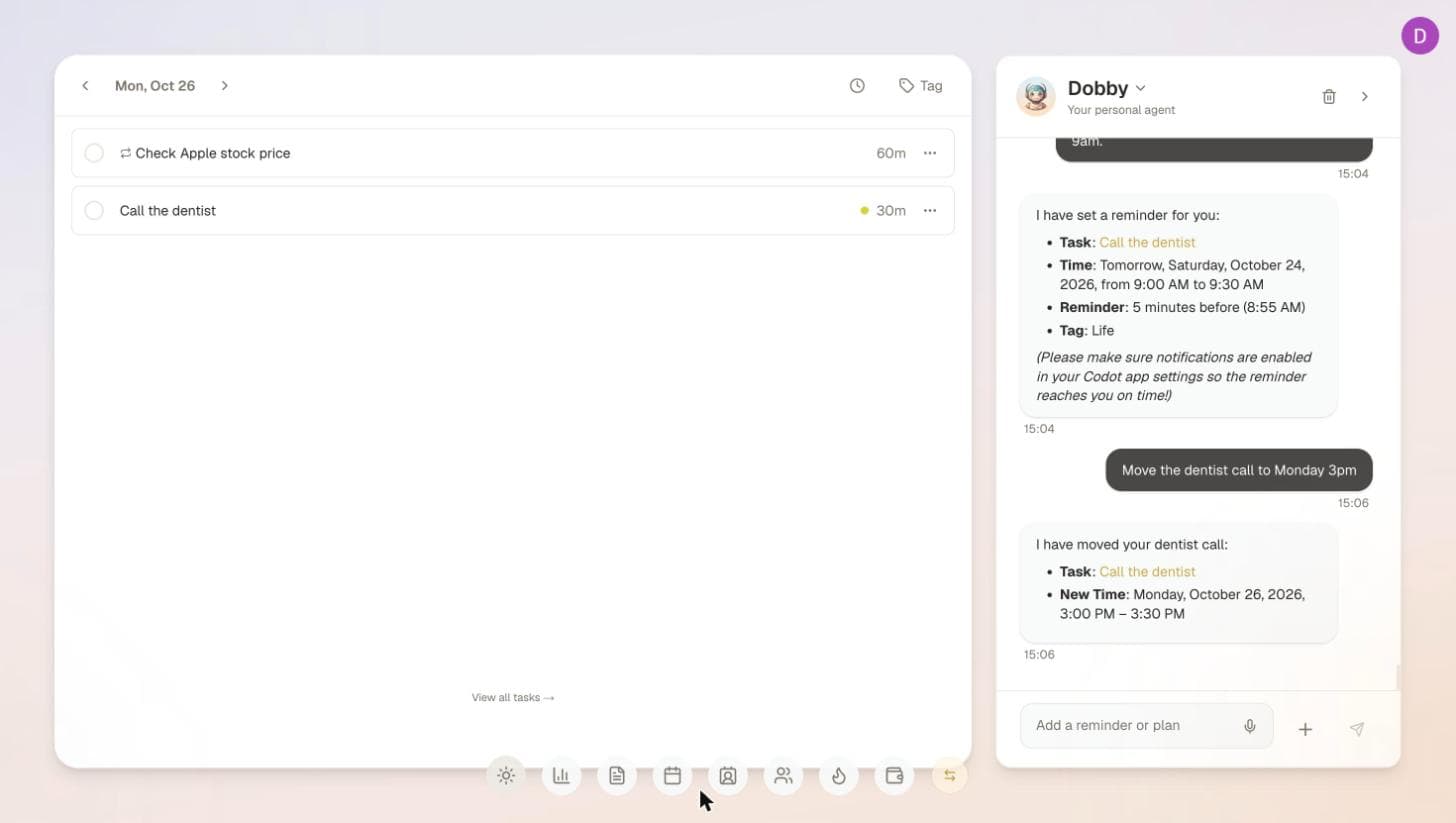
The fourth one gets ignored in most reviews, and it's the one that matters most for the people we build for. If the app takes five seconds to open, you'll tell yourself you'll remember. I wrote about that delay in why typing reminders interrupts the thing you're trying to remember.
Which voice to-do apps are worth trying? (as of October 2026)
| App | Splits one sentence into several tasks | Dates from speech | Spoken corrections | Fastest way in | Price |
|---|---|---|---|---|---|
| Apple Reminders + Siri | One reminder per request | Yes | Not documented | "Hey Siri", side button | Free |
| Todoist Ramble | Yes, previews as you talk | Yes | Yes ("Actually, I meant…") | Lock/Home Screen shortcut, widgets | Free: 10 sessions/month; Pro unlimited |
| TickTick | One task per hold | Yes (Smart Date Parsing) | Not documented | Hold the + button | Free; Premium $49.99/year |
| Gemini + Google Tasks | Reported, not clearly documented | Yes | Conversational | Gemini app / Gemini Live | Free tier; depends on account |
| Codot | Yes, into tasks, events and notes | Yes | You can ask it to change things after | Lock Screen mic, Apple Watch, Action Button | Free: tasks, calendar, notes (no reminders at a set time, briefings or automations); Max $12.99/month, 7-day trial |
"Not documented" means I couldn't find it in the app's own help pages. It might work; check before you rely on it.
Apple Reminders with Siri
If one reminder at a time covers you, stop here: it's free and nothing to install, making it a top contender among the best free planner apps for iPhone. Apple's examples are all single "Remind me…" requests: a recurring time, a time tomorrow, arriving home, leaving a place. Location reminders need your home and work addresses on your own card in Contacts, which is the setup step most people miss (Apple Support). Reminders sync across your Apple devices when iCloud Reminders is on, so a reminder you say to your Apple Watch shows up on your Mac; I've also compared the best Apple Watch to-do list apps.
Where it struggles is the car-park sentence. Apple doesn't document asking for several reminders in one request, so plan on saying them one at a time, and name the list if you don't want everything landing in your default one. I went through more of that in where Siri still falls short.
Todoist Ramble
Ramble is the most complete voice capture I've seen bolted onto a classic to-do app, and if you already run your life in Todoist it's the obvious choice. You open it from the waveform icon in Quick Add, talk, and tasks appear in a preview while you're still speaking. You can say "Actually, I meant…" or "Remove that" to fix them, then "that's all" to save. It picks up task name, date and time, priority, project, section, label and description, and works in 40+ languages (Todoist help, updated October 8, 2026). It went to all users on January 21, 2026 (TechCrunch).
Two limits worth knowing. The free Beginner plan gets 10 sessions a month, and that pool is shared with Todoist's text, file and image capture, so if you also use those, voice runs out sooner. And Todoist describes Ramble as "a quick capture tool, not a conversational assistant": it adds tasks, it doesn't move your calendar or tell you what's next. Pro removes the session cap and is $7 a month, or $5 a month billed yearly (Todoist pricing update).
TickTick
TickTick's voice input has been around since 2015 and it's simple: hold the + button, speak while "Speaking now" shows, release. Spoken times become the task's due date and reminder, so "meeting at 10 AM tomorrow" lands where you'd expect, and iOS shows the transcription in real time (TickTick help). It's one task per hold, which is fine if you think in single items.
Price check, because older reviews are wrong now: TickTick's upgrade page lists Premium at $49.99 a year as of October 2026 (TickTick). The free plan keeps natural-language dates and reminders but caps you at 9 lists of 99 tasks. Habit tracking next to your tasks is the other reason people pick it.
Gemini with Google Tasks
If your life is in Google rather than Apple, Gemini can add to Google Tasks and Calendar from a spoken request, including during a Gemini Live conversation, on both iOS and Android (AlternativeTo, August 2025). I couldn't find a current Google help page that spells out multi-task requests or plan requirements, and work accounts may need an admin to turn the connection on. Treat it as promising and test it with your own sentence before you depend on it.
Codot: say the whole sentence, it sorts it
Codot is a voice-first AI assistant, which is a different category from the list apps above and one of the few voice assistants that understand Czech on both iPhone and Android. You say what's on your mind in whatever order it comes out, and Codot turns it into tasks, calendar events, notes and contact details. It can also act on what's already there, so "push Friday's call to 3" moves the event instead of creating a new task called "push Friday's call to 3".
The car-park sentence goes like this. You tap the mic on the Lock Screen (or raise your Apple Watch, or press the Action Button) and say all three things. Codot files the quote as a task due Thursday, the logo files as a task, and moves the Friday call; if you use Google Calendar, the move shows up there too. The reply comes back as a notification, so the app never has to open.
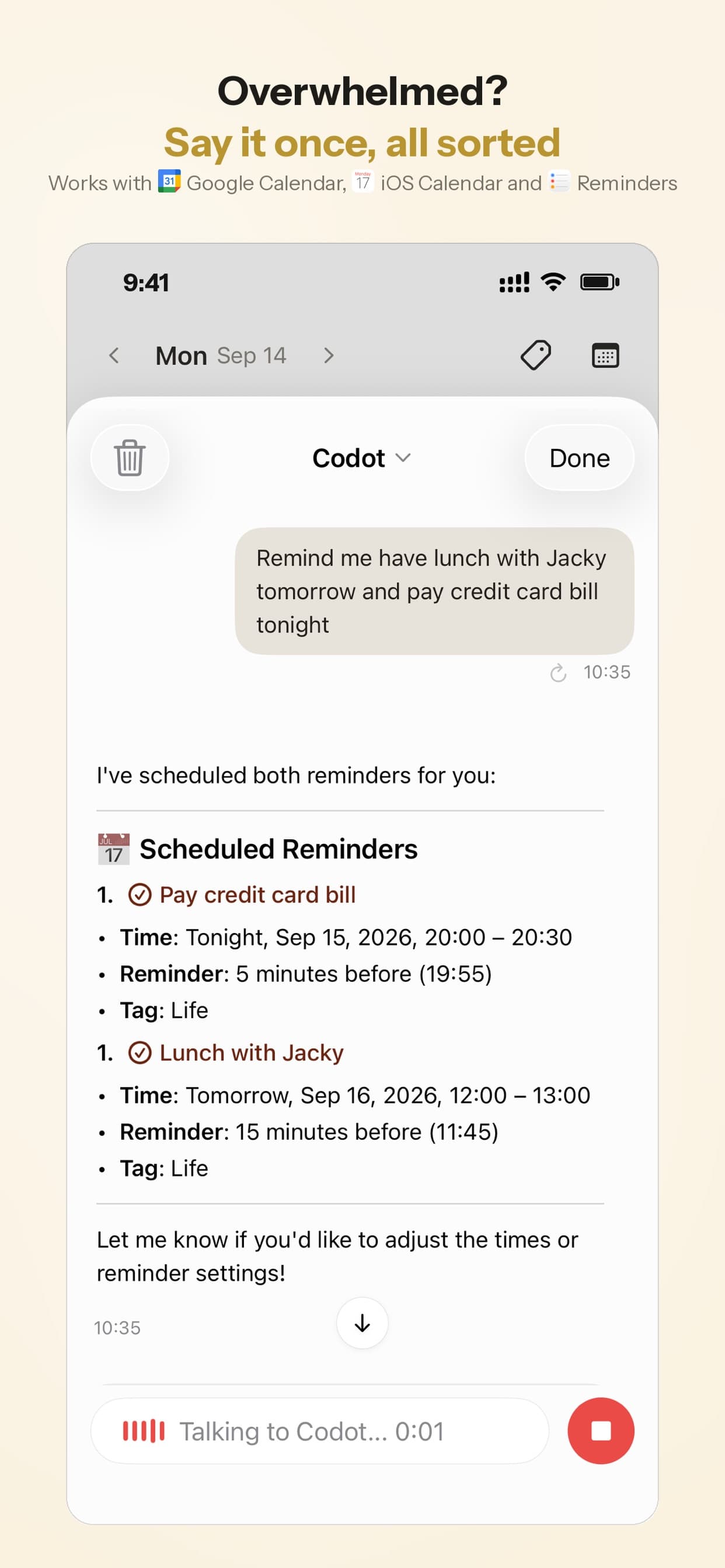
Try it in 30 seconds
- Install Codot and connect Google Calendar if you use it (optional; it works without).
- Add the Lock Screen widget: touch and hold the Lock Screen, tap Customize, then Add Widgets (full steps here).
- Tap the mic and say three unrelated things with one date in them, for example: "Call the accountant Monday, buy printer ink, and remind me to send Sam the deck tonight at 8." Check that you got three items and the right times.
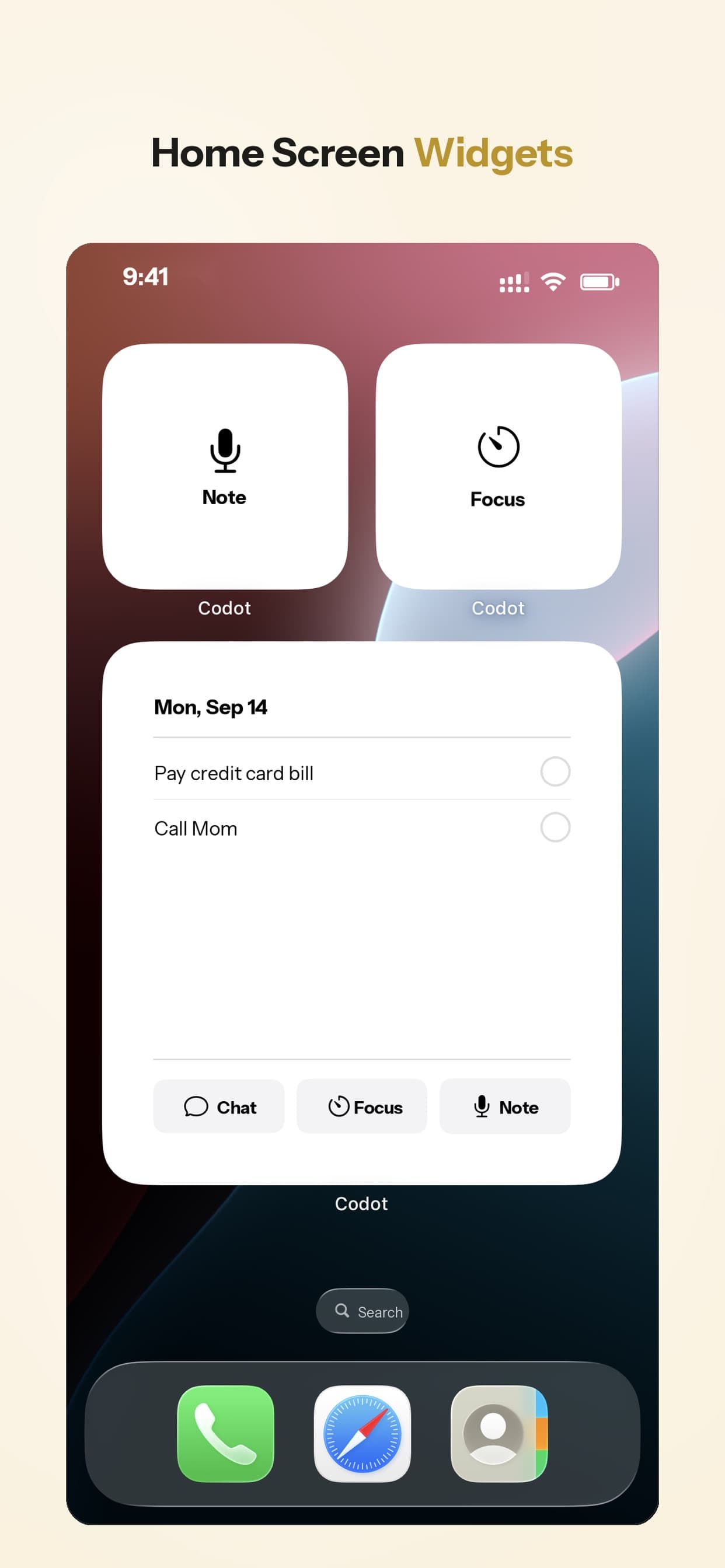
Beyond capture, a daily briefing can read you the day's list in the morning, and scheduled automations can send you something every day at a set time.
What Codot doesn't do
- It isn't a project manager. No Gantt charts or task dependencies. If you live in projects, labels and filters, Todoist is stronger.
- It doesn't act on the web for you. It won't book, fill in forms or buy things.
- It's younger than Todoist or TickTick, so expect fewer integrations and rougher edges.
Pricing: Codot's free plan covers tasks, the calendar, notes, the personal CRM, habits, calorie logging and expenses. Reminders at a set time (like the "tonight at 8" one above), repeating tasks, daily briefings, scheduled automations and email triage are part of Codot Max: $12.99 a month or $99.99 a year, with 20x the free plan's usage (pricing). Every new account gets 7 days of Max free, then drops back to the free plan without charging you. Data is encrypted and never sold.
Your ideas shouldn't wait for a keyboard. Just say it — Codot handles the rest.
Try Codot — It's Free →What do people say they want from voice to-do apps?
A few themes come up again and again in Hacker News threads about capturing ideas and reminders and in a recent thread on an AI task app:
- Capture and sorting are separate jobs. Many people describe the same habit: get it out of your head fast, then sort it once a day. Apps that make you choose a project while you're talking slow the first job down.
- People are wary of where their task data goes. Several commenters said they wouldn't send work tasks to a third party at all. Read the privacy page before you dictate client names into anything.
- Skepticism about paying for "AI to-do lists." A common reaction is that a list app with AI attached shouldn't cost much, and that the interesting part is what the app does after capture: prioritising, following up.
- Brain dumps get big. One question was what happens when you dump 500 tasks, half of them distractions. Splitting a sentence is the easy part; deciding what matters is the hard part.
In Codot's App Store reviews, the most common praise is that it replaced a paper planner and that events land in the phone calendar without typing them in.
Which voice to-do list app would I pick?
If you say one thing at a time and you're on Apple, use Siri and Reminders. Set your home and work addresses in Contacts and you'll get location reminders for free.
If you're already in Todoist and happy with it, turn on Ramble and add its Lock Screen shortcut. You'll get most of the benefit in five minutes, and switching apps for voice alone doesn't make sense. If you hit the 10-session limit in the first week, it's worth exploring free Todoist alternatives and their limits before deciding if Pro is worth the $5 a month.
If you think in single items and want a cheap, solid list with habits, TickTick's hold-to-speak is enough.
If your tasks show up three at a time while you're driving, walking between meetings or carrying something, and half of them are really calendar changes, that's where Codot fits. It's the case we built it for. People with ADHD tend to recognise this pattern instantly; I compared the wider field for them in the best AI agents for ADHD.
FAQ
What is the best voice to-do list app for iPhone?
For single reminders, Apple Reminders with Siri is free and built in. For saying several tasks in one go, Todoist Ramble is best if you already use Todoist, and Codot is the better fit if you also want calendar changes by voice and capture from the Lock Screen or Apple Watch.
Can I dictate a to-do list on iPhone without a special app?
Yes. Say "Hey Siri, remind me to…" and the reminder goes into Apple Reminders, or tap the microphone on the keyboard in any list app to dictate text. Dictation gives you one item per request, so a long sentence becomes one long task.
Is Todoist Ramble free?
Partly. The free Beginner plan includes 10 Ramble sessions a month, shared with Todoist's other AI capture features. Pro and Business remove the limit.
How is Codot different from Todoist Ramble?
Ramble adds tasks to Todoist and stops there. Codot also creates calendar events, notes and contact details from the same sentence, can move existing events when you ask, and can be reached from the Lock Screen, Apple Watch and web. Todoist is stronger for detailed project lists, labels and filters.
Can a voice to-do app turn a voice memo into a task list?
Some can. Todoist Ramble and Codot both take a long, rambling spoken note and split it into separate tasks with dates. Plain voice memo apps only record or transcribe, so you'd still have to pull out the tasks yourself.
If your tasks usually arrive while your hands are full, download Codot free on the App Store and say the next three things you'd otherwise forget.
Productivity & Tools Desk
This article was created with AI assistance and reviewed by our editorial team.Learn about our content process.