Best Free Planner Apps for iPhone (October 2026): What Each Free Version Limits
Free iPhone planner apps with no subscription, compared on what each free tier caps: Calendar + Reminders, Microsoft To Do, Google Tasks, TickTick, Todoist.
The best free planner on iPhone is the one already installed. Since iOS 18, Apple Calendar shows and completes your Reminders next to your events, which covers most people for free. If you need cross-platform sync, Microsoft To Do and Google Tasks are fully free. TickTick, Todoist and Structured are free with limits, and Codot's free plan covers voice-planned tasks and calendar events, with reminders at a set time and daily briefings in Codot Max.
TL;DR:
- Start with what's on your phone. Since iOS 18, the Calendar app shows Reminders next to events, and you can create, edit and tick them off there. That's a free day planner with nothing to install.
- Fully free with no paid tier to run into: Microsoft To Do (with a My Day view) and Google Tasks (best if you live in Gmail and Google Calendar).
- Free with limits worth reading first: TickTick caps you at 9 lists of 99 tasks and 2 reminders per task; Todoist's free plan stops at 5 projects; Structured's free plan doesn't connect to your calendar or do recurring tasks.
- No subscription, but not free: Things 3 is a one-time $9.99 on iPhone.
- Codot (our app) is a voice assistant rather than a list: you say the day's mess in one go and it becomes tasks and calendar events. Tasks, calendar and notes are free; reminders at a set time, repeating tasks and daily briefings are in Codot Max, with a 7-day free trial.
Codot is our product, so discount our view of it. The facts about the other apps come from their App Store listings, pricing pages and help docs, linked below and checked on October 30, 2026. We haven't run a formal test of each one.
You searched for a free planner because you've been burned before. The app looked free, you set up your week in it, and on day nine a paywall asked $40 a year to add a fourth project or repeat a task every Monday. So this comparison is mostly about one question: what does the free version stop you from doing, and will you hit that wall in your first month?
What does "free" mean for each iPhone planner app? (as of October 2026)
| App | Price | What the free version limits | Best for |
|---|---|---|---|
| Apple Calendar + Reminders | Free, built in | Nothing behind a paywall; Apple devices only | Most iPhone users |
| Microsoft To Do | Free | No paid tier listed | Windows PC + iPhone |
| Google Tasks | Free | No paid tier listed | Gmail and Google Calendar users |
| TickTick | Free; Premium $49.99/year | 9 lists, 99 tasks per list, 2 reminders per task | Habit tracking plus tasks |
| Todoist | Free; Pro $5/month billed yearly | 5 personal projects, 3 filters, no custom reminders | People who think in projects |
| Structured | Free; Pro in-app | No calendar or Reminders connection, no recurring tasks | Visual timeline of the day |
| Things 3 | $9.99 once (iPhone) | Not free; no subscription | People who'd rather pay once |
| Codot | Free; Max $12.99/mo or $99.99/yr (20x usage) | No reminders at a set time, repeating tasks, briefings, automations or email triage; 7-day Max trial | Planning by voice |
Sources: TickTick, Todoist pricing, Structured on the App Store, Things 3 on the App Store, Microsoft To Do, Google Tasks, Codot pricing.
Is the built-in Calendar and Reminders combo enough?
For a lot of people, yes, and most "best planner app" lists skip it because there's no affiliate link in it. With iOS 18 Apple made Calendar show "both events and tasks from Reminders," and you can "create, edit, and complete reminders right from Calendar" (Apple Newsroom). The month view puts events and to-dos together. That's what a paper planner gives you: appointments and the things you have to get done, on the same page.
On top of that you get Siri, shared lists, and location reminders and iCloud sync to your Mac, iPad and Apple Watch.
Where it runs out:
- Only Apple. If you also work on a Windows PC or an Android phone, your list stays behind.
- No time-blocking. Reminders sit on a day; they don't become a block from 2 to 3pm that pushes the next one along.
- One reminder per Siri request. Fine for single items, slow when three things come up at once.
If none of those bother you, stop here. A new app costs setup time and a new habit, and the built-in pair is already on the Lock Screen if you add a to-do widget there.
Which apps are free with no paid tier at all?
Microsoft To Do is the one I'd send most people to if Apple's apps feel too bare or they work on a Windows laptop. The App Store lists it as free, it runs on Apple Watch, and its My Day view is a short list you rebuild each morning from suggested tasks. Lists can be shared, and due dates can repeat. It's available in 35 languages, Russian included.
Google Tasks is plainer. Its strength is where it lives: you can turn a Gmail message into a task and see tasks with due dates in Google Calendar. If your workday is Gmail and Google Calendar, this keeps everything in one place for nothing.
Which "free" apps have limits you'll hit?
TickTick has the most generous-looking free plan and the most specific caps: 9 lists, 99 tasks per list and 2 reminders per task (TickTick). Natural-language dates and the habit tracker are in the free version; Premium is $49.99 a year. I went through TickTick's settings in more detail in TickTick alternatives for ADHD.
Todoist's free Beginner plan gives you 5 personal projects, 3 custom filters, a week of activity history and task reminders, but no custom reminders (Todoist pricing). Five projects is the wall most people hit. Pro is $5 a month billed yearly or $7 monthly.
Structured is the only one here built as a visual timeline: your day drawn as blocks from wake-up to bed. The free version keeps the drag-and-drop timeline, an inbox, widgets and sync across Apple devices. Connecting your calendars and Reminders, recurring tasks and routines, and the AI day planning are Pro (App Store listing). For a planner, "no recurring tasks" is a big gap: your Monday stand-up has to be added again every week. The listing shows several Pro prices without saying which region they apply to, so check yours.
Your ideas shouldn't wait for a keyboard. Just say it — Codot handles the rest.
Try Codot — It's Free →What if you just don't want a subscription?
Things 3 is $9.99 on iPhone with no subscription; the Mac and iPad versions are sold separately (App Store). It's the polished pick if you want to pay once and be done. It isn't free, so it only belongs here as the answer to "no subscription."
If paying in the App Store is hard where you live
For some readers "free" is less a preference than the only option. In Russia, for example, topping up an Apple ID from a mobile phone account stopped on April 1, 2026, after cards had already been cut off in 2022 (Novaya Gazeta Europe, citing RBC). If that's you, read the free-tier column above as the whole product. Apple's built-in pair, Microsoft To Do and Google Tasks lose nothing; TickTick, Todoist and Structured will stay capped.
Codot: plan the day by saying it
Every app above asks you to type the plan in. Codot is a voice-first AI assistant, and you plan by talking. You say the morning's mess in one breath, "dentist Thursday at 4, send the invoice to Marta tomorrow, move the team call to 3, and remind me to book flights tonight", and Codot splits it into tasks and calendar events with the right dates. It can change what's already there, so "move the team call to 3" moves the event instead of adding a task with that sentence as its title.
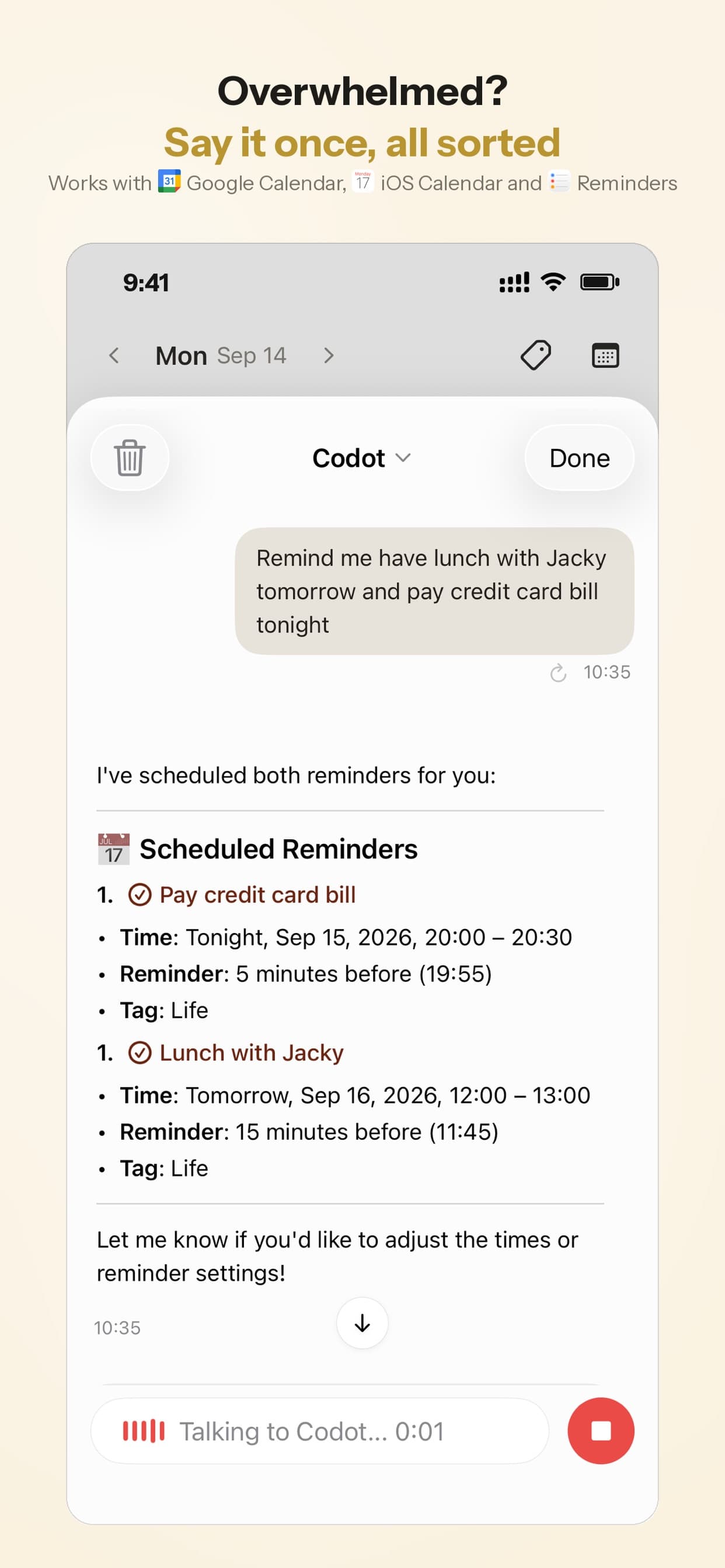
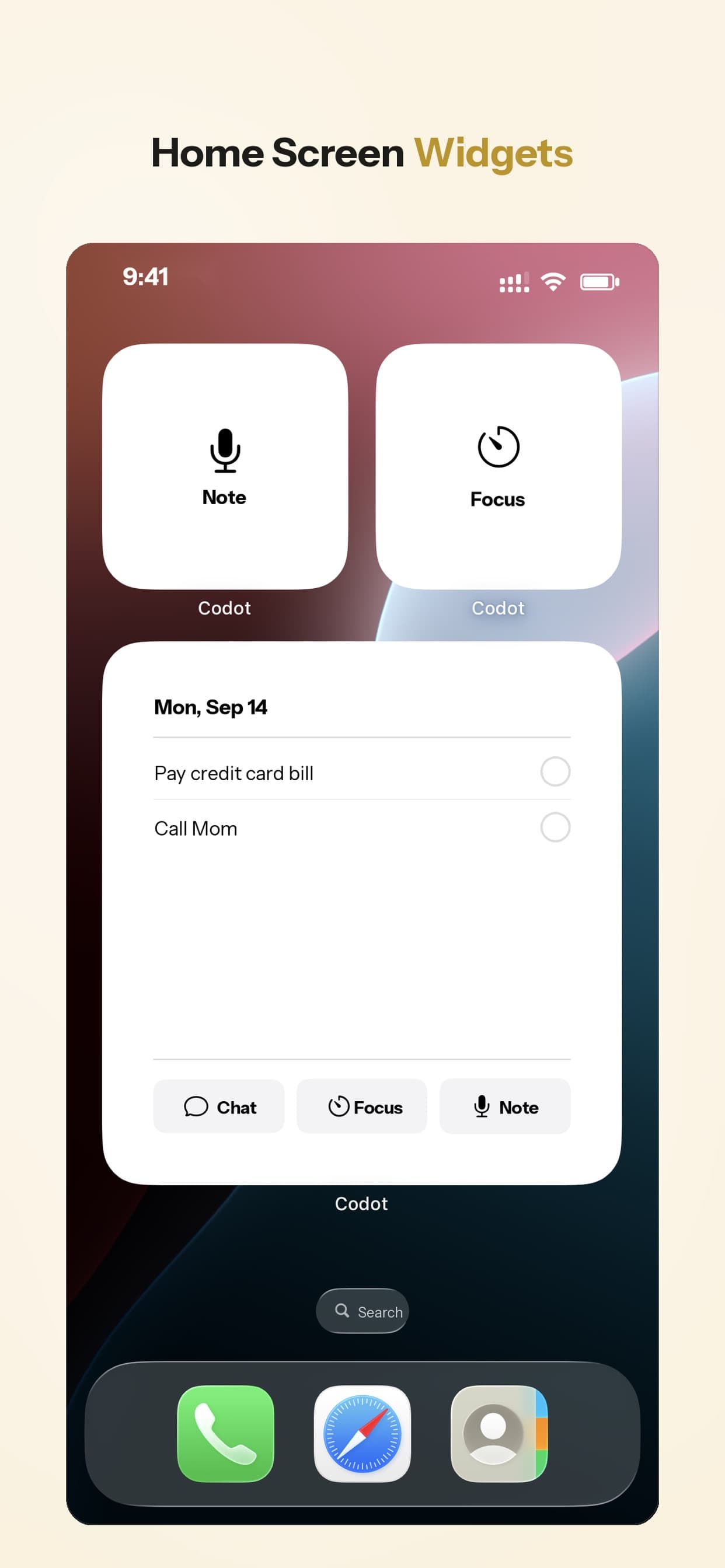
The planner part comes after capture. A daily briefing can send you the day's list each morning, and scheduled automations can send something at a set time every day. Events sync with Google Calendar, and on iPhone tasks can also be sent to Apple Calendar and Apple Reminders, so you can keep using the built-in apps from the first section as your view. Completing an item in Apple Reminders doesn't flow back to Codot, so tick things off in one place.
Try it in 30 seconds
- Install Codot from the App Store (or Google Play on Android) and allow calendar access if you want events in your calendar.
- Tap the mic and say tomorrow's plan as it comes to you: three or four things, at least one with a time.
- Check you got separate items with the right dates. If one is wrong, say "move the invoice to Friday" instead of editing it.
Pricing: Codot's free plan covers tasks, the calendar, notes, the personal CRM, habits, calorie logging and expenses. Reminders at a set time, repeating tasks, daily briefings, scheduled automations and email triage are part of Codot Max ($12.99 a month or $99.99 a year, with 20x the free plan's usage) (pricing). Every new account gets 7 days of Max free, then drops back to the free plan without charging you. Data is encrypted and never sold.
What Codot doesn't do
- No visual timeline. If you want your day drawn as blocks, Structured does that and Codot doesn't.
- Not a project manager. No nested projects, labels or filters like Todoist.
- It won't act on websites for you: no booking, form filling or buying.
- It's young, so it has fewer integrations than apps that have been around for a decade.
In Codot's App Store reviews, people most often mention that it replaced a paper planner and that events land in the phone calendar without typing.
Which free planner app would I pick?
If you only use Apple devices, I'd start with Calendar and Reminders for two weeks before installing anything. Put a reminders widget on the Lock Screen and see whether you actually open a planner. My guess is that many people find the missing piece is a faster way to write things down, and the planner was fine.
If you work on a Windows PC, Microsoft To Do. If you live in Gmail, Google Tasks. Neither will ever ask you for money.
If you want habits and tasks in one app and can stay under 9 lists, TickTick's free plan. If you think in projects and need more than five, budget for Todoist Pro or pick something else now, before you've built your system in it.
If your plans arrive out loud, in the car, between meetings, while cooking, or on-site (see our guide to apps for tradies in 2026), that's the case we built Codot for. It feeds the built-in Calendar, so you keep the view you already know. If you'd rather speak single items into a list app, we compared those in the best voice to-do list apps for iPhone, and for capture from your wrist see Apple Watch to-do list apps.
FAQ
What is the best free planner app for iPhone with no subscription?
Apple Calendar with Reminders, already on your iPhone: since iOS 18 you can create and complete reminders inside Calendar, next to your events. If you need it on Windows or Android too, Microsoft To Do and Google Tasks are fully free.
Is TickTick free on iPhone?
Yes, with limits: 9 lists, 99 tasks per list and 2 reminders per task. Premium costs $49.99 a year as of October 2026.
Does Todoist have a free plan?
Yes. The Beginner plan is free with up to 5 personal projects and 3 custom filters, and it has task reminders but no custom reminders. Pro is $5 a month billed yearly.
How is Codot different from a free planner app like Microsoft To Do?
Microsoft To Do is a list you type into. Codot is an assistant you talk to: one spoken sentence becomes several tasks and calendar events, and it can move existing events when you ask. On Codot Max it also sends a daily briefing. Microsoft To Do is free with no limits and has been around longer; Codot's tasks, calendar and notes are free, and reminders at a set time, repeating tasks and briefings need Max, which every new account can try free for 7 days.
Can I use my iPhone as a daily planner without any app?
Yes. Use Calendar for appointments and Reminders for tasks; both show up together in Calendar's day and month views. Add a Reminders widget to the Lock Screen so the day's list is visible without unlocking.
If your plans tend to show up while your hands are busy, download Codot free on the App Store (Google Play on Android) and say tomorrow's plan out loud tonight.
Productivity & Tools Desk
This article was created with AI assistance and reviewed by our editorial team.Learn about our content process.