iPhone Reminders Not Working? Fixes for Silent Alerts, Sync and Location (October 2026)
iPhone reminders not working, not notifying you or not syncing? Fixes checked against Apple's own settings pages, from Scheduled Summary to Precise Location.
Most iPhone reminders that fail are blocked by a setting. Check Settings > Notifications > Reminders, set Notification Delivery to Immediate if Scheduled Summary is on, allow Reminders in your Focus, and give the reminder a time, because date-only reminders alert at the Today Notification time. Location reminders need Precise Location. Sync problems usually come from a non-iCloud list or old overdue reminders.
TL;DR:
- A reminder that never alerts is usually held back by a setting: notifications off, alert sound set to None, Scheduled Summary, or a Focus.
- A reminder with a date but no time doesn't ping when you expect. It alerts at the Today Notification time in Settings > Apps > Reminders.
- Location reminders need Location Services set to While Using the App with Precise Location on, per Apple's guide.
- For sync problems, Apple's own checklist starts with System Status, same Apple Account on every device, Reminders on in iCloud, and clearing overdue reminders.
- If the reminder was never created in the first place, settings won't help. That part is a capture problem, and it's where a voice assistant like Codot (our app) earns its place.
Codot is our product, so weigh the last section accordingly. Everything before it is about Apple's built-in Reminders app, and every setting path comes from Apple's iPhone User Guide, checked on October 27, 2026.
You told your phone to remind you to call the bank at 3. At 4:40 you remember on your own, and the reminder is sitting in the app with no alert ever shown. Searches for "iphone reminders not working" and "iphone reminders not notifying me" mostly describe that moment. The fix depends on which of four things broke, so start by matching the symptom.
Why are my iPhone reminders not working?
| What you see | Most likely cause | Where to fix it |
|---|---|---|
| No banner, no sound at the due time | Notifications off, alert sound set to None, or Scheduled Summary | Settings > Notifications > Reminders; Settings > Sounds & Haptics > Reminder Alerts |
| Alert shows up hours later in a bundle | Reminders is in your Scheduled Summary | Notification Delivery > Immediate Delivery |
| Nothing while working, driving or asleep | A Focus is silencing Reminders | The Focus's notification settings |
| Alert comes at 9 a.m. instead of "on Tuesday" | Reminder has a date but no time | Add a time, or change Today Notification |
| "When I arrive home" never fires | Location access isn't precise | Privacy & Security > Location Services > Reminders |
| Reminder on iPhone, missing on Mac | Different account, list outside iCloud, stale overdue items | iCloud settings and Apple's sync checklist |
| Reminder gone entirely | Deleted by mistake | Recently Deleted list, within 30 days |
Reminder didn't alert or make a sound: check these four settings
Do these in order. Each takes under a minute.
Are notifications for Reminders turned on?
Open Settings > Notifications > Reminders and check that notifications are allowed and that the Lock Screen and banner styles are on. Then check the sound separately: Apple's guide puts reminder sounds under Settings > Sounds & Haptics > Reminder Alerts, and one of the choices is None (Apple, Change Reminders settings). If someone picked None, every reminder arrives silently, which on a phone in your pocket looks the same as not arriving.
While you're in Settings, open Settings > Apps > Reminders too. Make sure Mute Notifications is off if you use shared lists, because it turns off notifications for reminders assigned to you, and check that Today Notification is on, since all-day reminders depend on it.
Is Scheduled Summary holding your reminders?
Scheduled Summary collects notifications from the apps you choose and delivers them together at set times. If Reminders ended up in that list, a 3 p.m. reminder can wait until the next summary. Apple's guide says that when you use Scheduled Summary, each app has a Notification Delivery option of Immediate Delivery or Scheduled Summary (Apple, Change notification settings). Set Reminders to Immediate Delivery.
Is a Focus silencing them?
Work, Sleep, Driving and Do Not Disturb all silence notifications by default. In each Focus you use, you can allow specific apps, and you can turn on Time Sensitive Notifications, which Apple describes as letting apps send time-sensitive notifications immediately (Apple, Allow or silence notifications for a Focus). If your reminders mostly fail during work hours, this is the first place I'd look.
Does the reminder have a time, or only a date?
This one catches people who did everything right. A reminder with a date and no time is an all-day reminder. Apple's settings page says the Today Notification setting picks the time you're notified about all-day reminders. So "Pay rent on the 1st" alerts at whatever that time is, perhaps hours before or after you expected.
Two fixes: give the reminder a time, or open Settings > Apps > Reminders > Today Notification and choose a time you'll actually see. For things that can't be missed, Apple's guide describes an Urgent switch that sets an alarm when the reminder is due (Apple, Add details in Reminders).
If all four look right and alerts still don't arrive, restart the iPhone and install the latest iOS update before trying anything drastic. Third-party guides often suggest Reset All Settings next; it wipes your Wi-Fi passwords and other preferences, so I'd leave it for last.
Why don't location-based reminders work?
"Remind me when I get home" depends on Location Services. Apple's guide is specific: go to Settings > Privacy & Security > Location Services, turn it on, tap Reminders, choose While Using the App, then turn on Precise Location (Apple, Add details in Reminders). If Precise Location is off, the phone only knows your rough area, and an arrival reminder may never trigger.
The same page lists a quieter option many people don't know exists: When Messaging, which shows the reminder the next time you chat with a chosen contact in Messages. For "ask Sam about the invoice," that tends to land at a better moment than a clock time.
Your ideas shouldn't wait for a keyboard. Just say it — Codot handles the rest.
Try Codot — It's Free →iPhone reminders not syncing with Mac or iPad
Apple's sync checklist for Contacts, Calendars and Reminders starts with the basics (Apple Support, If your iCloud Contacts, Calendars or Reminders aren't syncing):
- Check Apple System Status for an iCloud Reminders outage.
- Update every device.
- Sign in with the same Apple Account everywhere and make sure Reminders is turned on in iCloud settings.
- Check that date and time match your location.
Two Reminders-specific steps from that page are easy to skip. Set Settings > Apps > Reminders > Default List to an iCloud list, because reminders created outside a specific list, including the ones you make with Siri, land in the default list. And open the Today view and complete or delete overdue reminders, then repeat that on each device.
One more detail from Apple's guide: all Reminders features need updated reminders in iCloud, and "some features aren't available when using other accounts" (Apple, Create reminders). If your default list belongs to a work Exchange account, that alone can explain a reminder that exists on one device and nowhere else.
Did your reminders disappear?
Look in the Recently Deleted list in Reminders. Apple keeps deleted items there for 30 days; tap one and choose Recover, and it moves to your default list (Apple, Delete or recover items). After 30 days they're gone for good.
What if the reminder was never created?
After the settings, here's our opinion, as a team that builds in this space. A lot of "my reminder didn't work" is a reminder that never existed. You meant to add it while walking to the car, the phone took four taps to get there, and the thought was gone by the second one. I wrote about why that happens in ADHD and forgetting things the second you think of them, and it isn't only an ADHD problem.
Siri helps, with limits. Siri reminders go to your default list, so if that list is wrong, the reminder lands somewhere you never look. And as of October 2026, Apple's guide says the new Siri AI is in beta, starts in English, French, Japanese, Korean, Portuguese and Spanish, and isn't initially available in the EU on iPhone, which is why there is still no spoken Siri in Polish. If you speak another language to your phone, or live in the EU, you're on the older Siri, which is why many users are still looking for voice assistants that understand Czech in 2026. I compared the options in more detail in Can you replace Siri on iPhone?
Where Codot fits
Codot is a voice-first AI assistant. You say a messy sentence like "call the bank at 3, book the dentist next week, and remind me Friday to send Sam the deck," and it splits that into separate tasks and events with times. You can talk to it from the iPhone app, the Lock Screen widget, Apple Watch or the web, and it writes your tasks and events into Google Calendar. On iPhone, a morning briefing lists what's due so the day doesn't depend on one alert landing.
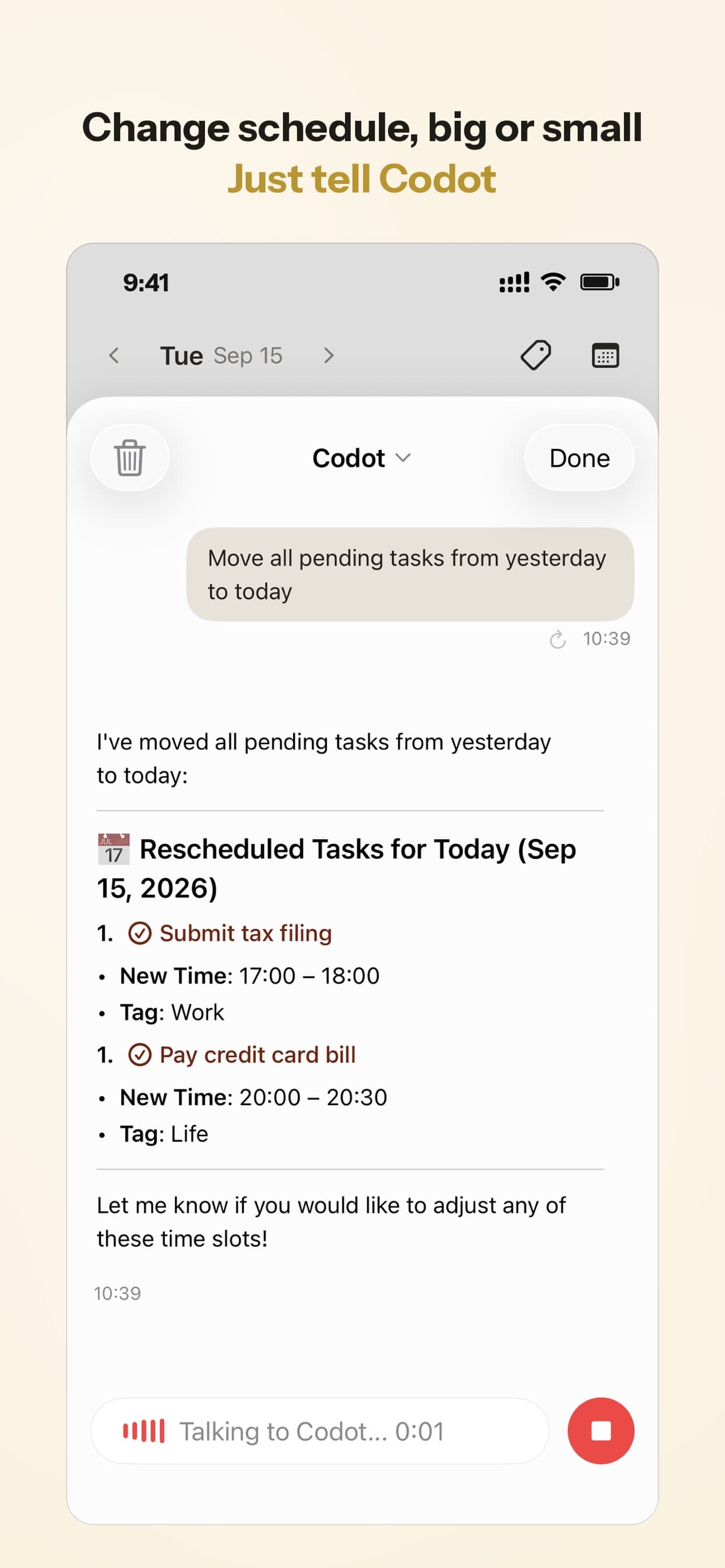
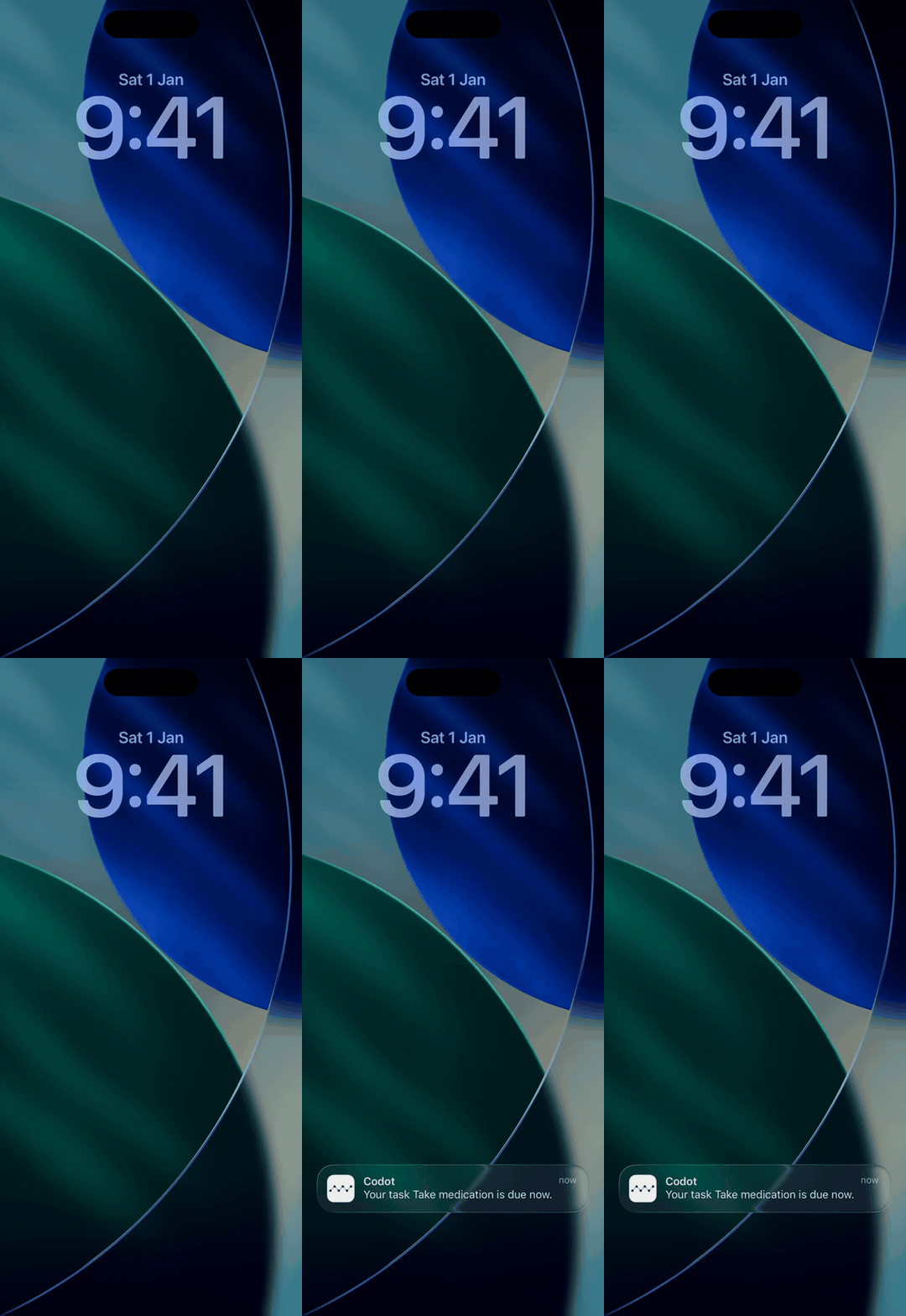
What it won't do: Codot can't change your iPhone's notification or Focus settings, so everything above still applies to its alerts too. Codot's free plan covers tasks, the calendar, notes, the personal CRM, habits, calorie logging and expenses. Reminders at a set time, repeating tasks, the morning briefing, scheduled automations and email triage are part of Codot Max ($12.99 a month or $99.99 a year on the US App Store, with 20x the free plan's usage). Every new account gets 7 days of Max free, then drops back to the free plan without charging you.
If Apple Reminders is working for you after the fixes above, keep it. It's free and already on your phone. I'd switch only if the failures you see are mostly in the capture step. For more options, see the best voice to-do list apps for iPhone, and to keep today's list in view, put a to-do list on your Lock Screen.
FAQ
Why are my iPhone reminders not showing on the Lock Screen?
Check Settings > Notifications > Reminders and make sure Lock Screen is ticked under Alerts. If they appear later in a group, Reminders is probably in your Scheduled Summary; switch it to Immediate Delivery. Separately, a Lock Screen widget can show upcoming reminders without waiting for an alert.
Why are my reminders silent?
Most often the alert sound is set to None under Settings > Sounds & Haptics > Reminder Alerts, the ring switch is on silent, or a Focus is active. For reminders you can't miss, turn on Urgent in the reminder's details to get an alarm.
Why did my reminder alert at the wrong time?
It probably has a date and no time. All-day reminders alert at the Today Notification time set in Settings > Apps > Reminders. Also check the Time Zone setting on the same screen if you travel.
How is Codot different from Apple Reminders?
Apple Reminders is a list you fill in; it's free and deeply built into iOS. Codot is an assistant you talk to: one spoken sentence becomes several tasks and events, it writes them into Google Calendar, and on iPhone it sends a morning briefing. It can't fix iOS notification settings, so the checks above apply to it too.
If the reminders that slip are the ones you never got around to typing, try saying them instead: Codot on the App Store is free to download, and every new account starts with a 7-day Codot Max trial, so you can test timed reminders before deciding.
Productivity & Tools Desk
This article was created with AI assistance and reviewed by our editorial team.Learn about our content process.