Best AI Assistant for Small Business Owners (November 2026): ChatGPT, Copilot, Gemini, Square AI and Codot Compared
Best AI assistant for small business owners, Nov 2026: ChatGPT, Copilot, Gemini and Square AI write; Codot runs payroll reminders, staff tasks and follow-ups.
As of November 2026, a small business owner usually needs two AI tools: one that writes and analyzes, such as ChatGPT Plus ($20 a month) or Microsoft 365 Copilot Business (from $18 per user a month, paid yearly), and one that makes the owner's own jobs happen on time. Codot, a voice-first iPhone assistant, handles the second: monthly payroll reminders, repeat tasks sent to staff, a 7 a.m. briefing and Gmail triage, on Codot Max at $12.99 a month.
TL;DR:
- Most "best AI assistant for small business" lists rank writing tools. They help with the menu description and the job ad. The owner's real problem is the other list: payroll on the 25th, the cooler log nobody filled in, the catering client who emailed on Tuesday.
- For writing and analysis, ChatGPT Plus ($20/month), Microsoft 365 Copilot Business (from $18 per user/month, paid yearly) or the Gemini that comes with Google Workspace is enough. Square AI answers questions about your sales if you already run on Square.
- Codot is ours. You say a sentence at the counter and it becomes a timed reminder, a monthly repeat, a task that lands on an employee's phone, a line in tomorrow's 7 a.m. briefing or a drafted email reply. Codot has been running for almost two years, and every new account gets a 7-day Codot Max trial.
Codot is our product, so read its section knowing who wrote it. Competitor prices come from each company's own pricing page, checked on November 6, 2026.
At 5:30 a.m. you are pulling the first trays out of the oven, and at 2 p.m. you are the person who has to remember that payroll is due Friday, the flour order needs changing and the landlord wants the insurance certificate. Nobody hands a small business owner a schedule. The best AI assistant for that job is the one you can talk to with flour on your hands, and that remembers the thing at the right hour.
At a glance
| App | Best for | Price (as of November 2026) | Platforms | Main limit | Source |
|---|---|---|---|---|---|
| ChatGPT | Writing job ads, menus, emails; research | Free; Plus $20/month | Web, iPhone, Android, desktop | A general assistant you open when you need words | OpenAI |
| Microsoft 365 Copilot Business | Owners who live in Outlook, Word and Excel | From $18 per user/month, paid yearly (was $21); add-on to a Microsoft 365 plan | Web, desktop, mobile | Needs a Microsoft 365 business plan first | Microsoft |
| Gemini in Google Workspace | Owners who run on Gmail, Docs and Sheets | Included in every Workspace Business plan; Starter gets limited Gemini in apps | Web, iPhone, Android | Starter plan's in-app Gemini is marked Limited | |
| Codot | The owner's own reminders, staff tasks, follow-ups and inbox | Free; Codot Max $12.99/month or $99.99/year | iPhone, Apple Watch, Android, web | Briefing and email assistant are iPhone only | Codot |
What is the best AI assistant for small business owners?
Use Codot when the jobs that slip are yours: paying people on time, reordering stock, checking on staff and getting back to customers. You speak one sentence, and Codot turns it into a reminder at an exact time, a repeat on a date pattern like "every month on the 25th," a task sent to an employee or a scheduled list. Here is one week for Rosa, a made-up owner of a bakery with four staff, written moment by moment.
Monday 7:00 a.m.: the briefing before the doors open
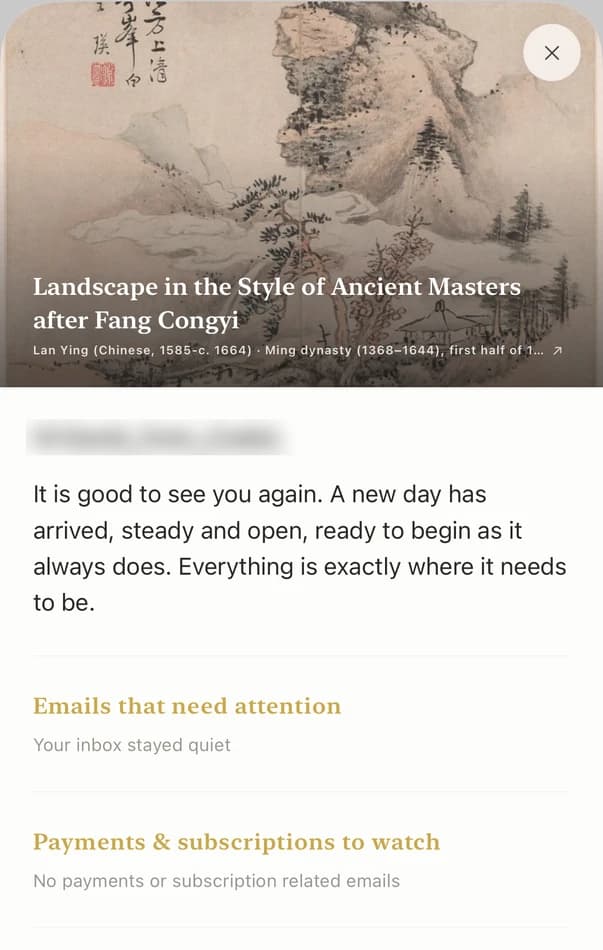
Rosa's daily briefing arrives at 7 (Codot Max, iPhone). It lists today's tasks, the email from the flour supplier marked important and the reminder she set last week to renew the health permit. She reads it between the second bake and opening, which is the only quiet ten minutes she gets.
Monday 2:10 p.m.: payroll and rent on a repeat
Standing at the counter, she says: "Remind me every month on the 25th at 9 a.m. to run payroll." Then: "Every month on the 1st, remind me to pay rent." Both become repeat reminders (Codot Max). Codot understands patterns like "every other Friday" and "every quarter on the 15th," so the bill that comes four times a year doesn't need a calendar of its own. On iPhone with iOS 26 or later, a timed reminder can ring like an alarm, which matters when the mixer is running.
Tuesday 6:30 a.m.: a task that lands on Luis's phone
Rosa and her shift lead Luis are friends in Codot. She says: "Remind Luis every Saturday at 6 to fill in the cooler temperature log." She taps Confirm on the share card, and Luis gets the reminder every Saturday, not only the next one. Adding friends and assigning tasks is in the free plan; making the reminder repeat needs Codot Max.
Wednesday 11:40 a.m.: the supplier receipt
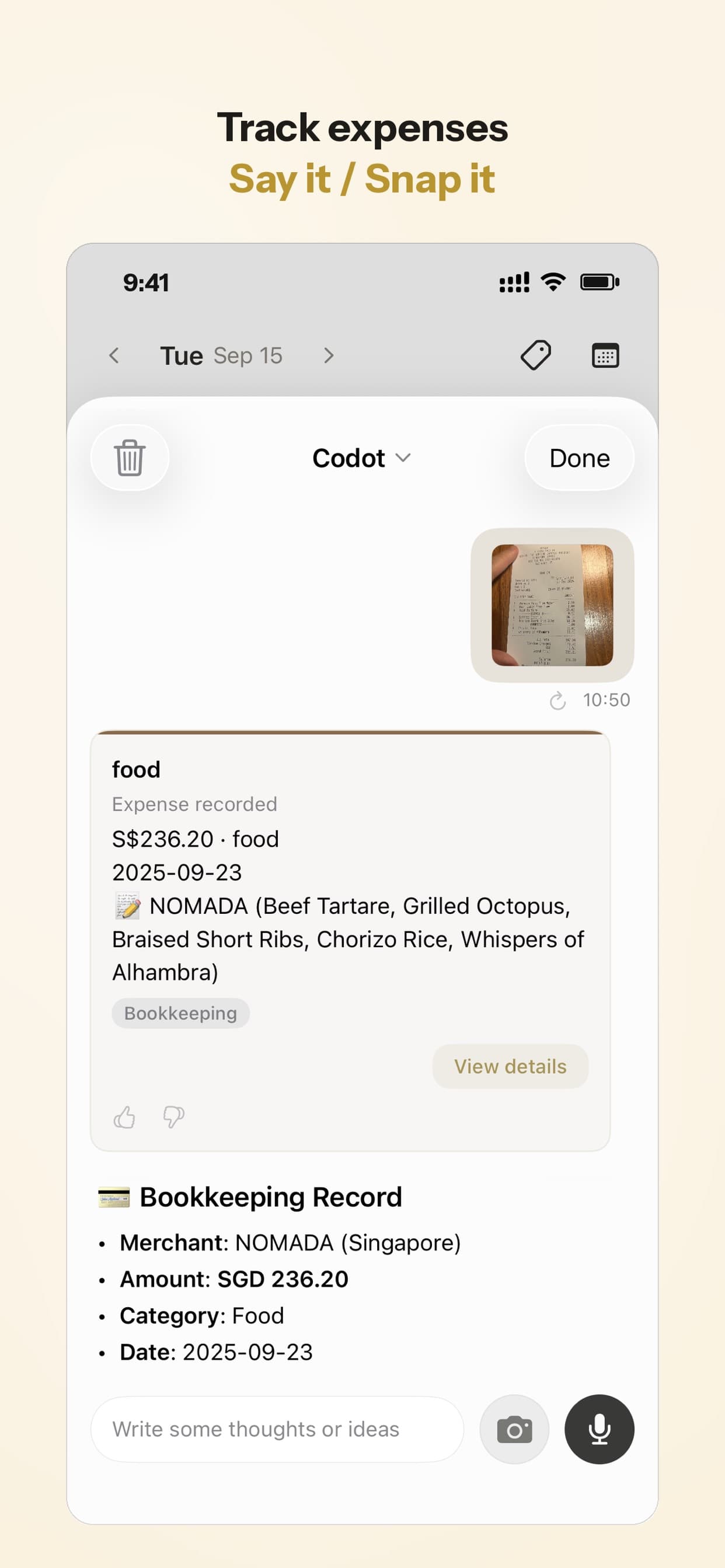
The butter delivery comes with a paper receipt. Rosa takes a photo in Codot and it becomes a bookkeeping record with the amount, so the receipt doesn't end up in the apron pocket and then the wash. Expense tracking, including snapping receipts, is in the free plan. It is a running record for the owner, not accounting software, so her accountant still gets the real books.
Friday 4:00 p.m.: catering clients and the inbox
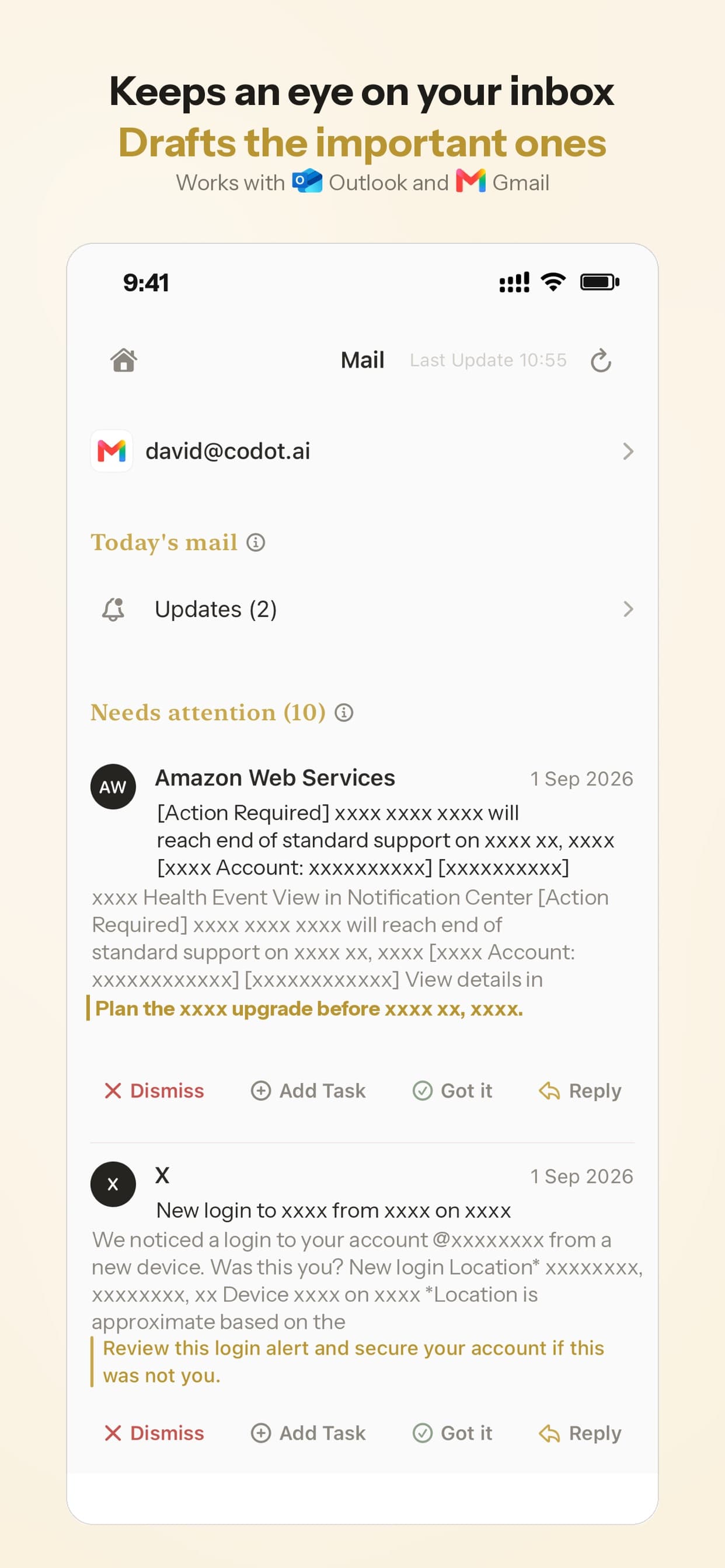
Rosa set one Routine (Codot Max): "Every Friday at 4, list the catering customers I haven't contacted in 30 days." Codot keeps each customer as a contact with notes, so the list comes back with names and the notes she saved about each one. The same afternoon, email triage sorts her Gmail and drafts replies to the two catering inquiries that matter (Codot Max, iPhone; one Gmail and one Outlook account per user). If you work alone rather than with staff, our guide to the best AI assistant for freelancers runs the same idea for client work, our auto repair scheduling app guide covers service shops, and personal CRM for founders goes deeper on remembering people.
Can ChatGPT, Copilot or Gemini run a small business owner's day?
ChatGPT, Microsoft 365 Copilot and Gemini are better than Codot at writing and analysis, and a small business should use one of them for that. None of the three is built to hold the owner's list of dated jobs and fire each one at a set hour on the owner's phone.
ChatGPT. Plus costs $20 a month (OpenAI). It is the quickest way to get a job ad, a reply to a bad review or a first draft of a catering menu. It works best as a writing desk you visit, not as something that tells you on Thursday that payroll is tomorrow.
Microsoft 365 Copilot Business. Microsoft lists it as an add-on to a Microsoft 365 plan, "originally starting from $21.00 now starting from $18.00" per user a month, paid yearly, for businesses of up to 300 users (Microsoft). If your invoices live in Excel and your email in Outlook, Copilot can summarize threads and build the spreadsheet. You pay for the Microsoft 365 plan first.
Gemini in Google Workspace. Google's pricing page shows the Gemini app and Gemini in Gmail in every Business plan, with Gemini inside Workspace apps marked "Limited" on Business Starter (Google). For a shop already on Gmail and Google Sheets, it costs nothing extra.
Your ideas shouldn't wait for a keyboard. Just say it — Codot handles the rest.
Is Square AI enough if your shop already runs on Square?
Square AI is the right tool for questions about your sales, and it is in beta as of November 2026. Square describes it as a way to "ask anything about your business" from your Square data, compare supplier prices and handle voice ordering (Square). Ask it which pastries sold best last month. It answers from your point-of-sale data, which a general assistant can't see. It doesn't remind you to call the landlord or send Luis his Saturday task. Many owners will end up using Square AI for the numbers and Codot for the jobs around them.
Virtual assistant or AI assistant: which does a small business owner need?
A human virtual assistant is worth the money when the work needs judgment and phone calls, such as chasing a late payment or booking a supplier meeting. An AI assistant is worth it when the work is remembering: the payroll date, the permit renewal, the follow-up nobody owns. Our comparison of virtual assistants for contractors sets out the costs of each option, our guide to the best virtual assistant for realtors looks at a solo agent's week, and AI executive assistant apps compared covers founders who sit at a desk more than Rosa does. Most owners start with the AI assistant and hire a person only when calls and judgment pile up.
How to choose
- The jobs that slip are yours (payroll, rent, permits, follow-ups, staff tasks): Codot. Start with the free plan, then Codot Max for repeats, the briefing and the Friday list.
- You need words fast (job ads, menus, review replies): ChatGPT Plus.
- Your business runs on Outlook and Excel: Microsoft 365 Copilot Business.
- Your business runs on Gmail and Sheets: the Gemini already in your Workspace plan.
- You want answers from your sales data: Square AI, if you are on Square.
Codot is built for the owner's reminders, staff tasks, follow-ups and inbox. Payroll, point of sale and real accounting stay with tools like Square and your accountant, and Codot reminds you when it's time to use them.
FAQ
What is the best AI assistant for a small business owner on iPhone?
For the owner's own jobs, Codot: you say "remind me every month on the 25th to run payroll" and it becomes a repeat reminder, with a 7 a.m. briefing and Gmail triage on Codot Max ($12.99/month). For writing, pair it with ChatGPT or the Gemini in your Workspace plan.
Can an AI assistant send tasks to my employees?
Codot can. Add an employee as a friend, say "Remind Luis every Saturday at 6 to fill in the cooler log," tap Confirm, and the reminder reaches Luis's phone every time. Assigning tasks is free; repeating reminders need Codot Max.
How is Codot different from ChatGPT for a small business?
ChatGPT is a writing and research assistant you open when you need words. Codot is a voice assistant that turns a sentence into a reminder at an exact time, a monthly repeat, a task for staff or a scheduled list of customers you haven't contacted.
How much does an AI assistant for a small business cost?
As of November 2026, ChatGPT Plus is $20 a month, Microsoft 365 Copilot Business starts at $18 per user a month paid yearly on top of a Microsoft 365 plan, and Gemini comes with Google Workspace Business plans. Codot is free, and Codot Max is $12.99 a month or $99.99 a year after a 7-day free trial.
Try it on the next thing you'd otherwise write on a sticky note: download Codot on the App Store, say "remind me every month on the 25th to run payroll," and see it on your phone the next morning.
Founders & Professionals Desk
This article was created with AI assistance and reviewed by our editorial team.Learn about our content process.