Virtual Assistant for Contractors (2026): Human VA, AI Receptionist or AI Assistant?
Virtual assistant options for contractors compared: what a human VA, an AI receptionist and a voice AI assistant each cost and handle, checked October 2026.
A human virtual assistant for contractors usually costs $1,600–$2,000 a month and handles calls, scheduling and paperwork. An AI receptionist (Jobber's is a $29-a-month add-on) answers the phone when you can't. A voice AI assistant like Codot covers the part neither reaches: the jobs, promises and measurements in your head, captured on site in one sentence and turned into reminders and calendar entries.
Disclosure: Codot, one of the options below, is our product. Codot doesn't quote, invoice or answer your phone, and we say so where it matters. Prices come from each company's own pricing page, checked October 31, 2026.
TL;DR:
- Most of a small contractor's admin problem is memory, not paperwork. The job details live in your head or on the back of a receipt until you're home, and by then half of it is gone.
- A human virtual assistant (from about $1,600 to $2,000 a month for full-time help) is the right call once you have enough calls and paperwork to keep someone busy.
- An AI receptionist (Jobber's is $29 a month on top of a Jobber plan) answers calls you can't take. It won't remember what you promised a customer on site.
- Codot is the cheapest way to stop losing what you say on the job: say it once, it becomes a task, a reminder or a calendar entry. It doesn't quote or invoice, so keep your job software for that.
Where does a one-person contractor's day actually leak?
Talk to tradespeople about admin and the same complaints come up, in American, British and German trade forums alike.
It's all in your head, or on scraps of paper. The client wants the outlet moved six inches. The supplier is out of the 2-inch fittings until Thursday. You promised to send a revised price by Friday. None of that goes anywhere useful while you're on a ladder, so it sits in your memory, on a sticky note in the van, or on the back of an envelope that ends up in the wash.
The whiteboard stops working. A whiteboard or a shared Google Calendar is fine for five jobs a week. At fifteen, with reschedules, callbacks and a supplier delay, it falls behind, and you find out when two customers expect you at 8 a.m.
Quotes and invoices slip, and you type everything twice. The measurements you took on site have to be re-entered into the quote. The materials you picked up have to be re-entered into the invoice. Do that at 9 p.m. after a ten-hour day and some of it gets missed. In a March 2026 survey of 167 UK small business owners, 77% of the tradespeople said they do admin in the evenings and nearly half at weekends (Electrical Times).
Calls you meant to return. "I'll call you back this afternoon" is the promise contractors break most, and the one customers complain about most. You meant it; you just had no way to be reminded at the right moment.
Each kind of assistant below fixes some of these, and none fixes all of them.
Option 1: a human virtual assistant
A virtual assistant is a remote person, usually part-time or full-time on a monthly plan, who answers calls and emails, books jobs into your calendar, chases quotes and does basic bookkeeping.
What it costs: Wishup lists plans from $1,999 a month (Wishup pricing), and Stealth Agents quotes $1,600 a month for a full-time general contractor VA (Stealth Agents). US-based assistants cost more; Wishup's US-based plan is $5,400 a month.
When it's worth it: when the office work genuinely fills hours. If you're losing jobs because nobody answers the phone or follows up on quotes, a good VA pays for itself.
The catch: a VA only knows what you tell them. The details from the job site still have to get out of your head and to them, which brings you back to the first problem. And it's a monthly salary-sized commitment before you know it'll work.
Option 2: an AI receptionist
An AI receptionist answers the calls you miss, takes the customer's details and books or requests the job. Most field service CRM software now offers one. Jobber's AI Receptionist is a $29-a-month add-on, included in its Plus plan, on top of a Jobber plan that starts at $29 a month billed annually or $49 month to month (Jobber pricing).
When it's worth it: if missed calls are costing you new work. For a contractor on a roof all day, catching the call that would have gone to a competitor is real money.
The catch: it handles incoming calls. It doesn't know that you told Mrs. Patel you'd come back Tuesday with the right tile, or that the 2-inch fittings arrive Thursday.
Your ideas shouldn't wait for a keyboard. Just say it — Codot handles the rest.
Try Codot — It's Free →Option 3: Codot, a voice AI assistant for what you say on site
Codot is a voice-first AI personal assistant. It doesn't run your business the way Jobber does; it holds onto the things you'd otherwise have to remember. You say one sentence, on the job or in the van, and it files it:
- "Call Mrs. Patel Tuesday morning about the tile" becomes a task with a reminder at the right time.
- "Fittings arrive Thursday, book the Henderson job for Friday at 8" becomes a calendar entry and a note.
- "Henderson bathroom: wall is 2.4 meters, move the outlet six inches left, they want matte black fixtures" becomes a client note you can find later when you write the quote.
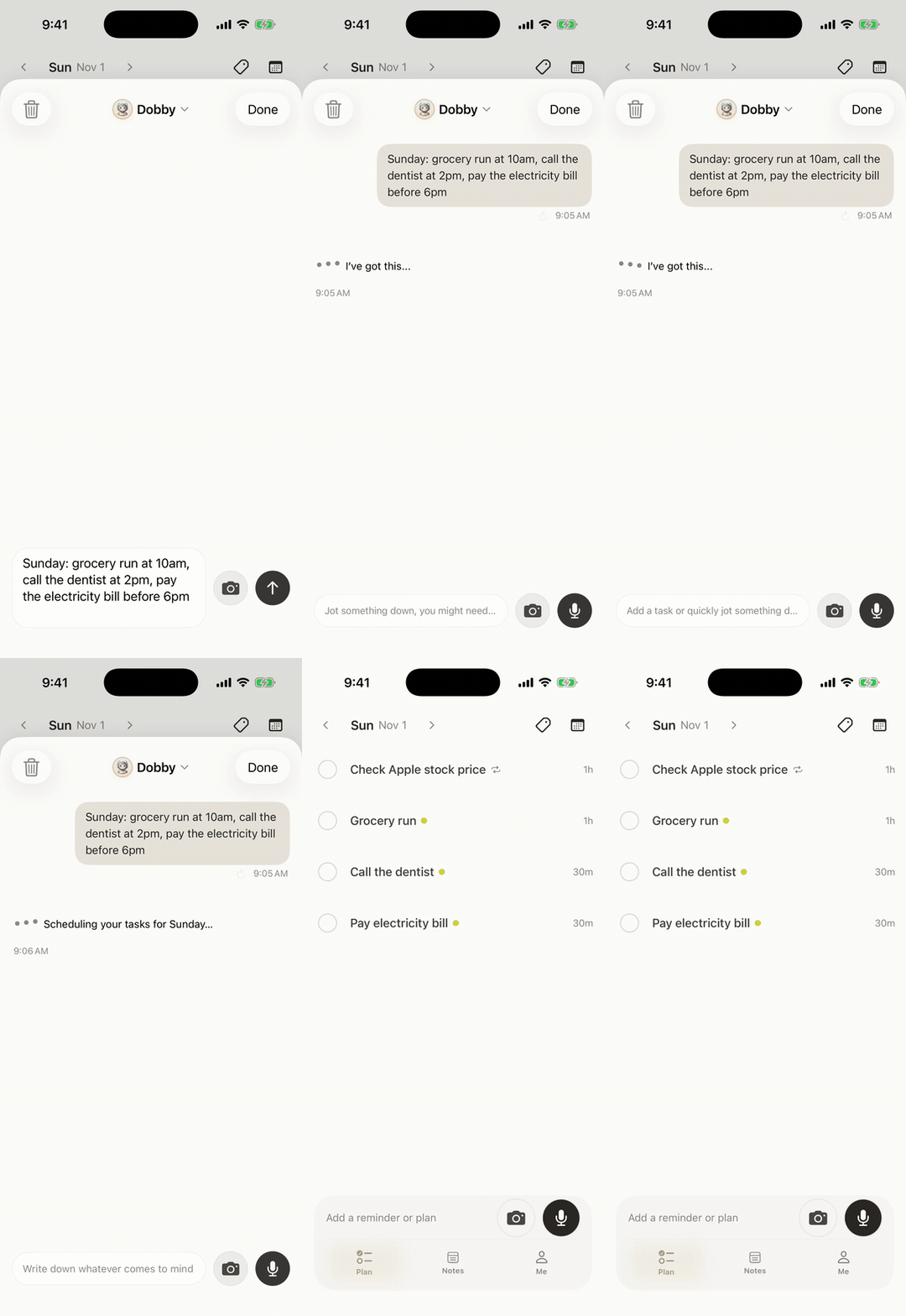
That last example is what helps with typing everything twice: the measurements are captured once, in your own words, at the moment you take them. You still copy them into your quoting software, but you're copying from a note instead of reconstructing a day from memory.
For the whiteboard problem, Codot syncs with Google Calendar and, on iPhone, with Apple Calendar and Apple Reminders, so jobs you book by voice land on the calendar you already look at. Each morning it sends a daily brief of what's due. I covered the calendar side in more detail in our voice calendar app comparison.

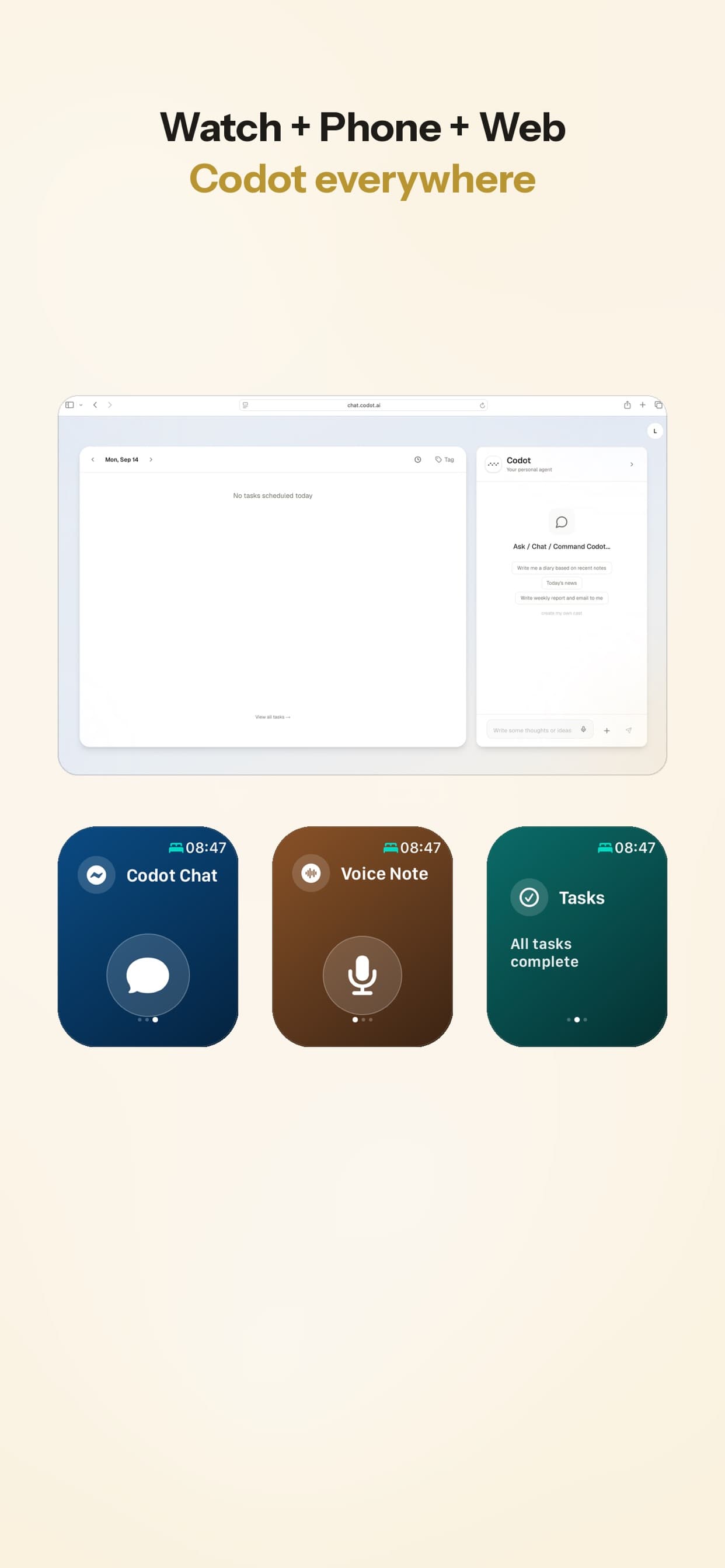
Where you can talk to it: iPhone, Apple Watch, Android and the web, plus a Lock Screen widget. On a roof with your hands full, the watch is the useful one. Speech recognition runs on a large language model, so it understands English, German, Spanish, Polish and most other major languages.
Price: Codot's free plan covers tasks, the calendar, notes, the personal CRM, habits, calorie logging and expenses, so getting site details into tasks and the calendar costs nothing. Reminders at a set time (like that callback on your Lock Screen), repeating tasks, the daily brief, scheduled automations and email triage are part of Codot Max ($12.99 a month or $99.99 a year, with 20x the free plan's usage). Every new account gets 7 days of Max free, then drops back to the free plan without charging you.
What Codot doesn't do
It doesn't write quotes or invoices, answer your phone, dispatch a crew, track billable hours or take payments. If you need those, use job software such as Jobber, and treat Codot as the place where site details go first. Its Apple Reminders sync also runs one way: tick a task off in Reminders and Codot won't know.
Side-by-side
| Human VA | AI receptionist (Jobber) | Codot | |
|---|---|---|---|
| Monthly cost | ~$1,600–$2,000 (full-time) | $29 add-on + Jobber from $29 | Free plan (timed reminders and daily brief are Max); Max $12.99/mo or $99.99/yr, 7-day trial |
| Answers your phone | Yes | Yes | No |
| Quotes and invoices | Can prepare them | Through Jobber | No |
| Captures what you say on site | Only if you call or text them | No | Yes, by voice |
| Reminds you of callbacks | If you tell them | No | Yes |
| Books jobs into your calendar | Yes | Requests from callers | Yes, from your own voice |
| Setup time | Days to weeks (hiring, training) | An hour or two | Minutes |
Which one I'd pick, and when
[Just you running a handyman business](https://codot.ai/blog/codot-for-founders/how-to-run-a-handyman-business-2026-licensing-pricing-and-a-weekly-system-for-a-one-person-shop), maybe with one helper, under about 20 jobs a week. Start with Codot and the apps for outside sales reps you already use for invoicing and job management. Your problem is getting things out of your head while they're fresh, and Codot's free plan is enough to start fixing it.
Missed calls are costing you work. Add an AI receptionist. If you're already on Jobber, the add-on is the cheapest test there is.
The office work fills more than two or three hours a day. Hire a human VA. Even then, keep a way to capture site details yourself by following a routine for outside sales visits, because the VA can only act on what reaches them. One way to do it: say it to Codot on site, then forward the day's notes to your VA.
If you're also looking at general-purpose assistants for the business side, our AI executive assistant comparison covers inbox and follow-up tools. And if phone reminders keep failing silently, this iPhone reminders guide covers the settings that usually cause it.
FAQ
How much does a virtual assistant for contractors cost?
Full-time remote assistants typically run about $1,600 to $2,000 a month (Stealth Agents lists $1,600; Wishup starts at $1,999). US-based assistants cost more, around $5,400 a month on Wishup's US plan.
What's the best AI app for contractors?
It depends on the gap. For missed calls, an AI receptionist like Jobber's. For estimates and invoices, job software with AI features. For remembering what you said and promised on site, a voice assistant like Codot. Many small contractors end up with one job app and one capture tool.
How is Codot different from Jobber?
Jobber runs the business side: quotes, scheduling crews, invoices, payments and, with the add-on, answering calls. Codot holds what you say on the job and turns it into tasks, reminders, notes and calendar entries. They work fine together.
Can I use Codot hands-free on a job site?
Mostly. You can talk to it from an Apple Watch or the Lock Screen widget without unlocking your phone. You'll still glance at the screen to confirm what it filed.
If you want to stop losing site details, try saying your next callback to Codot on the App Store or Google Play.
Field & Trades Desk
This article was created with AI assistance and reviewed by our editorial team.Learn about our content process.