Apps for Outside Sales Reps (2026): A Day in the Field, Moment by Moment
Apps for outside sales reps, mapped to a real day in the field: what a voice assistant handles at each moment, and where route planners, CRMs and mileage apps fit.
Outside sales reps usually need four kinds of app: a CRM for the company record (HubSpot's CRM is free for up to two users), a route planner such as Badger Maps (from $58 a user a month billed annually), a mileage tracker such as MileIQ, and a fast way to capture what happens between visits. A voice assistant like Codot covers that last part: notes after a meeting, promises, reschedules and a morning brief, said out loud instead of typed.
Disclosure: Codot, the voice assistant in the scenes below, is our product. The day is a composite written to show where each kind of app fits, not a real customer's diary. Competitor prices come from each company's pricing page, checked November 1, 2026.
TL;DR:
- Most "best apps for sales reps" lists are organized by category. A rep's day isn't. It's a string of small moments, many of them in a car park with two minutes to spare.
- Codot covers the moments between visits: a morning brief, recalling what you know about an account before you walk in, logging what the buyer said on the way out, moving a meeting, and turning a week of voice notes into a report for your manager.
- The rest of the stack still matters. A CRM for the official record, a route planner if you have more than a handful of stops, and a mileage tracker if you claim mileage.
- Codot isn't a team CRM or a route planner. It doesn't sync with Salesforce or HubSpot, plan routes or log GPS check-ins.
Why a day-shaped list beats a category list
Search for apps for outside sales reps and you get long lists: route planners, CRMs, e-signature, parking apps. All useful, and nearly all written by a vendor near the top of its own list.
What those lists rarely show is when each app gets used. An outside rep's day has maybe six to ten customer conversations, and around each one sits a gap: the walk from the car, the car park afterwards, the drive. Those gaps are where details get lost and promises get forgotten, and they're the moments a category list skips.
So here's one composite day, with the app that fits at each point. We'll call our rep Sam, who sells dental supplies across a suburban territory.
7:15 a.m.: the day arrives as a brief, not a scramble
Sam's phone shows a morning brief before the coffee's ready: five visits today, the pricing promised to a clinic by noon, a callback owed to an office manager since Tuesday.
That brief comes from Codot. You set it once ("every weekday at 7, tell me today's meetings, what's due and anything overdue") and it arrives each morning. Your calendar still holds the appointments; the brief adds the promises that never made it onto the calendar.
Other apps here: your calendar (Google or Outlook) and, if your company uses one, the CRM's own task list.
8:50 a.m.: two minutes in the car park before the first visit
Sam pulls up outside Riverside Dental. Last visit was five weeks ago. What was the office manager's name? What did they ask about?
Instead of scrolling a CRM record, Sam asks Codot what's saved about the account. Back comes the note from last time: the office manager is Jen, she prefers email to calls, she asked about bulk pricing on gloves, and the practice was opening a second location in the spring.
That last detail is the opener. "How's the new location coming along?" lands better than any product pitch.
Other apps here: your CRM's account view has the official history, if someone kept it up to date. Codot is where the small personal details tend to live, because saying them takes seconds.
10:05 a.m.: walking out with the details still fresh
The meeting went well. On the way out, Jen mentioned three things in passing: their current supplier's delivery has been late twice, any order over $5,000 needs the practice owner's sign-off, and they'll decide before the end of the quarter.
Sam says it to Codot before starting the car:
"Riverside Dental: current supplier late twice, orders over five thousand need the owner's sign-off, decision before end of quarter. Send Jen the bulk glove pricing by Thursday."
Codot files the details on Jen's contact and creates a task for Thursday with a reminder. Nothing waits until the evening.
We wrote about why this window matters, and what to capture in it, in our guide to being a good outside sales rep.
Other apps here: most CRMs have a mobile app for logging activity, but typing a structured note on a phone in a car park is exactly the step that gets skipped.
11:30 a.m.: a reschedule at the next stop
A text comes in while Sam is driving: the orthodontist wants to move Thursday's demo. Sam leaves it until parked at the next stop, then raises a wrist:
"Move the Bayview Ortho demo from Thursday at 2 to Friday at 9."
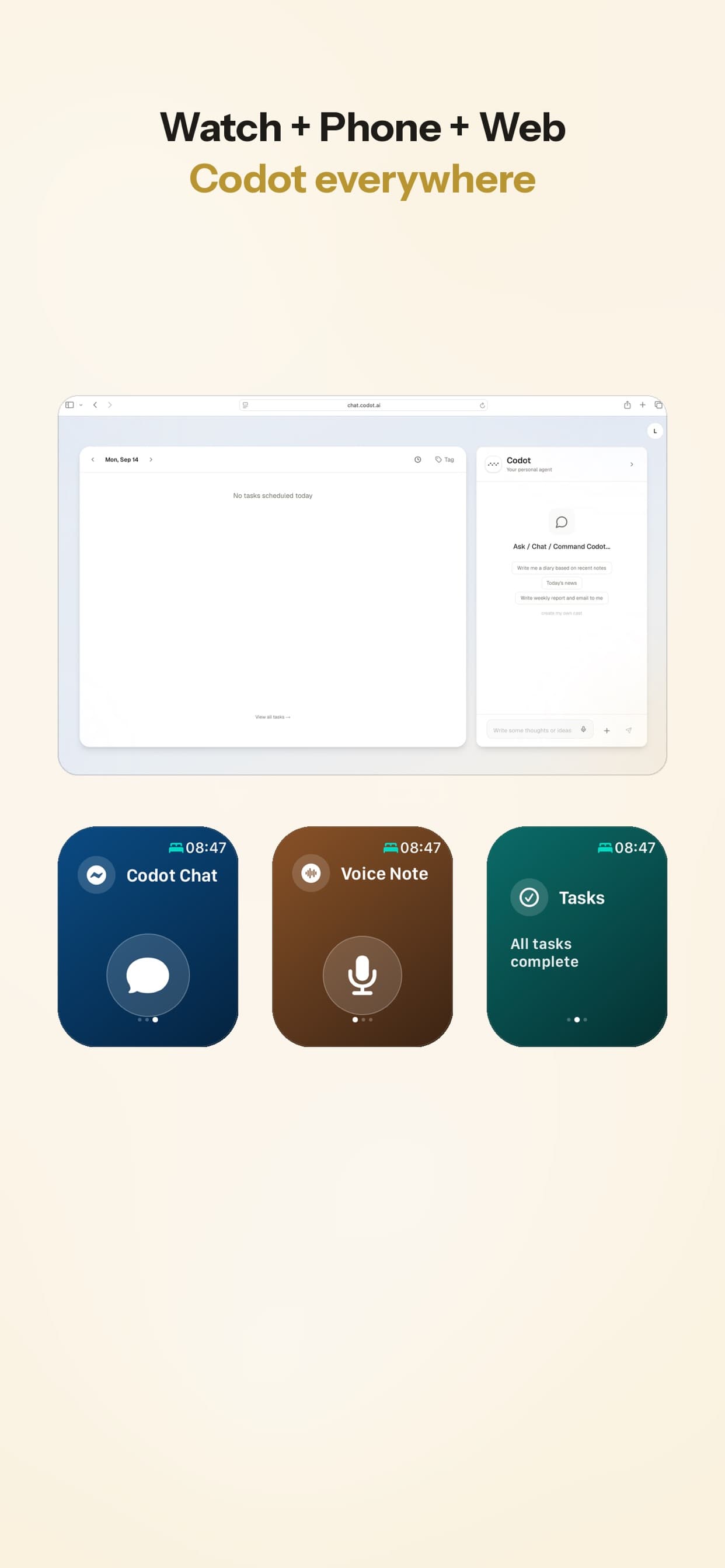
The calendar event moves. On iPhone, Codot syncs with Apple Calendar and Reminders, and it works with Google Calendar on any device. You can talk to it from an Apple Watch, the Lock Screen widget, an Android phone or the web.
Other apps here: if customers book themselves, a scheduling link such as Calendly saves the back-and-forth.
12:40 p.m.: a referral over lunch
At a café, Sam runs into a hygienist from an old account who mentions a friend opening a new practice across town. The kind of lead that's gone by evening if it isn't written down.
"New lead: Priya Shah, opening a practice on Elm Street in January, referred by Marco at Northgate. Call her next Monday."
That becomes a new contact, with who referred her, and a reminder for Monday morning. If you keep notes on people this way, our personal CRM guide covers how to keep it useful without maintaining a full CRM. For a wider look, our list of free personal CRM apps for iPhone and Android compares the options.
Your ideas shouldn't wait for a keyboard. Just say it — Codot handles the rest.
Try Codot — It's Free →3:15 p.m.: the inbox between visits
Between the fourth and fifth visit, Sam has 15 minutes and 40 unread emails. Codot connects to Gmail or Outlook, sorts what matters from what doesn't, and drafts replies to the important ones, such as a clinic asking for a quote. Sam reads the draft, adjusts a line and sends it.
Other apps here: your email app's own filters and, for contracts, e-signature tools such as PandaDoc or DocuSign.
Friday, 4:00 p.m.: the report your manager wants
Every Friday, Sam's sales manager asks for follow-up notes on the week's accounts. This is the job reps put off longest, because it means reconstructing five days from memory.
Sam's week already exists as a stack of voice notes. Sam asks Codot to turn this week's visit notes into a summary by account: who was met, what was said, the next step. Sam checks it and pastes it into the company CRM. It's a 15-minute job instead of an evening.
Codot doesn't write into Salesforce or HubSpot directly. The copy-and-paste step stays, but you're copying from organized notes instead of from memory.
What each app covers, side by side
| Codot | CRM (e.g. HubSpot) | Route planner (e.g. Badger Maps) | Mileage tracker (e.g. MileIQ) | |
|---|---|---|---|---|
| Capture visit notes by voice | Yes, one sentence | Mobile app, mostly typing | No | No |
| Reminders for promises | Yes | Tasks, set manually | No | No |
| Morning brief | Yes | Varies | No | No |
| Shared pipeline and reports for managers | No | Yes | Varies by plan | No |
| Route planning and maps | No | Varies | Yes | No |
| Mileage logs | No | No | No | Yes |
| Starting price | Free plan (timed reminders and brief need Max); Max $12.99/mo, 7-day trial | HubSpot free CRM: 2 users, 1,000 contacts | Business $58/user/mo (annual) | Free for 40 drives/mo; $11.66/mo annual |
Sources: HubSpot CRM ("100% free with no expiration date"), Badger Maps pricing, MileIQ pricing. SPOTIO, another popular field sales platform, doesn't publish prices, has no free trial and says it's designed for teams of five or more (SPOTIO pricing).
Which setup we'd pick
A rep whose company already has a CRM: keep the CRM for the official record and add Codot for capture. That's the gap most reps feel, and the free plan plus a 7-day Max trial means it costs nothing to try.
An independent rep or a two-person agency: HubSpot's free CRM plus Codot covers most of it. Add MileIQ if you claim mileage. If you run your own trade business instead, we compared CRMs for contractors and CRMs for a handyman business, or you can see how to manage a small engine repair shop during the spring rush.
More than eight or ten stops a day across a big territory: a route planner such as Badger Maps pays for itself in driving time. Codot doesn't plan routes.
What Codot doesn't do
It isn't a team CRM: your manager can't see pipeline stages or forecasts in it, and it doesn't sync with Salesforce or HubSpot. It doesn't plan routes, track mileage, log GPS check-ins or send quotes. Its Apple Reminders sync runs one way.
Price: Codot's free plan covers tasks, the calendar, notes, the personal CRM, habits, calorie logging and expenses. Reminders at a set time, repeating tasks, the morning brief, scheduled automations and email triage are part of Codot Max ($12.99 a month or $99.99 a year, with 20x the free plan's usage). Every new account gets 7 days of Max free, then drops back to the free plan without charging you.
FAQ
What apps do outside sales reps use?
Usually a CRM for the company record, a calendar, a route planner for territories with many stops, a mileage tracker, and something fast for notes between visits. Which ones depend on the size of the territory and whether your company already provides a CRM.
What's the best AI app for sales reps?
It depends on the job. For capturing visit notes, promises and reschedules by voice, Codot. For writing and sequencing emails, AI features inside your CRM or email tools. For routing, AI-assisted route planners. If you're also comparing assistants for desk work, our AI executive assistant comparison covers inbox and follow-up tools.
Is there a free app for field sales reps?
Yes, several start free: HubSpot's CRM (up to two users and 1,000 contacts), MileIQ (40 drives a month) and Codot, whose free plan covers voice notes, tasks and contacts; timed reminders and the morning brief are in Codot Max, which new accounts can try free for 7 days.
How is Codot different from a sales CRM?
A CRM is the shared company record your manager reports from. Codot is your own voice assistant for the moments between visits: what the buyer said, what you promised and what moved. Many reps would use both, with Codot as the place notes go first.
If you'd like your next visit notes to take one sentence instead of an evening, Codot is on the App Store and Google Play.
Founders & Professionals Desk
This article was created with AI assistance and reviewed by our editorial team.Learn about our content process.