Best AI Assistant for Freelancers (November 2026): ChatGPT, Gemini, HoneyBook and Codot for the Work Between Projects
Best AI assistant for freelancers: ChatGPT and Gemini write, HoneyBook bills, Codot runs follow-ups, invoice reminders and email triage. Prices as of Nov 2026.
As of November 2026, most freelancers need two kinds of AI assistant: a writing assistant such as ChatGPT Plus ($20 a month) or Gemini in Google AI Pro ($19.99), and something that keeps the business moving between projects. Codot, a voice-first iPhone assistant, does the second job: timed client follow-ups, repeat invoice reminders, a 7 a.m. briefing and Gmail triage, on Codot Max at $12.99 a month.
TL;DR:
- Most "best AI tools for freelancers" lists cover making the work: writing, design, research, meeting notes. The money is usually lost somewhere else, in the follow-up you forgot, the invoice you sent a week late and the client email that sat unread.
- For writing and research, ChatGPT Plus ($20/month) or Gemini with Google AI Pro ($19.99/month) is enough. Both can run a few scheduled prompts, but neither is built to remind you about a specific client at 4 p.m. on Friday.
- For contracts, invoices and payment reminders to clients, a client-management tool like HoneyBook (from $29/month billed yearly) does what an assistant can't.
- Codot is ours. You say a sentence ("Remind me to invoice Lena on Friday at 4") and it becomes a timed reminder, a repeat, a line in tomorrow's 7 a.m. briefing or a Friday list of clients you haven't spoken to. It is iPhone-first, it doesn't write your proposals and it doesn't send invoices.
Codot is our product, so read its section knowing who wrote it. Competitor prices come from each company's own pricing or help pages, checked on November 5, 2026.
You finished the logo files at 11 p.m., sent them and went to bed. Nobody sent the invoice. Two weeks later you notice, and now you are the freelancer who bills late, so you'll get paid late too. That is the job a freelancer's AI assistant should do. Drafting the email is the easy part. The hard part is remembering, at the right moment, that the email needs to exist.
At a glance
| App | Best for | Price (as of November 2026) | Platforms | Main limit | Source |
|---|---|---|---|---|---|
| Codot | Follow-ups, repeat reminders, morning briefing, email triage, by voice | Free plan; Codot Max $12.99/month or $99.99/year (US App Store), 7-day Max trial | iPhone, Apple Watch, Android, web; briefing and email assistant on iPhone only | Doesn't write long documents or send invoices; ignored reminders don't repeat | Codot pricing |
| ChatGPT | Proposals, emails, research | Free; Plus $20/month | Web, iPhone, Android, desktop | Free scheduled tasks: 3 active, at most once a day | OpenAI |
| Gemini | Writing inside Gmail and Docs | Google AI Pro $19.99/month | Web, iPhone, Android | Up to 10 scheduled actions; needs Keep Activity on | |
| HoneyBook | Contracts, invoices, client payment reminders | $29 / $49 / $109 per month billed yearly; 30-day trial | Web, iPhone, Android | Automations and SMS reminders start on Essentials | HoneyBook pricing |
| Human virtual assistant | Calls, bookkeeping, inbox cleanup | Hourly, set by the VA | Any | Needs a brief, a schedule and access to your accounts | — |
What does a freelancer actually need an AI assistant for?
A freelancer needs an AI assistant mainly for the work nobody pays for: following up, billing on time, answering the right email first. Hostinger's list of 11 AI tools for freelancers, one of the top search results this week, covers writing, research, design, video and code. It describes no tool that sorts an inbox or reminds you to invoice.
That gap matters because a freelancer has no account manager and no office manager. If a lead goes quiet, nobody nudges you to check in. If a retainer renews on the 1st, nobody reminds you on the 28th to send the new quote. The work itself gets done because the deadline is in front of you. The admin gets done when you remember it.
So split the question in two. Which AI helps me make the work? Most freelancers already pay for one. Which assistant makes sure the admin happens on time? That second question is the one this article answers.
What is Codot, and what does it do for a freelancer?
Codot is a voice-first AI personal assistant: you say one sentence and it creates the task, sets the reminder, moves it, remembers the person or sorts the email. For a freelancer the useful part is what happens after you speak. Codot holds the follow-up until the right hour and puts it in front of you.
Here is one week for a freelance brand designer with four retainer clients and a few one-off projects. The client names are invented. The sentences are the kind you'd actually say.
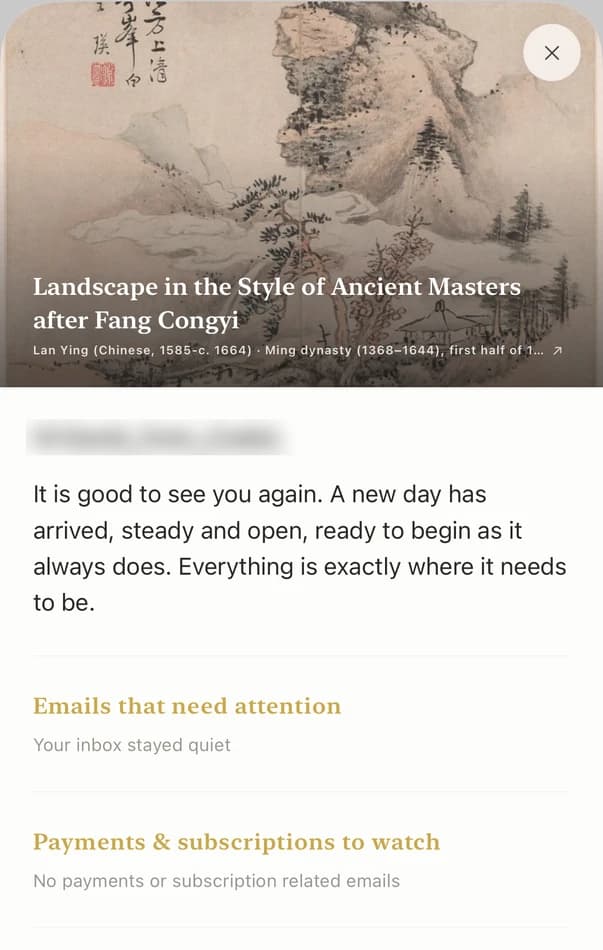
Monday, 7:00 a.m., the daily briefing. Codot's briefing arrives on the iPhone every morning at 7. Today it lists the two things due (the packaging mockups for one client, a call at 2 p.m.), one reminder carried in from last week and the night's important emails. You read it in bed instead of opening four apps.
Tuesday, 3:40 p.m., after a call with a new lead. You hang up and say: "Lena from Northfield Coffee wants a quote for a rebrand, budget around five thousand, wants to start in January. Remind me Thursday at 10 to send the quote." Codot saves Lena as a contact with those details and sets the Thursday reminder. When she emails in March, you can ask "what did Lena want?" and get the answer.
Wednesday, 9:15 a.m., setting up the repeats once. Two sentences: "Every month on the 25th, remind me to invoice my retainer clients" and "Remind me every year on April 15, June 15, September 15 and January 15 to pay estimated tax." Those four dates are the IRS due dates for individual estimated tax payments (IRS). You never type them into a calendar again.
Friday, 4:00 p.m., the scheduled check. A Routine you set weeks ago runs: "Every Friday at 4, list the clients I haven't contacted in 14 days." Today it names two. You send one a short "how did the launch go?" and put the other on next week's list.
Every day, the inbox. Codot connects to one Gmail and one Outlook account. It sorts the inbox, flags the emails that need you (a client approval, a payment question) and drafts replies to the important ones, which you edit and send from the iPhone app.
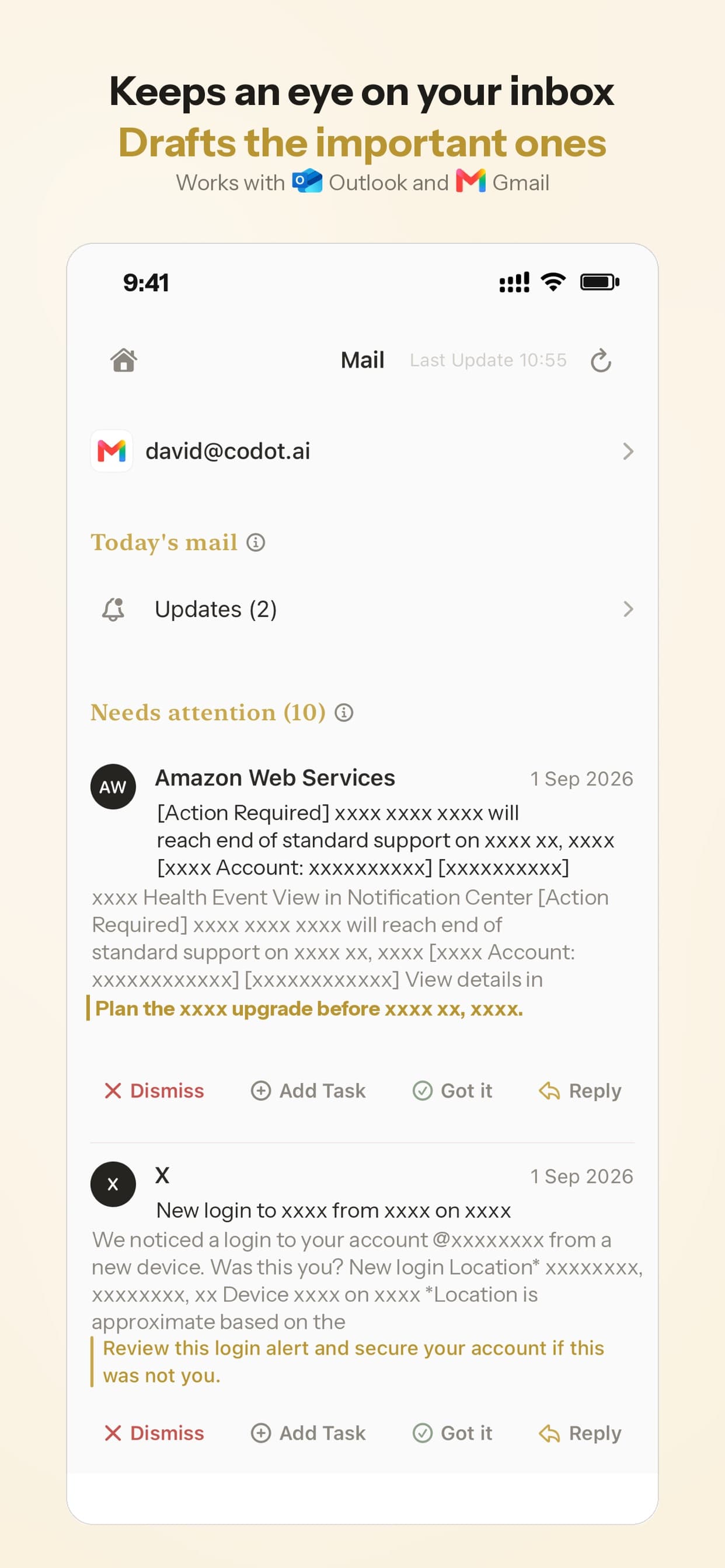
Timed and repeat reminders, the daily briefing, Routines and email triage are part of Codot Max ($12.99 a month or $99.99 a year on the US App Store). Every new account gets 7 days of Max free, then drops back to the free plan without charging you. The free plan keeps tasks, notes, the personal CRM and voice input. Codot has been running for almost two years, and more people use it every month.
Can ChatGPT or Gemini be a freelancer's assistant?
ChatGPT and Gemini are the better choice for writing proposals, cold emails and research, and both can run a few scheduled prompts. Neither is built to hold a list of client follow-ups and fire each one at a set hour.
ChatGPT. Plus costs $20 a month (OpenAI). Its scheduled tasks are good for "every Monday morning, summarize news in my industry." On the free plan you get three active tasks, recurring at most once a day in a flexible window such as morning or night. That suits a digest. It doesn't suit "remind me to send Lena the quote on Thursday at 10." If you already pay for Plus for writing, keep it for writing. Our guide on connecting ChatGPT to Apple Calendar covers what it can see from your calendar and mail.
Gemini. Google AI Pro is $19.99 a month (Google). It earns its price if your client work lives in Gmail and Google Docs. Scheduled actions let it run "daily, weekly, and monthly routines," with "up to 10 active schedules at a time," and the feature turns off if Keep Activity is off (Google Help). Like ChatGPT, it answers prompts on a schedule. It does not keep a client list or tell you who has gone quiet.
Your ideas shouldn't wait for a keyboard. Just say it — Codot handles the rest.
Try Codot — It's Free →When do you need HoneyBook or a human assistant instead?
Use a client-management tool when the problem is contracts and getting paid, and a human assistant when the work involves phone calls or judgment you can't put into a sentence.
HoneyBook sends proposals, contracts and invoices, and chases payment with the client directly. Plans are $29, $49 and $109 a month billed yearly ($36, $59 and $129 monthly), every plan starts with a 30-day free trial, and "Automations" and "SMS reminders" are listed from Essentials up (HoneyBook pricing). The same page asks whether you are "based in the U.S., Canada, UK, or Australia," the countries it serves. If clients regularly pay late, this is worth more than any assistant, because the reminder goes to them, not to you.
A human virtual assistant can phone a supplier, reconcile a messy month of receipts and clean an inbox with judgment. It costs an hourly rate, plus the time to brief someone and share your logins. Many freelancers hire one only once they're turning work away. For the in-between choice, we compared a human VA, an AI receptionist and an AI assistant in our piece on virtual assistants for contractors, and most of it applies to any one-person business.
What can't Codot do for a freelancer?
Codot won't write your proposal, invoice your client or chase them for payment. It reminds you to do those things. Plan around these limits:
- It doesn't send invoices or take payments. Use your invoicing tool or HoneyBook for that.
- An ignored reminder isn't sent again. If you swipe it away, Codot doesn't nag. For the one or two things you can't miss, add a second reminder or a calendar alarm.
- It writes to your calendar but doesn't read it. Codot puts its tasks into Google Calendar or Apple Calendar. It doesn't check your existing meetings before booking something. Sharing a calendar subscription link (.ics) lets it include those events when it lists your day.
- The briefing and email assistant are iPhone only. Android and web have tasks, notes, reminders and the CRM, but not those two.
- One Gmail and one Outlook account. If you run three client inboxes, it covers two.
Which AI assistant should a freelancer pick?
Pick by the job that's currently costing you money:
- Your writing takes too long: ChatGPT Plus, or Gemini if you live in Gmail and Docs.
- Clients pay late or contracts are messy: HoneyBook or a similar client-management tool.
- You forget follow-ups, invoice late or miss emails: Codot. Try the 7-day Max trial during a normal client week and check whether the Friday list and the 7 a.m. briefing change what you do.
- You're turning work away: hire a human VA for a few hours a week.
Most freelancers end up with two of these, usually one writing AI plus one of the others. If you're comparing broader personal assistants, our AI executive assistant comparison covers six more. For a deeper client memory setup, see the personal CRM app guide.
FAQ
What is the best AI assistant for freelancers in 2026?
For writing and research, ChatGPT Plus ($20/month) or Gemini in Google AI Pro ($19.99/month). For keeping client follow-ups, invoices and email on time, Codot is built for that job, with timed and repeat reminders, a 7 a.m. briefing and Gmail or Outlook triage on Codot Max ($12.99/month).
How is Codot different from ChatGPT for a freelancer?
ChatGPT is a writing and research assistant whose free scheduled tasks run at most once a day in a flexible window. Codot is a voice assistant that turns a sentence into a reminder at an exact time, remembers clients as contacts and lists who you haven't contacted in a set number of days.
Is an AI assistant cheaper than a virtual assistant for freelancers?
Yes for routine reminders and email sorting: Codot Max is $12.99 a month, while a human VA bills by the hour. A human VA is still the better choice for phone calls, bookkeeping and tasks that need judgment.
Can an AI assistant send invoices for a freelancer?
Codot reminds you to invoice but does not send invoices or collect payments. HoneyBook (from $29/month billed yearly) sends invoices and reminds clients about payments on its Essentials plan and above.
Does Codot work on Android?
Yes, Codot runs on Android and the web with tasks, notes, reminders and the personal CRM. The daily briefing and the email assistant are currently iPhone only.
If client follow-ups are the part of freelancing that slips, download Codot on the App Store and set up your Friday check during the free week.
Founders & Professionals Desk
This article was created with AI assistance and reviewed by our editorial team.Learn about our content process.