How to Make Your Own AI Assistant Without Coding (2026): ChatGPT, Claude, Gemini and Copilot Setups, and Where Each One Breaks
How to make your own AI assistant without coding in 2026: step-by-step setups in ChatGPT, Claude, Gemini and Copilot, their scheduling limits, and the ready-made option.
You can make your own AI assistant without coding by giving ChatGPT, Claude, Gemini or Copilot standing instructions and files, then adding scheduled runs: ChatGPT Tasks (3 active on Free, 5 on Plus), Gemini scheduled actions (up to 10) or Copilot scheduled prompts (up to 10). The setups break on exact-time reminders and remembering people. Codot, a voice AI assistant for iPhone, does both out of the box; its daily briefing and Routines are Codot Max ($12.99 a month).
Disclosure: Codot is our product. The setups below use features from each company's own help pages, checked November 11, 2026. Plans and limits change; follow the links before you rely on a number.
TL;DR:
- A homemade AI assistant has three parts: standing instructions (who you are, how to answer), a memory of your stuff (files, notes on people), and a way to reach you on a schedule. ChatGPT, Claude, Gemini and Copilot each cover the first two without code.
- Scheduling is where they differ. ChatGPT Tasks, Gemini scheduled actions and Copilot scheduled prompts can run a prompt on a timer. Claude Projects answer only when you open them.
- The setups break in the same places: a cap on scheduled jobs, notes on people scattered across chats, and no quick way to say one sentence that becomes three dated items.
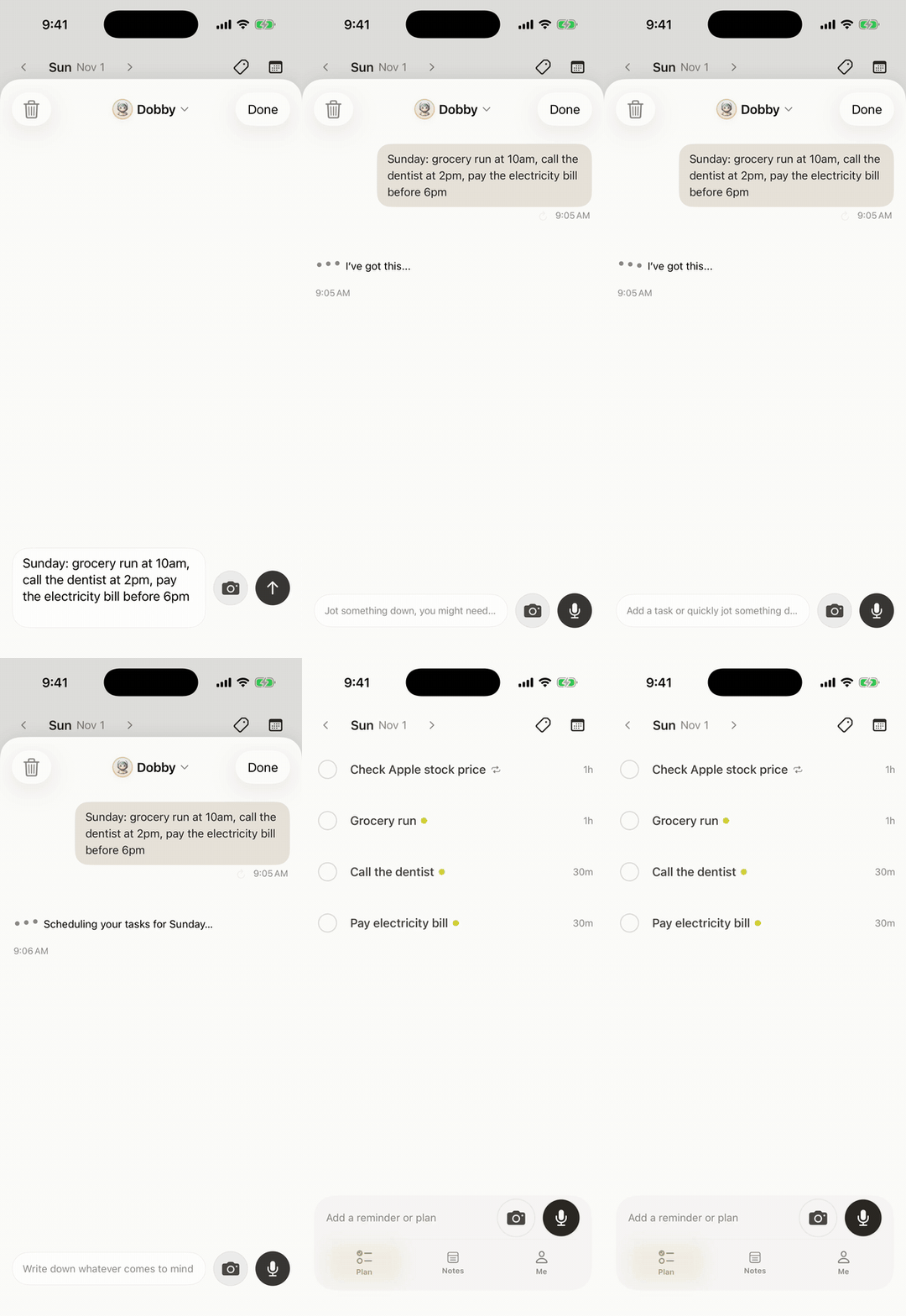
- Use Codot when you'd rather not build it: you speak, and it creates the tasks, events, contact notes and reminders, with a 7:00 briefing and up to 20 Routines on Codot Max. Download Codot on the App Store.
At a glance
| Tool | What you build | Scheduled runs (as of November 2026) | How it reaches you | Source |
|---|---|---|---|---|
| ChatGPT | A Project with instructions and files, plus Tasks | Tasks: 3 active on Free and Go, 5 on Plus, 15 on Pro | Push notification, email or both | OpenAI Help |
| Claude | A Project with instructions and a knowledge base | None in Projects | Only when you open the chat | Claude Help |
| Gemini | A Gem (turning into "skills" on personal accounts from November 2026) | Scheduled actions: up to 10 active | Phone notification; Keep Activity must be on | Google Help |
| Microsoft 365 Copilot | Saved prompts in Copilot Chat, Teams or Outlook | Scheduled prompts: up to 10; needs a Copilot license | Copilot chat list, optional email | Microsoft Support |
| Codot | Nothing to build: say it and it's saved | Up to 20 Routines on Codot Max | Reminders at the exact time; 7:00 briefing (iPhone) | Codot pricing |
What does a homemade AI assistant need before it's useful?
A homemade AI assistant needs a written brief, a place for your reference material and a schedule that brings it back to you. Most tutorials stop after the brief, and that's why the assistant feels clever for a week and then goes quiet: a chat that waits for you to open it is a search box with good manners.
Write the brief once, in a text file you keep, and hold it under about 150 words:
- Who you are: "I'm a freelance designer. Clients pay by project. I work 9:30 to 6 and stop at 6."
- How to answer: "Short answers. Dates as weekday + date. Ask before you assume a time."
- What you track: "Clients, invoices, follow-ups, my weekly top 3."
- What it may not do: "Never send anything without showing me first."
You'll paste this same brief into each tool below. If you only try one, pick the one where your email and calendar already live.
How do I make ChatGPT into a personal assistant?
Make ChatGPT into a personal assistant by putting your brief in a Project and adding Tasks for the things that should arrive without you asking. It takes about 15 minutes.
- Create a Project called "Assistant". Paste the brief into the project instructions and upload your client list or price sheet as files.
- Add Tasks. In a chat, type "Every weekday at 8:30, ask me for my top 3 for today." OpenAI's help page lists active-task limits by plan: 3 for Free and Go, 5 for Plus, 10 for Business and Edu, 15 for Pro and Enterprise, as of November 2026 (OpenAI Help).
- Turn on notifications under Settings > Notifications and pick push, email or both, so the task's answer reaches your phone.
The limit you'll hit first is the task count. A morning check-in, a Friday invoice sweep and a weekly review already use 3 of Plus's 5. Every one-off "remind me Thursday at 2 to call the dentist" takes a slot until it fires. If you also want ChatGPT to see your Apple calendar, we wrote up what connects and what doesn't.
How do I build an AI assistant in Claude?
Build an AI assistant in Claude with a Project: Claude's help page describes Projects as "self-contained workspaces with their own chat histories and knowledge bases," with their own instructions (Claude Help). Free accounts can make up to five.
- New Project → instructions: paste the brief.
- Knowledge: upload the documents you'd hand a new assistant: your services, standard replies, the client list.
- Start every working session in that Project. Claude will draft, sort and plan with your context loaded.
Claude is strong at the thinking work: turning a messy voice-memo transcript into a plan, or drafting the hard email. What a Project doesn't do is start the conversation. Nothing in it fires at 8:30 or pings your lock screen; you have to remember to open it, which is the job you wanted the assistant for. Anthropic's separate agent, Claude Duet, was US-only and waitlisted when we compared the new personal agents on October 21.
How do I make a personal assistant with Gemini?
Make a personal assistant with Gemini by saving your brief as a Gem and pairing it with scheduled actions. Google's Gem page says you "enter a name and instructions" and can add files from your device, Google Drive or a NotebookLM notebook (Google Help).
- Gems → New Gem: paste the brief, attach the files.
- Schedule it: Gemini's scheduled actions run "daily, weekly, and monthly routines," with "up to 10 active schedules at a time," and Google lists "daily digests of your calendar, to-do list, and emails" as a use (Google Help).
- Leave Keep Activity on. The same page says the feature "isn't available when this setting is off."
Two things to know as of November 2026. Google's Gem page says Gems "will go away on personal Google accounts and automatically transition to skills" starting this month, so the menu names may change under you. And the scheduled-actions page says the feature is still rolling out to personal accounts. If you live in Gmail and Google Calendar, Gemini is the closest to a working DIY assistant.
Your ideas shouldn't wait for a keyboard. Just say it — Codot handles the rest.
Can Microsoft Copilot work as a personal assistant?
Microsoft 365 Copilot can run your saved prompts on a schedule, if you have a Copilot license. Microsoft's support page says scheduling works in Copilot Chat, Copilot in Teams and Outlook, "You can create up to 10 different scheduled prompts," and you can choose an email when a response is ready (Microsoft Support).
That makes Copilot a good fit for an office worker whose day is Outlook and Teams: "Every Monday at 8, summarize what I promised people in last week's email." It's a weaker fit for a freelancer on a phone, because the results land in a chat list or an inbox, the place you're trying to spend less time.
Where does a homemade AI assistant break?
A homemade AI assistant breaks at the hand-off from "answer" to "remind me at the right moment." Here are the usual failure points, and what fixes each:
- The schedule fills up. Every reminder is a scheduled prompt, and caps of 3 to 15 run out fast. Fix: keep scheduled prompts for summaries, and put one-off reminders in a Todoist for small business owners or a dedicated AI secretary app.
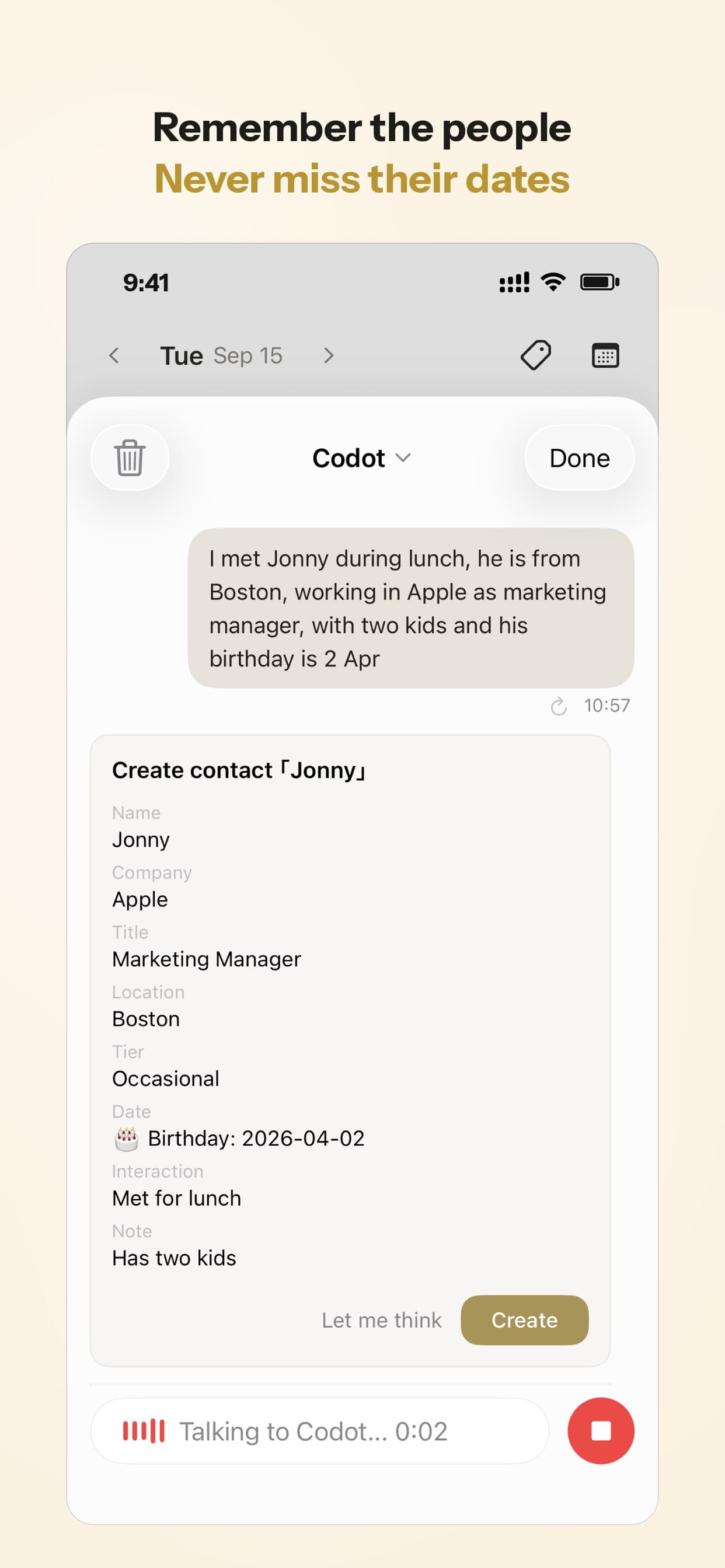
- It forgets people. Notes on a client end up in whichever chat you were in. Fix: one contact list with a line per person, kept somewhere you can say "what do I know about Priya?"
- One sentence, one item. You think in bursts ("send the invoice tonight, call Marco Thursday, renew the domain before March") and the chat answers with a paragraph instead of three dated items.
- You have to open it. Claude Projects and any chat without scheduling wait for you. If your problem is remembering, that's the wrong way round.
- The voice is a long way off. Talking to a chatbot usually means opening the app and starting voice mode before you can say anything.
Is there a way to make your own AI assistant for free without coding?
Use Codot when you want the assistant without building it: you say what you need, and Codot turns it into tasks, calendar events, notes, contact cards and reminders in one app, with nothing to configure. The free plan covers voice capture, tasks, the calendar, notes and the personal CRM. Exact-time and repeating reminders, the 7:00 daily briefing (iPhone) and up to 20 Routines are Codot Max, $12.99 a month or $99.99 a year in the US, with a 7-day free trial for every new account.
Everything sits in one place, so one sentence can do several jobs at once. "Send Dana the invoice tonight, call Marco Thursday at 2, renew the domain before March" becomes three separate items, each with its own time.
The brief you wrote for ChatGPT becomes a few Routines you say out loud: "Every weekday at 8:30, ask me for my top 3," or "Every Friday at 4, list the clients I haven't been in touch with for 7 days." The second one works because Codot keeps each person as a contact card you filled by voice, which is the "it forgets people" problem above.
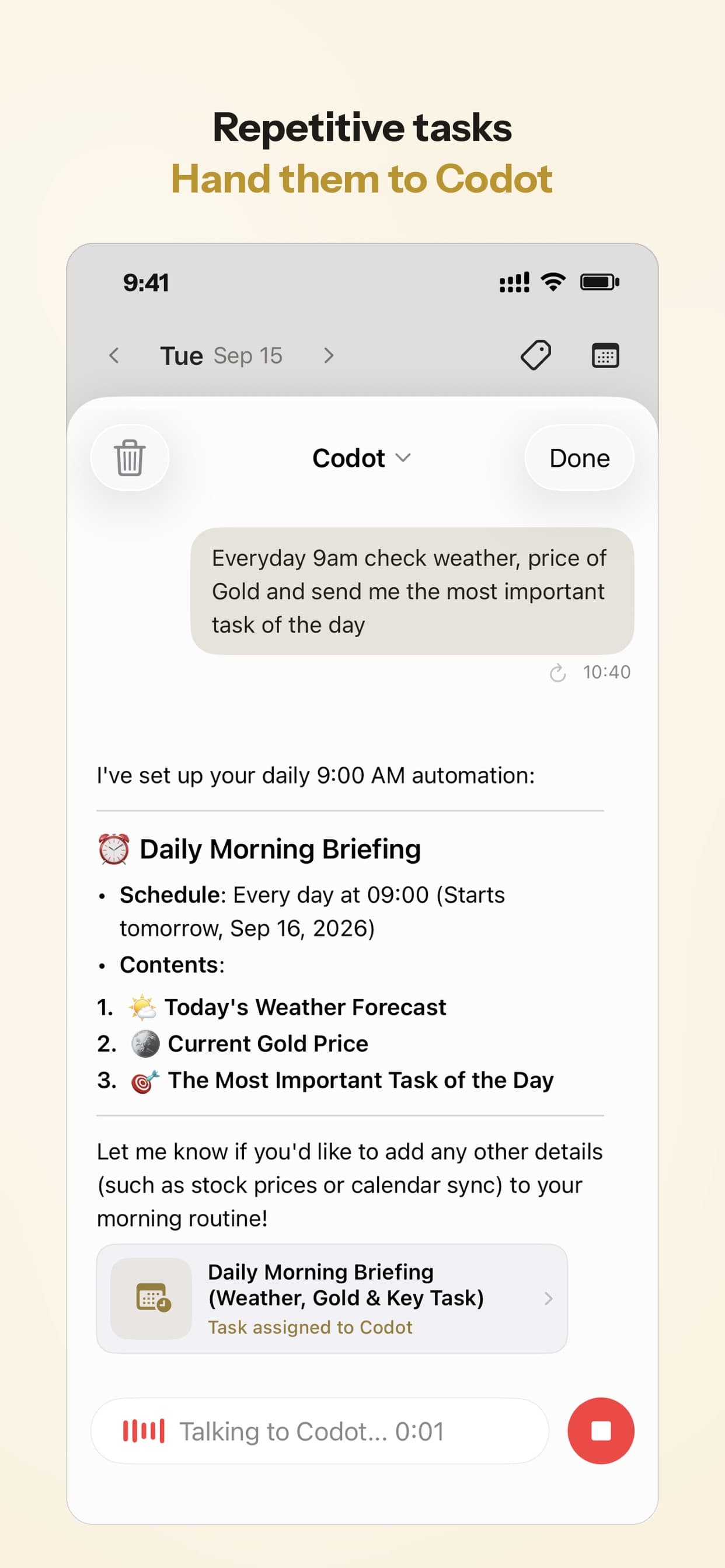
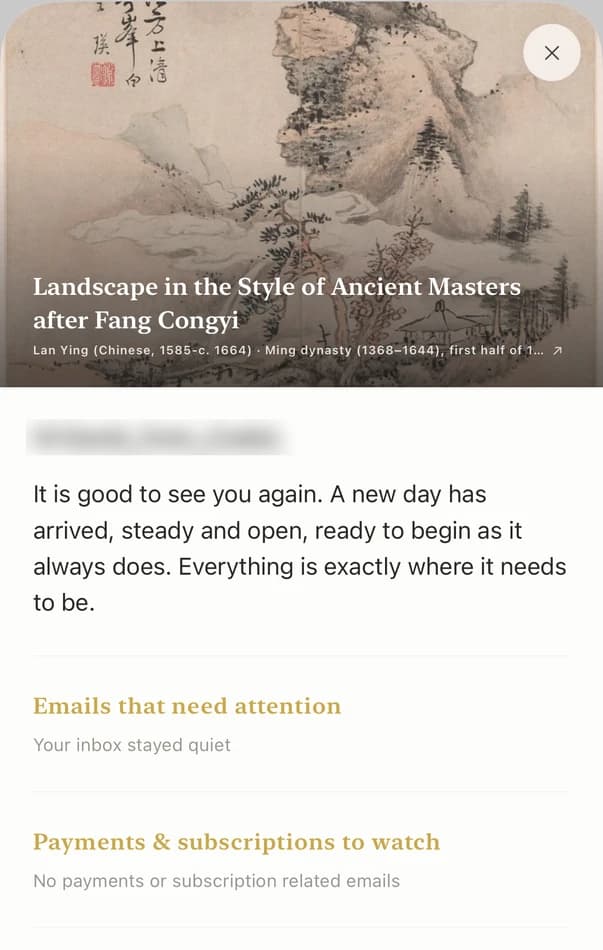
On iPhone, the daily briefing arrives at 7:00 with the day's tasks and reminders. With iOS 26 or later, a timed reminder can ring like an alarm. Codot has been running for close to two years, and it works on iPhone, Apple Watch, Android and the web. For founders who want the assistant to handle people as well as tasks, see our guide to a personal CRM for founders.
Which should you build, or should you build at all?
- You want reminders, follow-ups and a morning plan without setup: Codot. Start free; add Codot Max for timed reminders, the briefing and Routines.
- Your work lives in Gmail and Google Calendar: a Gemini Gem with scheduled actions.
- You live in Outlook and Teams and have a Copilot license: Copilot scheduled prompts.
- You want a writing and thinking partner with your files loaded: a Claude or ChatGPT Project.
Many people end up with two: a chat assistant for writing and research, and Codot for the dated jobs. If you're weighing paid assistants side by side, our AI executive assistant apps comparison covers six of them.
Codot handles your reminders, people and daily plan; long writing and research stay with ChatGPT, Claude or Gemini. It writes your tasks into Google Calendar or Apple Calendar but doesn't read the events already there.
FAQ
Can I make my own AI assistant for free?
Yes. ChatGPT Free allows 3 active scheduled Tasks, Claude Free allows up to five Projects, and Gemini Gems need only a Google account, as of November 2026. Codot's free plan adds voice tasks, a calendar, notes and a contact list with no setup.
Can ChatGPT remind me at a specific time?
Yes, with Tasks. ChatGPT can send a push notification or email at the time you set, within your plan's active-task limit (5 on Plus as of November 2026). Each one-off reminder uses a slot until it fires.
What is the difference between Codot and a custom GPT or Gem?
A custom GPT or Gem is a chat that knows your instructions and answers when asked. Codot is a voice assistant that saves what you say as tasks, events, contact notes and reminders, and with Codot Max sends a 7:00 briefing and runs up to 20 Routines.
Do I need to code to build an AI assistant?
No. Every setup in this guide uses settings pages and plain-language instructions. Code only comes in if you want to connect tools the assistant doesn't support out of the box.
Download Codot on the App Store and say the first three things on your mind.
Founders & Professionals Desk
This article was created with AI assistance and reviewed by our editorial team.Learn about our content process.