Reminder App for Elderly Parents (2026): How to Run Mom's Week From Another City
A reminder app for elderly parents, set up for the adult child coordinating from afar: sibling hand-offs, pill organizer refills and a morning briefing.
If you coordinate an aging parent's week from another city, the useful reminder app is the one on your phone that hands jobs to siblings and tells you what's happening today. Codot does this by voice: you say who drives Mom to cardiology and it lands in that sibling's Codot. Repeating reminders, the morning briefing and a Sunday week-ahead list need Codot Max ($12.99/month). Use Codot when you're the sibling who coordinates a parent's week.
Disclosure: Codot is our product. Facts about CaringBridge, Lotsa Helping Hands and Google Calendar come from their official pages and US App Store listings, checked November 4, 2026. Health guidance comes from the US National Institute on Aging. Nothing here is medical advice.
TL;DR:
- Most "reminder app for elderly parents" guides assume the parent is the user. If you're the adult child running the week from another city, the reminders that matter most land on your phone and your siblings' phones.
- Codot turns one spoken sentence into calendar events, and once you and a sibling add each other as friends, it hands a job over in one sentence: "remind Daniel to drive Mom to cardiology Tuesday 9:30" shows up in Daniel's own Codot.
- A weekly pill organizer refill reminder, a morning briefing that lists Mom's appointments, and a Sunday-evening list of next week all need Codot Max ($12.99/month or $99.99/year). Every new account gets 7 days of Max free.
- CaringBridge and Lotsa Helping Hands are free and better for a wide circle of helpers (neighbors, church friends). A shared Google Calendar is free and fine if everyone already lives in Google.
- Codot is for the sibling who knows Mom's week and hands out the jobs. For fall detection or pill dispensing, pair it with a medical alert or dispensing device.
At a glance
| Option | Best for | Price (as of Nov 2026) | Platforms | Main limit | Source |
|---|---|---|---|---|---|
| Codot | One adult child running the week by voice and handing jobs to siblings | Free plan; Max $12.99/mo or $99.99/yr | iPhone, Apple Watch, Android, web (the morning briefing is iPhone only) | Each sibling uses their own Codot account | App Store |
| CaringBridge | Health updates to a big circle, plus asking for help | Free (nonprofit, ad-free) | Web, iPhone, Android | Built for updates and support, not your personal to-do list | App Store listing |
| Lotsa Helping Hands | Volunteers signing up for meals and rides | Free | Web, iPhone, Android | US App Store rating 2.7 from 52 ratings | Lotsa, App Store |
| Shared Google Calendar | Siblings who already use Google | Free | Web, iPhone, Android | Nobody is reminded of anything unless they add their own notification | Google Calendar help |
Who this is for
You work full time. Your mother lives three hours away, still on her own, and you are the one who knows her week. The cardiology follow-up is Tuesday, the blood pressure refill is ready Wednesday, a plumber is coming Thursday about the kitchen leak, and your brother Daniel said he'd drive her Tuesday. That last part is the one you lie awake about, because if Daniel forgets, Mom takes a cab or skips the appointment, and you find out on Wednesday.
Most apps that come up for this search are medication alarms the parent runs, or SMS services that text the parent. They help with the 8 a.m. pill. Weeks fall apart somewhere else: who is doing what, and whether that person remembers.
So this guide sets up the coordinator's side. Five moments, each with the sentence you'd say and what happens after. (Mom, Daniel and the pharmacy are made up; the setup is real.)
Sunday 8:40 p.m., after the phone call with Mom
You've just hung up. She told you four things, and you're on the couch with the phone still in your hand. You open Codot and say it the way it came out:
"Mom's cardiology is Tuesday 9:30 at St. Luke's. Plumber at Mom's Thursday between 1 and 3. Her blood pressure refill is ready at the pharmacy Wednesday. Remind Daniel to drive Mom to cardiology Tuesday 9:30."
Codot splits that into separate items. Tuesday's appointment and Thursday's plumber window become calendar events, which go to your Google Calendar (calendar sync is on the free plan). The last sentence is a hand-off. You and Daniel have added each other as friends, so "remind Daniel to…" creates the task, you tap Confirm once on the share card, and it appears in Daniel's own Codot. You don't text him, and you don't have to remember to text him.
Because it's a task in Daniel's own Codot, it doesn't get buried in the sibling group chat.
Every Sunday at 6 p.m.: the pill organizer refill
The National Institute on Aging lists the low-tech methods first: "Some people use meals or bedtime as reminders to take their medicine. Other people use charts, calendars, or weekly pill boxes" (NIA, Taking Medicines Safely as You Age). A weekly organizer works only if someone refills it every week, and that's the step that slips.
So you set one repeating reminder on your own phone:
"Every Sunday at 6 p.m., remind me to call Mom while she fills her pill organizer for the week."
That becomes a repeating task. Every Sunday at 6 it lands on your lock screen, and you call while she sorts the week out. Repeating reminders are a Codot Max feature.

If your mother has her own Codot account and a smartphone, you can also say "remind Mom every Sunday at 6 to refill her pill organizer" and it goes into her app as a repeating task; the same works for a sibling who handles the refill. If she doesn't, the reminder stays with you, and the phone call does the work.
While you're at it, put her medication list in a Codot note: "Note: Mom's medications" and then each one, with dose and when she takes it. Notes are free. NIA suggests keeping a written list with each medicine's name, dose and timing, and to "keep one copy in a safe place at home and one in your wallet or purse." The note is your copy, for when a nurse asks you over the phone what she's on. Changes to the list come from her doctor or pharmacist, never from an app.
Tuesday 7:00 a.m.: the briefing that leads with Mom's day
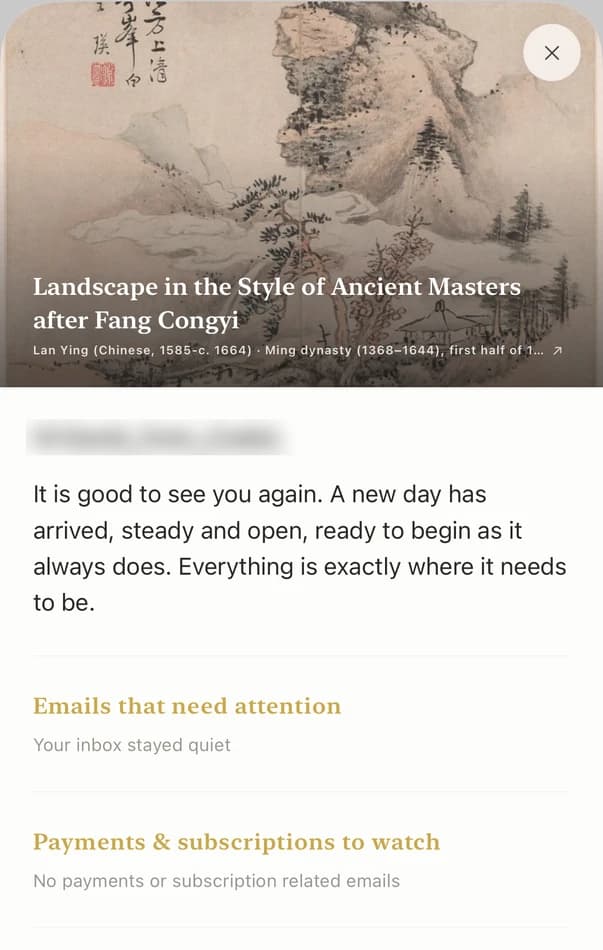
On a workday you don't open the calendar before your first meeting. The morning briefing comes to you instead. You set it up once:
"Every morning at 7, give me a briefing: Mom's appointments today and who's taking her, then my meetings, then anything due today."
On Tuesday the first lines are Mom's cardiology at 9:30 and Daniel's task to drive her. You see it at 7, which leaves time to text Daniel if his task isn't marked done by 9. The briefing is a Codot Max feature on iPhone, and it pulls from the events and tasks you've created in Codot rather than your existing Google Calendar, so Sunday night's sentence is what fills it.
Your ideas shouldn't wait for a keyboard. Just say it — Codot handles the rest.
Wednesday 12:20 p.m., between meetings: the pharmacy pickup
The refill is ready, but someone has to get it. You're walking from one meeting to the next and you say:
"Remind me at 4 to call the pharmacy and check Mom's refill was picked up."
That's a one-off reminder at a set time, also Max. At 4 it pops up, you call, and if nobody went, there's still time to ask a neighbor.
Sunday 7:00 p.m.: next week, before it starts
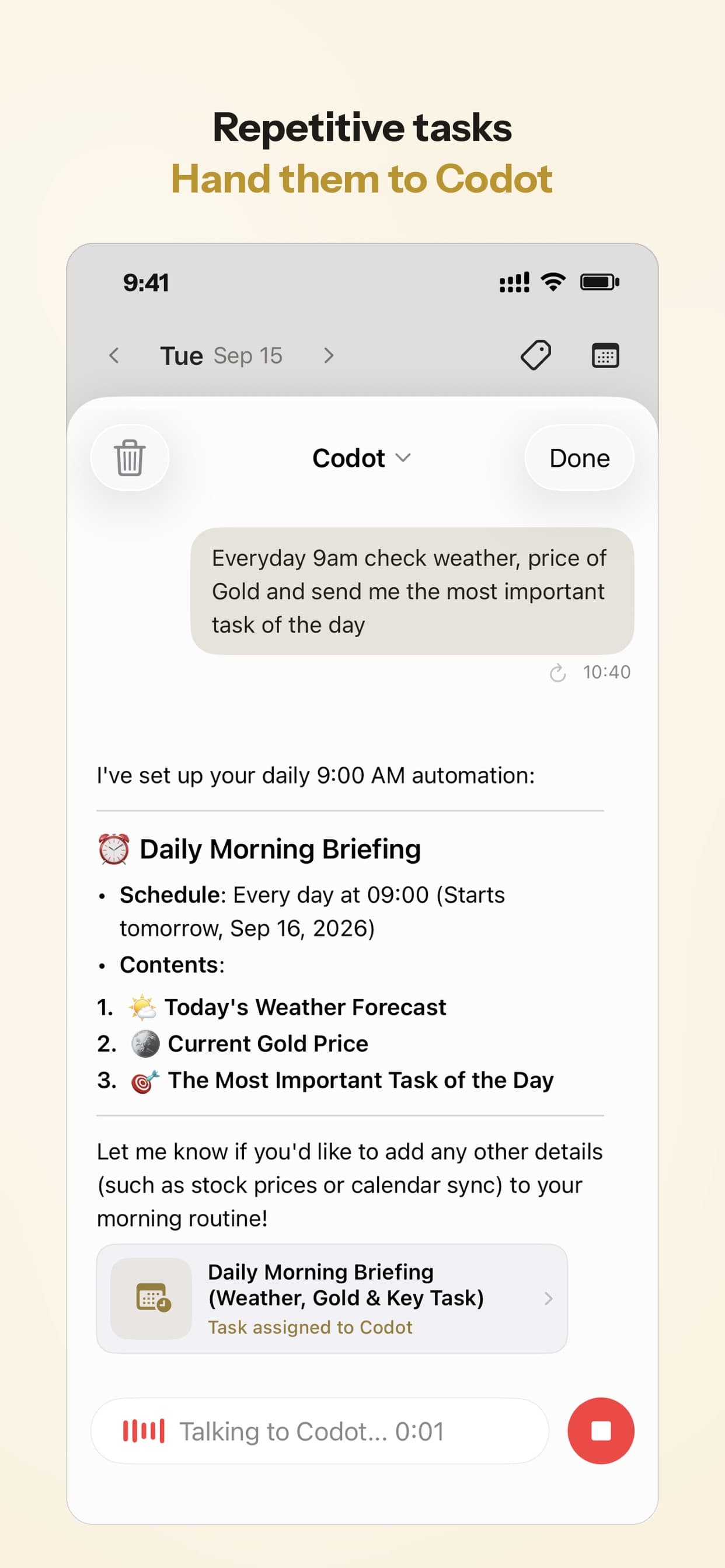
The last piece is a scheduled automation. It runs on its own every week, so you never have to ask:
"Every Sunday at 7 p.m., list Mom's appointments for the coming week and who's covering each one."
Codot sends that list every Sunday evening. You read it and paste it into the sibling group chat. Gaps show up as appointments with nobody next to them, and Sunday at 7 is a much better time to find a gap than Tuesday at 9:15. Scheduled automations are a Codot Max feature.
How to set it up in 5 minutes
- Install Codot on your phone (App Store or Google Play) and connect your Google Calendar.
- Ask your siblings to install it, and add each other as friends in Codot. If your parent has a smartphone and wants it, add them too.
- Say this week's appointments in one go, ending with the hand-offs: "Remind Daniel to drive Mom to cardiology Tuesday 9:30."
- Set the two recurring pieces: "Every Sunday at 6 p.m., remind me to call Mom while she fills her pill organizer," and "Every Sunday at 7 p.m., list Mom's appointments for the coming week and who's covering each one."
- On iPhone, set the briefing: "Every morning at 7, give me a briefing with Mom's appointments today first."
Steps 4 and 5 use Codot Max. A new account gets 7 days of Max free, which covers one full Sunday-to-Sunday cycle, and then drops back to the free plan without charging you. On the free plan you keep tasks, calendar sync, notes, the personal CRM, habits and voice input, and adding siblings as friends and handing them tasks is free too.
What is the best reminder app for elderly parents when you coordinate from another city?
Use Codot when you're the one who knows Mom's week and need your siblings to actually do their part. It is the tool for the coordinator and the two or three siblings who actually do the driving: you say the week once, hand each job to a named person, and get the gaps on Sunday night. The other options cover different jobs.
CaringBridge is a free, ad-free nonprofit site. Its App Store listing describes it as a place to "communicate to everyone all at once" about a loved one's health, and to make it easy to ask for help. It has 19,469 ratings averaging 4.9 in the US App Store. If Mom has had surgery and twenty people want updates, CaringBridge is the right tool for that.
Lotsa Helping Hands is also free, with a Care Calendar to "schedule and sign up for tasks such as meal delivery and rides to appointments" (Lotsa). It fits when the helpers are neighbors and friends who will never install another app for you. Its iPhone app is rated 2.7 from 52 ratings, so expect to use the website.
A shared Google Calendar costs nothing. Google lets you share a calendar with each sibling and choose whether they can only see events or also make changes (Google Calendar help). It shows everyone the plan. It doesn't assign the drive to Daniel, and it can't tell you on Sunday which appointments have no one covering them.
We'd pair them: CaringBridge or Lotsa for the wide circle, Codot for the coordinator and the siblings. Codot handles the hand-offs and the reminders; for the parent's own medication, NIA's guide for people living alone with early-stage dementia mentions "a pillbox that gives you a notification (such as an alarm or vibration)" and "an automatic medication dispenser" (NIA).
If your parent has dementia or significant memory loss, start with their doctor and the NIA caregiving pages rather than a consumer app.
For household logistics, see our family organizer comparison or our guide to the best bill reminder app for couples to keep shared finances on track. If iPhone reminders arrive silently, see our iPhone reminders troubleshooting guide, and if a list you share with a sibling isn't updating, here's how to fix shared reminders not syncing. And if you were using a family assistant that closed, read why family AI assistants keep shutting down.
FAQ
What is the best reminder app for elderly parents if I live in another city?
Pick the app for the person who coordinates. Codot lets the adult child set up the week by voice and assign drives and errands to siblings, each in their own Codot. CaringBridge and Lotsa Helping Hands are free and suited to updating a wide circle of friends.
Can Codot remind my elderly mom to take her medication?
Yes, if she has her own Codot account on a smartphone: say "remind Mom every day at 8am to take her pills" and it lands in her app as a repeating reminder (Codot Max). NIA also lists weekly pill boxes, charts and timers as ways to stay on schedule.
How do I get my siblings to share caregiving tasks?
Make each job a named task with a time. In Codot you say "remind Daniel to drive Mom to cardiology Tuesday 9:30" and it lands in Daniel's app. A Sunday 7 p.m. Codot automation lists next week's appointments and who's covering each one.
Is there a free caregiver app?
Yes. Codot's free plan covers tasks, calendar sync, notes and handing tasks to siblings; repeating reminders, briefings and automations need Codot Max at $12.99 a month after a 7-day free trial. CaringBridge, Lotsa Helping Hands and a shared Google Calendar are also free.
How is Codot different from CaringBridge?
CaringBridge is a nonprofit site for health updates and asking a big circle for help. Codot is a voice assistant for the person running the week: appointments, hand-offs to siblings, a morning briefing and a Sunday week-ahead list.
If you're the one who knows Mom's week, get Codot on the App Store.
Productivity & Tools Desk
This article was created with AI assistance and reviewed by our editorial team.Learn about our content process.