Best Apps for Real Estate Agents (2026): A Realistic Day of Showings, Open Houses and Follow-Ups
A realistic day in the life of a real estate agent, hour by hour, with the app that fits each moment: showings, open house follow-ups, calendars and AI notes.
Most real estate agents use a real estate CRM such as Follow Up Boss (from $58 a user a month billed yearly), a showing tool such as ShowingTime ($15 a month for agents), a free calendar like Google Calendar, and brokerage e-signature. Codot, a voice AI assistant, covers the gaps between showings: one sentence after a tour becomes a buyer note, a follow-up reminder and a calendar event.
Disclosure: Codot, the voice assistant in the scenes below, is our product. The day is a composite written to show where each kind of app fits, not a real agent's diary or a customer story. Competitor prices come from each company's official pricing page, checked November 3, 2026.
TL;DR:
- An agent's day breaks into short gaps: the curb between showings, the drive to the next listing, the ten minutes after an open house closes. Most follow-ups are lost in those gaps.
- Codot handles the gaps: say one sentence after a showing and it becomes a note on the buyer's contact, a reminder and, if there's a date, a calendar event. A morning brief lists today's showings, deadlines and callbacks.
- The rest of the stack still matters: a real estate CRM for leads and automated emails, your MLS's showing tool, a calendar, and the e-signature system your brokerage uses.
- Codot isn't a real estate CRM. It doesn't search the MLS, route leads, run campaigns or handle e-signature, and it doesn't sync with Outlook Calendar yet.
At a glance
- Follow Up Boss, a real estate CRM, starts at $58 a user a month billed yearly ($69 monthly) on the Grow plan, with a 14-day free trial, as of November 3, 2026 (Follow Up Boss pricing).
- ShowingTime Appointment Center, a showing and offer management tool, is $15 a month for agents; team and office pricing is quote only, as of November 3, 2026 (ShowingTime Appointment Center).
- Calendly has an always-free plan with one event type; Standard is $10 a seat a month billed yearly, as of November 3, 2026 (Calendly pricing).
- Codot has a free plan for tasks, calendar, notes and the personal CRM; reminders at a set time, the morning brief, scheduled tasks and email triage are part of Codot Max, $12.99 a month or $99.99 a year (20x the free plan's usage), with a 7-day Max trial for new accounts. iPhone, Apple Watch, Android and web (the morning brief and email triage are iPhone only); writes its events into Google Calendar (codot.ai).
- Fair housing: HUD's rule on steering, 24 CFR 100.70, applies to what you say to buyers, so it's worth keeping in mind when you write buyer notes too (see the 9:20 a.m. section).
What does a realistic day in the life of a real estate agent look like?
A realistic day for a buyer-and-listing agent is a chain of short appointments with dead time in between, and the job that falls through is follow-up. Most "day in the life" pages describe prospecting, showings and paperwork without saying when the notes get written or which app holds them.
Here's one composite Saturday. Our agent, Dana, works a suburban market: buyer showings in the morning, an open house from 1 to 3, and one buyer under contract.
7:00 a.m.: what needs doing today before the first showing?
Dana's iPhone shows a morning brief: three showings starting at 9, the open house at 1, the inspection response for her buyers under contract due Monday at 5 p.m., and a callback owed to a seller lead since Wednesday.
That brief comes from Codot. You set it once ("every day at 7, tell me today's appointments, deadlines and anything overdue") and it adds the promises that never became calendar events.
Other apps here: your calendar, and your CRM's task list if your team assigns tasks there.
9:20 a.m.: how do you remember what buyers said between showings?
Dana's first buyers, Mark and Leah, toured 14 Birch Lane. In the driveway, before the next house, she says it to Codot:
"Mark and Leah: liked 14 Birch, kitchen too small, need a two-car garage, top budget 720. Want a second look at Birch next Saturday."
Codot files that on their contact and adds a second-showing event for next Saturday. By the fourth house nobody has to remember which one had the small kitchen.
Keep these notes about the property and the buyer's stated criteria. HUD's steering rule lists, among prohibited practices, "communicating to any prospective purchaser that he or she would not be comfortable or compatible with existing residents of a community, neighborhood or development because of race, color, religion, sex, handicap, familial status, or national origin" (24 CFR 100.70(c)(3)). You'll read these notes before choosing the next showings, so we'd leave those characteristics out of them entirely. Your brokerage's fair housing training is the authority; this is our practical suggestion.
10:40 a.m.: what's the best calendar app for real estate agents when showings move?
Google Calendar or Apple Calendar works fine as the base; the hard part is moving things fast. A listing agent texts that the 11:00 at 22 Cedar has to slide. Dana is driving, so she waits until she's parked, then raises her wrist:
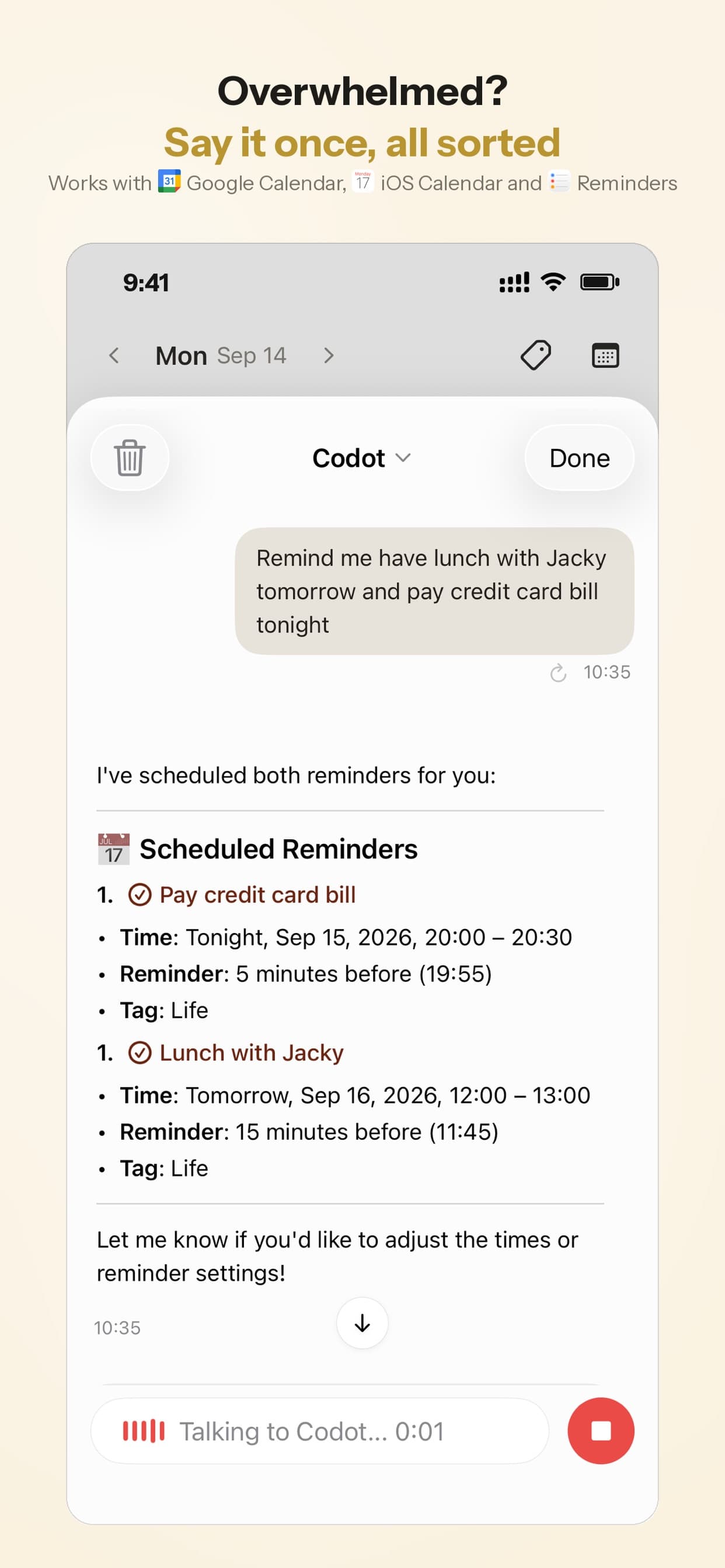
"Move the 22 Cedar showing from 11 to 11:30."
The event moves. Codot writes the change into Google Calendar (it doesn't read the other events there); on iPhone it can also put events into Apple Calendar and tasks into Apple Reminders (one way). You can talk to it from an Apple Watch, the iPhone Lock Screen widget, Android or the web.
Other apps here: a showing tool such as ShowingTime Appointment Center for booking showings with listing agents, and a booking link such as Calendly if clients schedule consultations with you. Our voice calendar app guide covers the options.
12:15 p.m.: what happens to the inbox during a showing day?
Lunch is a sandwich in the car and 30 unread emails: the inspection report, a lender's update, two portal leads. On iPhone, Codot connects to Gmail or Outlook, sorts what matters from what doesn't, and drafts replies to the important ones. Dana reads the draft to the lender, changes one line and sends it.
Codot reads Outlook mail but doesn't sync Outlook Calendar yet.
Other apps here: portal leads usually land in your CRM. Follow Up Boss says it integrates with more than 250 lead sources and website providers, and has lead distribution for teams (Follow Up Boss).
Your ideas shouldn't wait for a keyboard. Just say it — Codot handles the rest.
3:05 p.m.: how do you follow up with open house visitors?
Capture open house follow-ups in the ten minutes after the door closes, while you still remember faces. The sign-in sheet gives Dana names and emails, but it doesn't say who was serious.
Walking to her car, she goes down the list out loud:
"Open house, 9 Maple: Rob, renting two streets over, lease ends in March, pre-approved, text him Monday. The couple with the stroller asked about the HOA fee, email them the HOA docs. Neighbor from number 11 thinking of selling in the spring, call her in February."
That turns into a Monday text, an email task and a reminder three months out, the kind that disappears from a notebook. Monday's brief lists them.
Other apps here: if the sign-ins went into your CRM, its email automations can send the generic thank-you. The personal line ("you asked about the HOA fee") is what gets a reply.
4:30 p.m.: what's the best app for door knocking around a listing?
For a full farming program with maps and territory tracking, look at a canvassing app or your CRM's mobile features. For the five doors Dana knocks on Maple Street after the open house, a voice note per door is enough: "11 Maple, Mrs. Park, not selling, asked about comps, send her the sold report Friday." Each door becomes a contact and, where there's a promise, a dated reminder.
8:30 p.m.: what about offers and deadlines?
Mark and Leah want to offer on 22 Cedar. The offer goes through your brokerage's forms and e-signature system, such as dotloop or DocuSign. Codot holds the dates around it: "Offer on 22 Cedar goes out tonight, seller responds by Sunday 6 p.m., remind me at 5." Codot doesn't draft contracts. Don't say a client's Social Security number, bank details or loan file into it, or into any general-purpose app. The lender on the other side of that offer runs a follow-up week of their own, which our guide to the best CRM for mortgage loan officers walks through day by day.
Which apps should a real estate agent use? Side by side
| Codot | Real estate CRM (e.g. Follow Up Boss) | Showing scheduler (e.g. ShowingTime) | Booking link (e.g. Calendly) | |
|---|---|---|---|---|
| Notes after a showing by voice | Yes, one sentence | Mobile app, mostly typing | No | No |
| Follow-up reminders | Yes, by voice | Tasks and email/text automations | No | No |
| Morning brief | Yes, on iPhone | Varies | No | No |
| Lead routing and automations | No | Yes | No | No |
| Showing and offer management | No | Varies | Yes | No |
| Calendar | Writes to Google Calendar; Apple Calendar on iPhone | Calendar integrations | Showing calendar | Client self-booking |
| Price (as of November 3, 2026) | Free plan (no timed reminders, briefs, automations or email triage); Max $12.99/mo (20x usage), 7-day trial | Grow $58/user/mo billed yearly | Appointment Center $15/mo per agent | Free plan; Standard $10/seat/mo billed yearly |
Sources: Follow Up Boss pricing, ShowingTime Appointment Center, Calendly pricing.
What's the best AI app for real estate agents?
The best AI app depends on the job, which is how our AI secretary app comparison sorts its 12 options. A general chatbot or your CRM's AI writer handles listing copy; dedicated tools handle virtual staging. For remembering what every buyer, seller and neighbor told you, and acting on it later, Codot is the one we'd pick, because the input is a sentence you say at the curb.
A solo agent at a brokerage that provides a CRM: keep the CRM for leads and automated emails, use the MLS showing tool, and add Codot for the notes and follow-ups you'd otherwise type at 10 p.m. If you're weighing a human helper instead, the best virtual assistant for realtors compares a human VA, an AI receptionist and Codot across one solo agent's week.
A new agent with no budget: Google Calendar, your brokerage's tools and Codot cover most of it. Our personal CRM guide explains how to keep notes on people without maintaining a full CRM.
A team lead with several buyer agents: you need a shared CRM like Follow Up Boss for lead distribution. Codot is a personal assistant with no team view.
For B2B territories or other field roles, see our outside sales rep day, the visit routine guide, and our guide on apps for roofing sales reps. All of them branch off our guide to the AI assistant for field sales reps, which covers the one-sentence note every field role shares, and if you're comparing paid CRMs, the best CRM for outside sales reps prices seven of them for the rep who pays alone.
What Codot doesn't do for real estate agents
Codot is a personal voice assistant, and your brokerage's systems stay the record. It doesn't search the MLS, route leads, run campaigns, manage transactions or send documents for e-signature. It doesn't integrate with Follow Up Boss or your MLS, doesn't sync Outlook Calendar yet, and holds no compliance certifications.
Codot's free plan covers tasks, the calendar, notes, the personal CRM, habits, calorie logging and expenses. Reminders at a set time, repeating tasks, daily briefings, scheduled automations and email triage are part of Codot Max ($12.99 a month or $99.99 a year, with 20x the free plan's usage). Every new account gets 7 days of Max free, then drops back to the free plan without charging you.
FAQ
What apps do most real estate agents use?
Most agents use a real estate CRM such as Follow Up Boss, their MLS's app, a showing tool such as ShowingTime, a calendar and brokerage e-signature. Codot adds voice notes and follow-ups between showings.
What's the best calendar app for realtors?
Google Calendar is a solid free base for most agents, with a showing tool such as ShowingTime ($15 a month for agents as of November 3, 2026) on top. Codot writes its events into Google Calendar and lets you add or move the showings you've given it by voice from your phone, watch or the web.
Is there an app that helps real estate agents with ADHD?
Codot is built for capture in seconds: one sentence after a showing becomes a note and a reminder, and a morning brief on iPhone lists what's due. If typing notes up later is the step you skip, saying them at the curb removes it.
How is Codot different from Follow Up Boss?
Follow Up Boss is a real estate CRM for lead routing, automations and team reporting, starting at $58 a user a month billed yearly. Codot is a personal voice assistant for the notes, reminders and calendar changes around each showing, with a free plan and a $12.99-a-month Max plan for timed reminders and the morning brief. Many agents would use both.
If you'd like your showing notes to take one sentence instead of an evening, get Codot on the App Store.
Founders & Professionals Desk
This article was created with AI assistance and reviewed by our editorial team.Learn about our content process.