ADHD Teacher Planner (2026): A Copyable Checklist From Sunday Reset to Report Cards
An ADHD-friendly teacher planner checklist: Sunday reset, before first bell, between periods, after dismissal and report-card weeks, with one sentence to say for each.
An ADHD teacher planner works best as two parts: a short checklist for each fixed moment of the school day, and a way to capture the things people tell you in the hallway before they disappear. Codot, a voice AI assistant for iPhone and Apple Watch, turns one spoken sentence into tasks, calendar entries and notes for free; timed reminders, Routines and parent-email reply drafts need Codot Max ($12.99/month, 7-day free trial).
Disclosure: Codot is our product. Mara below is a fictional seventh-grade science teacher, used to show where each checklist line fits in a real school week. Codot features and prices are from codot.ai, checked November 2026.
TL;DR:
- A teacher's day has fixed moments (before first bell, passing periods, lunch duty, after dismissal), and most of what gets forgotten is said to you in between them, out loud.
- Paper ADHD planners cover the week view well. They can't catch the parent at pickup or the copier request in the hallway, because your hands are full.
- The checklist below is grouped by moment. Each line has one sentence you can say instead of writing it down, and what that sentence sets up. Copy it, print it, cut what you don't need.
- Use Codot when you want the hallway requests, parent emails, duty swaps and report-card deadlines in one place, and you'd rather say them than type them.
At a glance
- Teachers work long weeks. Reporting on RAND's 2024 State of the American Teacher survey, Chalkbeat wrote: "Teachers on average worked 53 hours a week, RAND found, compared with 44 hours a week for other adults with at least a bachelor's degree" (Chalkbeat, June 2024).
- Apps and calendars count as workplace accommodations. The Job Accommodation Network lists "Assistive technology (timers, apps, calendars, etc)", "Provide to-do lists" and "Written Instructions" among accommodations for ADHD (JAN).
- Codot free: voice input on iPhone, Apple Watch, web and the lock screen widget; tasks, calendar entries, notes, contacts, habit tracking, and sharing tasks with friends (codot.ai).
- Codot Max ($12.99/month or $99.99/year in the US): timed and repeating reminders, scheduled Routines, the 7:00 daily briefing and email sorting with reply drafts (the last two on iPhone only). New accounts get a 7-day free trial (codot.ai/pricing).
Why do teachers with ADHD forget the small stuff?
Teachers with ADHD forget the small stuff because it arrives while they are doing something else. A colleague asks for your lab sign-up sheet while 28 students file in. A parent mentions a dentist appointment at pickup. The assistant principal swaps your lunch duty in a passing comment. None of it is hard, and all of it lands when your hands hold a stack of quizzes.
Mara's Tuesday is typical: five sections of science, one planning period, bus duty at 3:10, and a department meeting on Wednesdays. Her lesson plans live in a lesson planner and her grades in the school system. The 15 or so small promises she makes each day have no home at all.
A paper planner can hold them if you stop to write, but at 3:10 the planner is in the classroom and you are at the bus loop.
What should an ADHD teacher planner include?
An ADHD-friendly teacher planner should include a short checklist for each fixed moment of the day and one capture habit for everything in between. Keep each checklist under seven lines, so you can read it in the time it takes the kettle to boil. The capture habit is simple: say the thing the moment you hear it, with a time attached.
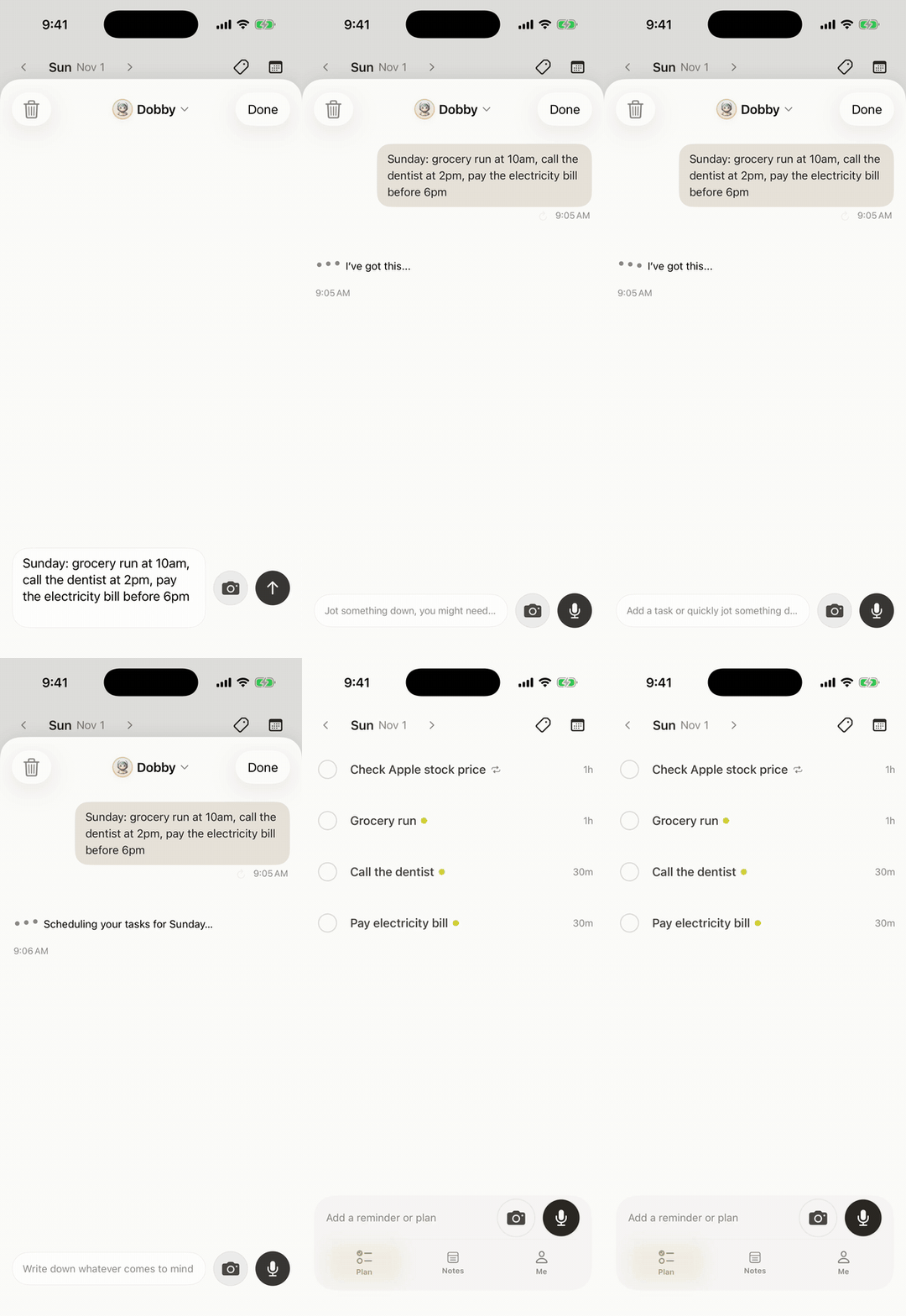
The checklist below is what Mara uses. Each line is followed by the sentence she says to Codot on her phone or Apple Watch, and what it sets up. One sentence can carry several items; Codot splits them into separate tasks, reminders or calendar entries.
The Sunday reset checklist (20 minutes)
The Sunday reset is where the week gets a shape before Monday's first bell.
- [ ] Look at the week's calendar: meetings, duties, early dismissal, assemblies.
Say: "Every Sunday at 7 p.m., list everything due this week, duties and meetings included." A weekly Routine. (Codot Max.)
- [ ] Put any new paper schedule into the calendar: the testing calendar, the field-trip sheet, the new duty rota.
Say: [photo of the sheet] "Add these dates to my calendar." Codot reads the page and adds each date. (Free trial and Max.)
- [ ] Pick three things that must happen this week. Not ten. Three.
Say: "This week's three: grade the lab reports, call the Okafor family, order the owl pellets." Three tasks. (Free.)
- [ ] Check copies and materials for Monday and Tuesday.
- [ ] Clear the inbox to the emails that need you. (See the parent-email section below.)
The before-first-bell checklist (5 minutes)
Before first bell, the goal is to know today's one surprise before it surprises you.
- [ ] Read the morning briefing. With Codot Max on iPhone, the 7:00 daily briefing puts the day's tasks and reminders on one screen.
- [ ] Check today's duty and any coverage request.
- [ ] Set a time for anything you promised to do "today".
Say: "Remind me at 11:40 to email the nurse about Jaylen's inhaler form." (Codot Max.)
- [ ] Water bottle, lanyard, keys, the lab cart key.
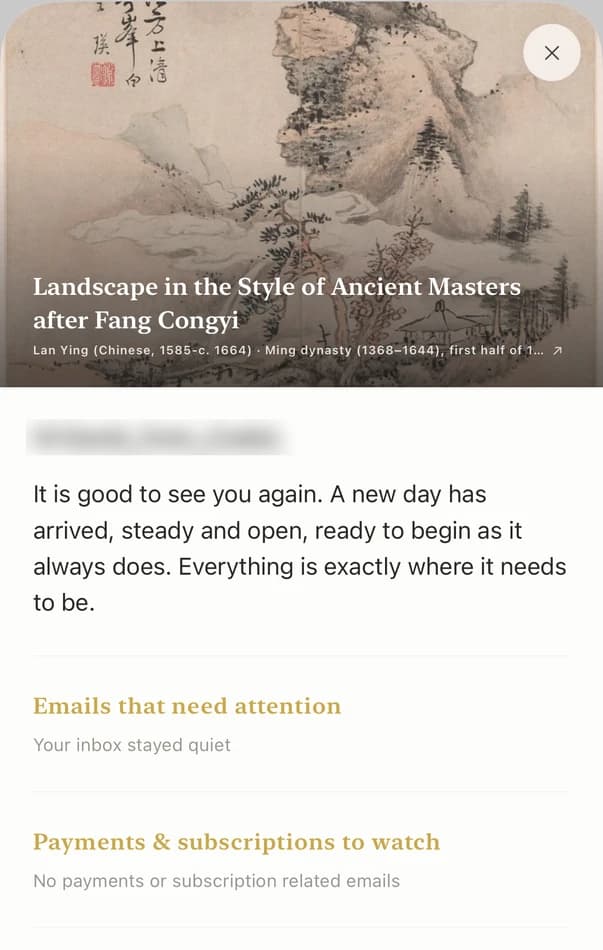
Your ideas shouldn't wait for a keyboard. Just say it — Codot handles the rest.
The between-periods checklist (30 seconds)
Passing periods are where most requests arrive and where nobody can write, so this checklist is one line long.
- [ ] Say it before the next class walks in.
What Mara actually says during one Tuesday:
- "Copies of the density lab, 140, by Thursday noon, and remind me Wednesday at 2:50." A task with a deadline and a reminder in her planning period. (Reminder needs Codot Max; the task is free.)
- "Mr. Lee needs the lab sign-up sheet back Friday." A task with a date. (Free.)
- "Move my Wednesday lunch duty to Thursday." Codot moves the calendar entry it created earlier. (Free.)
- "Note: third period finished the lab early, start fourth period with the review game." A note for tomorrow's lesson. (Free.)
Keep student records out of personal apps, Codot included. Write the task ("call the Okafor family about the lab make-up"), keep grades, behaviour notes and anything from an IEP or 504 plan in your school's systems, and follow your district's policy on what goes where.
The parent-email checklist (10 minutes, twice a week)
Parent email is where ADHD procrastination costs the most, because one unanswered message turns into a phone call to the office.
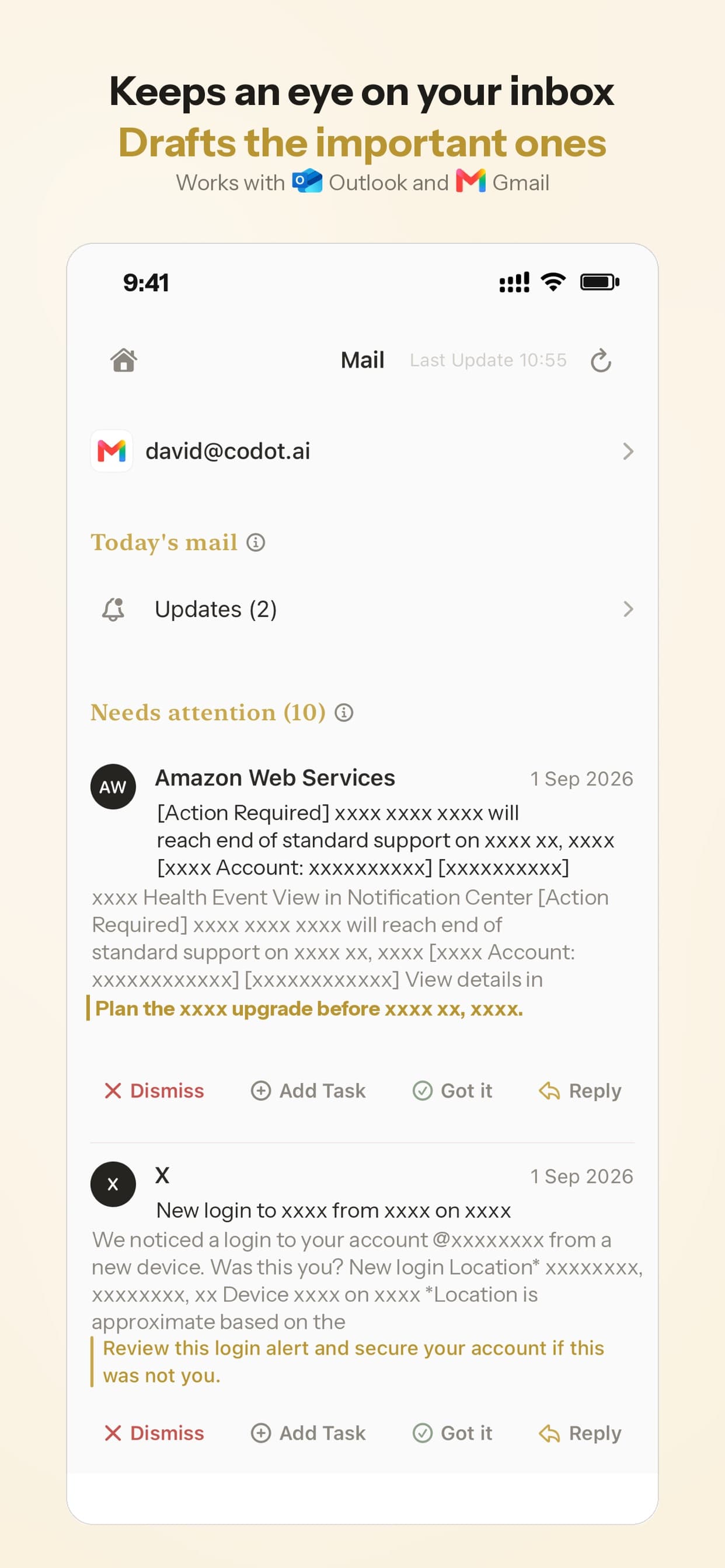
- [ ] Sort first, reply second. With Codot Max on iPhone, Codot sorts your Gmail or Outlook inbox (one account of each) and puts the emails that need a reply at the top.
- [ ] Start from a draft. Codot drafts replies to the important emails. Read it, change a sentence so it sounds like you, then send.
- [ ] Turn each promise in a reply into a task.
Say: "I told the Garcias I'd send the missing work list by Friday. Remind me Friday at 8." (Codot Max.)
- [ ] Log a phone call in one sentence.
Say: "Called Ms. Patel, she'll check the planner nightly, follow up in two weeks." A note and a reminder two weeks out. (Reminder needs Codot Max.)
If your inbox is the main problem, our guide to managing emails with ADHD walks through a full week of it.
The after-dismissal checklist (10 minutes)
After dismissal is the last calm window before you leave, so close the loops there rather than at 10 p.m.
- [ ] What did I promise today that isn't done?
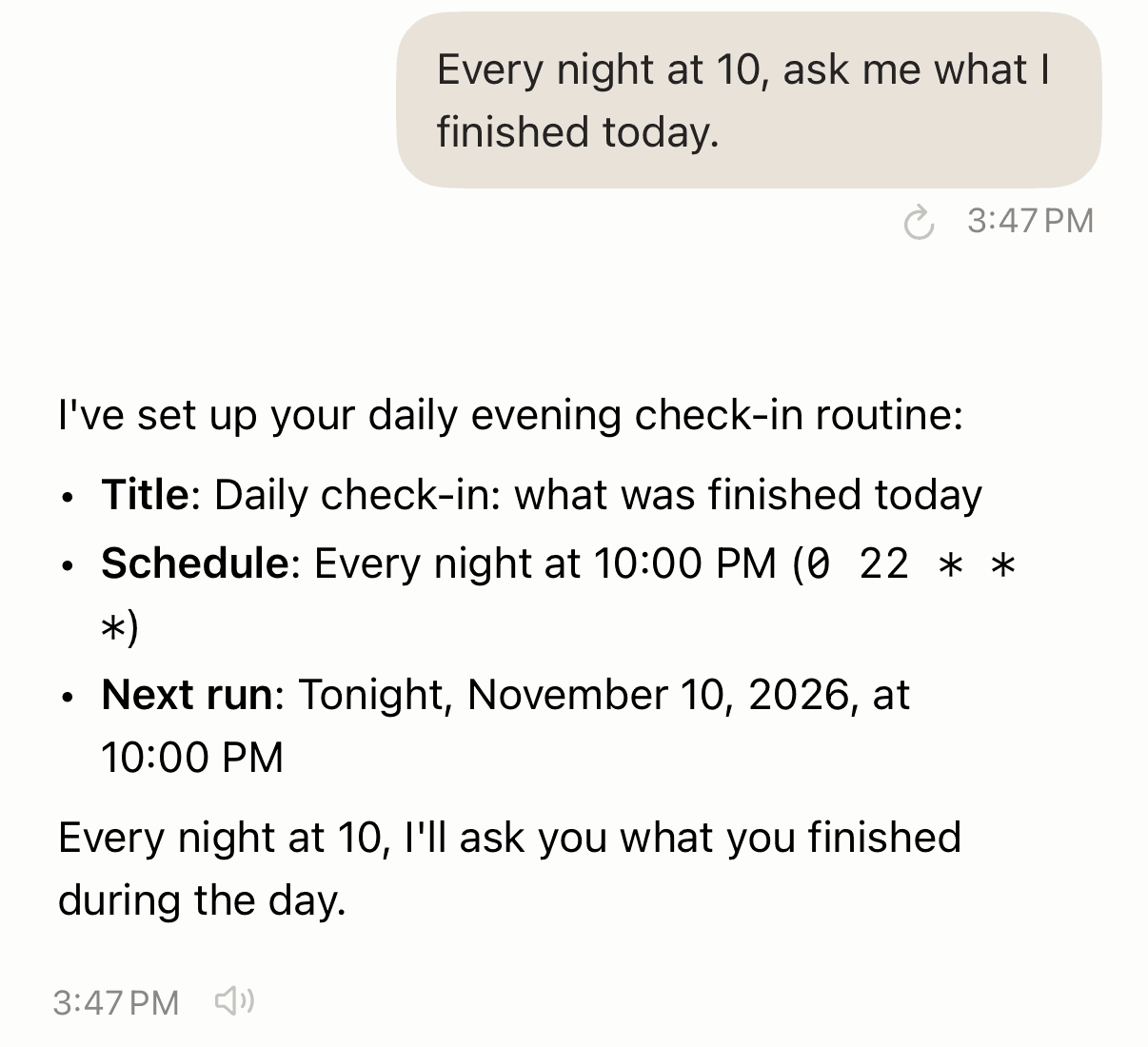
Say: "Every school day at 3:30, ask me what I promised today and what's due tomorrow." A Routine that runs Monday to Friday. (Codot Max.)
- [ ] Hand off what belongs to someone else. Add your co-teacher as a friend in Codot and the reminder goes to their phone.
Say: "Remind Dana every Thursday at 3:15 to bring the lab goggles back from room 214." Dana gets it every week, not only the next one. Sharing is free; the repeat needs Codot Max. You tap Confirm once on the share card.
- [ ] Set out tomorrow's first lesson.
- [ ] One line about what worked. Say it as a note; it will be useful next year.
The report-card and conference checklist (once a term)
Report cards and conferences are deadlines you know about for weeks and still meet the night before. Set them up the day the dates come out.
- [ ] Put the grade-entry deadline in the calendar and work back from it.
Say: "Grades close December 12. Split catching up on grading into daily steps starting December 1." Codot breaks the goal into smaller tasks across those days. (Free trial and Max.)
- [ ] Conference sign-up reminder for families, sent from your school's system.
- [ ] The night before conferences: what to have open.
Say: "Note called conference night: gradebook, seating chart, missing work list, tissues, water." (Free.)
- [ ] Recurring paperwork.
Say: "On the 15th of every month, remind me to submit my supply receipts." Codot understands repeat patterns like "every month on the 15th" or "every other Friday". (Codot Max.)
What is the best ADHD teacher planner?
Use Codot when your week lives in five places, the lesson planner, the school calendar, the duty rota, your inbox and whatever someone told you at the door, and you want to say each new thing once and find it all in one app. Codot keeps tasks, calendar entries, reminders, notes, contacts, shared tasks and habits together, and one sentence can create, move and assign several of them at once: "Copies by Thursday, move my lunch duty to Thursday, and remind Dana about the goggles" becomes a task, a moved calendar entry and a reminder on Dana's phone.
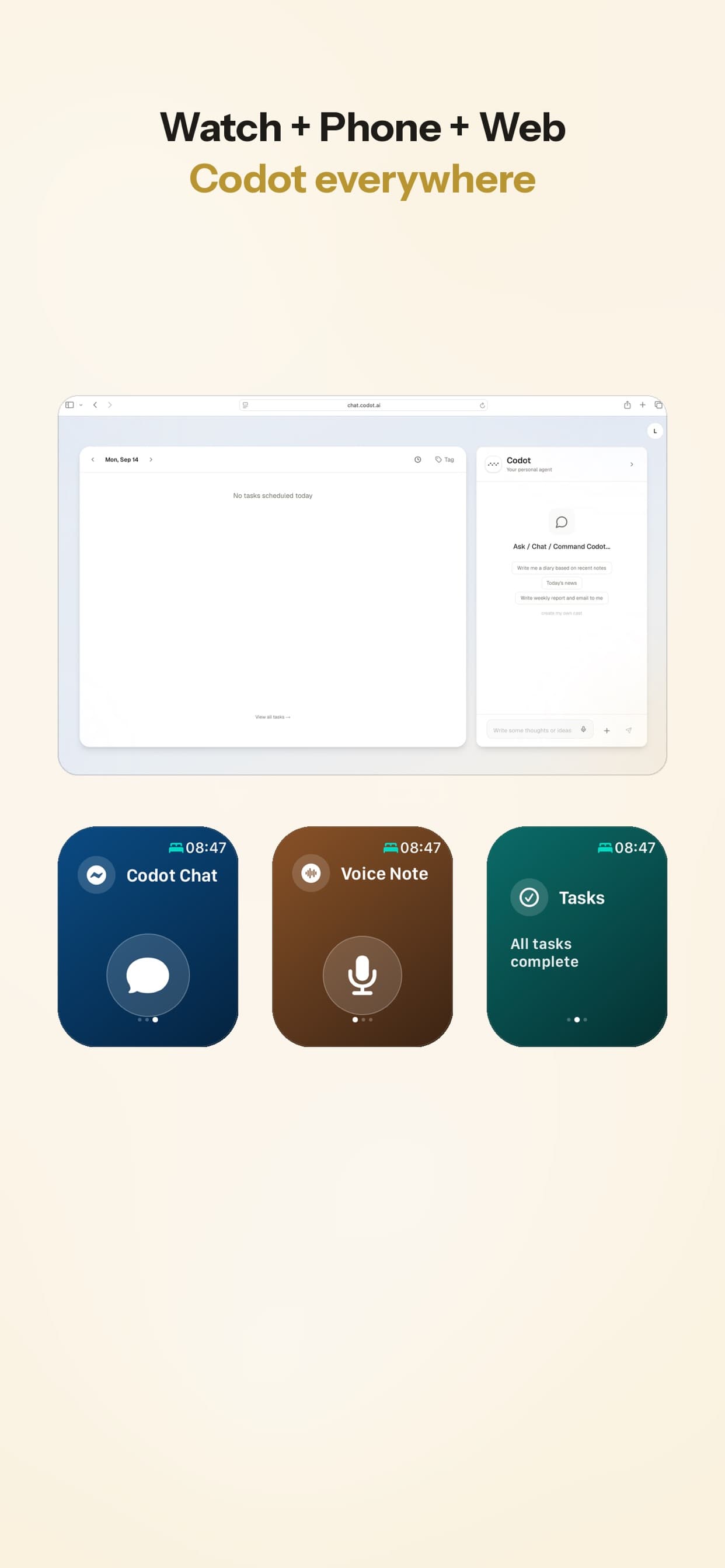
You can talk to it from the iPhone, the lock screen widget, the web or an Apple Watch. With Codot Max you also get the 7:00 briefing, after-school Routines and parent-email drafts on iPhone. Codot can write its tasks into Google Calendar or Apple Calendar so they show up next to your school events.
Codot handles capture and reminders; lesson plans belong in a lesson planner. Our teacher planner app guide compares Common Planner and Planbook for that part. A printed weekly page on the desk still works well next to it. If losing track of time in a long planning period is the bigger problem, see ADHD time blindness at work, and for a wider comparison of planners, the ADHD planner app guide for adults.
FAQ
What is the best planner for teachers with ADHD?
The best planner is two tools: a lesson planner for what you teach, and a quick-capture app for what people tell you between classes. Codot captures by voice on iPhone and Apple Watch for free, and adds timed reminders, Routines and parent-email drafts with Codot Max.
Can you be a teacher with ADHD?
Yes. The Job Accommodation Network lists apps, calendars, to-do lists and written instructions as workplace accommodations for ADHD, and many of them cost nothing to set up. Ask your district's HR office how accommodation requests work where you teach.
Can Codot plan my lessons?
No, Codot is not a lesson planner. Use Common Planner, Planbook or your school's tool for lessons, and use Codot for the copies, emails, duties and promises around them.
Is it okay to put student information in a planner app?
Keep student records, grades and anything from an IEP or 504 plan in your school's systems, not in personal apps like Codot. Write the task itself, and follow your district's policy.
Is Codot free for teachers?
The free version covers voice input, tasks, calendar entries, notes, contacts, habit tracking and sharing tasks with a co-teacher. Timed and repeating reminders, Routines, the 7:00 briefing and email sorting are Codot Max at $12.99/month or $99.99/year in the US, with a 7-day free trial for new accounts.
Start free on the App Store; the 7-day Codot Max trial is enough to try the 3:30 check-in for a full school week.
ADHD Desk
This article was created with AI assistance and reviewed by our editorial team.Learn about our content process.