Managing Emails With ADHD (2026): A Freelancer's Week Before and After, From 900 Unread to the One Email That Mattered
ADHD email management for freelancers: a videographer's week before and after, from 900 unread emails and one avoided client email to a 7:00 briefing.
Managing emails with ADHD gets easier when the inbox stops being the place you go to find out what matters. Archive old unread mail in one search, filter the noise, then let a tool surface the few emails that need you. Codot Max ($12.99 a month, iPhone) sorts Gmail and Outlook, drafts replies to important emails for you to review, and lists them in a 7:00 daily briefing.
Disclosure: Codot is our product. Jonah, his clients and his inbox below are fictional, used to show one week before and after a setup. Codot features and prices are from codot.ai, checked November 2026.
TL;DR:
- Most of the 900 unread emails can wait. The one you're scared to open is hiding among them, and that's the one that costs you a client.
- Step one is mechanical and takes 10 minutes: archive everything unread and older than 30 days with one Gmail search, then filter the two or three senders who flood you.
- Step two is getting the important emails to come to you. Codot Max sorts Gmail and Outlook on iPhone, puts the emails that need you first with a drafted reply, and lists them in a 7:00 briefing. You edit and send.
- Use Codot when you're self-employed, clients reach you by email, and you'd rather be told which three emails matter than scroll for them.
At a glance
- NIMH notes that adults with ADHD may find it hard to "stay organized, stick to a job, keep appointments, perform daily tasks" (NIMH, ADHD: What You Need to Know).
- CHADD lists organizing, prioritizing and getting started among the executive functions that ADHD affects, which is most of what an inbox asks of you (CHADD, executive function skills).
- ADDitude's email advice is to avoid opening email first thing in the morning and to handle it at set times instead (ADDitude, Addressing E-Mail).
- Gmail filters can label, archive, delete, star or forward incoming mail automatically (Gmail Help, create rules to filter your emails); search operators like is:unread and older_than: find old mail in one search (Gmail Help, search operators).
- Codot: voice input and tasks are free. Email triage with drafted replies (iPhone only; one Gmail and one Outlook account per user), the daily briefing (iPhone, 7:00 each morning), timed reminders and up to 20 Routines are Codot Max at $12.99 a month or $99.99 a year, with 20x the free plan's usage and a 7-day free Max trial (codot.ai).
Why do people with ADHD avoid opening certain emails?
Usually because one email carries a decision or a bad conversation, and opening it means starting that now. The other 899 are just noise that makes the one easy to scroll past. CHADD describes getting started as one of the executive functions ADHD makes harder, and an email from an unhappy client is about as hard to start as tasks get.
Meet Jonah, a fictional self-employed wedding videographer. He films on weekends and edits during the week. His Gmail badge says 912. Somewhere in there is an email from Lena, a bride from August, asking when the film will be ready. He saw the preview line on Monday. He has not opened it.
What does a week of email look like before you fix it?
Jonah's week from Monday, October 19, 2026, is a normal one. Nothing about it is lazy. He checks email constantly and still misses the one that matters.
Monday, 8:10. He opens Gmail in bed. Forty new emails overnight: a camera store sale, three platform notifications, a newsletter, a venue's holiday hours. Lena's email is the fifth one down. He reads the preview, feels his stomach drop, and switches to Instagram.
Tuesday, 14:00. An inquiry for a June wedding arrives. He means to answer after lunch. By evening it's below the fold, under 30 more emails.
Wednesday. He opens Gmail 20-something times, usually for a few seconds between exports. Each time, the count goes up and Lena's email moves further down. He tells himself he'll reply once the color grade is done, so he has good news to give.
Thursday, 21:30. Lena writes again. The subject line is now "Following up again." Her second email is shorter than the first.
Friday. The June couple books someone else. Jonah only finds this out three weeks later, when he finally answers their email.
Checking more often made it worse. Every visit added new mail on top of the email he was avoiding.
How do you get 900 unread emails down to something you can face?
Archive the old unread mail in one search, filter the noise, and decide where the important emails will reach you. Jonah did this on Sunday, October 25, in about 30 minutes.
- Declare bankruptcy on old mail (10 minutes). In Gmail on a computer, search is:unread older_than:30d. Select all, click the link to select every conversation that matches the search, and archive. Archiving keeps the mail searchable. Jonah's 912 dropped to 61.
- Filter the three loudest senders (5 minutes). For the camera store, the platform notifications and the newsletter, open one email, use "Filter messages like these," and set them to skip the inbox and apply a label. Gmail applies a filter to new mail as it arrives.
- Connect Gmail to Codot on iPhone (5 minutes). Codot connects one Gmail account and one Outlook account per user.
- Set two Routines by voice (5 minutes). One sentence each. They're below.
- Move Gmail off the home screen (1 minute). The 7:00 briefing replaces the bedtime and morning checks.
Step 1 matters more than it looks. A badge that says 61 is a different object from one that says 912, even though Jonah's work didn't change. And because the mail is archived, the email from a client in September is still one search away.
Your ideas shouldn't wait for a keyboard. Just say it — Codot handles the rest.
What changed the week after setting it up?
The week starting Monday, October 26, had more email than the one before. Jonah handled it in three short windows a day, and Lena got her answer on Monday morning.
Monday 7:00: the briefing names the email he was avoiding
At 7:00 the Codot daily briefing was on Jonah's phone before he opened anything else. It listed his reminders for the day and an email section with four messages that needed him. Lena's was first. The camera store sale wasn't there.
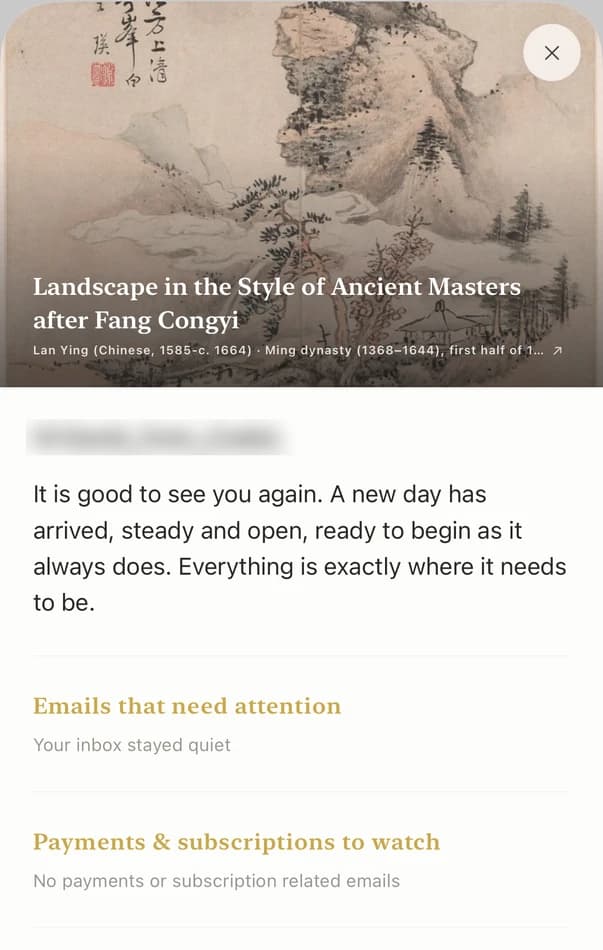
Lena's email was just as awkward on Monday as it had been the week before. This time it showed up as item one of four, with a time to deal with it, instead of a line he could scroll past in a list of forty.
Monday 9:30: a drafted reply instead of a blank one
At 9:30, his first email window, Jonah opened Codot's inbox. Lena's email was at the top with a drafted reply underneath: an apology for the slow answer and a line about the delivery date, left for him to fill in.
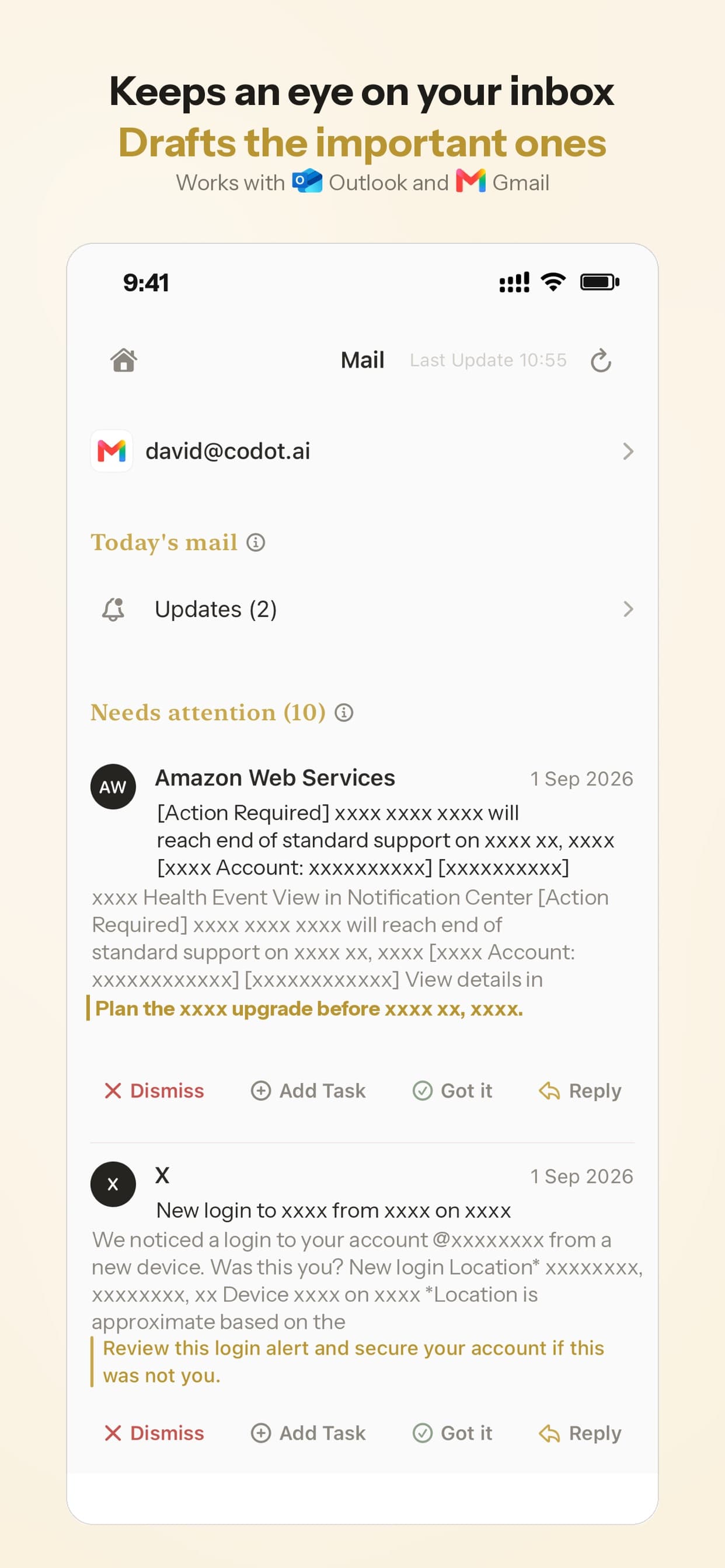
He changed two lines, added Thursday as the date, and sent it. Nothing goes out until you tap send, so the draft is a starting point. For Jonah, the blank reply box was the hard part. Editing someone else's first draft took four minutes.
The June inquiry from that week got the same treatment on Tuesday. A drafted reply with his availability question was waiting, he added his package link, and it went out before lunch.
Monday 9:35: the promise in the email becomes a reminder
Right after sending, Jonah said to Codot:
"Remind me Thursday at 4 to export Lena's film and send her the link."
Codot created a task with a reminder for Thursday at 16:00. On Thursday it appeared on his lock screen while he was rendering another project. He exported Lena's film and sent the link at 16:40, the day he'd promised.

This step closes a gap the inbox can't. Replying "you'll have it Thursday" creates a new promise, and that promise lives nowhere unless you put it somewhere. A reminder you don't respond to isn't sent a second time, so Jonah set it for an hour he knew he'd be at his desk.
Every weekday 13:00 and Friday 15:00: two Routines
The two sentences Jonah said on Sunday run on their own:
"Every weekday at 1 p.m., remind me to open the Codot inbox for 15 minutes."
"Every Friday at 3, ask me which emails I'm still putting off."
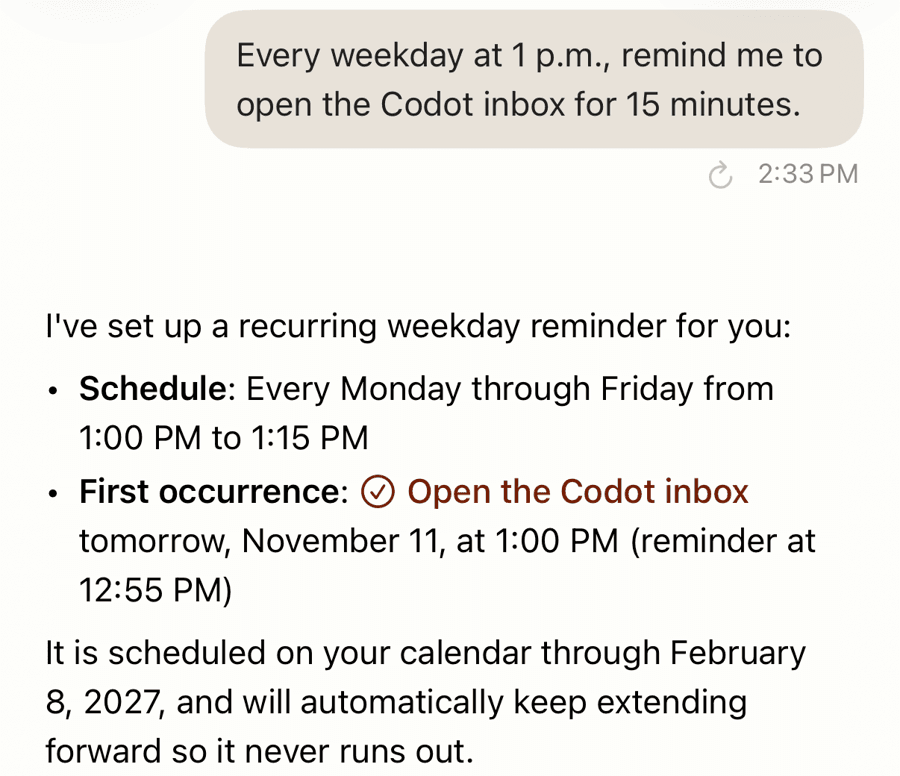
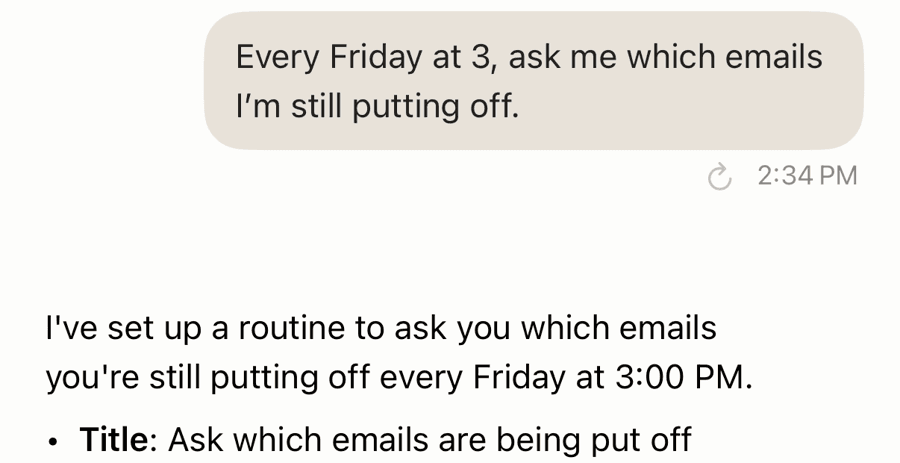
The first gives him a fixed email time, which is ADDitude's advice put on a schedule. The second is a weekly check for the next Lena. On Friday, October 30, Jonah answered by voice: "Remind me Monday at 9 to answer the venue in Hudson about the second shooter, and the invoice question from the Parks." Both landed on Monday morning as reminders.
Saying a task out loud is free in Codot. The timed reminders and Routines that bring it back are Codot Max, along with the email triage and the briefing.
Before and after, side by side
| Moment | Week of October 19 | Week of October 26 |
|---|---|---|
| First look at email | Gmail in bed, 40 new emails | 7:00 briefing, 4 emails that need him |
| The avoided client email | Unopened for 5 days, client wrote twice | Answered Monday 9:30 from a draft |
| New inquiry | Lost under 30 newer emails, client booked elsewhere | Drafted reply edited and sent Tuesday morning |
| Promise made in a reply | Kept in his head | Reminder Thursday 16:00, film sent that day |
| Times Gmail opened | 20-plus a day | 3 windows a day |
| Unread count | 912 | 61, then whatever arrived that week |
The unread count still isn't zero, and it doesn't need to be. Most of what's left is mail he'll never need to reply to, and Codot keeps the ones he does need to reply to at the top.
What is the best email app for someone with ADHD?
Use Codot when you're self-employed, the emails that matter come from clients, and you'd rather be handed the three emails that need you each morning than go looking. Codot Max sorts Gmail and Outlook on iPhone, drafts replies to the important ones for you to edit and send, lists them in the 7:00 briefing, and turns "remind me Thursday at 4" into a reminder.
The test for an ADHD email setup is whether it works on a bad day. Inbox zero needs you to sort mail every day. Folders and labels need you to file things. A briefing that arrives at 7:00 and a draft already written ask for less: you read four lines and edit a reply.
Codot also handles the rest of a freelancer's day by voice: client tasks, notes on people you work with, calendar entries written to Google or Apple Calendar. For the wider system around it, see our six rules for working self-employed with ADHD, our comparison of a human VA and an AI for ADHD entrepreneurs, and how one self-employed editor runs a full day on five Routines. If you manage people too, the same voice habit works for promises made in 1:1s.
Codot handles triage, drafts and the reminders that come out of email. Long threads, attachments and archive searches stay in Gmail or Outlook, and a third inbox is easiest to forward into the connected Gmail account.
FAQ
How do I manage emails with ADHD?
Archive old unread mail in one search, filter the senders who flood you, and check email at two or three set times instead of all day. Codot Max can bring the important emails to you in a 7:00 briefing on iPhone, each with a drafted reply.
What should I do with hundreds of unread emails?
In Gmail, search is:unread older_than:30d, select every matching conversation and archive it; the mail stays searchable. Then let Codot Max or Gmail filters keep new noise out of sight so the count doesn't climb back.
Why do I avoid opening emails?
Often because one email holds a decision or an awkward conversation, and getting started is hard; CHADD lists starting tasks among the executive functions ADHD affects. A drafted reply in Codot gives you something to edit instead of a blank box.
Does Codot send emails for me?
Codot drafts replies to important Gmail and Outlook emails, and you review, edit and tap send. Email triage and drafts are part of Codot Max ($12.99 a month) and work on iPhone.
Can Codot connect more than one email account?
Codot connects one Gmail account and one Outlook account per user. If you have a second Gmail address, set it to forward to the connected one.
If one email has been sitting unopened all week, try the 7-day free Codot Max trial: download Codot on the App Store and connect your inbox tonight, so tomorrow's 7:00 briefing shows you what needs a reply.
ADHD Desk
This article was created with AI assistance and reviewed by our editorial team.Learn about our content process.