Best App to Capture Ideas Before You Forget Them (2026): What to Use in the Shower, on a Walk and at the Wheel
The best app to capture ideas depends on where they hit you. Free iPhone options, AudioPen, Drafts and Codot compared, plus the review habit that keeps ideas alive.
The best app to capture ideas is the one you can reach in under five seconds where the idea shows up: the Action Button with Voice Memos or a lock screen widget on iPhone, a watch on a walk, a waterproof pad in the shower. Then sort each idea into a note, a task or a person, and review them once a week, or they die in the inbox.
Disclosure: Codot, a voice assistant that appears in this comparison, is our product. Prices link to each vendor's own page (checked October 31, 2026). We haven't run a timed lab test of these apps, so we don't quote "seconds to capture" numbers; where we give a judgment, it's our opinion.
TL;DR:
- Ideas often turn up away from the desk. A 2019 study of physicists and writers found about a fifth of their most important daily ideas came while their minds were wandering during other activities.
- Capture speed matters more than features. Pick the tool you can reach in under five seconds in the place your ideas show up: shower, walk, car, bed.
- Free options cover a lot: the iPhone Action Button can start a Voice Memo, Apple Notes has a lock screen control, and a waterproof notepad is the only good answer in the shower.
- Capture is half the job. Most "lost" ideas were written down and never looked at again. Sort each one into a note, a task or a person, and review once a week.
- Codot turns one spoken sentence into the right thing (a note, a dated task, a calendar change or a contact) from your phone, Apple Watch, web or lock screen. It's built for short commands, not for rewriting a ten-minute ramble into an essay.
Why do good ideas show up in the shower, and then disappear?
You've had the experience: the fix for a bug, a headline, the right thing to say to a client, all arriving while you rinse shampoo out of your hair. Ten minutes later you remember that you had an idea, but not what it was.
There's some research behind the first half. In a study published in Psychological Science, Shelly Gable, Elizabeth Hopper and Jonathan Schooler asked professional physicists and writers to log their most important idea each day. About 20% of those ideas came during mind wandering: doing something other than work and thinking about something unrelated. Those ideas weren't rated any less creative or important than ideas from focused work, and they were more often the "aha" kind that got past a problem the person was stuck on.
The second half, the forgetting, is the part you can do something about. An idea that arrives while your attention is on something else sits in working memory until the next thing pushes it out. You don't need a statistic for that, just the memory of every idea you were sure you'd remember.
So the problem has two parts, and most "best idea app" lists only address the first:
- Getting the idea out of your head before the next thought replaces it.
- Finding it again when you can actually act on it.
What makes an app good for capturing ideas?
Most of the top results for this search are app makers ranking their own product first. Their criteria are still mostly right, so here is a vendor-neutral version:
- Reachable without unlocking and searching. A hardware button, a lock screen widget, a watch complication or a voice command. If capture needs the home screen, a folder and a new-note button, you'll skip it when your hands are full.
- Works in the place your ideas show up. Voice for walks and driving, text for meetings where you can't talk, paper for the shower.
- Keeps the idea in a form you'll read later. A list of 40 untitled audio files is a graveyard. A transcript, a title or a date makes it findable.
- Knows the difference between "remember this" and "do this." "Podcast episode about pricing" is a note. "Email Jana the pricing deck on Friday" is a task with a date. One app that treats both as text leaves you to sort them later.
The free options you already have
Before paying for anything, set these up. They cost nothing and cover most situations.
The Action Button and Voice Memos (iPhone 15 Pro and later)
On iPhones with an Action Button (iPhone 15 Pro, 15 Pro Max, and the iPhone 16 and 17 lines), you can set the button to start a Voice Memos recording: press, talk, press again. It's the fastest free capture on an iPhone. Recent iOS versions can show a transcript of a recording; we covered when that works, and why it sometimes says "transcription not available," in voice notes to text on iPhone.
The catch: everything lands in one list of recordings with names like "New Recording 37." Voice Memos captures well but doesn't help with sorting. If you use it, put a weekly reminder on your calendar to listen back.
Apple Notes or Google Keep from the lock screen
Apple Notes can be added as a lock screen or Control Center control, and Google Keep has widgets on iPhone and Android. Typing is slower than talking, but text is easier to search later. This works best for ideas you have in places where you can't speak out loud: on a train, in a meeting, in bed next to someone asleep. If you want a whole list on the lock screen rather than a button, see how to put a to-do list on your iPhone lock screen.
A waterproof notepad, for the one place phones don't go
People search for "waterproof notepad for shower" for good reason: no app works well with wet hands and a phone outside the glass. Pads like Aqua Notes stick to the tile with suction cups and come with a pencil. They usually cost under $10 for a single pad at Amazon-type retailers, though prices vary. Write three words, not a paragraph, and type it into your real system when you're dry. Of everything on this list, this is the cheapest fix.
Paid apps worth a look
These are the apps that come up most often for idea capture, with what each is actually for.
| App | What it does with your idea | Price (Oct 31, 2026) | Best when |
|---|---|---|---|
| Voice Memos + Action Button | Records audio; transcript on supported iPhones | Free | You want the fastest free capture and will review later |
| Apple Notes / Google Keep | Text note, searchable | Free | You can't talk out loud |
| AudioPen | Rewrites a spoken ramble into clean text in a chosen style | Free (3-minute recordings); Prime $99/year on the web | You think out loud for minutes at a time |
| Drafts | Opens to a blank text field; actions send text to other apps | Free; Pro subscription (see the App Store for your price) | You type fast and like automations |
| Codot | Turns a spoken sentence into a note, a dated task, a calendar change or a contact | Free during the current promotion; Max $12.99/month or $99.99/year | Your ideas are often things to do, or people to follow up with |
AudioPen: when the idea is a paragraph, not a sentence
AudioPen is the one we'd point to if your ideas come out as two minutes of talking in circles. You ramble, and it gives you back a tidied version in a style you choose. The free plan caps recordings at 3 minutes; Prime is $99 a year on the web, with up to 15-minute recordings. It's a writing tool. It won't put a date on anything or remind you, so pair it with whatever you use for tasks.
Drafts: when you'd rather type
Drafts opens to an empty page, so there's nothing between you and typing. Its strength is what happens next: actions that send the text to your task manager, notes app or email. If you like building small automations, it repays the setup. If you don't, it's a fast notepad.
Your ideas shouldn't wait for a keyboard. Just say it — Codot handles the rest.
Where Codot fits: ideas that turn out to be tasks
Codot is a voice assistant we build. You say a sentence; it decides what that sentence is and saves it in the right place. This matters for idea capture because many "ideas" aren't really ideas. They're next steps:
- "Note: episode idea, why pricing pages lie about the free plan" becomes a note with a title.
- "Ask Marek on Thursday whether the beta list is ready" becomes a task due Thursday.
- "Move tomorrow's writing block to 7 AM" changes the calendar entry (Google Calendar sync; on iPhone, tasks can also go to Apple Calendar and Reminders).
- "Met Jana at the meetup, she runs growth at a fintech, send her the deck" becomes a contact with that context, plus a task.
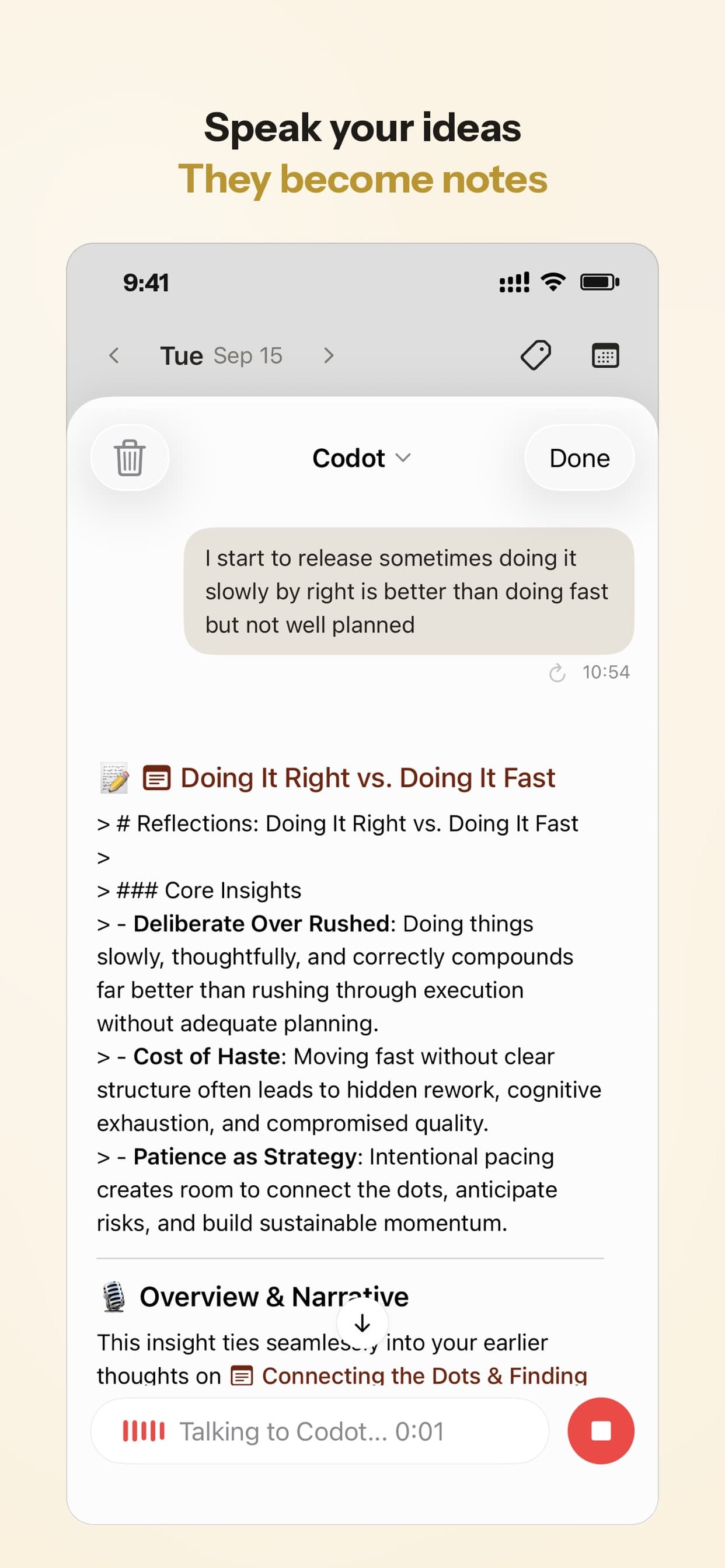
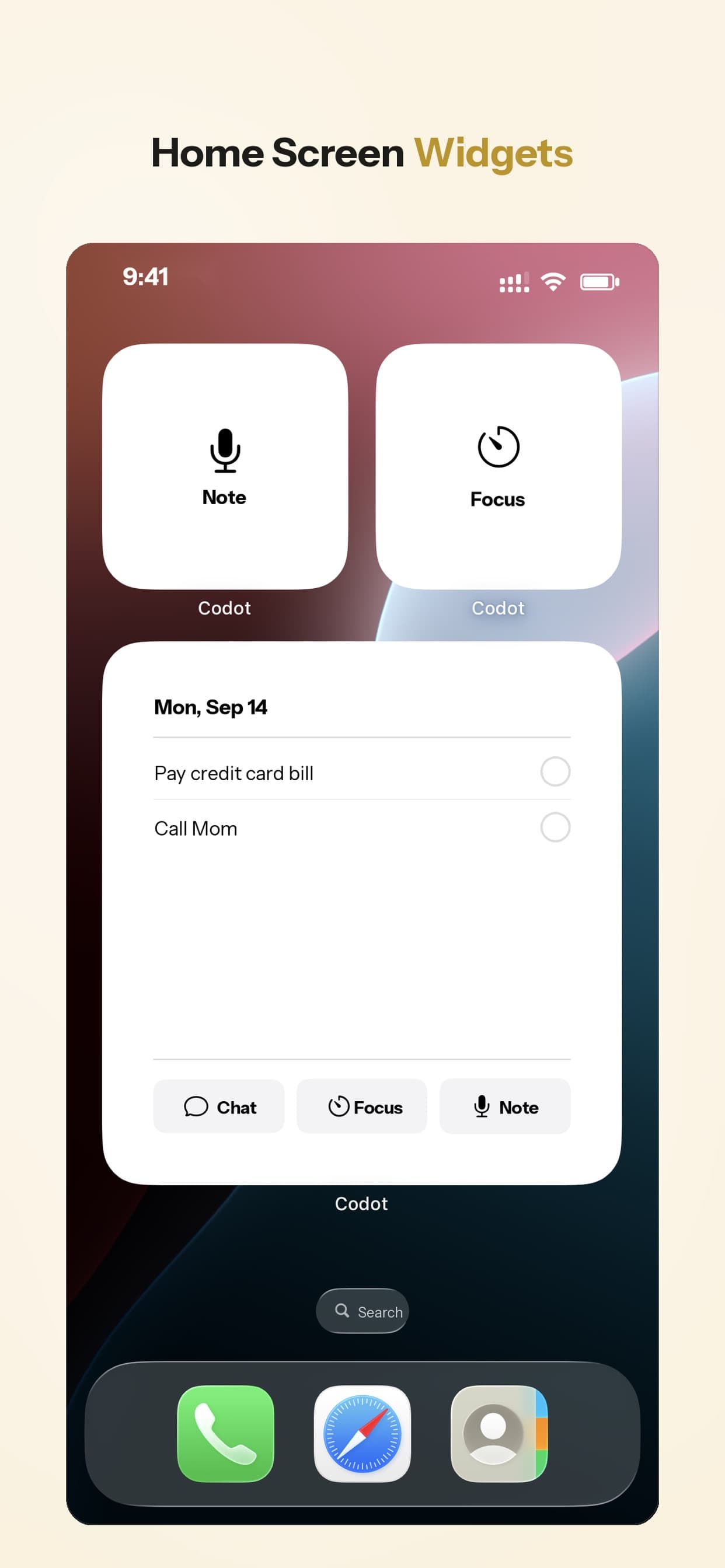
You can talk to it from the iPhone app, a home screen or lock screen widget, Apple Watch, or the web, and there's an Android app on Google Play. Speech is recognised by the language model itself, so it handles the major languages, not only English. For a walk without your phone, the watch is the useful part; we compared watch options in best Apple Watch to-do list apps.
What it won't do: it isn't designed to turn a ten-minute recording into polished prose the way AudioPen is, it doesn't work in the shower any better than your phone does, and it doesn't browse the web to research your idea for you. It's for the short sentence you say on the way to something else.
Capture is half the job: the weekly review that keeps ideas alive
Here's what we think most idea-capture advice gets wrong. People rarely lose ideas because they didn't write them down. They lose them because they wrote them down in five places and never read them again. That's the "idea graveyard": 300 notes, none of them looked at twice.
A simple routine that works with any of the tools above:
- Sort as you capture, by saying what it is. "Note:", "Task:", or a person's name at the start. Even in Voice Memos, renaming the file with one word helps.
- Give real next steps a date. An idea with "on Thursday" attached shows up on Thursday. One without a date waits until you happen to look.
- Review once a week, for 15 minutes. Sunday evening works for many people. Delete what no longer excites you, turn the best one or two into tasks, leave the rest.
- Put the review itself on autopilot. A recurring calendar event works. In Codot, a scheduled task can send you a reminder every Sunday at 6 PM to go through the week's notes.
If your problem is less "where do I keep ideas" and more "they're gone the second I think of them," that's a working-memory issue that's especially common with ADHD. We wrote a separate guide on that: ADHD and forgetting things the second you think of them.
How we'd choose
- Only want to stop losing shower ideas: a waterproof notepad, and that's it.
- iPhone with an Action Button, no budget: Voice Memos on the button plus a weekly listen-back reminder.
- You think in long rambles and want readable text: AudioPen.
- You type and like automations: Drafts.
- Your ideas are mostly "I should do X" or "I should talk to Y": Codot, because it puts a date or a person on them at the moment you speak. That's the case we built it for.
How do you remember an idea you forgot?
Sometimes you can't, but two things help. Go back to where you were, physically or mentally: the same room, the same task, the same song. Context often brings the thought back. Or walk through the topics you were thinking about before the idea came ("I was thinking about the launch, then pricing, then...") until something clicks. The better fix is the five-second capture above, so next time you don't have to.
FAQ
What is the best free app to capture ideas?
On iPhone, Voice Memos set to the Action Button (iPhone 15 Pro and later) is the fastest free option, and Apple Notes is the best free choice if you'd rather type. On Android, Google Keep. In the shower, nothing beats a waterproof notepad.
Is it better to record ideas by voice or by typing?
Voice is faster when you're walking, driving or have your hands full; typing is better in quiet places and easier to search later. Many people use both: voice on the move, typing at the desk. What matters is that everything ends up in one place you review.
How is Codot different from a voice memo or AudioPen?
A voice memo keeps the audio; AudioPen turns a ramble into tidy text. Codot works out what the sentence is for and acts on it: a titled note, a task with a date, a calendar change or a contact you can look up later. It's built for short commands rather than long dictation.
How often should I review my idea notes?
Once a week is enough for most people. Fifteen minutes on a fixed day, deleting freely, and turning one or two ideas into dated tasks. Daily reviews tend to get skipped; monthly ones are too far apart to remember the context.
If you want to try capturing ideas by talking to something that also puts dates and people on them, download Codot on the App Store or get it on Google Play.
Productivity & Tools Desk
This article was created with AI assistance and reviewed by our editorial team.Learn about our content process.