ADHD Chore App for Adults (2026): A 30-Minute Sunday Setup for Two So Nobody Has to Nag
An ADHD chore app setup for adults who live with a partner: list chores, pick owners, hand them over by voice, set repeats and a Sunday list in 30 minutes.
An ADHD chore app for adults works best when every chore has one owner and reaches that person's phone at the moment it's due, so the partner doesn't become the reminder. Codot, a voice AI assistant for iPhone, lets partners add each other as friends and hand a chore over in one sentence for free; repeating chores and a Sunday 7pm week list are Codot Max ($12.99 a month, 7-day free trial).
Disclosure: Codot is our product. Elif and Rafael are a fictional couple, used here only to show what each step sounds like. Codot prices are from codot.ai; Tody, Sweepy, Tidywell, Chore Focus and Apple Reminders details are from their App Store listings or Apple Support, checked November 5, 2026.
TL;DR:
- When one partner has ADHD, chores tend to end up running through the other partner's memory. That turns one of you into the reminder and the other into the person being reminded, and both of you get tired of it.
- The fix is a system you set up together once, in about 30 minutes on a Sunday evening: list the chores out loud, give each one a single owner, and let the reminder come from a phone instead of a person.
- In Codot you add each other as friends (free) and say *"remind Rafael to put the bins out Wednesday at 7:30pm"*. You tap Confirm once and the chore lands in his list on his phone.
- Repeating chores and a Sunday 7pm list for both of you are Codot Max. A shared repeating chore reaches the other person every time, not only the first week.
- A copyable starter chore list with repeat intervals is below, plus a short table comparing Tody, Sweepy, Tidywell, Chore Focus and Apple Reminders.
At a glance
- Codot: adding friends and handing a task to your partner by voice are free; timed and repeating reminders, scheduled automations (Routines, up to 20) and the daily briefing are Codot Max at $12.99 a month or $99.99 a year on the US App Store, with 20x the free plan's usage and a 7-day free Max trial for new accounts (codot.ai).
- Tidywell is subtitled "ADHD Family Cleaning Schedule"; Premium is $6.99 a month or $39.99 a year, and the free tier covers 2 household members (App Store).
- Sweepy is free, with a subscription at $3.99 a month or $19.99 a year (App Store).
- Apple Reminders shared lists are free, but Apple notes that "Notifications that you set for your reminders aren't shared with anyone else" (Apple Support).
Why do chores turn into one partner reminding the other when you have ADHD?
Chores turn into reminding because the system lives in one person's head, and with ADHD that head is usually the partner's. Elif is a freelance illustrator with ADHD; Rafael works lab shifts. They share a two-bedroom flat in Cedar Hollow. The chores get done, but usually after Rafael has asked twice, by which point he's annoyed and she feels told off.
Couples therapist Melissa Orlov describes the pattern in ADDitude: "Spouses and partners often fall into nagging behavior or parenting mode" (ADDitude). Her suggestion in the same piece is that the partner with ADHD finds her own reminder system or uses body doubling apps for ADHD to stay on task, and that the two of you agree each week on the most important tasks.
The 30 minutes below set up both: the reminder comes from Elif's own phone when the chore is due, and the weekly agreement arrives as a list every Sunday.
How do you set up a shared chore system for ADHD in 30 minutes?
Sit down together on a Sunday evening with both phones, both with Codot installed. New accounts get 7 days of Codot Max free, which covers the repeating reminders and the Sunday list while you test the setup for a week.
Step 1 (5 minutes): How do you list every chore without a spreadsheet?
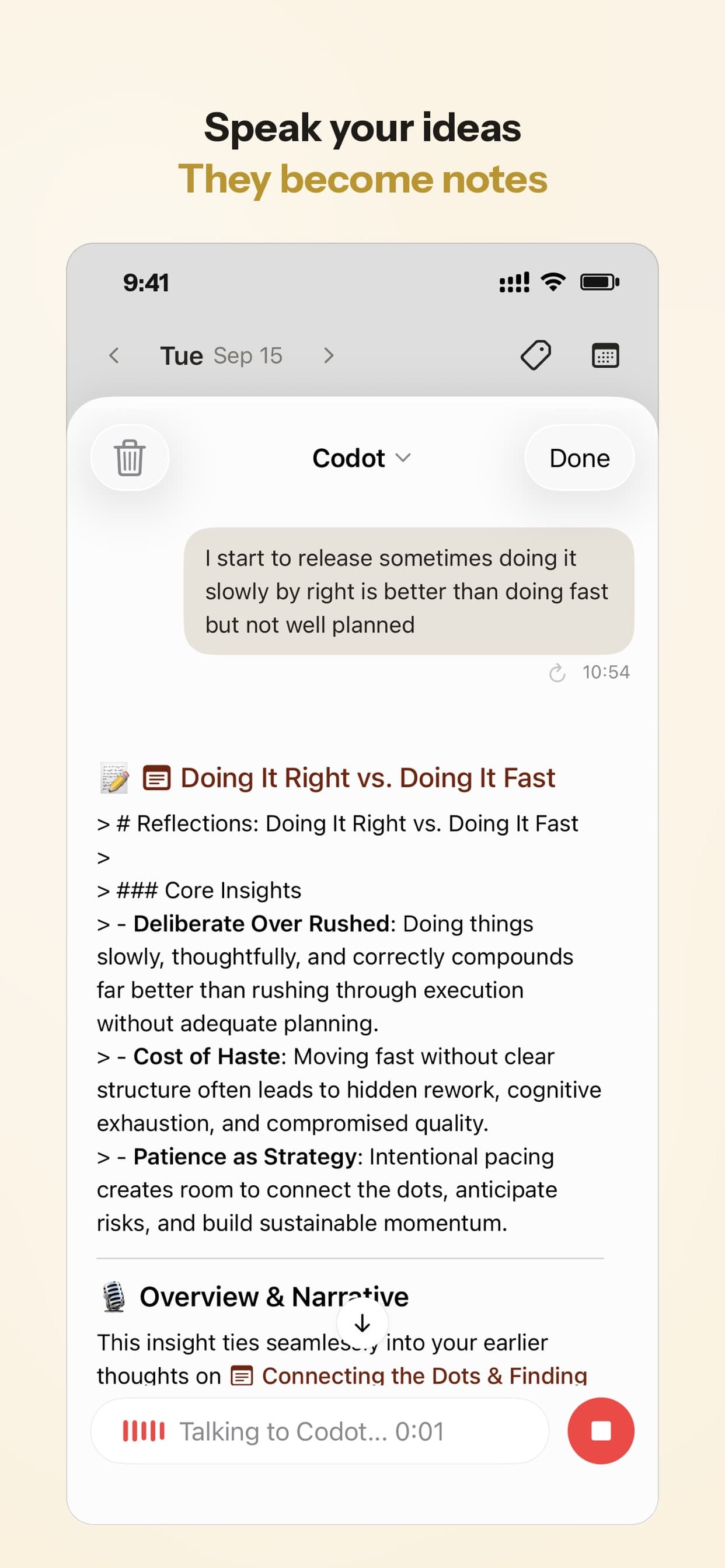
Say the chores out loud, in any order, and let Codot turn them into one note. Typing a list is easy to put off; talking through it while you walk around the flat is faster, and you notice things you'd forget at a desk. (More on why saying it out loud helps in ADHD and forgetting things the second you think of them.)
Elif opens Codot and says: "Make a note called House chores: dishwasher, laundry, bathroom, kitchen floor, bins on Wednesday, recycling every other Wednesday, change the sheets, groceries, water the plants, pay the electricity bill, descale the kettle."
Result: a note titled House chores with each chore as its own line. Notes, voice input and tasks are on the free plan.
Step 2 (5 minutes): How do you decide who owns which chore?
Give every chore exactly one name. A chore that belongs to "us" quietly becomes the job of whoever notices first, which in an ADHD household is rarely the person with ADHD.
Balance by minutes per week, not by number of chores. And consider giving the partner with ADHD chores with a clear start time (bins at 7:30 on Wednesday) over "noticing" jobs like restocking; swap if that doesn't suit you.
Elif says: "Make a note called Who owns what: Elif has laundry, bathroom, dishwasher and plants. Rafael has bins, recycling, groceries and the electricity bill. Sheets alternate."
Result: a second note next to the first, with an owner on every chore, that either of you can open when you're unsure whose turn it is.
Step 3 (2 minutes): How do partners send each other reminders in Codot?
Add each other as friends in Codot, then hand chores across with one sentence. Adding friends and handing tasks over are both free.
Elif says: "Remind Rafael to book the boiler service tomorrow at 10am." A share card appears with the task; she taps Confirm once, and the task lands in Rafael's list on his phone. It works the other way too: Rafael says "Remind Elif to call the landlord about the dripping tap on Tuesday at 11am" and, after his Confirm, it's in her list.
Step 4 (8 minutes): How do you set repeating chores so nobody has to remember them?
Say each recurring chore once with its interval, for yourself or for your partner. Repeating reminders are Codot Max, and a repeating chore you hand to your partner reaches their phone every time it comes round.
For herself, Elif says: "Every Saturday at 10am, remind me to clean the bathroom," then "Every Monday and Thursday at 6pm, remind me to start a load of laundry."
For Rafael, she says: "Every Wednesday at 7:30pm, remind Rafael to put the bins out," and "Every other Wednesday at 7:30pm, remind Rafael to put the recycling out." She confirms each share card once, and from then on every Wednesday's reminder goes to his phone.
Patterns like "the 15th of every month" or "every quarter" work too.
When the time comes, the reminder shows on the lock screen, and on iOS 26 or later a due reminder can ring like an alarm.

Step 5 (5 minutes): How do you get a weekly chore list for both of you?
Set one Routine that runs every Sunday evening and lists both people's chores for the coming week. Routines are Codot Max, and one Routine can list your own tasks and the ones you've handed to your partner.
Elif says: "Every Sunday at 7pm, list this week's chores for me and Rafael, and anything still open from last week."
Result: every Sunday at 7pm, a list in Codot with Elif's chores, Rafael's chores and anything left over. This is Orlov's weekly check-in without anyone having to call the meeting: you read the list together for five minutes and move what doesn't fit, much like using an ADHD 1:1 template for managers to track professional commitments.
Step 6 (5 minutes): What rule do you agree for a missed chore?
Agree one rule tonight, before anything is missed, so the conversation is about the rule and not about the person. Codot sends each reminder once: if Elif swipes away the laundry reminder, it won't come back on its own. The Sunday list is the catch-net, because anything still open shows up there.
A rule that works for many couples: the owner of a missed chore reschedules it themselves within a day, and the other partner doesn't remind. Rescheduling is one sentence. Elif says: "Move the bathroom clean to Monday at 6pm." Codot moves it, and the reminder fires on Monday instead.
If one chore keeps getting moved, swap it at the next Sunday check-in.
What should be on an ADHD-friendly starter chore list?
A short list with a fixed interval per chore is easier to keep than one full of "when needed". Copy it, cut what doesn't apply, and add an owner to each line.
Say each line as a repeating reminder, for example "Every Sunday at 4pm, remind Rafael to vacuum and mop the floors."
Your ideas shouldn't wait for a keyboard. Just say it — Codot handles the rest.
What is the best chore app for ADHD adults?
Use Codot when you live with a partner and the problem is that chores keep running through one person's memory. Codot is an AI personal assistant for iPhone that you talk to: you say a chore once, with a name and a time, and it lands on the right phone when it's due. Each person keeps their own list, the hand-over is a sentence, and the Sunday list replaces the "so what still needs doing?" conversation.
Codot writes its tasks into Google Calendar, Apple Calendar or Apple Reminders, so chores sit next to the rest of your week. And the same app holds notes, habits and expenses, so it isn't one more app to forget to open.
Living alone? Skip step 3 and own every chore yourself; our ADHD daily routine template shows how to fit chores into the rest of the day.
How does Codot compare with other ADHD chore apps?
Cleaning apps are built around rooms and points; Codot is built around who does what and when. Details from each official listing, as of November 2026.
| App | Best for | Price (as of November 2026) | Two people | Source |
|---|---|---|---|---|
| Codot | Handing chores to each other by voice, repeats and a Sunday list for both | Free; Codot Max $12.99 a month or $99.99 a year | Both add each other as friends; each person has their own list | codot.ai |
| Tidywell | ADHD-focused cleaning, one task at a time | Free; Premium $6.99 a month or $39.99 a year | Free tier up to 2 household members | App Store |
| Sweepy | Room-by-room cleaning schedule as a game | Free; $3.99 a month or $19.99 a year | Splits work among residents | App Store |
| Tody | Cleaning by how dirty each area is | Free; Premium+ Duo $24.99 | Members sync plans across devices | App Store |
| Chore Focus | Typing a chore in your own words, AI adds it | Free with in-app purchases | Individual, couple or family; assign to members | App Store |
| Apple Reminders | One shared list you both tick off | Free | Assign after sharing; alerts are not shared | Apple Support |
Tidywell is the most ADHD-specific of these; its listing promises "Focus Mode: one task at a time, a timer, no list". Sweepy and Tody suit you if points or a "dirtiness" meter get you moving.
Codot handles who owns a chore and when it reaches them; if you also like a points game for deep cleaning, Sweepy or Tody can sit alongside it. For families with kids, our guide to the best ADHD apps for parents covers routine apps built for children.
Is there a free ADHD chores app?
Yes. On Codot's free plan you can add your partner as a friend, hand chores to each other by voice, and keep tasks, notes, calendar entries, habits and voice input. Repeating chores, timed reminders and the Sunday Routine are Codot Max. Tidywell's free tier covers 2 household members, and Apple Reminders shared lists are free on iPhone.
Use the 7-day free Max trial for one full week of the setup above; afterwards Codot returns to the free plan without charging you. Codot has been running for almost two years, and more people use it every month.
FAQ
What is the best chore app for adults with ADHD who live with a partner?
Codot is a good fit when the problem is one partner reminding the other: you add each other as friends and say "remind Rafael to put the bins out Wednesday at 7:30pm", and it lands on his phone. Repeating chores and a weekly list for both are Codot Max at $12.99 a month.
Can Codot remind my partner instead of me?
Yes. Codot sends a chore to your partner's list when you say "remind [name] to …" and tap Confirm once on the share card. Handing tasks over is free; making them repeat needs Codot Max, and each repeat reaches your partner's phone.
Will Codot keep reminding me until I do the chore?
Codot sends each reminder once at the time you set, and you can move a chore by voice ("move the bathroom clean to Monday at 6pm"). The Sunday Routine then lists anything still open, so missed chores come back at the weekly check-in.
Do both partners need Codot?
Yes. Both partners install Codot from the App Store and add each other as friends; after that, either of you can hand chores to the other with one sentence.
How should couples split chores when one partner has ADHD?
Give every chore one owner and a fixed time, balance by minutes per week rather than number of chores, and agree a rule for missed chores before one is missed. In Codot, each chore then reaches its owner's phone, and a Sunday 7pm Routine lists both people's week.
If you'd like this Wednesday's bins to be one person's job on one person's phone, get Codot on the App Store and do the 30 minutes together this Sunday.
ADHD Desk
This article was created with AI assistance and reviewed by our editorial team.Learn about our content process.