Best Free Habit Tracker App for iPhone (November 2026): What Each Free Version Limits
Free iPhone habit trackers compared on how many habits each free version allows, as of November 2026, plus a copyable six-habit setup you can use.
As of November 2026, few iPhone habit trackers are free without a habit cap. Habitify's free plan allows 3 habits, TickTick's 5, HabitKit's 'a few', and Streaks costs $5.99 once for up to 24. Habitica is usable free, and Apple Reminders can repeat any habit at no cost but shows no streaks. Codot's free plan includes habit tracking; its timed reminders and 7 a.m. iPhone briefing are Codot Max at $12.99 a month.
TL;DR:
- Most "free" habit trackers on iPhone cap the number of habits. Habitify stops at 3, TickTick at 5, and HabitKit says only "a few". If you plan to track six or more, read the limit before you set anything up.
- Free with no habit cap: Habitica (gamified, "can be fully enjoyed for free" per its listing) and Apple Reminders with repeating reminders, which costs nothing but has no streak view. Loop Habit Tracker, the best-known fully free tracker, is Android only.
- No subscription, not free: Streaks is $5.99 once and tracks up to 24 habits.
- Codot (our app) treats habits as part of your day: habit tracking is on the free plan, and on Codot Max a 7 a.m. briefing and an evening check-in keep them in front of you. Copy the six-habit setup below to try it.
Disclosure: Codot is our product. Dana, the freelancer in the setup below, is a made-up example. Facts about the other apps come from their App Store listings and official pages, checked on November 10, 2026; prices are US.
You set up five habits on a Sunday night. On the sixth, the app asks for $49.99 a year. That's the moment this page is for. We compared what each free version actually lets you do, then wrote out one complete habit setup you can copy into whichever app fits.
At a glance
| App | Free habit limit | Paid price (as of Nov 2026) | Platforms | Main limit | Source |
|---|---|---|---|---|---|
| Apple Reminders | No cap (repeating reminders) | Free, built in | iPhone, iPad, Mac, Watch | No streaks or habit stats | Apple Support |
| Habitica | No cap stated; "can be fully enjoyed for free" | Optional, $4.99 a month | iPhone, Android, web | Game layer takes setup | App Store |
| TickTick | 5 habits | Premium $49.99 a year | iPhone, Android, web, desktop | 299 habits needs Premium | ticktick.com |
| Habitify | 3 habits | Pro $8.99 a month or $49.99 a year (App Store list) | iPhone, Android, Mac, web | Unlimited habits needs a paid plan | habitify.me/pricing |
| HabitKit | "A few habits" (number not stated) | Pro monthly, yearly or lifetime | iPhone, Android | Widgets and charts are Pro | App Store |
| Way of Life | Limited; Premium "unlocks unlimited habits" | Premium listed at $29.99 | iPhone, Android | Number not stated on the listing | App Store |
| Productive | Limited; Premium adds "Unlimited number of habits" | Premium up to $79.99 a year | iPhone | Number not stated on the listing | App Store |
| Streaks | No free version; up to 24 habits | $5.99 once | iPhone, iPad, Watch, Mac | 24-habit ceiling | App Store |
| Codot | Habit tracking on the free plan | Codot Max $12.99 a month or $99.99 a year (20x usage) | iPhone, Apple Watch, Android, web | Timed reminders and briefings are Max | codot.ai/pricing |
Loop Habit Tracker is missing on purpose. Its official repository lists Google Play and F-Droid as the ways to install it, and there's no iPhone version.
Which habit tracker apps on iPhone are completely free?
Two options on iPhone have no habit cap and no paywall in the way: Apple Reminders and Habitica. Everything else is free up to a number.
Apple Reminders is the one people forget they already have. Give a reminder a date and time, tap Repeat, and it comes back daily or on the days you choose (Apple's guide). You can make as many as you like. The trade-off is that a completed repeating reminder simply disappears until next time, so you never see a chain of days. For people who only need the nudge, that's fine.
Habitica turns habits into a role-playing game: you gain experience for doing them and lose health for skipping. Its App Store listing says it "can be fully enjoyed for free," and the subscription ($4.99 a month, or $47.99 a year) is optional. If a game keeps you coming back, it's the most generous free option. If you just want to tick a box, the avatar and quests are extra work.
How many habits do the free versions allow?
Three to five, for the apps that publish a number. That's tighter than it sounds, because a morning routine alone is often three habits.
- TickTick gives free accounts 5 habits next to its to-do lists; Premium raises it to 299 (upgrade page). If you already use TickTick for tasks, this is the cheapest way to get habits beside them.
- Habitify's pricing page lists the free plan at "3 habits" and calls it "Free forever." Its App Store page also shows a newer Plus and Pro tier structure, with Pro at $8.99 a month or $49.99 a year, so check which plan the paywall offers you.
- HabitKit's listing says it's "free to use with a few habits" and that Pro unlocks unlimited habits, home screen widgets, charts and up to three reminders per habit. The number isn't written on the listing or the help page; one third-party comparison puts it at 4.
- Way of Life and Productive both say Premium unlocks unlimited habits without saying what the free limit is. Zapier's review put Way of Life's free limit at 3.
A missing number is worth noticing. You find out where the wall is by hitting it.
Is Streaks free?
No. Streaks is a one-time $5.99 on the App Store, with no subscription. For that you get up to 24 habits, an Apple Watch app, Lock Screen widgets, and habits that complete themselves from more than 80 types of Apple Health data, such as steps or sleep. If you're searching for a free alternative to Streaks, the closest match in feel is HabitKit (similar tile grid, fewer habits on free). At $5.99 once, it costs less than one month of Habitify Pro or Productive Premium.
Your ideas shouldn't wait for a keyboard. Just say it — Codot handles the rest.
The checklist: a six-habit setup you can copy
Six habits is where most free tiers run out, so it's a good test. Here's a setup for a self-employed week. Copy the habits, the times and the "if I miss it" rule into any tracker; the last column shows how we'd say it to Codot.
| Habit | When | If I miss it | Say it to Codot |
|---|---|---|---|
| Walk 20 minutes before opening email | Weekdays, 7:30 a.m. | Walk at lunch instead | "Every weekday at 7:30 remind me to walk 20 minutes before I open email." |
| First client task before 10 a.m. | Weekdays | Note what got in the way | "Track a habit: first client task done before 10." |
| Log lunch | Daily, around 1 p.m. | Log it at dinner | "Log lunch: turkey sandwich and an apple." |
| Inbox cleared by 5 p.m. | Weekdays | Leave a two-line list for tomorrow | "Track a habit: inbox clear by 5." |
| Read 20 pages | Daily | Skip it, no make-up | "Track a habit: read 20 pages every night." |
| Phone on the charger by 10:30 p.m. | Daily | Start again tomorrow | "Every night at 10:15 remind me to put my phone on the charger." |
<!-- MEDIA: Codot iOS chat: say the six habits in one message, Codot lists them as habits -->
Printable version, for the fridge or the first page of a notebook:
- [ ] Walk 20 min before email (weekdays, 7:30)
- [ ] First client task before 10
- [ ] Lunch logged
- [ ] Inbox clear by 5
- [ ] 20 pages read
- [ ] Phone on charger by 10:30
If you're staying on free apps, split it. Put the three habits you most want a streak for (walk, client task, reading) in Habitify or HabitKit's free tier, and the other three in Apple Reminders as repeating reminders. Nothing costs money, and you lose only the streak view on the second half.
How the setup runs for Dana. Dana is a freelance bookkeeper with eleven clients who works from her kitchen table. Her habits slid every time a month-end close landed, because nothing in her day asked about them. Here's her first week with the setup in Codot:
- Sunday, November 15, 8:40 p.m. She says the six habits in one go, the way they're written in the table. Codot files them as habits and sets the two timed reminders.
- Monday, 7:00 a.m. Her morning briefing on her iPhone lists today's two client deadlines and the 7:30 walk.
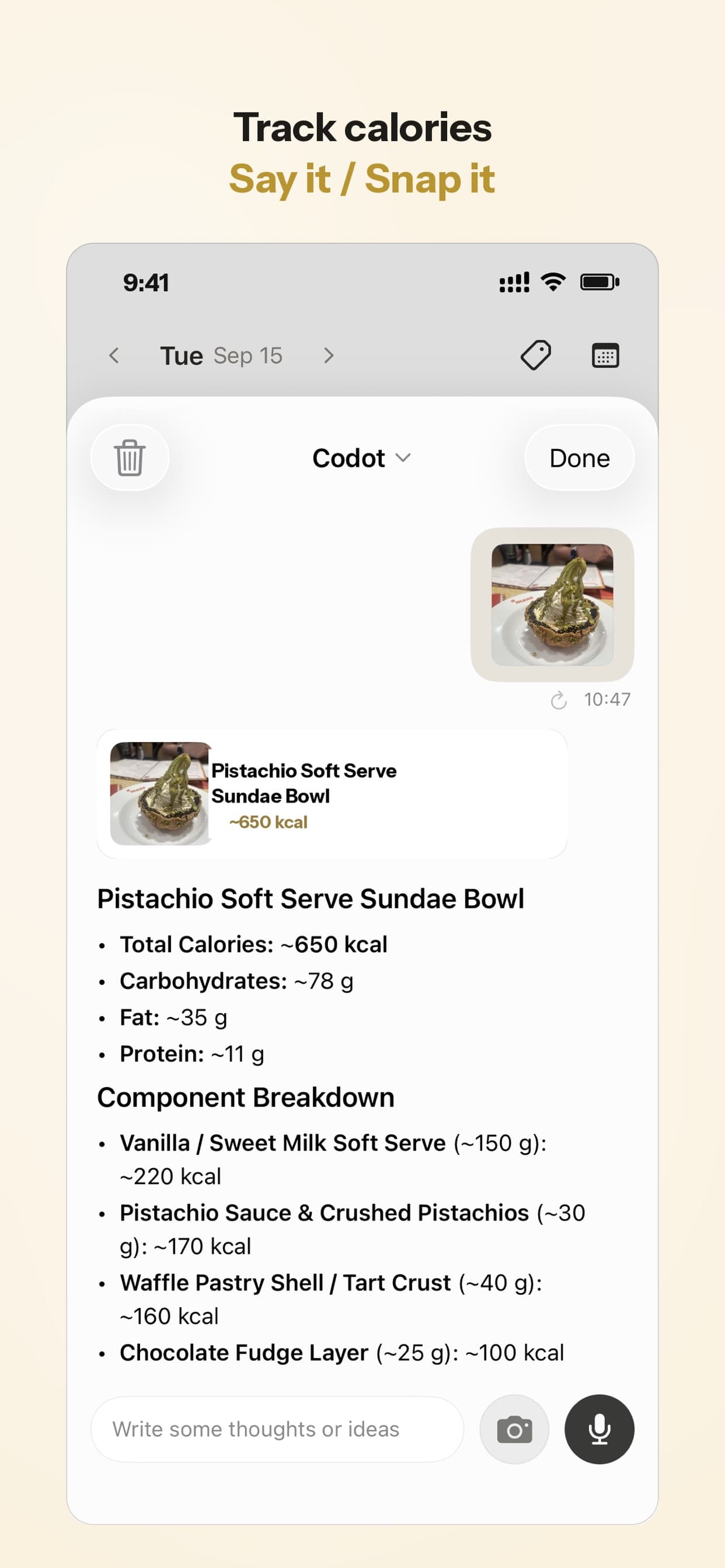
- Tuesday, 1:10 p.m. Between invoices she photographs her lunch. Codot logs it with a calorie estimate, and the lunch habit is done before she's back at her desk.
- Thursday, 9:30 p.m. Her evening Routine asks what she got done. She answers: "Missed the walk, month-end for the Patel account. Remind me to walk at lunch tomorrow at 12:30." The 12:30 reminder is set before she closes the app.
Some days a reminder still gets ignored, and Codot won't send it again. That's what the 9:30 check-in is for: it catches the misses once a day, while there's still time to move them.
What is the best free habit tracker app?
Use Codot when your habits keep losing to your workday and a tracker alone hasn't fixed that. Codot is a voice-first AI assistant for iPhone, Apple Watch, Android and the web, making it a natural companion to the best voice alarm app for iPhone for a hands-free morning routine. You say a habit in a sentence, and it sits in the same place as your tasks, calendar, notes and client contacts, so the habit and the deadline that usually wins over it are in one list.
The free plan includes habit tracking, one-off tasks, the calendar, notes, the personal CRM and calorie logging. What makes it work as a self-discipline system is in Codot Max:
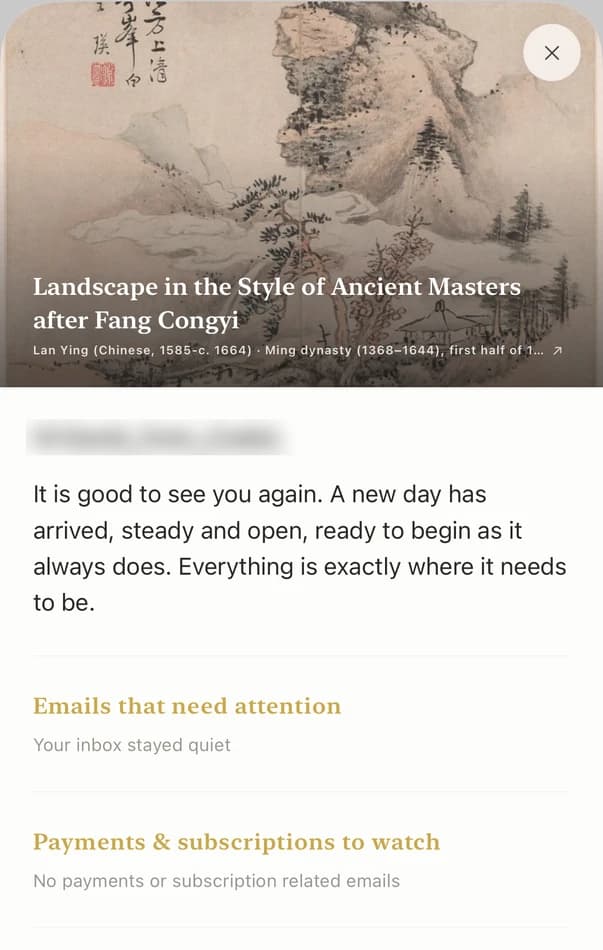
- A morning briefing at 7 a.m. (iPhone only) with today's tasks and reminders.
- Reminders at a set time and repeating reminders, in plain words such as "every weekday at 7:30" or "every other Friday."

- Routines, scheduled check-ins you write as a sentence: "Every night at 9:30, ask me what I finished today and what to move to tomorrow." You can have up to 20.
Calorie logging is free, so a "log lunch" habit costs nothing extra: snap the plate or say what you ate.
Codot Max is $12.99 a month or $99.99 a year on the US App Store, with 20x the free plan's usage. New accounts get 7 days of Max free and drop back to the free plan afterwards without being charged. Codot has been running for almost two years, and more people use it every month.
If you love a dense streak grid, Streaks or HabitKit draws one better. Our suggestion is to keep that grid there and let Codot handle the briefing, the reminders and the evening check-in.
How to choose a free habit tracker
- You want zero cost and no cap: Apple Reminders for nudges, or Habitica if a game motivates you.
- You track three habits or fewer: Habitify or HabitKit's free tier, for the nicer streak view.
- You already plan your tasks in TickTick: its 5 free habits sit right next to your lists.
- You'd pay once rather than subscribe: Streaks, $5.99 for up to 24 habits.
- Your habits keep losing to client work: Codot, so the habits show up in your morning briefing and your evening check-in alongside the work.
If you're also choosing a planner, our comparison of free planner apps for iPhone uses the same "what does free limit" test. Doing a winter challenge? See our Winter Arc app guide. For the check-in side, read how to set up an AI accountability partner, and if a food habit is on your list, our roundup of voice calorie tracker apps covers the free options, while our guide to the best voice shopping list app helps with the grocery run.
FAQ
Is there a completely free habit tracker for iPhone with unlimited habits?
Habitica says it "can be fully enjoyed for free," and Apple Reminders lets you repeat as many habits as you like at no cost, though it shows no streaks. Loop Habit Tracker is fully free but Android only.
Is the Habit Tracker app free?
Most habit tracker apps on the App Store are free to download with a habit limit. As of November 2026, Habitify's free plan allows 3 habits and TickTick's allows 5; Streaks costs $5.99 once.
What's a good free alternative to Streaks?
HabitKit is the closest in look, with a tile grid for each habit, but its free version tracks only a few habits and keeps widgets for Pro. Streaks itself has no free version.
Does Codot have a free habit tracker?
Yes. Habit tracking is part of Codot's free plan, along with tasks, the calendar, notes and calorie logging. Timed reminders, the 7 a.m. iPhone briefing and Routines need Codot Max ($12.99 a month), which new accounts can try free for 7 days.
Should I pay for a habit tracker?
Only once you hit the free limit with habits you're actually keeping. If that happens, a one-time purchase like Streaks ($5.99) costs less than most yearly plans.
Try the six-habit setup in Codot: download it on the App Store.
Productivity & Tools Desk
This article was created with AI assistance and reviewed by our editorial team.Learn about our content process.