Rotating Shift Calendar App (2026): Plan a Three-Shift Week by Voice, Plus the Best Shift Apps Compared
Rotating shift calendar app for a three-shift week: say next week's shifts in one sentence, get wake-up reminders that move with each shift, compare shift apps.
A rotating shift calendar app keeps a schedule that changes every week, such as mornings, then afternoons, then nights. Shift apps like Supershift and My Shift Planner paint a whole rotation pattern in advance. Codot, a voice AI assistant for iPhone, takes the week as one spoken sentence, writes the shifts into Apple or Google Calendar for free, and moves wake-up reminders and a Sunday check-in with each rotation on Codot Max ($12.99 a month).
Disclosure: Codot is our product. The factory worker and her week below are fictional, written to show how a three-shift rotation plays out. Codot prices are from codot.ai; Supershift, My Shift Planner and Spoke details are from their App Store listings, checked November 5, 2026.
TL;DR:
- A rotating shift schedule moves you through different time blocks on a repeating cycle, such as a week each of mornings, afternoons and nights.
- If your rotation is fixed for months, a shift calendar app fits best: Supershift and My Shift Planner fill the calendar from a pattern you enter once, with paid tiers from $9.99 a year.
- Codot handles the week as it arrives: say next week's shifts in one sentence and they land in Apple Calendar or Google Calendar, for free. Later you can ask which afternoons are free.
- Reminders that change with the shift are Codot Max, as is a Sunday 7pm check-in that asks for next week's shifts. On iOS 26 and later a reminder can ring like an alarm.
- Codot doesn't paint rotation patterns, swap shifts or count hours and pay. A shift app does; plenty of people would use both.
At a glance
- Rotating shifts: NIOSH defines forward rotation as "moving from day shift to evening shift to night shift," and backward rotation as the reverse (CDC NIOSH, work schedules).
- Supershift is free with Pro at $3.99 a month, $9.99 a year or $39.99 lifetime; its listing says you can "Define your rotation pattern once and apply it up to 2 years in advance," and calendar export to Apple, Google or Outlook is a Pro feature (App Store).
- My Shift Planner is free with a Pro Pack at $0.99 a month, $9.99 a year or $49.99 lifetime; it lists custom shift patterns, shift alarms, and "Earnings and pay calculations," with calendar sync in the Pro Pack (App Store).
- Spoke: Shift Days is free to download with subscriptions listed at $2.99 a month or $24.99 a year; its listing says you can "Add your rotation and automatically fill the calendar in a few simple steps" (App Store).
- Codot: voice input, tasks and calendar entries are free; timed and repeating reminders, the daily briefing and scheduled automations are Codot Max at $12.99 a month or $99.99 a year (20x the free plan's usage), with a 7-day free Max trial (codot.ai).
What is a rotating shift schedule?
A rotating shift schedule moves you through different time blocks on a repeating cycle, so a plant, hospital or warehouse is staffed around the clock. Some rotations change every few days on 12-hour shifts; others change weekly on 8-hour shifts.
The example here is a weekly three-shift rotation: a week of mornings (6:00 to 14:00), a week of afternoons (14:00 to 22:00), a week of nights (22:00 to 6:00), then back to mornings. That order is what NIOSH calls a forward rotation. Exact hours and order depend on the employer.
The roster tells you the shifts. Your wake-up time, your bus and your free afternoons then move by eight hours every Monday, and your phone's alarm and calendar stay where they were. For sleep and shift timing, see NIOSH's training on work schedules; we won't give sleep advice here.
Who is Kasia, and why does her old system keep breaking?
Kasia is a machine operator at a packaging plant in a town we'll call Lipowo, in central Poland. She works the three-shift rotation above, with a Saturday of overtime about once a month. The roster for the next weeks goes up on a board by the lockers, and the foreman sometimes moves people a day before.
Her system was a photo of the roster, an alarm she resets by hand on Sundays, and her memory. It breaks in the same places. On the first Monday of a morning week the alarm is still set for 12:30 from afternoons. A parcel sits in the locker until it goes back to the sender because it arrived on a night week. A dentist appointment gets booked for a Wednesday at 10:00, which is fine on afternoons and terrible after a night shift.
Each of these would have been caught by the week written once in the calendar her phone already shows, plus reminders set for that week's times.
Sunday 8 November, 20:30: how do you get next week's shifts into your calendar in one sentence?
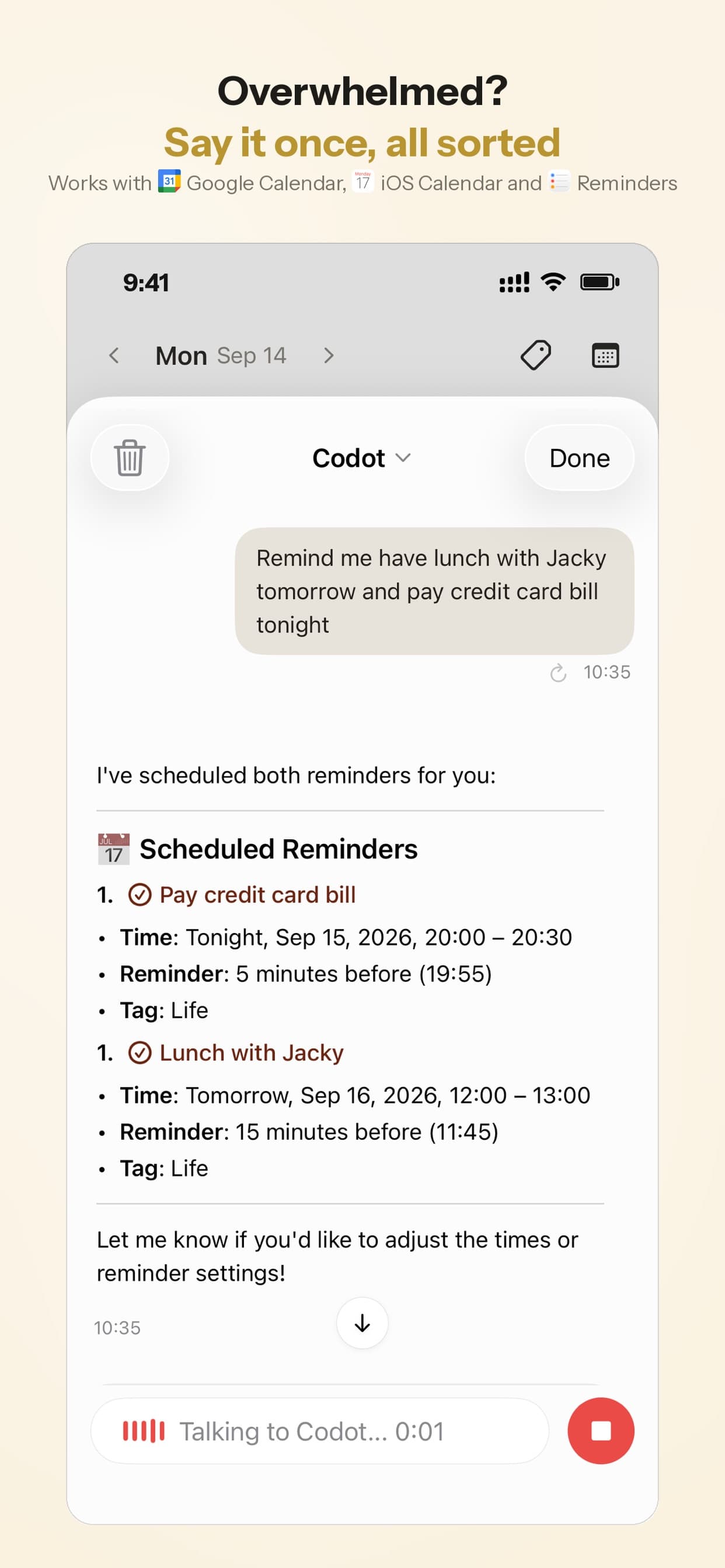
Say the week the way you'd tell a friend, and let the assistant turn it into calendar entries. Kasia is on the sofa. She opens Codot and says:
"Next week I'm on mornings, Monday to Friday, six to two, and Saturday overtime six to two."
Codot creates six entries, Monday 9 November to Saturday 14 November, each 6:00 to 14:00 and titled "Morning shift" or "Overtime". It writes them into Apple Calendar on her iPhone; it can also write into Google Calendar. Saving these is on the free plan, and the week now sits next to everything else in the calendar app she already opens.
She could say the same thing in Polish: "W przyszłym tygodniu pracuję na rano, od poniedziałku do piątku, od szóstej do czternastej." Codot's speech recognition runs on a large language model, and Polish is one of the languages we've confirmed. Siri, by comparison, doesn't support Polish.
When talking is harder than the roster on the board, Kasia can photograph it. Codot can read a photo of a timetable and turn it into calendar entries; the demo below shows how to add a class schedule to your calendar from a photo. Check the result, because a roster with twenty names is harder to read than one person's week.
Then she sets the routine that makes Sunday automatic:
"Every Sunday at 7pm, ask me what my shifts are next week."
That's a scheduled automation, part of Codot Max. Codot Max allows up to 20 of them.
How do you get wake-up and leave-for-work reminders that change with the shift?
Set them for the week in the same breath as the shifts, because the times depend on which shift it is. Right after the shifts, Kasia says:
"On my morning shifts next week, wake me at 4:50 and remind me at 5:25 to leave for the bus."
Codot creates a 4:50 reminder and a 5:25 reminder for each of the six days. Timed reminders are Codot Max. On an iPhone running iOS 26 or later, a reminder that's due can ring like an alarm, which is what a 4:50 wake-up needs. On older iOS it arrives as a normal notification.

Codot sends each reminder once, and if you sleep through it, it doesn't ring again. Kasia keeps her phone's built-in alarm as a backup for the first Monday of a morning week.
On Sunday 15 November at 19:00 the routine asks her for the week. She answers:
"Afternoons, Monday to Friday, two to ten. Wake me at 10, remind me to leave at 13:15."
The new week's entries go into the calendar and the reminders move with them. On Sunday 22 November she does the same for nights: "Nights, Monday to Friday, ten to six. Remind me to leave at 21:15, and at 14:00 to get up."
Codot understands repeating periods like "every other Friday" or "on the 15th of every quarter", which helps for a regular overtime Saturday. It won't take "mornings, afternoons, nights, repeat" and fill the next year; a shift app's pattern generator does that, which is why the Sunday sentence exists.
Your ideas shouldn't wait for a keyboard. Just say it — Codot handles the rest.
Try Codot — It's Free →What happens when the foreman moves a shift?
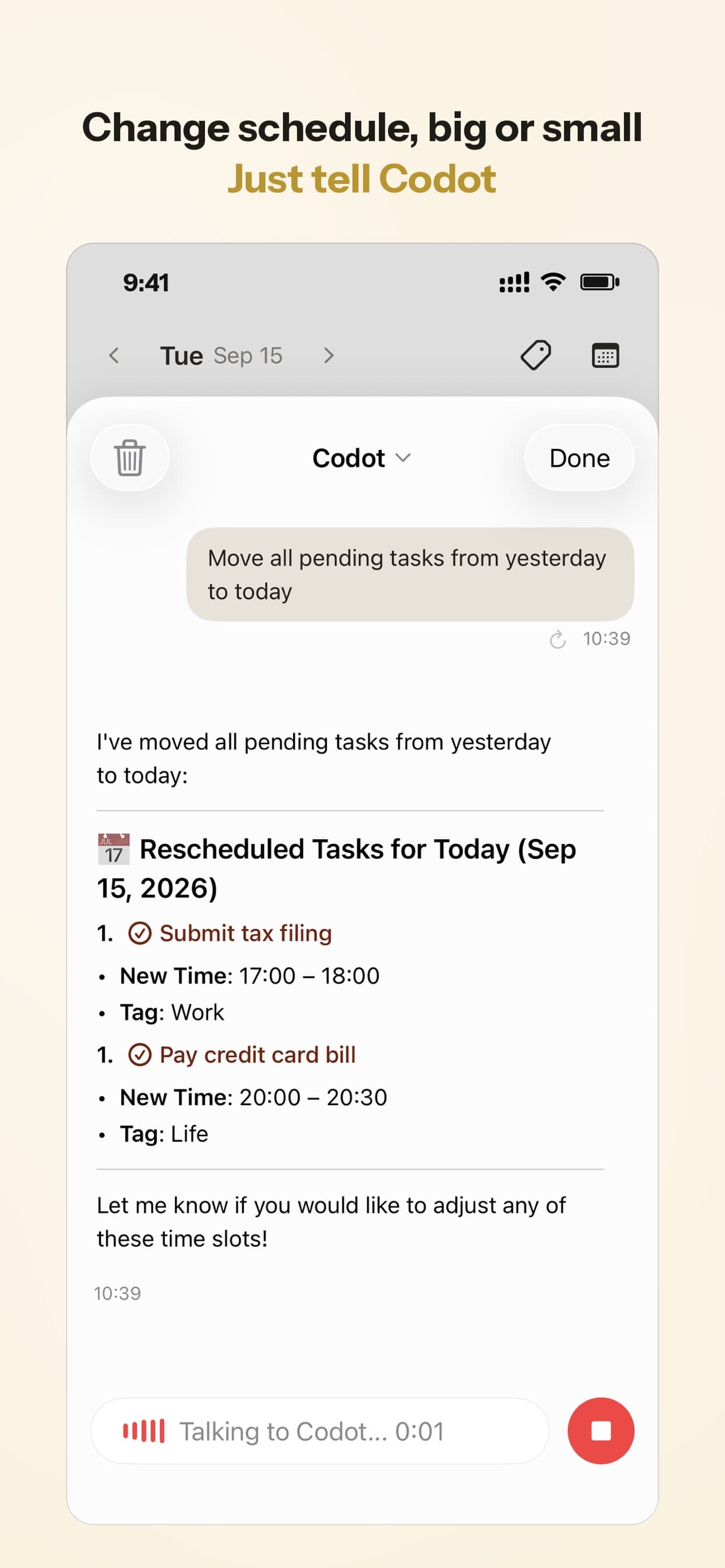
You say the change and Codot moves its own entries and reminders. On Wednesday 18 November, in the middle of afternoons week, the foreman asks Kasia to swap Thursday to mornings because someone is off sick. On her break she says:
"Thursday I'm on mornings instead, six to two. Move my reminders to match."
Codot moves Thursday's entry to 6:00–14:00 and her Thursday reminders to 4:50 and 5:25. It can only move entries it created.
Which afternoons am I free next week? Fitting the doctor, a parcel and a birthday around nights
Ask Codot in plain words, and it answers from the shifts and plans you've told it. On Friday 20 November, Kasia knows nights are next. She says:
"Which days next week am I free in the afternoon?"
Codot checks what it holds for 23 to 29 November: night shifts Monday to Friday from 22:00, a wake-up at 14:00, nothing at the weekend. So she's free weekday afternoons from about 14:30 until her 21:15 bus, and all weekend. It can't see appointments she typed into her calendar elsewhere, so the answer is only as complete as what she's told Codot.
Three things then fit into that week:
- The doctor. The clinic offers Wednesday 25 November at 15:30. She takes it and says "Doctor Wednesday the 25th at 15:30, remind me at 15:00."
- A parcel. "My parcel is in the locker by the supermarket, remind me Monday at 16:00 to pick it up." A one-line reminder on the first afternoon of nights week.
- Ola's birthday. It's Thursday 26 November and the dinner starts at 18:00. "Ola's birthday dinner Thursday 18:00 to 20:30, and remind me Wednesday at 16:00 to buy a present." The calendar shows she has to leave early for the 22:00 shift.
Saving the appointment and the dinner as calendar entries is free; the timed reminders are Codot Max.
How do you close out a shift without thinking about it?
Use a short evening review routine timed to the end of the current shift. On morning weeks Kasia has one that runs at 15:00 on weekdays:
"Every weekday at 3pm, ask me what's left to do today and what I need for tomorrow."
She answers "buy bread, pay the electricity bill, wash the work trousers," and those become tasks for the afternoon. On afternoons week she says "Move my after-shift check to 22:30 this week," and on nights to 6:30. Codot doesn't know when your shift ends, so moving the routine is part of the Sunday sentence.
The daily briefing has a fixed time: it's generated every morning at 7:00, on iPhone only, with your reminders, a summary and news. On morning weeks Kasia reads it on the bus home; on nights week it arrives as she gets in. For a shift worker, the timed reminders are the Max feature we'd value most.
What is the best app for a rotating shift schedule?
The best app depends on how predictable your rotation is. We'd choose like this:
- If your rotation is fixed for months, start with a shift calendar app. Supershift applies a pattern up to two years ahead and sets a wake-up time per shift type; My Shift Planner adds pay calculations; Spoke fills the calendar from a rotation. All three are free to start.
- If your roster changes week to week, Codot fits better: you say the week as it is, ask what's free and fit appointments around it by voice. The moving reminders and Sunday check-in are Codot Max.
- Using both works: a shift app for the long-range pattern and hours, Codot for what you need to remember around the shifts. Codot won't read the shift app's entries.
Codot has been running for almost two years, and more people use it every month. For a closer look at the calendar side, see the best voice calendar apps for iPhone and Android and Google Calendar alternatives for iPhone. If iPhone alerts stay silent, our fixes for reminders that don't go off cover Focus modes and notification settings.
What Codot doesn't do for shift workers
Codot doesn't have a rotation-pattern generator, so it can't take a three-week cycle and fill the calendar months ahead; you tell it each week, or the dates you know. It doesn't read events already in your calendar, it writes its own entries into Google Calendar, Apple Calendar and Apple Reminders, and that's one-way. It doesn't swap shifts with coworkers, share a roster with your team, track hours worked or calculate pay and overtime. A reminder you don't respond to isn't sent again.
On the free plan you keep voice input, tasks, calendar entries and notes. Timed and repeating reminders, the daily briefing and scheduled automations like the Sunday check-in need Codot Max: $12.99 a month or $99.99 a year, with 20x the free plan's usage. Every new account gets 7 days of Codot Max free, which covers one full week of a rotation. When the trial ends you go back to the free plan without being charged.
FAQ
What is a rotating shift schedule?
A rotating shift schedule moves workers through different time blocks, such as mornings, afternoons and nights, on a repeating cycle so work runs around the clock. One example is a weekly three-shift rotation of 6:00–14:00, 14:00–22:00 and 22:00–6:00.
What is the best app for a rotating shift schedule?
For a fixed pattern, Supershift and My Shift Planner fill the calendar from a rotation you set once, with paid tiers from $9.99 a year as of November 2026. For a roster that changes week to week, Codot takes next week's shifts as one spoken sentence and writes them into Apple or Google Calendar for free.
Is there a free shift work calendar app for iPhone?
Yes. Supershift, My Shift Planner and Spoke: Shift Days are free to download with paid upgrades, and Codot's free plan saves shifts said by voice as calendar entries. Codot's timed wake-up reminders need Codot Max at $12.99 a month.
Can Codot set wake-up reminders that change with my shift?
Yes, on Codot Max. You say the times for the week, such as 4:50 on mornings or 10:00 on afternoons, and Codot sets them for each day. On iOS 26 and later a reminder can ring like an alarm, and each reminder is sent once.
Does Codot understand Polish?
Yes. Codot's voice input understands Polish, so you can say your shifts in Polish and get calendar entries back. Siri doesn't support Polish.
If your next Sunday evening should end with the whole week in your calendar and the alarms already set, get Codot on the App Store.
Productivity & Tools Desk
This article was created with AI assistance and reviewed by our editorial team.Learn about our content process.