Nurse Schedule App (2026): 7 Fixes for 12-Hour Day and Night Shifts, From Wrong Alarms to Missed Renewals
A nurse schedule app for 12-hour days and nights: turn the posted schedule into calendar entries, get wake-up reminders per shift, and compare NurseGrid and Supershift.
A nurse schedule app keeps 12-hour day and night shifts in one calendar. NurseGrid is free and adds shift swaps with coworkers; Supershift and My Shift Planner fill a calendar from a rotation pattern. Codot, a voice AI assistant for iPhone, turns the posted schedule said in one sentence into Apple or Google Calendar entries for free, and adds per-shift wake-up reminders and a Sunday week plan on Codot Max ($12.99 a month).
Disclosure: Codot is our product. Renee, the nurse in the examples below, is fictional, and so are her dates. Codot prices are from codot.ai; NurseGrid, Supershift and My Shift Planner details are from their App Store listings and ShiftWizard's from HealthStream's own page, checked November 5, 2026.
TL;DR:
- 12-hour days and nights break ordinary calendars: the schedule arrives in four-to-six-week blocks and each shift type needs its own wake-up time.
- Say or photograph the new schedule once and Codot writes each shift into Apple Calendar or Google Calendar. Saving shifts as calendar entries is on the free plan.
- Wake-up and leave-for-work reminders that follow each shift are Codot Max. On iOS 26 and later a reminder can ring like an alarm.
- Life admin fits on the days off: license renewal, the dentist and bills each become one dated task, and a Sunday-evening routine (Codot Max) lists next week's shifts and the errands that fit.
- Keep patient information out of Codot and every consumer app. Post-shift notes are for your own things: requests, in-services, what you want to learn.
- Schedule in blocks, life around it? Codot handles shifts, per-shift alarms and days-off errands; NurseGrid, free, is the pick for swapping shifts with coworkers.
At a glance
- NurseGrid is free on the App Store; its listing offers to "Swap shifts with other nurses" and "Compare calendars with colleagues for swaps or off-duty plans" (App Store).
- Supershift is free with Pro at $3.99 a month, $9.99 a year or $39.99 lifetime; the listing says "Assign a wake-up time to each shift type once," and calendar export to Apple, Google or Outlook is Pro (App Store).
- My Shift Planner is free with a Pro Pack at $0.99 a month, $9.99 a year or $49.99 lifetime; it lists "Shift alarms and notifications" and earnings and overtime tracking (App Store).
- ShiftWizard is HealthStream's scheduling software sold to hospitals; staff use it through their employer, the same way many nurses use UKG (formerly Kronos) (HealthStream).
- Codot: voice input, tasks, calendar entries and notes are free; timed and repeating reminders, the daily briefing and scheduled automations are Codot Max at $12.99 a month or $99.99 a year (20x the free plan's usage), with a 7-day free Max trial (codot.ai).
Why does a nurse's schedule fall apart in a normal calendar?
A nurse's schedule falls apart because three things change at once: the shift days, the shift type and the wake-up time. A typical RN works three 12-hour shifts a week, days from 7:00 a.m. to 7:30 p.m. and nights from 7:00 p.m. to 7:30 a.m., in whatever order the unit needs. The manager posts the schedule in blocks in the hospital's scheduling system, and a phone calendar knows none of it until you copy it over.
The hospital's system says where you have to be. You also need your own calendar with the shifts in it, and alarms that know which shift is next. Each problem below is one way that gap shows up, with the setting in Codot that closes it.
Why does a new six-week schedule take an hour to type in?
It takes an hour because you are copying 18 shifts, one tap at a time, from a screenshot into a calendar. Say the shifts in one sentence instead, or send a photo, and let Codot write the entries.
When Renee's next block posts, she says the first two weeks:
"New schedule: days Monday the 16th and Tuesday the 17th, 7 a.m. to 7:30 p.m.; a night Saturday the 21st, 7 p.m. to 7:30 a.m.; nights Monday the 23rd and Tuesday the 24th; and a day Friday the 27th."
Codot creates six calendar entries, each with the right start and end. Night shifts run past midnight, so the Saturday night ends at 7:30 a.m. on Sunday the 22nd. Codot writes them into Apple Calendar on the iPhone, or into Google Calendar instead. Saving shifts as calendar entries is on the free plan, and they land in the calendar app you already open.
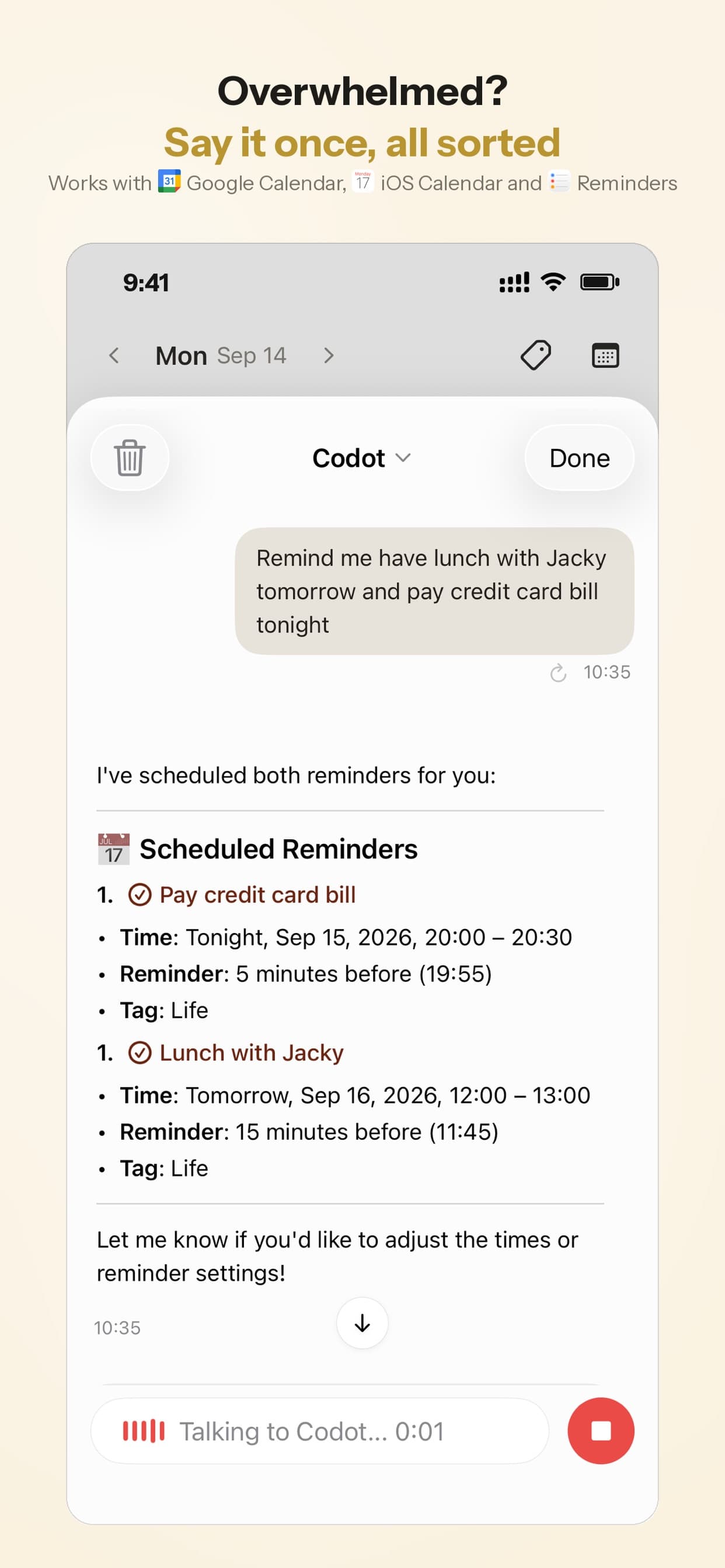
For the rest of the block, use the screenshot. Codot can read a photo of a schedule and turn it into calendar entries; the demo below uses a class timetable, which is the same job. A unit schedule lists every nurse, so crop it to your own row first and check the dates Codot reads back before you confirm.
Why does my alarm still ring at 5:15 a.m. after a night shift?
It rings because a repeating phone alarm follows the days of the week, and it has no idea you worked until 7:30 this morning. Attach the wake-up time to the shift type, so the alarm moves when the schedule does. Right after the shifts are in, say one sentence per shift type:
"Before every day shift in this schedule, wake me at 5:15 a.m. and remind me at 6:15 to leave. Before every night shift, wake me at 3 p.m. and remind me at 6:10 p.m. to leave."
Codot attaches a 5:15 a.m. and a 6:15 a.m. reminder to each day shift, and a 3:00 p.m. and a 6:10 p.m. reminder to each night shift. The morning after a night has nothing on it. Timed reminders are Codot Max. On an iPhone with iOS 26 or later, a reminder that comes due can ring like an alarm, which is what a 5:15 wake-up needs; on older iOS it arrives as a normal notification.

Each reminder is sent once and doesn't repeat if you sleep through it, so keep the phone's built-in alarm as a backup after a run of nights. These reminders get you up and out the door. How to sleep around nights is a separate question, and NIOSH's training for nurses on work schedules is a better place for it than we are.
Why do my reminders end up on the wrong day after a shift swap?
They end up there because the swap happened in the hospital's system and nothing told your phone. Make the swap in the hospital's system as usual, then tell Codot in one sentence:
"My night on Tuesday the 24th moved to Wednesday the 25th, move the reminders with it."
Codot moves its calendar entry and the two reminders attached to that shift.
Why does my license renewal always sneak up on me?
It sneaks up because the deadline is months away and lives on a letter on the counter, while the CE hours are a number you keep meaning to check. Turn it into two dated reminders the day you notice it:
"My RN license renewal is due January 31. Remind me December 1 to check my CE hours, and January 5 to submit the renewal."
Codot creates both reminders, and each fires on its date. The January 31 date here is an example; the real deadline and the number of CE hours come from your state board of nursing. Reminders at a set time are Codot Max.
Your ideas shouldn't wait for a keyboard. Just say it — Codot handles the rest.
Why do the dentist and the bills land on the day I'm sleeping off a night?
They land there because you book them when you remember, without the shifts in front of you. Once the shifts are in your calendar, pick a real day off and say everything at once:
"Dentist Thursday December 3 at 10."
"Pay the car insurance on the 20th of every month."
Codot creates a calendar entry for the dentist and a repeating bill reminder. In the example, December 3 was chosen because the calendar shows it as a day off and not the day after two nights. Say several of these in one breath and Codot splits them into separate tasks.
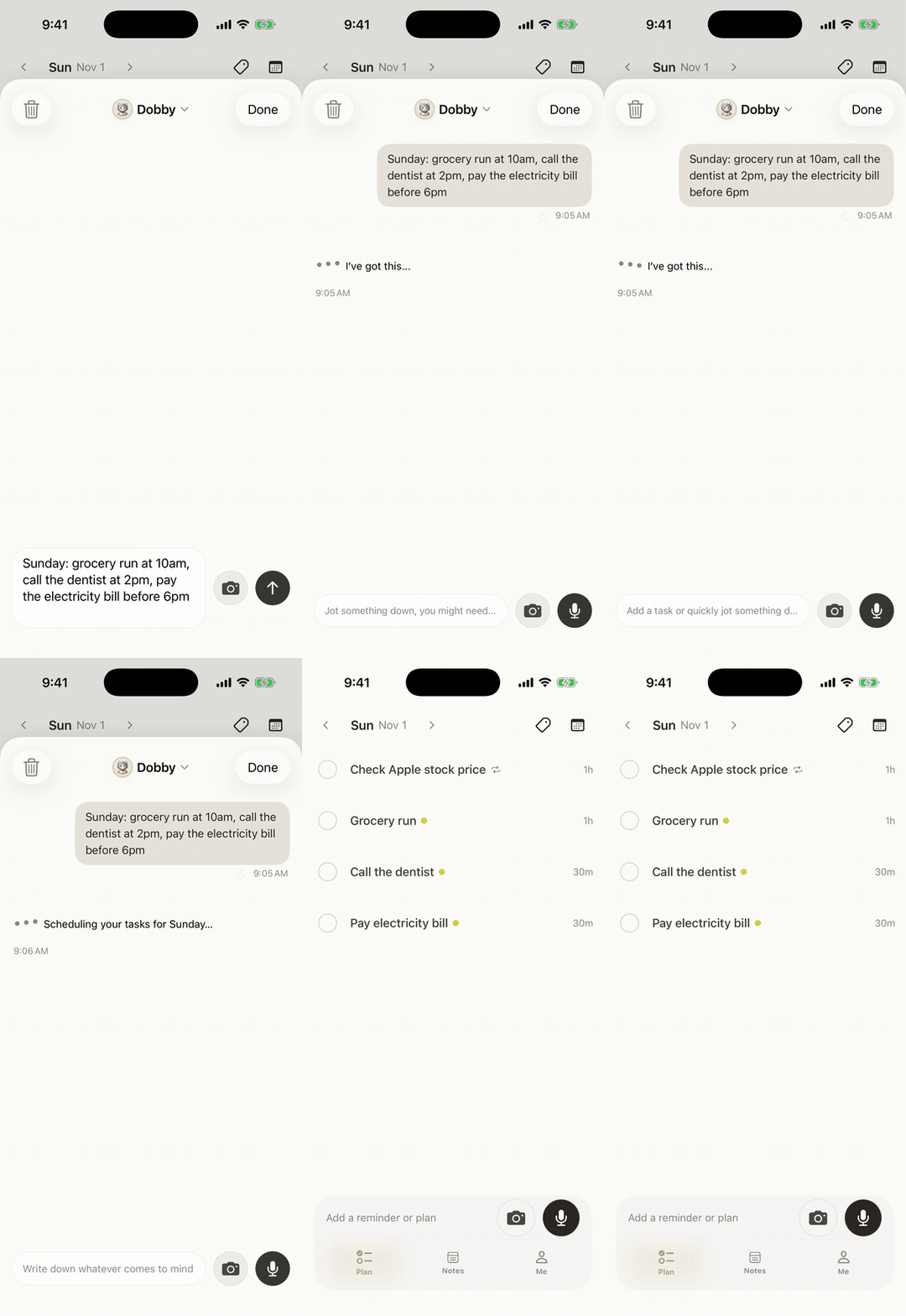
The dentist entry and plain tasks are free. Repeating reminders, such as the 20th of every month, are Codot Max.
Why can't I see what fits around this week's shifts?
You can't see it because the shifts sit in one place and the errands sit in your head. Set one Sunday-evening routine that puts them side by side:
"Every Sunday at 7 p.m., list my shifts for the coming week and tell me which of my errands fit on my days off."
Scheduled automations are a Codot Max feature, and Codot Max allows up to 20. In Renee's example week, the Sunday list reads: night Monday 23rd, night Wednesday 25th (after the swap), day Friday 27th. Days off are Tuesday, Thursday (Thanksgiving) and Saturday. Her open errands are an oil change, a prescription refill pickup and a CE module, so Codot suggests Tuesday afternoon for the oil change and the pharmacy, and Saturday for the module.
The routine answers from what you have told Codot, so when someone books you for dinner, say it once and it shows up in the Sunday list too. Codot also makes a daily briefing on iPhone every morning at 7:00, but on day shifts you are already at work by then, so the Sunday list is the one to plan from.
Why do I forget what I meant to ask after a shift, and what should never go in my notes?
You forget because the shift ends and the drive home starts before you write anything down. Say your own to-dos from the shift before you drive off, and leave every detail about patients out. Renee's look like this, said in the parking garage at 7:50 p.m.:
"Note: ask the manager about the December 24 request. IV pump in-service is December 2. Look into the telemetry CE course the educator mentioned."
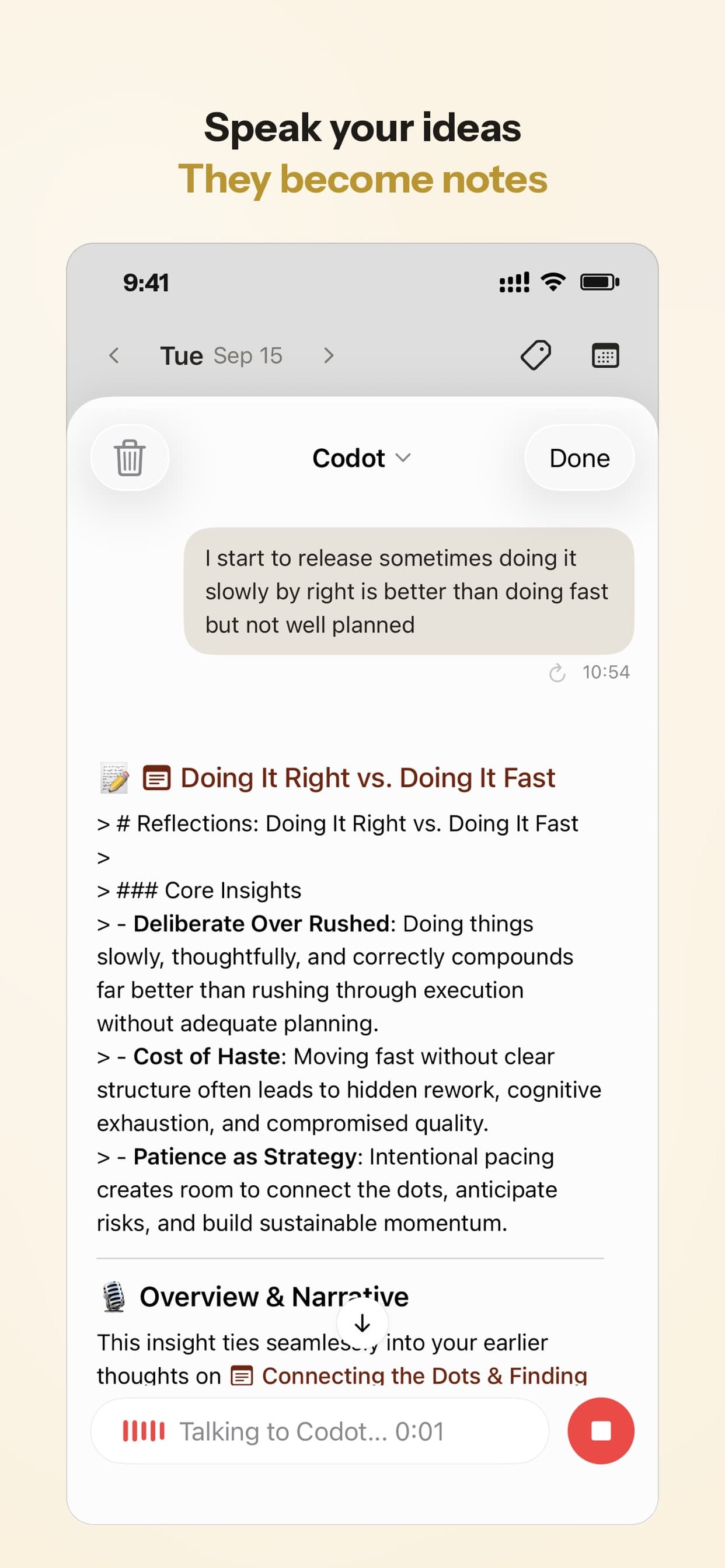
Codot saves it as a personal note with a title and points, and any line can become a task. The December 2 in-service goes on the calendar.
Never put patient information in Codot, and the same goes for any consumer notes, reminder or AI app. That means no names, room numbers, dates of birth, diagnoses, medications, or anything that could identify a patient from a shift. HHS describes the HIPAA Privacy Rule as protecting "individually identifiable health information," and you can read the rule's scope on the HHS HIPAA Privacy Rule page. Codot encrypts your data and doesn't sell it; it is still not a system for health records. Clinical documentation belongs in your hospital's charting system, under its policies.
What is the best nurse schedule app?
Use Codot when your schedule comes in blocks and the rest of your life has to fit around it: shifts into your calendar, alarms per shift type, errands and renewals on your days off. Otherwise, the best nurse schedule app depends on what you need besides seeing your shifts. We'd choose like this:
- If your schedule comes in blocks and the rest of your life has to fit around it, use Codot: you say or photograph the block, get wake-up reminders per shift, and plan errands, renewals and appointments by voice.
- If you want to swap shifts and see who's working with you, NurseGrid is free and built for exactly that, with a personal calendar alongside your shifts.
- If your shifts follow a fixed pattern for months, Supershift and My Shift Planner fill the calendar from a pattern you enter once. My Shift Planner also tracks earnings and overtime; both have paid tiers from $9.99 a year.
- The hospital's own system (ShiftWizard, UKG and others) stays the place for availability, swaps and time-off requests. None of the personal apps here replace it.
Plenty of nurses would use two: NurseGrid for the shifts, Codot for what happens around them. Codot handles your side of the schedule: the calendar entries, the alarms and the errands. The hospital's system still handles swaps, time-off requests and hours, and Codot writes into Apple or Google Calendar without reading the events already there. Codot has been running for almost two years, and more people use it every month.
For more, see our rotating shift calendar walkthrough, how to add a schedule to Google Calendar or iPhone Calendar from a photo, and fixes for iPhone reminders that stay silent.
How to set it up before your next block is posted
- Install Codot on your iPhone from the App Store and connect Apple Calendar or Google Calendar.
- When the schedule posts, say the first two weeks in one sentence, or crop a screenshot to your row and send the photo.
- Add wake-up and leave reminders per shift type: "Before every day shift, wake me at 5:15 a.m.; before every night shift, wake me at 3 p.m."
- Set the Sunday routine: "Every Sunday at 7 p.m., list my shifts for the coming week and which errands fit on my days off."
- Put your license renewal, CE check and recurring bills in as dated tasks.
New accounts get 7 days of Codot Max free, enough to run a full week with the alarms and the Sunday routine on. When the trial ends you go back to the free plan without being charged.
What does Codot cost for a nurse?
The free plan covers what most nurses need to start: shifts saved as calendar entries, tasks, notes and voice input.
Timed and repeating reminders, the daily briefing and scheduled automations like the Sunday list need Codot Max: $12.99 a month or $99.99 a year, with 20x the free plan's usage. The daily briefing is iPhone only.
FAQ
What is the best free nurse schedule app?
NurseGrid is free and lets nurses swap shifts and compare calendars with colleagues. Codot's free plan saves shifts said by voice as Apple or Google Calendar entries, and Supershift and My Shift Planner are free to start with paid upgrades from $9.99 a year as of November 2026.
Can Codot set different alarms for day and night shifts?
Yes, on Codot Max. Say one wake-up time for day shifts and another for nights, and Codot attaches them to each shift. On iOS 26 and later a reminder can ring like an alarm.
Is it safe to write patient details in a nurse planner app?
No. Keep names, room numbers, diagnoses and anything else that identifies a patient out of Codot and every consumer app; HHS explains what the HIPAA Privacy Rule protects on its HIPAA pages. Use personal notes only for your own to-dos.
How do I get my posted nurse schedule into my iPhone calendar?
Say the shifts to Codot in one sentence, or send it a cropped photo of your row, and Codot writes each shift into Apple Calendar or Google Calendar on the free plan. Swaps and time-off requests stay in your hospital's system, such as ShiftWizard or UKG.
If your next posted block should end up in your calendar with the alarms already set, get Codot on the App Store.
Productivity & Tools Desk
This article was created with AI assistance and reviewed by our editorial team.Learn about our content process.