Todoist for a Handyman Business (2026): A Free Setup for Jobs, Parts and Friday Invoicing
A Todoist setup for a one-person handyman: one inbox for calls, labels for parts and quotes, a Friday invoicing task, and where you need job software instead.
Todoist works for a one-person handyman as a job and errand list: send every call to the Inbox, keep a few projects (jobs, quotes, supply run, admin), tag tasks with labels like need-parts or waiting-on-customer, and add a recurring Friday task for invoicing. The free plan allows 5 projects and 3 filter views. Todoist can't send quotes, invoices or take payments; for that you need job software such as Jobber or Housecall Pro.
Disclosure: Codot is our product. It appears in this guide as one option for capturing calls by voice. None of us runs a handyman business; the Todoist details below come from Todoist's own pricing and help pages, checked on November 3, 2026, and linked where they appear.
TL;DR:
- Todoist is a good free handyman task list if you keep it small: one Inbox for every call, four projects, three labels and one recurring Friday task.
- The free plan caps you at 5 projects and 3 filter views (Todoist pricing, as of November 3, 2026), so a project per customer house runs out in the first week. Use labels and task names for the address instead.
- Ramble, Todoist's voice capture, gives free users 10 sessions a month. That covers a few brain dumps from the van, not every call.
- Todoist stops at the money. Quotes, invoices, payments and a record of what you did at each house belong in job software like Jobber (from $29 a month billed annually) or Housecall Pro (from $59 a month billed annually).
- The catch: Todoist is very structured. That keeps the list tidy, and it also means several taps and decisions for every job you add, which is the step that gets skipped on a busy day.
- Codot turns one spoken sentence into a task, a calendar entry and a note about the customer, which suits the "call came in while I was on a ladder" problem. It doesn't quote, invoice or dispatch.
Why a handyman's to-do list is different
A one-person handyman has thirty short jobs instead of one long project: a dripping tap on Monday, a fence panel and two smoke alarms on Tuesday, and a "while you're here, could you look at the door?" at every stop. Most of those small promises get made with a drill in one hand.
So capture has to take seconds, every task needs an address attached ("fix latch" means nothing by Thursday), and the list has to answer three questions fast: what do I need from the supply store, who am I waiting on, and which quotes haven't gone out yet.
Todoist can answer all three on the free plan if you set it up for them. It can't answer "has this customer paid?" and you shouldn't try to make it.
A Todoist setup that fits a one-person handyman
Send every call to the Inbox
Every new job, callback and "can you also" goes into the Inbox first, with the address or street in the task name: "Maple St: gate latch sticks, quote by Thu". Sort it once a day, in the van or at lunch, so you never decide where something goes while standing in someone's kitchen.
Use four projects, not one per house
The free Beginner plan gives you "5 personal projects" (Todoist pricing), so a project per customer house runs out fast. Pro raises it to 300, but thirty tiny projects also make the week harder to see. What works better for small jobs and many customers:
| Project | What goes in it |
|---|---|
| Jobs | Booked work, one task per job, address first ("Oak Ave: replace 2 smoke alarms") |
| Quotes | Jobs you looked at and owe a price on |
| Supply run | Parts and materials, one task per item |
| Admin | Invoicing, insurance, tax, van service |
A bigger renovation that runs for weeks can get its own project for as long as it lasts. Most handyman work doesn't need one.
Three labels do most of the work
Labels work on the free plan, and Todoist says "you can add as many labels as needed" (Todoist help: labels). Type % in the task name to add one; the older @ shortcut is due to be retired by the end of 2026.
We'd start with exactly three:
- %need-parts on any job that can't start until you buy something
- %waiting-on-customer when the ball is in their court: picking a tile, sending a photo, confirming a date
- %quote-to-send when you've seen the job and owe a number
Then save filter views for the questions you ask every day. Todoist filters accept queries like (today | overdue) & %work (Todoist help: filters), so for a handyman:
- Before the supply store: %need-parts | #Supply run
- Monday follow-ups: %waiting-on-customer | %quote-to-send
- Today: today | overdue
That uses up your 3 free filter views.
A recurring Friday invoicing task
Small jobs get billed late because each one feels too small to sit down for. Add one recurring task to Admin: "Send this week's invoices and chase unpaid every fri at 3pm". Todoist reads plain phrases like every fri at noon as recurring dates (Todoist help: recurring dates).
Use every here and not every!. With every!, the next date counts from when you complete the task, so one late Friday pushes all the following ones to Monday.
The supply store list
Keep one task per item in Supply run, with the job in brackets: "1/2 in PEX elbows x4 (Oak Ave)". At the counter you tick them off, and the brackets tell you which jobs are now unblocked so you can remove %need-parts from them.
Todoist can remind you when you arrive somewhere, but its pricing page puts custom reminders, including ones triggered "based on your location", on Pro only.
Ramble for capture between jobs
Ramble is Todoist's voice capture: you talk, and tasks appear as you go, on iOS, Android, web, Mac, Windows and Wear OS (beta). Free users get 10 sessions a month, counted only when at least one task comes out, and Pro is unlimited (Todoist help: Ramble).
Ramble needs an internet connection, which basements don't always have, and Todoist says it "isn't optimized for assistance requests". It writes down tasks; it won't move tomorrow's 9 a.m. job because the customer called to push it. Ten sessions covers a couple of end-of-day brain dumps from the van each week, not every call.
What Todoist costs a handyman (as of November 3, 2026)
| Beginner (free) | Pro | |
|---|---|---|
| Price | $0 | $7/month, or $60/year |
| Personal projects | 5 | 300 |
| Filter views | 3 | 150 |
| Ramble voice capture | 10 sessions a month | Unlimited |
| Location reminders | Not included | Included |
| Calendar layout | Not included | Included |
Source: Todoist pricing and Ramble help.
For a solo handyman, free is enough to start. Pay for Pro once you notice you're out of Ramble sessions halfway through the month or keep wishing for a fourth filter.
The trade-off: structure and taps
Todoist's structure is why this setup works: one Inbox, four projects, three labels, three filters. It's also why it can feel slow when the calls stack up. Each new job asks for a project, a date and maybe a label, and with eight small jobs a day plus the calls about next week's, the filing becomes a chore you put off until the evening.
On the phone that filing is several taps: open the app, tap add, type the job, then pick the date, the project and the label, and save. You can type it in one line (Fix gate latch 14 Oak Ave #Jobs %need-parts thu), but that means remembering the symbols while you're up a ladder. If you have ADHD, those extra steps are exactly where jobs slip through; we cover that in Todoist for ADHD.
Your ideas shouldn't wait for a keyboard. Just say it — Codot handles the rest.
Where Todoist stops: quotes, invoices, payments and customer history
Todoist knows that "Oak Ave: replace 2 smoke alarms" is done. It doesn't know what you charged, whether they paid, or that you were at the same house in March for a leaking trap. A handyman with many small customers needs that history the second time the phone rings.
That's what field-service apps are for. Two common ones, with list prices for one user:
- [Jobber](https://www.getjobber.com/pricing/): the Core plan is $29 a month billed annually, $39 with a one-year commitment paid monthly, or $49 month to month. It includes quotes, invoices with online payments and a client manager.
- [Housecall Pro](https://www.housecallpro.com/pricing/): the Basic plan is $59 a month billed annually or $79 monthly for one user, with estimates, invoicing and online payments.
Prices are as of November 3, 2026, in US dollars before tax. If you send fewer than a few quotes a week, Todoist plus your accounting software's invoice feature is cheaper and probably enough. Once you start losing track of who paid, the monthly fee starts to make sense. Our guide to running a handyman business covers pricing and the weekly admin routine, and our roundup of contractor scheduling apps compares the free options.
Codot: when the call comes in while you're on the ladder
Codot is an AI assistant you talk to. You say one sentence and it turns it into tasks, calendar events, follow-ups and notes about people. It also sorts your Gmail or Outlook inbox and drafts replies to the important emails, sends a daily briefing, and runs scheduled automations. On iPhone you can start from the lock-screen widget or an Apple Watch. It syncs with Google Calendar, and on iPhone it can also put tasks into Apple Calendar and Apple Reminders.
A typical moment: you're halfway down a ladder in a hallway on Maple Street when the customer mentions the side gate won't latch, they're away next week, and their neighbour two doors down needs a dryer vent cleaned. Back in the van you say: "Quote the Maple Street gate latch by Thursday, they're away from the 10th, and add a dryer vent job for their neighbour at number 14, call her Monday." Codot makes the quote task with its deadline, a Monday call reminder, and a note on the customer's contact that they're away from the 10th. Next time they ring, the note is there.
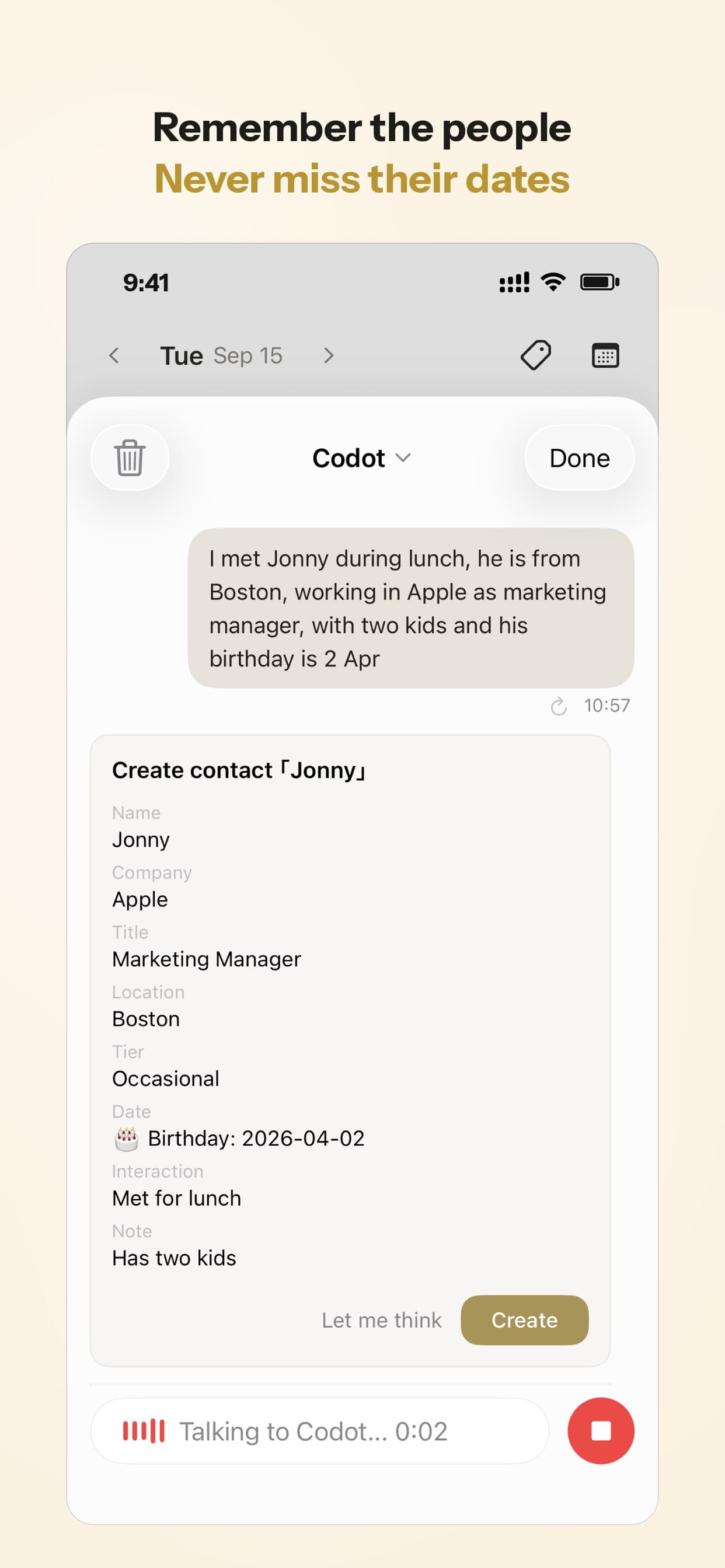
The part about remembering people is a personal CRM: it remembers people, what they said, and how to follow up with unsold customers using a consistent day-by-day schedule. It's not a business CRM. The business side is missing entirely: Codot doesn't do sales pipelines, quotes or estimates, invoicing, job costing, team dispatch or a customer portal. It can log a receipt from the supply store as an expense record, but that's bookkeeping for you, not a bill for the customer.
It also isn't a list manager in the Todoist sense. There are no labels or saved filter views, and it doesn't import from Todoist. If you like your label system, keep Todoist for the list and use Codot for capture, calendar changes and customer notes.
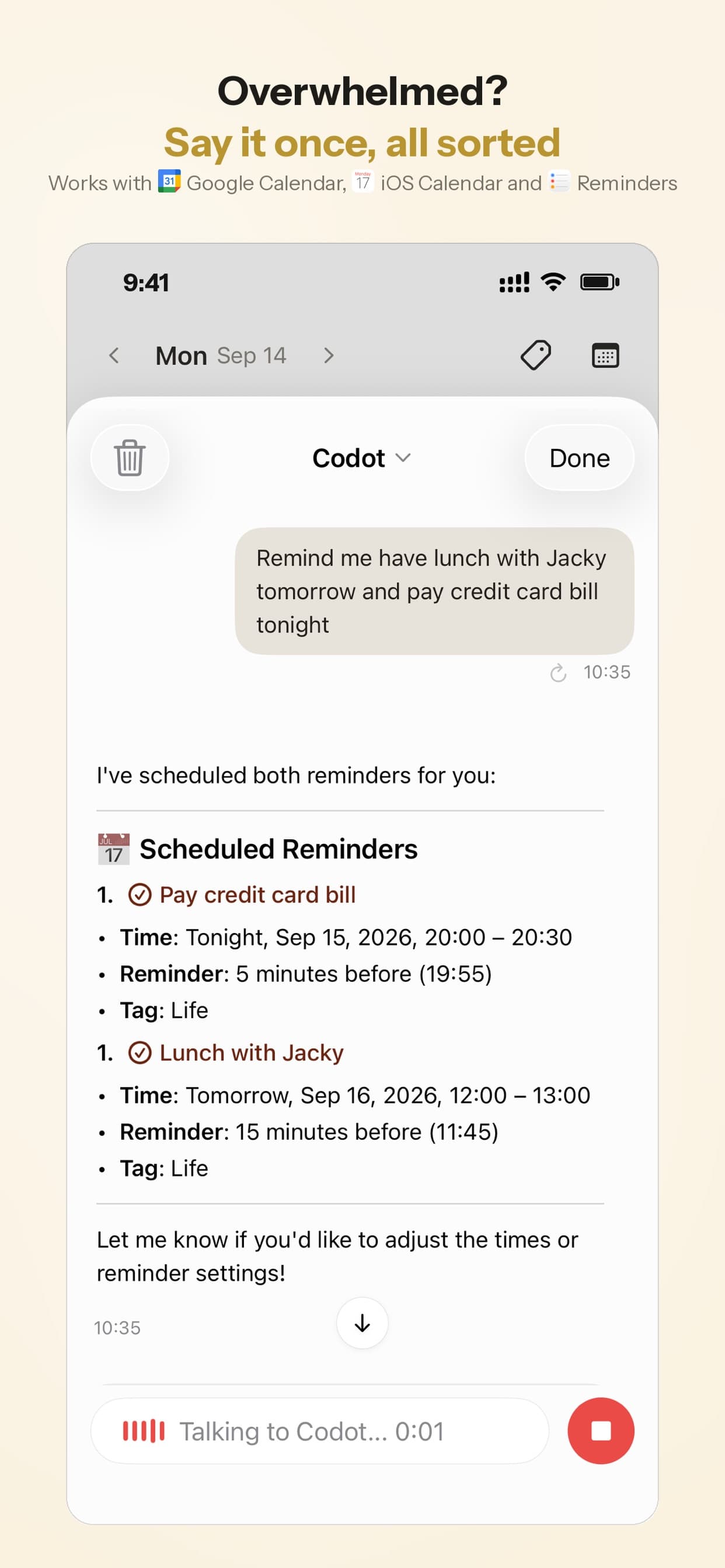
Pricing: Codot's free plan covers tasks, the calendar, notes, the personal CRM, habits, calorie logging and expenses. Reminders at a set time, repeating tasks, daily briefings, scheduled automations and email triage are part of Codot Max ($12.99 a month or $99.99 a year, with 20x the free plan's usage). Every new account gets 7 days of Max free, then drops back to the free plan without charging you.
How to choose
- You mostly need a handyman job list and a supply-run list: Todoist free, set up as above.
- You run out of Ramble sessions or filters: Todoist Pro at $60 a year.
- Calls and "while you're here" requests arrive while your hands are full, and you forget what each customer told you: Codot, alone or next to Todoist.
- You're chasing unpaid invoices or retyping quotes: a field-service app like Jobber or Housecall Pro, and keep the task app for everything that isn't billing.
If you're starting to take on bigger jobs with subs and permits, our piece on virtual assistants for contractors looks at when it's worth handing the phone to someone else.
FAQ
Is there a free app for a handyman job list?
Yes. Todoist's free plan gives you 5 projects, 3 filter views and unlimited labels, which is enough for a solo handyman's jobs, quotes, supply run and admin. The job software we priced above, Jobber and Housecall Pro, has no free plan for one user.
Can Todoist send quotes or invoices?
No. Todoist tracks tasks. You can keep a "quote to send" label and a weekly invoicing reminder, but the quote and the invoice themselves have to come from job software or your accounting tool.
Should I make a Todoist project for each customer?
Usually not. With 5 projects on the free plan and dozens of small customers, put the street or customer name at the start of each task and use labels for status. Give a project only to a job that runs for weeks.
How is Codot different from Todoist?
Todoist is a list you organize yourself with projects, labels and filters. Codot is an assistant you talk to: one sentence can create a task, change a calendar event and add a note to a customer's contact. Codot has no labels or filter views, and neither app does quotes or invoices.
If you'd rather say the job than type it, download Codot on the App Store or get it on Google Play. The free plan covers tasks, calendar and notes, and new accounts get a 7-day Codot Max trial.
Founders & Professionals Desk
This article was created with AI assistance and reviewed by our editorial team.Learn about our content process.