Stop Holding Every Task in Your Head: Voice Reminders with Codot
Every unwritten task and mental note competes for your attention. Saying it out loud the moment it appears gets it out of your head and into a reminder.
Codot is a voice-first AI assistant that lets you speak tasks, reminders and calendar events instead of typing them, so a thought leaves your head the moment it appears. It turns natural speech into organized tasks and Google Calendar events on iPhone, Android, Apple Watch and the web; timed and recurring reminders are part of Codot Max, which costs $12.99 a month on the US App Store.
Beyond Text: How Codot's Voice AI Takes Reminders Off Your Mind
TL;DR: Typing a reminder takes enough effort that many thoughts never get saved. Codot lets you say the task instead, so capturing it costs a few seconds and you can get back to what you were doing.
Most of us live with a pile of reminders: a screen full of pings that brings a jolt of anxiety rather than clarity, where each new alert feels like another item on an already crowded mental checklist.
Getting reminded isn't the hard part. Capturing the thought in the first place is, because it means stopping, unlocking a phone and typing. Codot, our product, is built to remove that step for people whose brains move faster than their thumbs.
Why do traditional reminder apps fall short?
How many times has a reminder app popped up, only for you to swipe it away? The problem is often the process around the reminder. Many tools, including the Sunsama alternatives for daily planning, expect you to stop what you're doing, unlock your phone and type.
That small amount of friction can derail a thought, especially for an ADHD mind that finds switching tasks costly. Codot doesn't create more time; it shortens the gap between having a thought and saving it, so fewer thoughts get lost to interruptions.
| Codot | Typical reminder apps | |
|---|---|---|
| Input | Speak the task | Unlock and type |
| Understanding | Reads intent, such as dates and people, from plain speech | Takes the text literally |
| Several items at once | Split into separate tasks | One entry at a time |
How does Codot turn a spoken thought into a reminder?
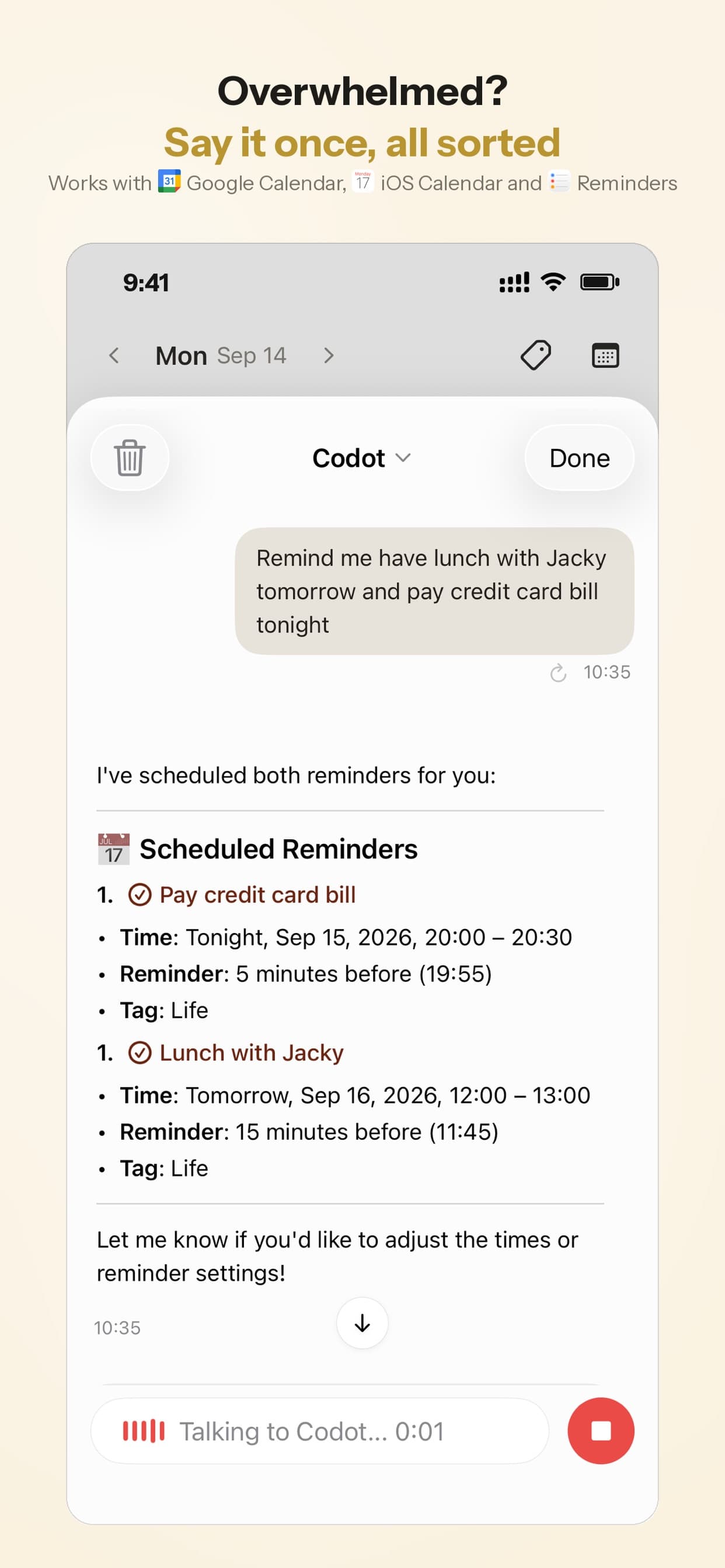
Codot is a voice-first productivity app: instead of typing a to-do list, you say it. Whether you're in the car or on a walk, you can capture the thought right away.
Say a good idea hits you during a run. Normally you'd try to hold it until you got home and probably lose it. Instead, you speak into your Apple Watch: "Remind me to research voice transcription APIs for the new feature by Friday."
Codot turns that into a task with a due date and can sync it to your Google Calendar, so the thought stops circling in your head.
Where can you capture?
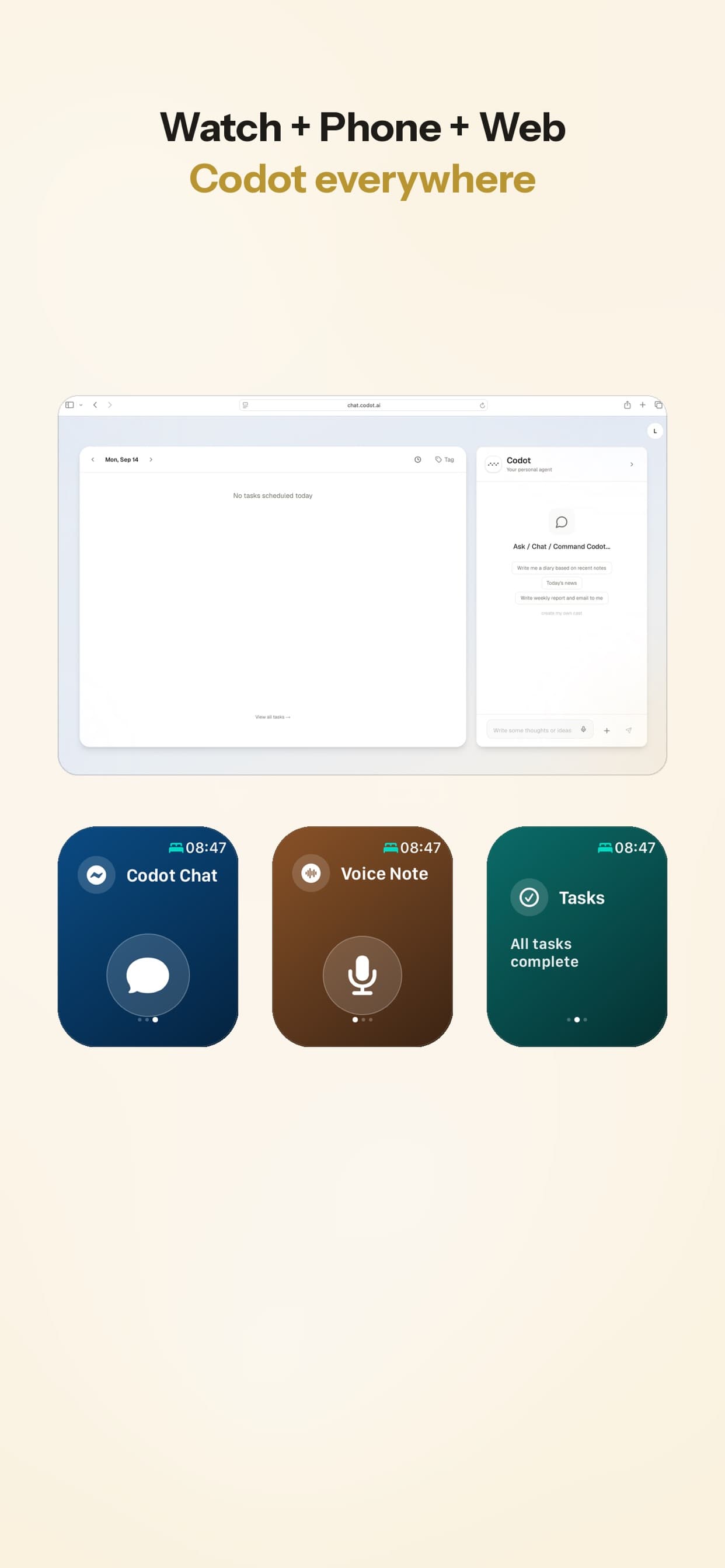
- On any device: iPhone, Android, Apple Watch, the lock-screen widget or the web.
- In plain language: you don't need keywords or a fixed format; Codot works out the task, time and people from what you say. It also helps in specialized work, such as AI-powered legal project management.
What can you say to schedule something?
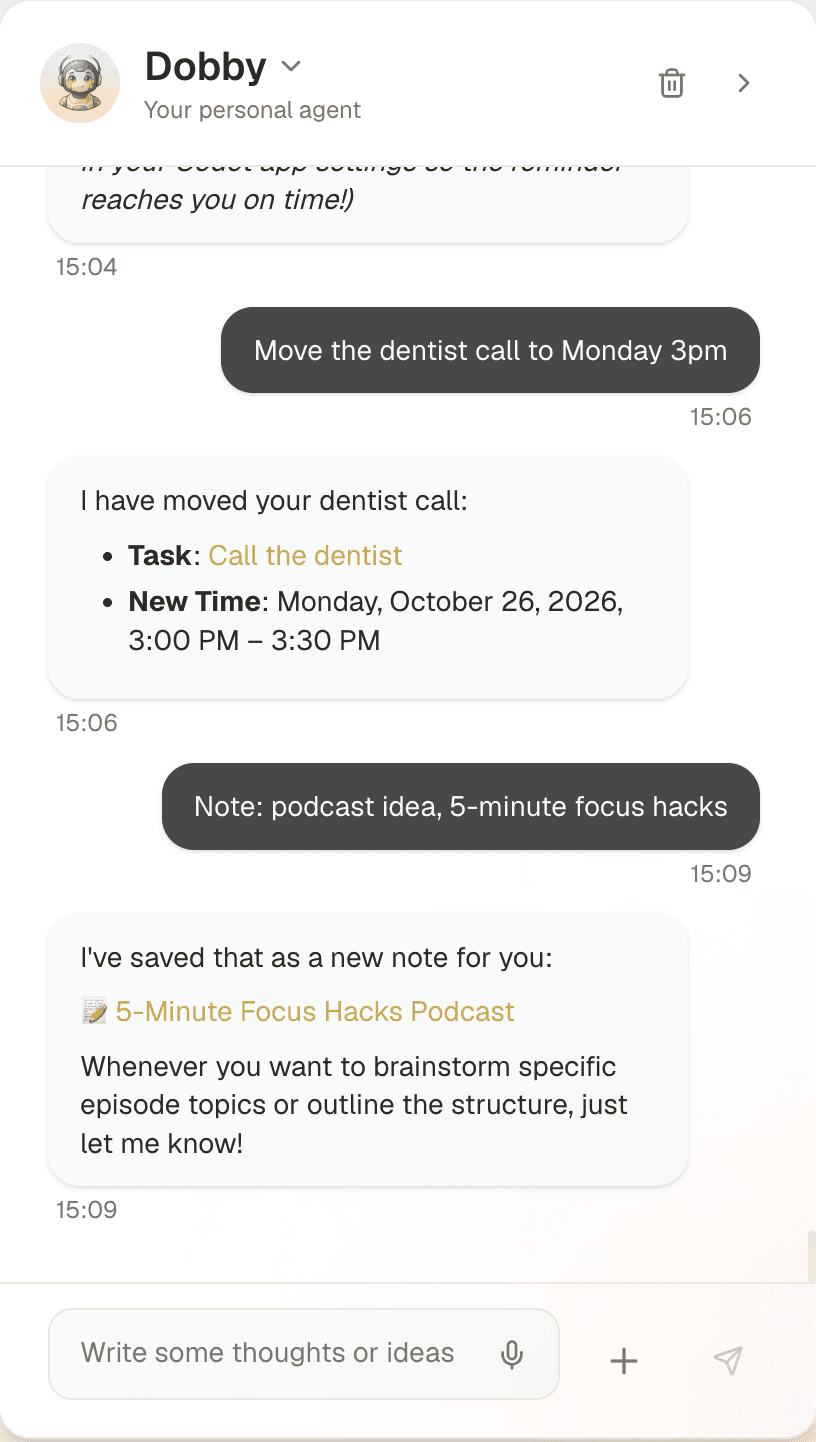
With natural language scheduling you can say, "Schedule a meeting with Sarah next Tuesday at 10 AM," and Codot fills in the details. You talk the way you would to a person rather than learning commands.
The same idea drives the apps in our guide to AI planning and productivity apps. For people with ADHD, it gives one clear, external list of commitments. To go deeper, see how a voice-first AI calendar helps ADHD productivity.
Your ideas shouldn't wait for a keyboard. Just say it — Codot handles the rest.
Which reminder features are free, and which need Codot Max?
The free plan covers one-off tasks, calendar events, notes and voice input. Reminders that fire at a set time, recurring tasks and the daily briefing are part of Codot Max, which costs $12.99 a month or $99.99 a year on the US App Store and gives 20x the free plan's usage. Every new account gets a 7-day Codot Max trial; when it ends you return to the free plan without being charged.
What are the limits of voice capture?
Voice-first capture has limits worth knowing:
- Background noise: very loud places, like a construction site, can make speech harder to understand.
- Unusual names: uncommon proper nouns may need a quick manual correction.
- Privacy: Codot encrypts your data and never sells it.
How does a daily briefing help you stay focused?
A daily briefing gives you one summary each morning instead of a scattered set of pings. You set it up once by voice, and it arrives at the time you choose.
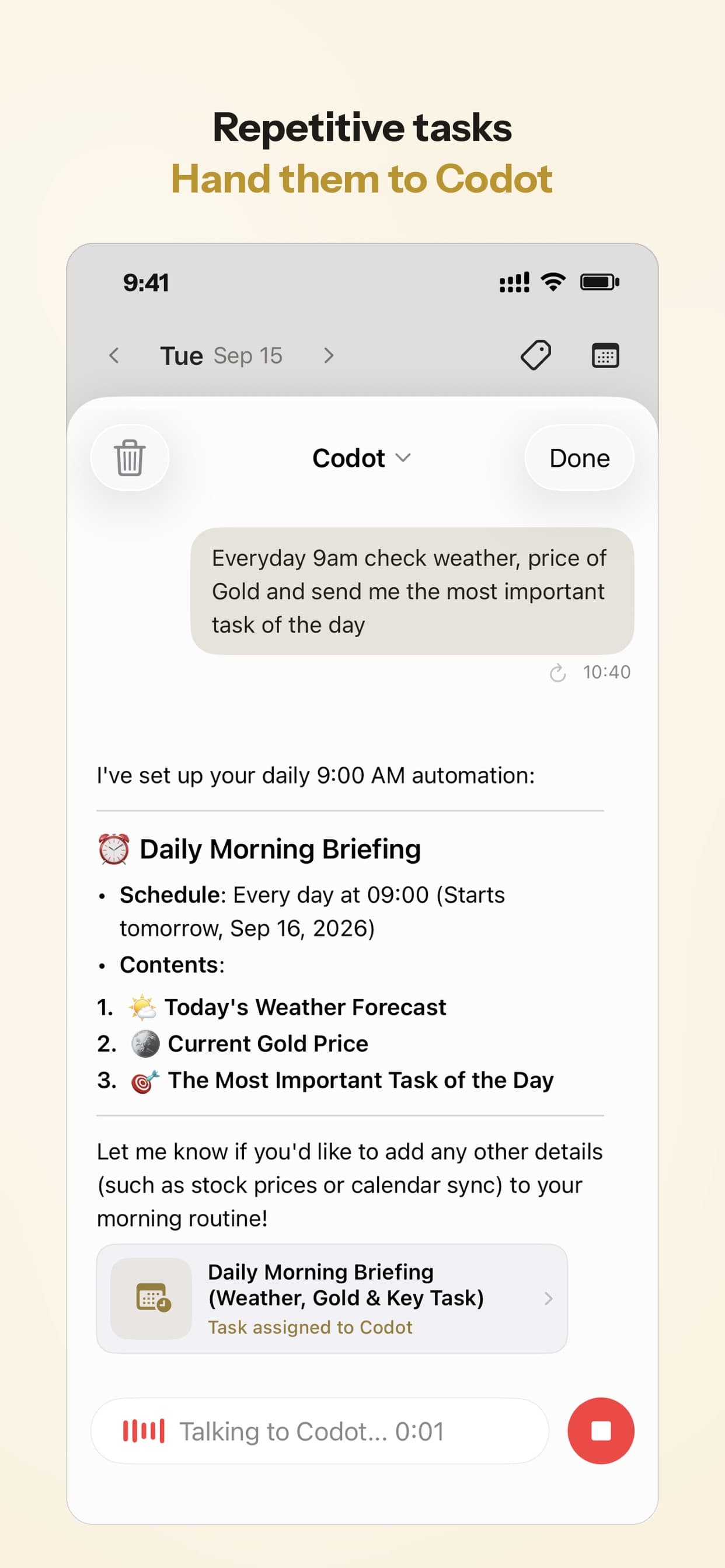
It works like a simple AI accountability partner that keeps your priorities in front of you. Daily briefings are a Codot Max feature.
FAQ
How does Codot differ from Siri or Google Assistant?
Siri and Google Assistant handle short, general commands, while Codot is built for productivity: it turns longer, messy speech into tasks, calendar events, notes and contacts.
Is Codot suitable for people with ADHD?
Many people with ADHD use voice capture because it saves a thought before it slips away, without the effort of typing. Codot turns spoken brain dumps into separate tasks and gives one external list of commitments.
What devices can I use Codot on?
Codot runs on iPhone, Android, Apple Watch and the web, plus a lock-screen widget, so you can capture at your desk or on the move.
Does Codot set reminders on the free plan?
Codot's free plan saves one-off tasks and calendar events by voice. Timed reminders, recurring tasks and the daily briefing need Codot Max, which every new account can try free for 7 days.
Can Codot integrate with my calendar?
Codot adds its tasks and events to Google Calendar, the calendar you already use; it doesn't read the events already there. On iPhone, tasks can also go to Apple Calendar and Apple Reminders. Outlook calendar sync isn't supported yet.
Productivity & Tools Desk
This article was created with AI assistance and reviewed by our editorial team.Learn about our content process.