A Voice CRM for ADHD: Stop Forgetting the People You Meet
You had the rapport, then blanked on their name. A voice-first personal CRM catches names, details and follow-ups before ADHD memory lets them slip.
Codot is a voice-first AI assistant with a built-in personal CRM. You say who you met and what to remember, and Codot saves a contact card with the details and turns any follow-up you mention into a task. It runs on iPhone, Android, Apple Watch and the web, and the personal CRM is included in the free plan.
Many people with ADHD describe themselves as bad friends and even worse networkers. Not because they don't care, but because of a strong 'out of sight, out of mind' pattern. If you're a founder or someone living with ADHD, you know the drill. You meet someone interesting, have a great chat, and then nothing. The details vanish. The follow-up never happens.
Traditional CRMs like Salesforce or even Notion make this worse. They require you to sit down, open a laptop, and type. For an ADHD brain, that's a mountain of mental friction. Codot is our product: an AI assistant you talk to, and it keeps track of people as well as tasks, which goes further than the voice assistants that mostly handle simple to-do lists.
TL;DR: Codot is a voice-first AI assistant with a personal CRM that turns what you say about people into contact cards and follow-up tasks.
- Voice capture: Speak to log meeting notes or contact details right after you meet someone.
- ADHD-friendly: Follow-ups you mention become tasks, so they don't depend on you remembering later.
- Context, not forms: Codot pulls names, personal details and follow-up dates out of how you naturally talk.
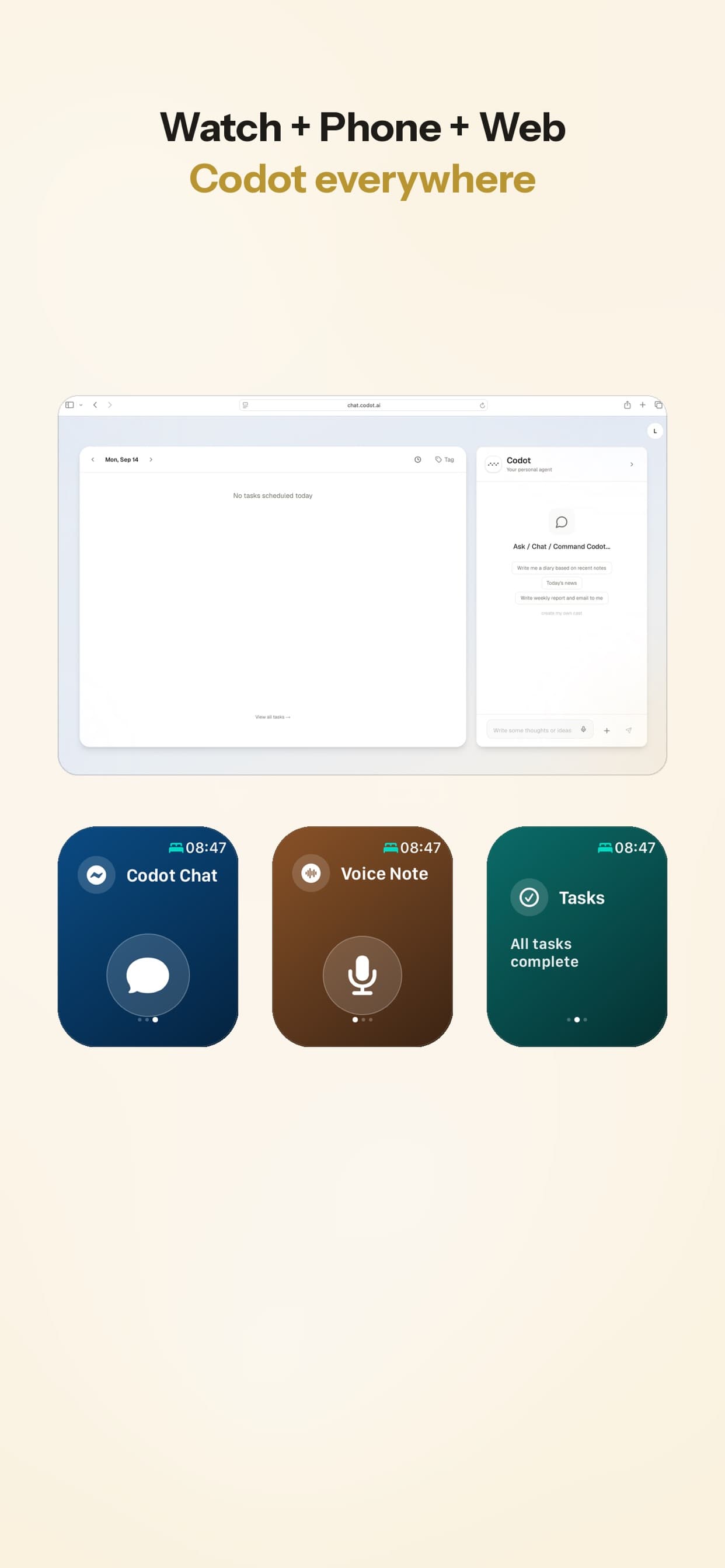
- Cross-platform: Works on iPhone, Android, Apple Watch and the web.
Why Do Traditional CRMs Fail the ADHD Brain?
Traditional CRMs fail because they demand high executive function at the exact moment you have none. After a long networking event or a high-stakes meeting, the last thing you want to do is navigate a complex UI to log 'John likes espresso and has a daughter named Maya.'
If a tool takes more than a couple of taps to use, an ADHD mind tends to stop using it. That leads to the 'ADHD tax': lost deals, forgotten connections, and weaker professional bonds. Codot acts as an external memory for people that catches these details before they disappear.
Traditional CRM vs. Codot AI Agent
| Feature | Codot | Others |
|---|---|---|
| Input Method | Natural voice & stream-of-consciousness | Manual typing & rigid form fields |
| Setup Friction | Low; speak as you walk or drive | High; requires desktop & focused time |
| Data Processing | AI extracts tasks & dates automatically | User must manually categorize every entry |
| ADHD Support | External memory for people and follow-ups | Relies on user's executive function |
Can an AI Agent Really Manage Your Professional Relationships?
Yes, because an AI agent doesn't just store data; it understands context. When you tell Codot, 'I just met Sarah, she's interested in the seed round and we should talk again in three weeks,' it doesn't just save a text file.
It identifies the person (Sarah), the context (seed round), and the action item (follow up in three weeks). By using a voice-first personal CRM as a founder, you offload the bookkeeping of relationships to the AI. We've also covered Codot as a TickTick alternative for ADHD task planning; the CRM side is where it helps most with professional relationships. You stay in the flow of your day while Codot files the details.
How to Get Started with Voice Command Logging?
Logging an interaction should be as easy as sending a voice note to a friend. With Codot, you open the app on your phone or Apple Watch and talk.
You don't need to be formal. You can be messy. You can say, 'Uh, I think his name was Mark, he works at Google, he mentioned his dog is sick.' Codot parses that and updates Mark's profile. This is how you capture the small details that build rapport before they drift away.
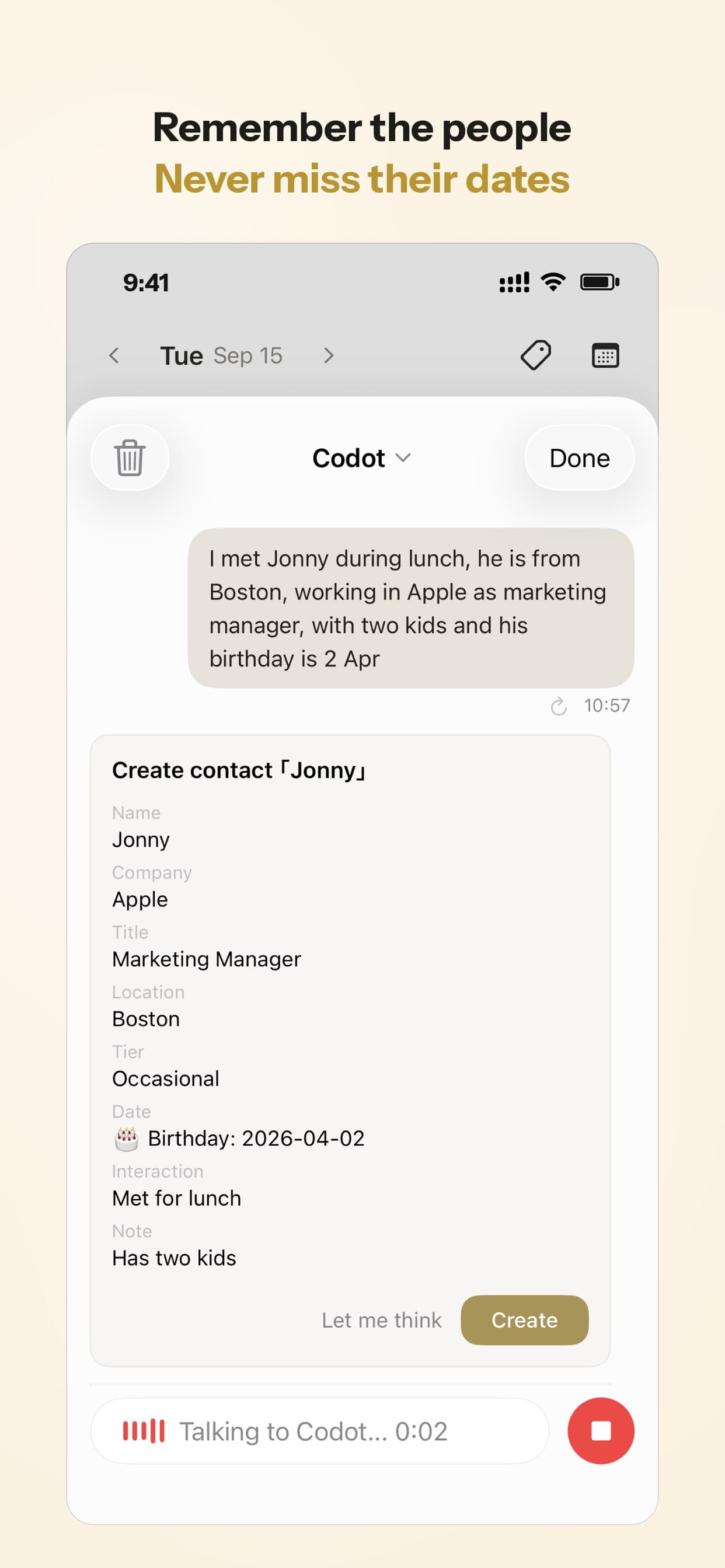
Your ideas shouldn't wait for a keyboard. Just say it — Codot handles the rest.
Try Codot — It's Free →Why is Voice the Ultimate 'Executive Function' Hack for Networking?
Voice is the fastest way to move information from your head to a system without triggering the 'procrastination alarm' in your brain. Typing requires focus; speaking requires intent.
For executives, this means you can log a client's preference while walking to your next meeting. For the ADHD mind, it means you can capture a connection point while driving without losing your train of thought. Codot keeps the small personal details of a conversation that you'd never sit down and type.
Review Summary
Codot suits people who find traditional CRM tools too heavy for daily use; we also included it in our 2026 personal AI assistants review. Its strengths are quick capture and keeping people and follow-ups in one place.
- Pros: Voice input, handles messy speech, built for relationship follow-ups.
- Cons: Not a sales pipeline: no deal stages, team seats or bulk email.
Frequently Asked Questions
How does Codot differ from apps like Clay or Dex?
Codot is voice-first: it builds contact notes from what you say after you meet someone, rather than from syncing your social accounts. It also handles tasks, calendar and notes, so a follow-up you mention lands next to the rest of your day.
Is my voice data secure?
Codot encrypts your data and does not sell it. That matters because you're logging sensitive professional and personal details.
Does it help with follow-up scheduling?
Yes. When you mention a follow-up date, Codot creates the task, and it can sync with Google Calendar. Timed reminders and recurring tasks are part of Codot Max ($12.99/month or $99.99/year on the US App Store); every new account gets a 7-day Codot Max trial.
Can I use it on my Apple Watch?
Yes, and that's often the best way to use it for networking. The Watch app lets you capture details right after a meeting or coffee chat, while they're fresh.
How does the AI handle background noise or messy speech?
Codot uses a large language model to understand what you meant, so filler words, restarts and rambling are fine. A very noisy street can still cost accuracy, so check the card if a name looks wrong.
Can I use Codot for personal relationships too?
Yes. The personal CRM works just as well for remembering birthdays, gift ideas and small details about friends that would otherwise be forgotten.
What happens if the AI misinterprets a date?
You can open the web or mobile app and correct any detail it saved.
Ready to stop forgetting your best connections?
Download Codot on the App Store and start connecting the dots today.
Setting Up Your Voice CRM
- Install the apps: Put Codot on your iPhone (or Android) and Apple Watch so you can capture details the moment they occur.
- Calendar integration: Link your Google Calendar so follow-up dates you mention show up next to your meetings.
- The first capture: Describe a recent interaction in plain, messy language without worrying about formatting.
- Quick review: Look over your contacts once a day to check what Codot saved.
CRM Hacks for ADHD
- The 'Parking Lot' Debrief: Spend 60 seconds recording a voice note in your car right after a meeting, before the details fade.
- Use Emotional Anchors: Mention one specific personal detail, like a client's favorite hobby, so you have something to come back to at the next encounter.
- The 9 PM Sweep: Set aside two minutes in the evening to review the day's contacts and follow-ups.
- Verbal Trigger Phrases: Use clear phrases like 'Action item' or 'Remind me' in your voice note so the follow-up is obvious.
ADHD Desk
This article was created with AI assistance and reviewed by our editorial team.Learn about our content process.