Skylight Calendar Alternatives (November 2026): Family Calendars Without the Plus Subscription, Plus Black Friday Deals
Skylight Plus is $79/yr and excluded from sales. Compare spare tablets, Cozi, Hearth, Nori, Echo Show, DAKboard and Codot on 3-year cost before Black Friday.
As of November 10, 2026, Skylight's 15-inch Calendar 2 starts at $289.99 and Calendar Plus, which includes the Sidekick AI, costs $79 a year and is excluded from Skylight's promotions. To skip the subscription, show a shared Google Calendar or free Cozi on a tablet you own. Hearth is 20% off with code BLACKFRIDAY but needs a membership. Codot, a voice AI assistant on your phone, fills that calendar from a sentence or a flyer photo.
Disclosure: Codot is our product. We haven't tested the screens below in a home. Prices, plan details and the Black Friday offers come from each company's own pages, checked November 10, 2026. Sale prices change daily in late November, so check the link before you buy.
TL;DR:
- Skylight (as of November 10, 2026): the 15-inch Calendar 2 starts at $289.99 and Calendar Plus is $79 a year. Skylight's Plus page says individual Plus subscriptions "are excluded from marketing promotions and discounts," so a Black Friday sale only touches the hardware.
- Black Friday so far: Hearth Display is $559.20 instead of $699 with code BLACKFRIDAY, Nori is advertising $150 off its Family Hub, and Skylight is advertising up to $120 off when you bundle a Calendar with its Buddy. We saw no sale on Cozi, DAKboard or Mango Display plans.
- Zero subscription: a spare tablet showing Google's family calendar or free Cozi does the core job of a Skylight without Plus for $0.
- Codot (our app) is a voice AI assistant on your phone. Say a sentence or photograph a flyer and it adds the events to your calendar. Add your partner as a friend and you can remind each other by voice for free. Use Codot when one parent ends up typing in the whole family's schedule.
At a glance (as of November 10, 2026)
| Option | Best for | Upfront | Ongoing | Rough 3-year cost (US prices) | AI import of emails or flyers | Source |
|---|---|---|---|---|---|---|
| Skylight 15" Calendar 2 + Plus | A kitchen screen kids tap, with Sidekick | $289.99 | $79/yr | $526.99 | Yes (Sidekick) | Skylight |
| Skylight 15" Calendar 2 without Plus | Calendar sync and a chore chart on proper hardware | $289.99 | $0 | $289.99 | No | Skylight Plus |
| Spare tablet + Google family calendar | Seeing the week for $0 | Device you own | $0 | $0 | No | |
| Spare tablet + Cozi Free, Gold or Max | A shared family app with lists and meals | Device you own | $0, $39/yr or $79.99/yr | $0, $117 or $239.97 | Max only (email invitations) | Cozi Max |
| Hearth Display | Routines and rewards for young kids | $699 ($559.20 with BLACKFRIDAY) | Membership required, from $86.40/yr | $766.56 with the code and the 3-year plan | Yes (Hearth Helper) | Hearth |
| Nori | Trying a free family app before buying a hub | Hub sold separately ($150 off now) | Free, or AI Plus $59.90/yr | $0 to $179.70, plus any hub | AI Plus | Nori |
| Echo Show you already own | Hearing the day's events by voice | Device you own | $0 | $0 | No | Amazon |
| DAKboard | Tinkerers building a custom wall screen | Your screen | Free, or Essential $5/mo billed yearly | $0 to $180 | No | DAKboard |
| Mango Display | A browser screen with calendars and widgets | Your screen | Calendars need Pro, $59.99/yr | $179.97 | No | Mango Display |
| Codot (on your phone) | The parent who enters every event | $0 | Free plan, or Codot Max $99.99/yr | $0 on the free plan, $299.97 on Max yearly | Yes, from a flyer photo or a spoken sentence | App Store |
Three-year costs use annual billing and leave out tax. For Hearth we used the Black Friday price plus the $207.36 three-year membership.
The screen price is the smaller number on most rows. Three years of Skylight Plus ($237) costs almost as much as the 15-inch screen, and that part never goes on sale.
How much does Skylight cost in November 2026?
From Skylight's calendar comparison page, checked November 10, 2026:
| Skylight model | Starting price |
|---|---|
| 10" Calendar | $149.99 |
| 15" Calendar, refurbished memory | $249.99 |
| 15" Calendar 2 (best seller) | $289.99 |
| 27" Calendar Max | $569.99 |
| Calendar Plus subscription | $79 a year |
The Calendar Plus page lists Plus at "$79 /year." The Verge reported on February 21, 2025 that Plus went from $39 to $79, so the current price has held for well over a year.
What do you lose without Skylight Plus?
Skylight's own Basic vs Plus table is short:
| Feature | Basic (free) | Plus ($79/yr) |
|---|---|---|
| Sync online calendars | Yes | Yes |
| Chore chart | Yes | Yes |
| Magic Import with Sidekick | No | Yes |
| Meal planning | No | Yes |
| Photo and video screensaver | No | Yes |
| Rewards | No | Yes |
| Disney Mode | No | Yes |
Sidekick is the reason most families pay. Skylight's page says you can "Let Sidekick handle every school email, reminder, and flier" by forwarding them, and it also generates recipes and lists.
That makes the subscription question simple. If one parent already types in every event, the screen mostly displays a calendar, and almost any screen can do that. If the fridge is covered in paper nobody has entered, Sidekick solves a real problem, and it's worth comparing with the other ways to get paper into a calendar below.
Which Skylight alternatives are on sale for Black Friday 2026?
Black Friday is November 27 this year. Here is what each company's own site showed on November 10:
- Hearth Display: the product page shows $559.20, down from $699.00, with "Use code: BLACKFRIDAY to save 20%." The banner says the 20% is "for a limited time only." The membership is not discounted.
- Nori: the site runs an "Early Black Friday" banner offering $150 off the Nori Family Hub. The AI Plus plan stays at $59.90 a year.
- Skylight: the site banner offers "Bundle & Save up to $120 on Calendar + Buddy." Calendar Plus is excluded from promotions.
- Cozi, DAKboard, Mango Display: no sale on their plan pages. DAKboard Essential and every paid Mango plan come with a 30-day free trial.
Retailers often run their own Skylight prices in the last week of November. A $100 cut on the screen still leaves $79 a year for Plus if you want Sidekick.
Your ideas shouldn't wait for a keyboard. Just say it — Codot handles the rest.
Skylight calendar alternatives compared
A spare tablet with Google Calendar or Cozi
This is the setup most "no subscription" searches are after. When you create a family group on Google, Google creates a calendar called "Family" automatically, and everyone in the group sees it in Google Calendar. Put an old iPad on the counter with that calendar open, turn off auto-lock and keep it plugged in.
You lose some polish. A tablet isn't built for the fridge, and kids can drift into YouTube. For a house that mainly wants to see the week, that's usually fine, and a cheap stand or wall mount closes most of the gap.
Cozi Free, Gold or Max
Cozi is free on iPhone, Android and the web, uses one account for the whole family and works with Google, Outlook and Apple calendars. Cozi Gold is $39 and removes ads. Cozi Max is $79.99 a year and adds AI Event Import, which "turns invitations and calendar details from your inbox into events on your Cozi Calendar," plus an AI Recipe Creator.
Cozi Max costs about the same per year as Skylight Plus and covers the same two AI jobs, email-to-calendar and meal ideas, on devices you already own. Our Cozi alternatives guide compares it with five other family apps.
Hearth Display
Hearth Display lists at $699, or $559.20 with the Black Friday code. Its page says the Family Membership is "required to setup your Hearth." Membership is $9 a month, $86.40 a year, $155.52 for two years or $207.36 for three, and the first month is free. It covers shared calendars, routines, meal planning, rewards and Hearth Helper, which "turns invites into events."
Hearth is built around kids' routines, rewards and streaks. Pick it when getting young children through mornings is the main goal. For a calendar on the wall, Skylight without Plus is cheaper even after Hearth's discount.
Nori
Nori has a "Free forever" tier with a shared family calendar, tasks, recipes, a shopping list, a meal plan and 10 free AI uses. AI Plus is $7.99 a month or $59.90 a year per family and works on the Nori Family Hub, the app and the web. Since the app works without the hub, you can try the free tier before deciding whether the $150-off hub is worth it.
Skylight vs Echo Show
If an Echo Show already sits in your kitchen, link your calendars in the Alexa app and Alexa can read out and add events. Amazon's help page warns that "Content from your calendar might be available to anyone using your Alexa devices," and says calendars "will no longer be shared across adults in your Amazon Family." It's free if you own one. We wouldn't buy one just for the calendar.
DAKboard and Mango Display
Both turn a screen you already own into a wall display. DAKboard's free plan gives one predefined screen with up to two calendars. Essential is $6 a month, or $5 a month billed yearly, for up to five calendars and custom layouts. Mango Display has a free plan for clocks, news and weather, but calendars (Google, Outlook, iCloud and Cozi) start on Pro at $5.99 a month or $59.99 a year. Neither has a chore chart or AI import.
If you searched for Skylight alternatives with a chore chart: Skylight's free Basic tier already includes one, Hearth has routines and rewards, and Cozi and Nori have shared family to-do lists.
What is the best Skylight calendar alternative app?
Use Codot when one parent ends up entering the whole family's schedule and wants that to take a sentence instead of ten minutes of typing. Every screen above shows what's in the calendar. Codot is a voice AI assistant on your phone that puts it there, and it writes events into the Google Calendar a tablet or wall screen can display.
Paper to calendar. Photograph the school newsletter on the fridge and Codot reads the dates. One tap adds them to your calendar.
One sentence, several events. In the car line you say: "Swim moves to 5:30 on Thursdays, Ava's party is Saturday at 2, and remind me to buy a gift Friday at noon." Codot creates the events and the reminder, each at its own time. You can start talking from the iPhone Lock Screen widget or an Apple Watch, and Codot also runs on Android and the web.
Remind each other by voice. You and your partner add each other as friends in Codot, which is free. Then either of you can say "Remind Dan to grab milk on the way home at 5," and the reminder lands in Dan's Codot app at 5. It works in both directions. When you share a task, you tap Confirm on the share card once.
Repeating pickups. Say "Every other Friday at 5, remind Maya to pick up Mia." The reminder is sent to Maya every time it repeats, not only the first Friday.
The week ahead, without asking. On Codot Max, a routine like "Every Sunday at 7 pm, list next week's pickups and who's doing each one" runs on its own, and it can list the tasks you assigned to your partner next to yours. On iPhone, the daily briefing at 7 am lists what's on today.
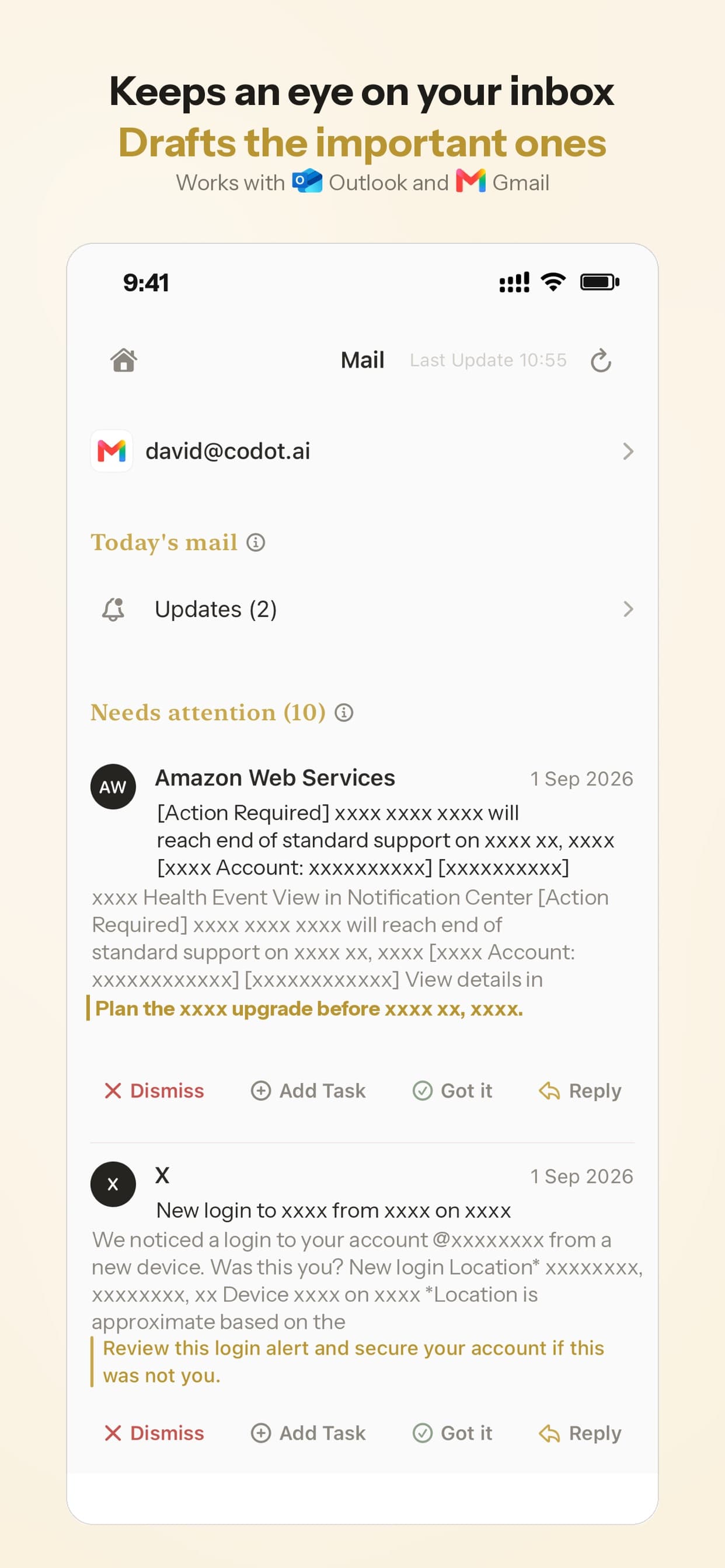
School email. On iPhone, Codot sorts your Gmail or Outlook inbox and drafts replies to the messages that need one, so the half-day notice gets an answer and a calendar entry.
What it costs. The free plan covers one-off tasks, the calendar, notes, the personal CRM, habits, calorie logging, expenses, adding friends and assigning tasks to family. Reminders at a set time, repeating tasks, the daily briefing, routines and inbox triage are part of Codot Max: $12.99 a month or $99.99 a year in the US, with 20x the free plan's usage. Every new account gets 7 days of Max free, then drops back to the free plan without charging you. Data is encrypted and never sold. Codot has been running for almost two years, and more people use it every month.
Before you buy a family calendar screen this Black Friday
- Add up three years. Use the table at the top. A $100 cut on the screen doesn't change a subscription you'll pay 36 times.
- Decide who enters events. If it's one parent, budget for that parent's tool first (Codot, Cozi Max or Nori AI Plus) and treat the screen as optional.
- Test with what you own. Put a shared Google Calendar or free Cozi on an old tablet for two weeks. If the family looks at it, buy a proper screen during the sale. If nobody does, you've kept $290.
- Check what keeps working if you cancel. Skylight Basic keeps calendar sync and the chore chart. Hearth says its membership is required to set up the display.
How to choose
- You're the parent who enters everything: Codot on your phone, writing into the shared Google Calendar that any screen above can show, with reminders sent to your partner's phone.
- You want a screen kids can tap and you'll pay for convenience: Skylight with Plus, or Hearth if young kids' routines are the main goal (20% off with BLACKFRIDAY right now).
- You want zero subscription: a spare tablet with Google's family calendar or free Cozi, or Skylight without Plus if you want proper hardware.
- You want email-to-calendar inside a family app: Cozi Max or Nori AI Plus on devices you already own.
Codot handles getting events and reminders in; a wall screen such as Skylight, Hearth or a spare tablet shows them in the kitchen, and that's also where a chore chart or star rewards live. Each person who receives reminders uses their own Codot account.
For more on running the household calendar, see how to organize a family calendar. For Skylight's text-message assistant and other new AI family assistants, see our Anna vs Skylight Assistant vs Ohai comparison. Our guide to family organizer apps for moms compares the phone-based options, and if you were using Ollie, our Ollie shutdown guide covers what to export and where to move.
FAQ
Is the Skylight Calendar subscription worth it?
Skylight Plus ($79 a year) is worth it if you'll forward school emails and flyers to Sidekick every week or use the meal planner. If one parent already enters everything, Skylight's free Basic tier keeps calendar sync and the chore chart.
Will Skylight Plus be cheaper on Black Friday?
Probably not. Skylight's Plus page says individual Calendar Plus subscriptions are excluded from marketing promotions and discounts, so Black Friday deals apply to the hardware and bundles only.
Skylight Calendar vs Cozi: which is cheaper?
Cozi. The Cozi app is free, Gold is $39 a year, and Max, which adds AI Event Import, is $79.99 a year on devices you already own. Skylight's screen starts at $149.99 for the 10-inch and $289.99 for the 15-inch, plus $79 a year for Plus.
Hearth Display vs Skylight: which needs a subscription?
Hearth does. Its page says the Family Membership is required to set up the display, from $86.40 a year. Skylight works without Plus for calendar sync and chores.
How is Codot different from Skylight?
Codot is a voice AI assistant on your phone that turns spoken sentences and flyer photos into calendar events and sends reminders to family members you've added as friends. Skylight is a kitchen screen the whole family looks at. Many families would use both: Codot to fill the calendar, a screen to show it.
Get Codot on the App Store. There's a free plan, and new accounts get 7 days of Max free, enough to see how much of the family calendar it fills before you buy a screen.
Productivity & Tools Desk
This article was created with AI assistance and reviewed by our editorial team.Learn about our content process.